Why Do AI Agents Use More Tokens Than Normal Chat? A Beginner Cost Guide
See how repeated model calls, history and tool results accumulate agent tokens. A three-call example explains the cost, with trimming, caching and budget controls.
When people first deploy Hermes Agent, OpenClaw, Dify workflows, or group-chat bots, they often run into the same question:
I only sent one message. Why did it use so many more tokens than normal chat?
This is not an illusion. AI Agents call models differently from normal chat apps.
Normal chat is usually “one user message, one model reply.” An Agent behaves more like an assistant that can actually do work: understand the goal, break it down, call tools, read results, continue reasoning, and finally summarize. Each step may involve model calls and context passing.
This article is not about avoiding Agents. It is about understanding:
- where tokens are spent;
- why tools, search, image generation, and retries raise cost;
- when stronger models are worth it;
- how to reduce cost through model routing, budgets, and rate limits;
- why a unified token/API entry point like Nbility is useful for Agent applications.
How Three Model Calls Accumulate Input Tokens
This is a worked example, not a measured bill from a particular tool. Assume each request sends the full history, with no compaction or cache discount:
| Model call | Input tokens | Output tokens | Added before the next call |
|---|---|---|---|
| 1: plan and request a tool | 1,000 | 100 | 100 output + 400 tool-result tokens |
| 2: inspect the result and continue | 1,500 | 100 | 100 output + 400 tool-result tokens |
| 3: deliver the final answer | 2,000 | 200 | Task complete |
| Total | 4,500 | 400 | Input is counted separately for each request |
A local command does not itself consume model tokens. Its result becomes input when sent to the model. Resending history also adds that history to each request's token count. Cached-input pricing, reasoning tokens and separate tool charges still follow the service's actual rules; the final answer length cannot estimate the entire bill.
Use context trimming and prompt caching to address different parts of this cost, then verify the result in actual usage logs.
First: Normal Chat and Agents Have Different Call Chains
Normal chat roughly looks like this:
user input -> model response
An AI Agent more often looks like this:
user input -> planning -> tool call -> read result -> more planning -> more tools -> final summary
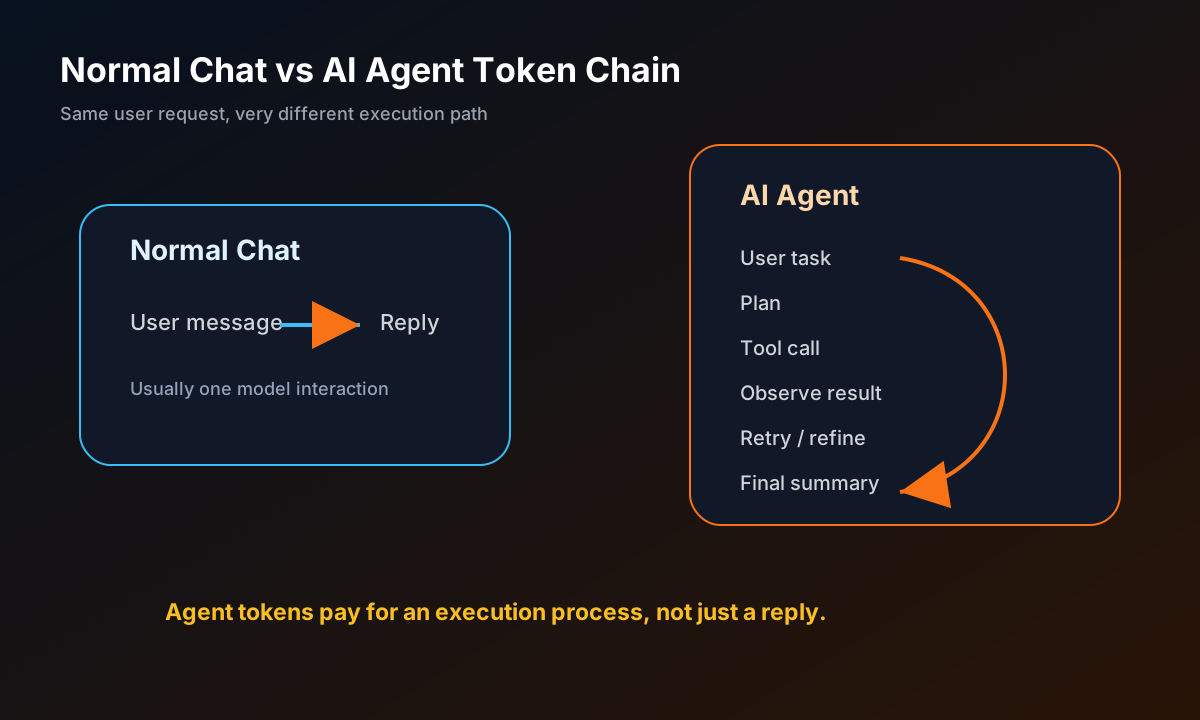
For the same request, “help me figure out how to deploy this project,” normal chat may answer from prior knowledge. An Agent may:
- search the official site or GitHub;
- open the README;
- read installation docs;
- inspect the current server environment;
- generate commands;
- execute commands;
- search again after errors;
- fix issues and summarize.
Model requests consume input and output tokens. Tool execution and feeding its result back to the model are separate steps.
Where Does Token Cost Come From?
You can split Agent cost into seven categories.
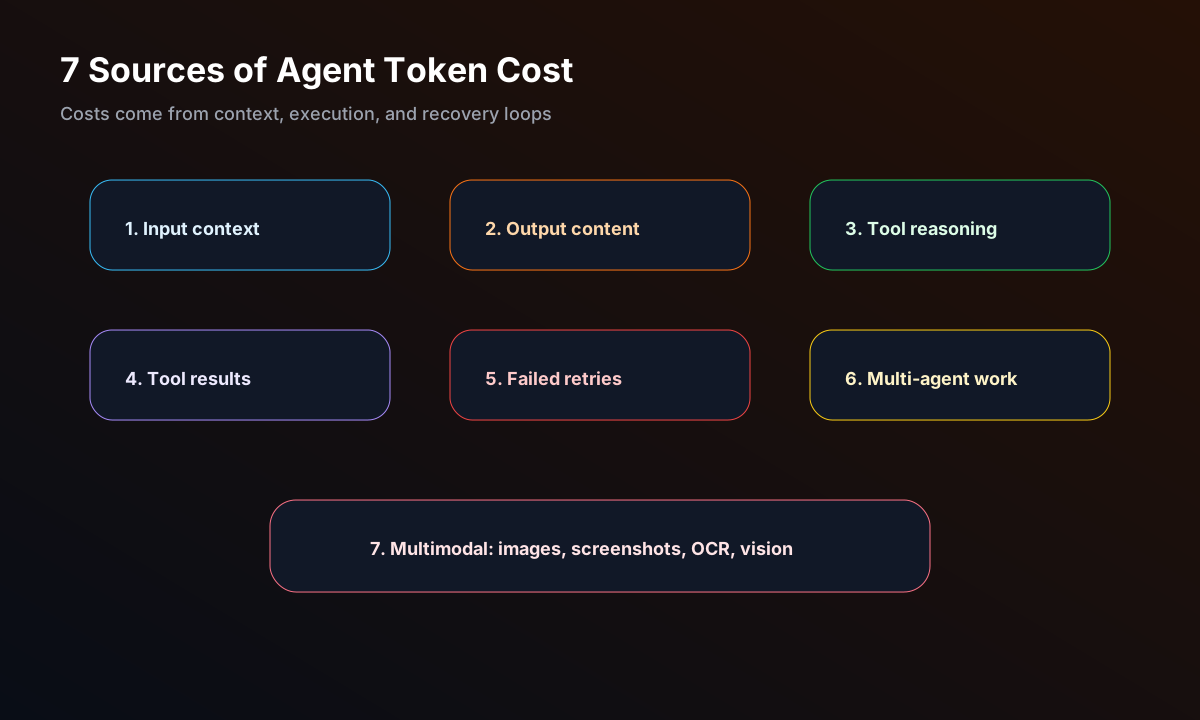
1. Input Context
When the model replies, it may see more than the latest message:
- conversation history;
- system prompt;
- tool descriptions;
- memory;
- project file snippets;
- previous tool results;
- current task plan.
All of that counts as input tokens.
2. Output Content
The answer, code, plan, or summary generated by the model consumes output tokens. Long articles, long code blocks, and long reports naturally cost more.
3. Reasoning Before Tool Calls
Before calling tools, an Agent often decides:
- whether to search;
- whether to read files;
- which command to run;
- whether the command is risky;
- how to verify the next step.
That reasoning may be short or long.
4. Tool Results Fed Back into the Model
Search results, web pages, command output, logs, diffs, screenshot descriptions, and browser observations often get fed back into the model.
If you pass thousands of log lines back at once, token usage rises quickly.
5. Failed Attempts and Retries
One of the most expensive Agent patterns is “fail, analyze, try again.” Examples:
- npm install fails;
- Docker port conflict;
- API 401;
- wrong model name;
- web extraction fails;
- tests keep failing.
Each failure can produce error output + analysis + a new command + another verification step.
6. Multi-Agent Collaboration
If a main Agent delegates research, coding, and review to multiple subagents, quality may improve, but token usage increases.
Parallelism is not free acceleration.
7. Multimodal and Image Generation
Image generation, screenshot analysis, video understanding, OCR, and browser visual checks may not map 1:1 to text tokens, but from a user’s perspective they still consume quota.
A More Realistic Example
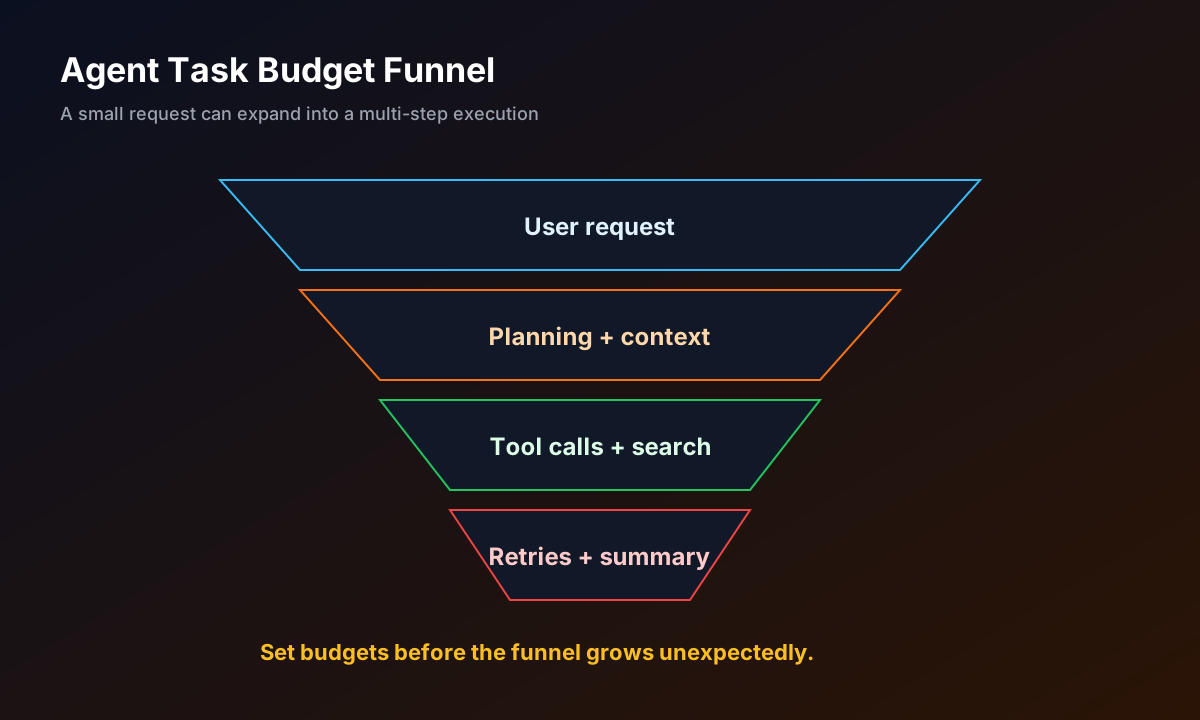
Suppose you tell an Agent:
Deploy this open-source project to my server and give me a public preview link.
The message is short, but the Agent may:
- read the README;
- detect the project language;
- install dependencies;
- configure environment variables;
- start the service;
- inspect ports;
- configure reverse proxy;
- take a screenshot or run health checks;
- fix errors;
- write deployment notes;
- return the final link.
That is why “task Agents” use more tokens than “chat Q&A”: they automate 10–30 manual steps.
In other words, tokens are not buying one answer. They are buying an execution process.
Is It Expensive? Compare Cost to Task Value
Do not judge only by token count. Ask what the Agent saved you.
If the Agent spends some tokens to:
- debug production errors;
- write deployment scripts;
- batch-process files;
- summarize meetings;
- generate marketing material;
- answer group questions;
- monitor services and alert you;
then the cost is really automation cost.
What you want to avoid:
- meaningless long chats;
- repeatedly feeding huge logs;
- using the most expensive model for every small task;
- letting every group-chat message trigger the Agent;
- unlimited retry loops.
10 Practical Ways to Save Tokens
1. Route by Model Tier Instead of Using the Strongest Model Everywhere
Use cheaper, faster models for daily tasks. Use stronger models for complex code, long context, or deep research.

A simple strategy:
light Q&A / rewriting -> cheap fast model
deployment debugging / code edits -> medium model
architecture / deep research -> strong model
image generation / multimodal -> separate budget
2. Limit Context Length
Ask the Agent to summarize history instead of retaining everything forever. For long tasks, periodically compress progress:
Compress current progress into 10 facts. Keep commands, paths, errors, and next steps.
3. Filter Tool Results Before Feeding Them Back
Do not feed full logs unless necessary. Prefer:
- last 100 lines;
- context around errors;
- diff summaries;
- key config snippets.
4. In Group Chats, Trigger by Mention by Default
Group-chat bots burn tokens fastest when every message triggers them. Use:
- mention-only by default;
- group allowlists;
- cooldowns;
- lightweight models for casual chat;
- separate commands for image generation and long tasks.
5. Set Budgets for Automated Tasks
For example:
Search at most 5 pages, try at most 3 commands, and if it still fails, summarize why instead of retrying forever.
6. Ask for a Plan Before Execution
For risky or large tasks, split planning and execution:
Give me the plan first. Do not execute yet.
Then approve the next step.
7. Turn Repeated Workflows into Skills or Templates
Do not explain the same repeated workflow every time. Deployment, releases, article generation, and support responses can all become reusable workflows.
8. Separate Generation and Verification
Ask the Agent to produce a minimal result, then verify with tools. Avoid long speculative explanations before checking reality.
9. Monitor Daily and Weekly Usage
Once an Agent is connected to Telegram, QQ groups, or webhooks, you are no longer the only manual user. Watch usage trends.
10. Use One Unified Token Entry Point
If you use Hermes Agent, OpenClaw, Dify, NextChat, and Open WebUI at the same time, use one API/token management entry point.
Nbility fits this layer:
multiple Agent apps -> OpenAI-compatible Base URL -> Nbility -> models / tokens / quota management
That avoids separate recharge flows, keys, model names, and usage tracking across every app.
Beginner Budget Recommendations
Start like this:
personal testing: small recharge + lightweight model + manual trigger
server Agent: medium budget + tool allowlist + log monitoring
group bot: strict mention trigger + cooldown + separate image budget
business automation: workflow-level budget + retry limits + cost reports
If you do not know where to start, create a separate API Key in Nbility just for Agent usage. Then Hermes, OpenClaw, Dify, and similar apps can be monitored separately from your other usage.
Common Misconceptions
Misconception 1: One user message should mean one model call
Not necessarily. An Agent may plan, call tools, observe, plan again, and summarize. One user input can map to multiple model interactions.
Misconception 2: A cheaper model is always cheaper overall
Not always. If a cheap model fails, takes detours, or retries repeatedly, it may end up costing more than a medium model.
Misconception 3: More context always means more intelligence
Not always. Irrelevant context raises cost and can distract the model.
Misconception 4: More proactive group bots are better
No. Overactive bots trigger too often, spam chats, and burn tokens. Mention-only is usually safer.
Misconception 5: Image generation and screenshot analysis are not Agent costs
From a product/operations perspective, they are. Tutorial images, group image generation, and visual QA should have separate budgets.
Summary
AI Agents use more tokens than normal chat not because they are “wasteful,” but because they do more work: plan, read, execute, observe, retry, and summarize.
The key is boundary control:
- automate tasks that are worth it;
- route models by difficulty;
- allowlist tools;
- use mention-only group triggers;
- set budgets for automation;
- limit retries;
- make usage visible.
If you are deploying Hermes Agent, OpenClaw, Dify, NextChat, or Open WebUI, you can use Nbility as the unified token/API entry point:
https://nbility.ai
The next article can cover common Nbility configuration errors: 401, Base URL, model name, and insufficient balance. That topic is perfect for readers who already started configuring Agent apps.
Image Prompts
Cover:
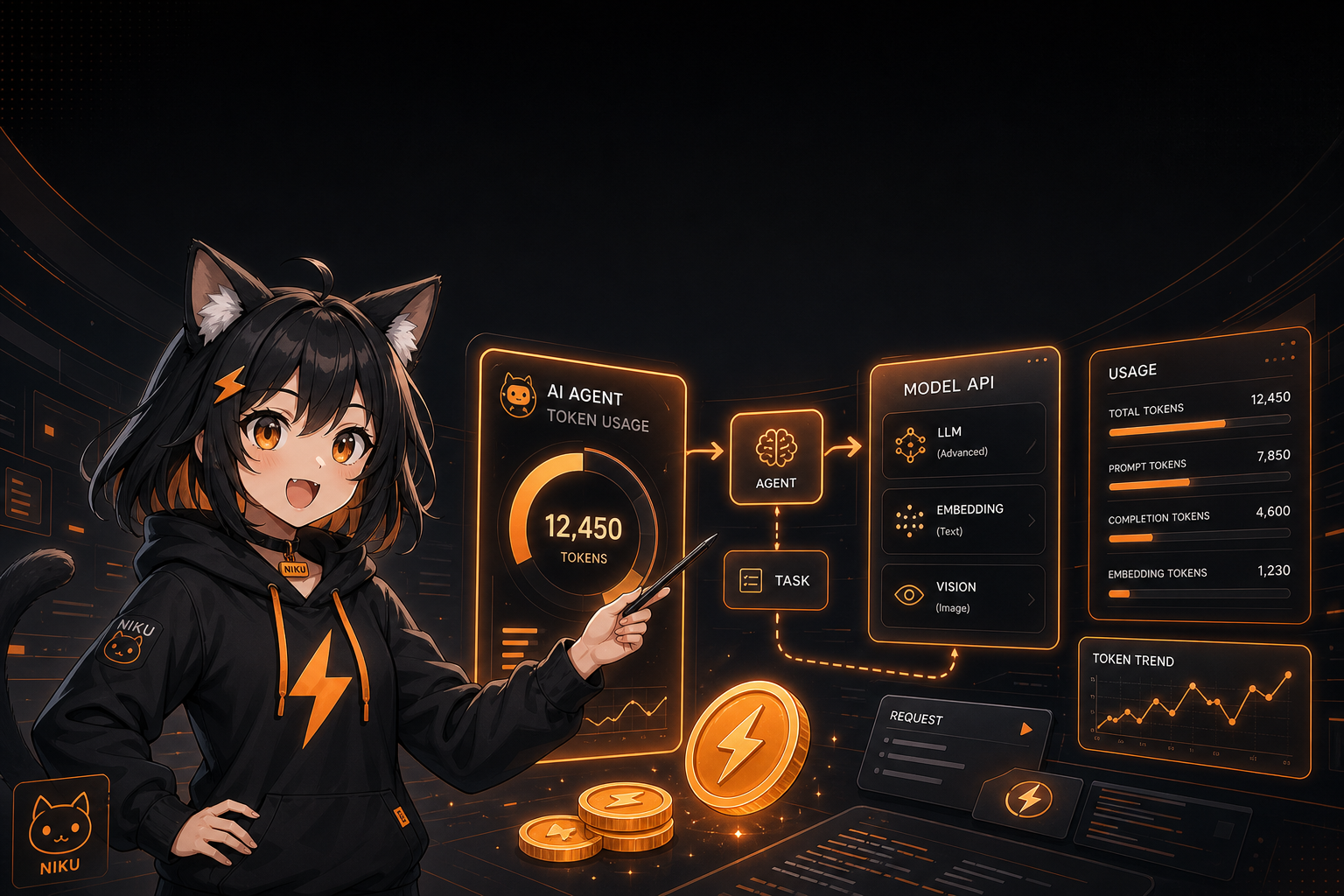
A polished tech blog cover illustration. niku, Nbility mascot, cute anime catgirl with black cat ears, black hoodie with orange lightning logo, excited token-cost teacher style, explaining AI Agent token usage on a glowing dashboard, token coins, flow arrows, model API panels, black and orange brand palette, no real credentials, leave title space.
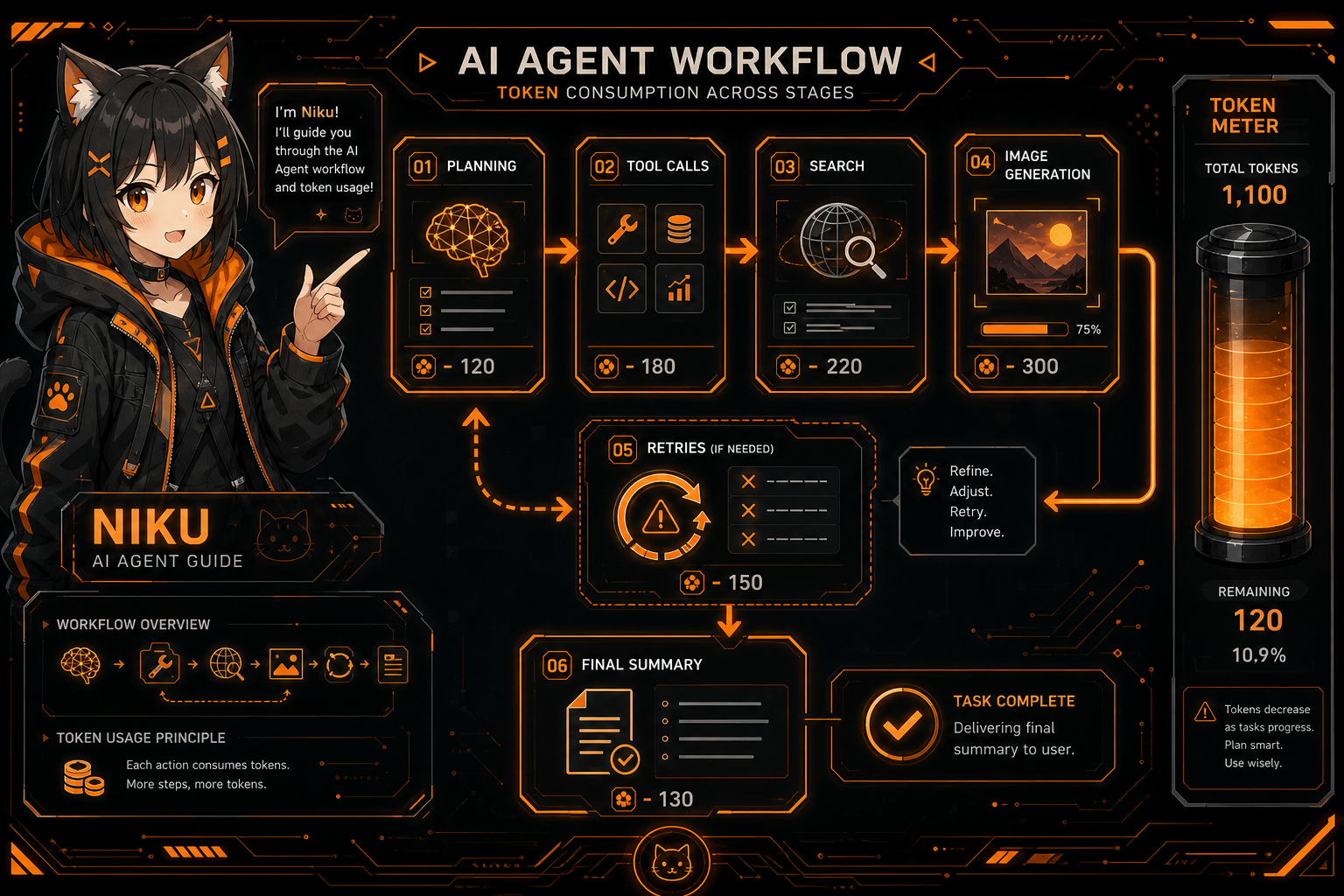
Body illustration:
A clean anime-tech illustration showing an AI Agent task consuming tokens through planning, tool calls, search, image generation, retries, and final summary. Include niku as a guide, token meter, black and orange palette, no readable secrets.