How to Fix Context Length Exceeded: Token Budgets, Trimming, and Compaction
Fix context length exceeded errors by budgeting input and output tokens, trimming messages safely, summarizing history, limiting RAG and tool results, and compacting agent state.
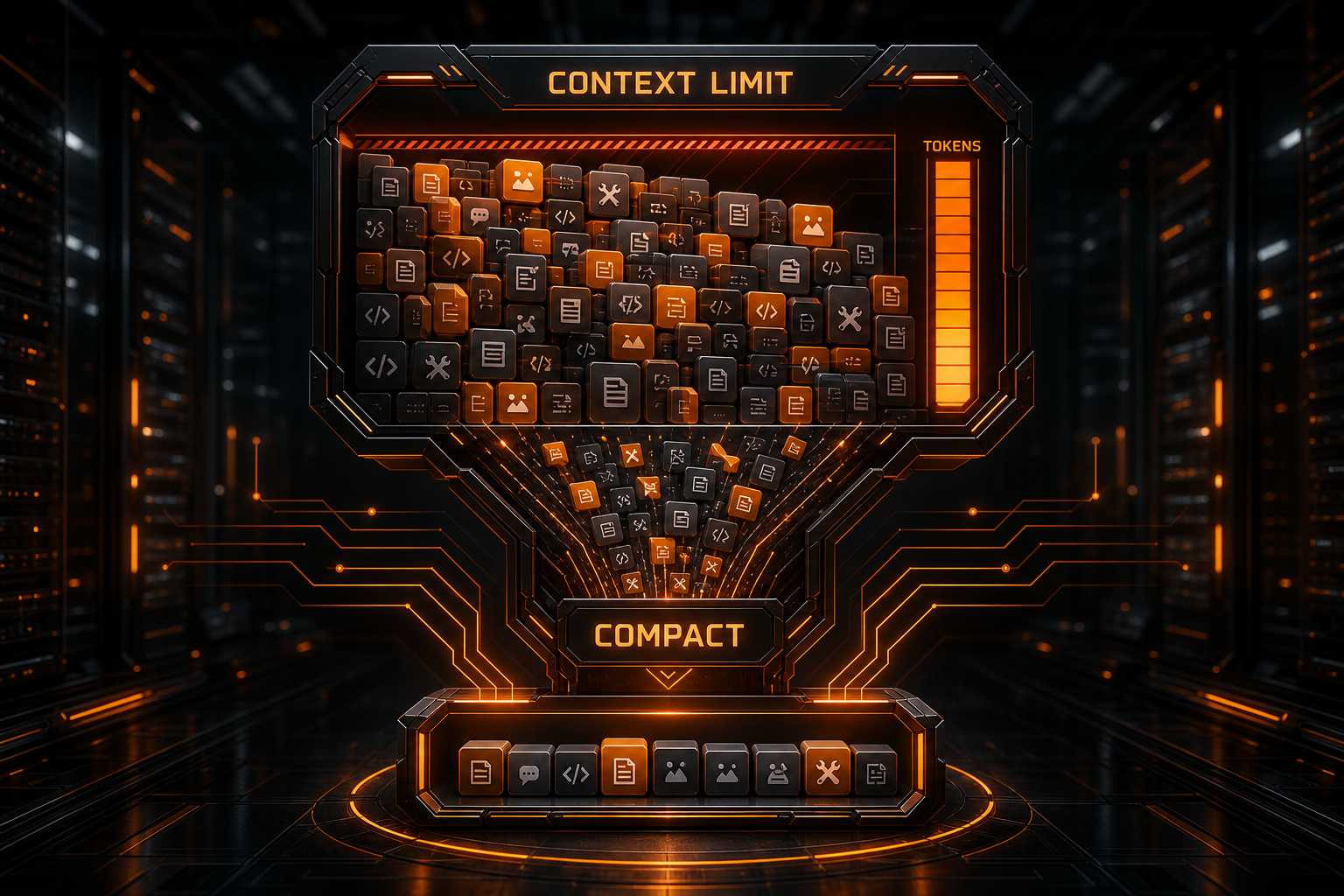
Errors such as context length exceeded, maximum context length, prompt is too long, and input token limit exceeded all point to the same underlying condition: the material required for this request no longer fits within the active model or API limit.
Increasing max_tokens blindly is not the solution. Start with the actual budget:
Input messages
+ system instructions
+ tool definitions
+ tool calls and results
+ images and documents
+ prior assistant output
+ space reserved for this response
≤ available context window
This guide moves from immediate recovery to production-grade context management for chat applications, RAG systems, OpenAI-compatible APIs, and long-running coding agents.
Five Immediate Recovery Steps
See Nbility API errors for protocol-specific diagnostics. Reduce the actual input and check the output reserve first; retrying the identical request does not create more context capacity.
1. Reduce This Request's Input
Remove irrelevant history, duplicate documents, complete logs, and unnecessary attachments. Keep only what the current task requires.
2. Lower the Output Reserve
If the client permits it, choose a realistic maximum output. A short classification task does not need tens of thousands of reserved tokens.
3. Start a New Session
When a conversation contains many old branches, a clean session is often safer than continued patching. Generate a structured handoff first, then bring that summary and the required files into the new session.
4. Select a Verified Larger-Context Model
Before switching, verify:
- the exact API model ID;
- input and output limits;
- tool-call compatibility;
- any special headers or plan requirements for long context;
- whether the third-party gateway exposes the same capacity.
5. Disable Unneeded Tools and Attachments
Only expose tools relevant to the current task. Images, PDFs, web snapshots, and verbose schemas can consume substantial context.
What Counts Toward the Context Window?

The context window is not a character limit on the user's text box. It contains everything the model must process during one inference:
| Content | Typical source |
|---|---|
| System and developer instructions | Product rules, roles, safety requirements |
| User messages | The current request and prior user turns |
| Assistant messages | Previous answers, reasoning items, or state |
| Tool definitions | JSON schemas, MCP descriptions, function parameters |
| Tool calls and results | Search output, terminal logs, files, API responses |
| Retrieved context | RAG chunks, citations, metadata |
| Multimodal input | Images, PDFs, audio, or video representations |
| Output reserve | The next answer, tool arguments, or reasoning budget |
An agent with only ten chat turns can exceed its limit after reading large logs, many files, and verbose tool schemas.
Context Window Is Not Maximum Output
Let W be the model window, I the input size, O the desired output reserve, and S a safety margin:
I + O + S ≤ W
If input already approaches the boundary, increasing the output cap from 2,000 to 8,000 can make rejection more likely. APIs differ in how they enforce combined and separate input/output limits, so use the selected model documentation and the actual error response.
Why a Short Prompt Can Still Overflow
Tool Definitions Have a Fixed Cost
An agent may send dozens of tool schemas on every request. Longer descriptions and deeply nested parameters increase the baseline before the conversation itself is counted.
Tool Results Grow Faster Than Chat History
Common offenders include:
- complete build logs;
- dependency lockfiles or generated directories;
- large JSON payloads;
- database result sets;
- Base64-encoded images;
- repeatedly fetched copies of the same file;
- many nearly identical search results.
Tokens Are Not Characters
English prose, Chinese text, source code, JSON, and random strings tokenize differently. A rough “four characters per token” estimate is not safe for hard limits. Tokenizers and multimodal accounting also vary by model.
A Gateway Can Enforce a Smaller Limit
A third-party provider may:
- configure less context for a model alias;
- impose an independent input limit;
- cap output separately;
- route fallback requests to a smaller model;
- account for images, caching, or tools differently.
Check the exact model ID, provider documentation, and limit reported in the error—not only a marketing model card.
Estimate Tokens Before Sending the Request
The most reliable options are the provider's token-counting endpoint or an official tokenizer that matches the target model. Context management should happen before a rejected API call.
A service can build a budget guard like this:
const budget = {
  contextWindow: model.contextWindow,
  reserveOutput: requestedOutput,
  safetyMargin: Math.ceil(model.contextWindow * 0.05),
};

const maxInput =
  budget.contextWindow -
  budget.reserveOutput -
  budget.safetyMargin;

if (estimatedInputTokens > maxInput) {
  // compact, retrieve less, or reject before calling the model
}
The safety margin covers message wrappers, tool schemas, tokenizer differences, and content added by the service. Do not plan around the theoretical final token.
Track the Components, Not Only the Total
Useful telemetry includes:
system_tokens
tool_schema_tokens
history_tokens
retrieval_tokens
current_input_tokens
reserved_output_tokens
A breakdown reveals whether the right intervention is trimming chat, reducing tools, or retrieving fewer documents.
Trim Messages Without Destroying State
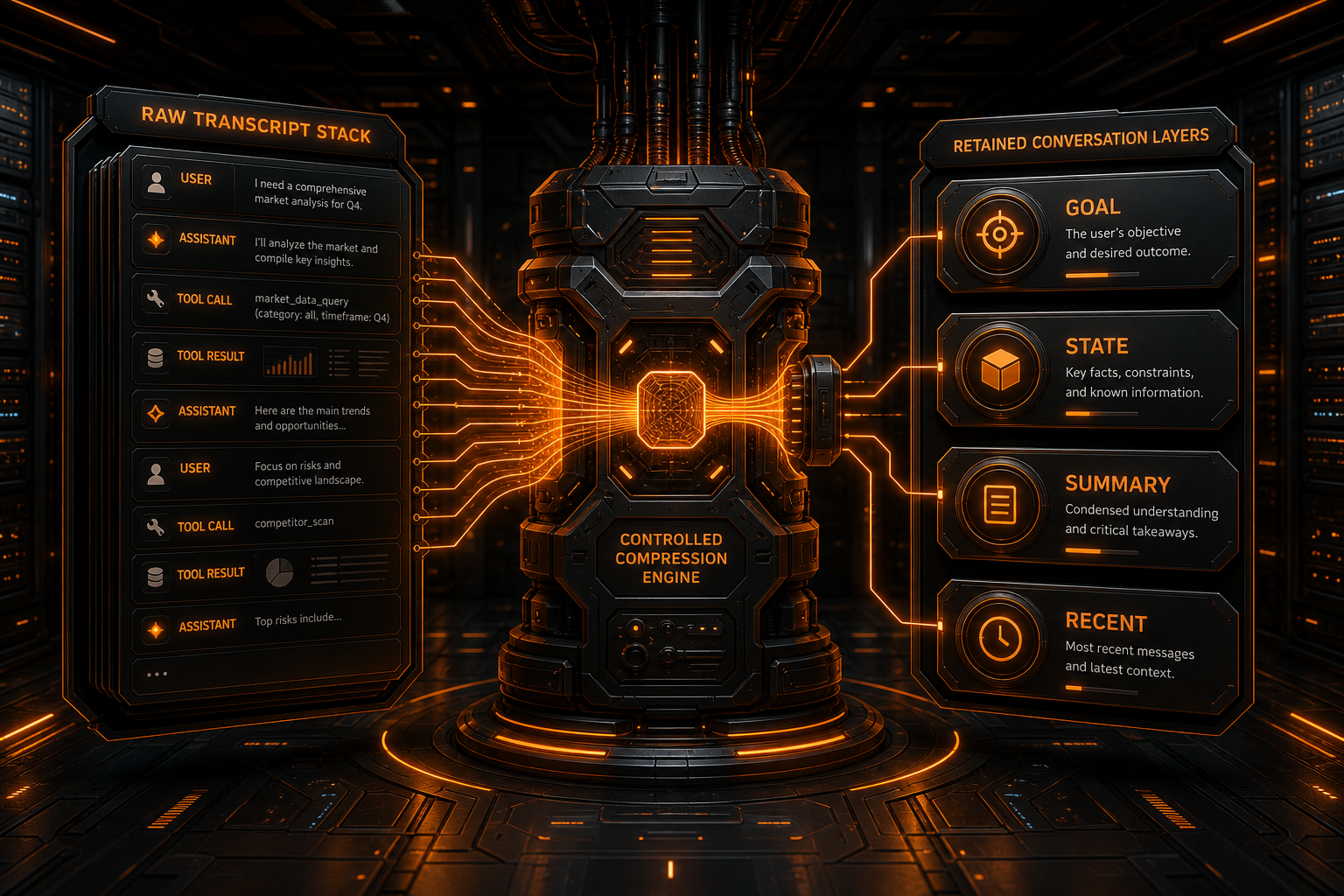
A basic sliding window drops the oldest messages. It may also drop:
- the user's original objective;
- confirmed constraints;
- the root cause of an earlier failure;
- tool-call and tool-result pairs;
- unfinished plans.
A stronger design keeps information in layers:
Always retain: system rules, user objective, safety constraints
Structured state: completed work, pending steps, decisions, file list
Compressed history: factual summaries of older turns
Raw recent turns: the latest messages
On-demand retrieval: old logs, files, and documents
Preserve Protocol Semantics
Do not leave orphaned tool results or remove a tool request while retaining its result. Some APIs require strict message ordering. Breaking those pairs turns a context problem into an invalid-request problem.
Summarize Facts, Not Writing Style
A useful task handoff retains:
- current objective;
- confirmed constraints;
- decisions and rationale;
- important paths, object IDs, and error codes;
- completed work and next steps;
- unresolved questions.
A structured summary is easier to verify and compress again than a vague paragraph generated from the conversation.
RAG: Retrieve Only Evidence the Answer Needs
Sending an entire knowledge base, manual, or repository is expensive and prone to overflow. Bound these parts of retrieval:
top_k;- chunk size;
- total retrieval tokens;
- duplicate or near-duplicate chunks;
- metadata and citation overhead;
- minimum relevance.
A practical sequence is:
- fetch a small number of highly relevant chunks;
- deduplicate and group them by source;
- rerank when needed;
- send only passages that can support the answer;
- expand retrieval only when evidence is missing.
A large context window does not compensate for poor retrieval. More irrelevant text can make the important evidence harder to use.
Context Control for Coding Agents
Search Before Reading Full Files
Avoid loading a whole repository by default. Use this sequence:
Search for filenames or symbols
→ read around the match
→ expand only after confirming relevance
→ return diffs and verification summaries after editing
Truncate and Summarize Command Output
For tests and builds, retain:
- exit code;
- first actionable error;
- relevant stack trace;
- failed test names;
- essential surrounding lines.
A successful command usually needs the command, exit code, and summary—not thousands of generated output lines sent back to the model.
Put Hard Limits on Tool Results
Tool infrastructure should support:
max_bytes
max_lines
pagination
field selection
server-side filtering
When a result is truncated, return an explicit marker and a continuation mechanism rather than silently dropping the end.
Keep Long-Term State Outside the Prompt
Task databases, workspace files, vector stores, and queryable logs are better homes for durable state than an indefinitely growing transcript. Retrieve only the part needed for the next decision.
OpenAI, Claude, and Gemini Context Management
OpenAI
Applications can replay conversation messages manually or use Responses API state mechanisms. OpenAI also documents compaction and token-counting workflows. Whichever component stores the state, the material that reaches the next model call remains subject to the context window. Referencing a prior response does not make an unlimited history free.
Claude
Anthropic's documentation explicitly notes that long conversations and agentic workflows eventually approach context limits, and identifies server-side compaction as the primary strategy for long-running work. Tool use, extended thinking, and prior content must be managed according to the active model rules.
Gemini
Gemini supports long-context workloads, while its documentation still emphasizes input accounting and model-specific limits. A large window is not a reason to send everything; caching, file handling, and retrieval strategy still affect latency, cost, and answer quality.
A multi-provider application should define one business-level budget and map it to each provider's token counting, state, and compaction capabilities in the adapter layer.
Common Fixes That Do Not Work
Only Increase max_tokens
That often increases the output reserve without reducing the input. Read the error and parameter definition first.
Replay the Entire Transcript Forever
It is simple but causes cost and context to grow with every turn. Add summaries, sliding windows, or server-side compaction.
Delete Random Messages After an Error
Random trimming can destroy objectives, tool pairs, and constraints. Make the policy deterministic and testable.
Switch to a Bigger Model and Stop There
Unbounded logs and files will eventually fill the larger window as well, with higher latency and cost along the way.
Retry the Identical Request
Context overflow is a deterministic request problem. The same payload will not become shorter on retry.
A Production-Grade Workflow
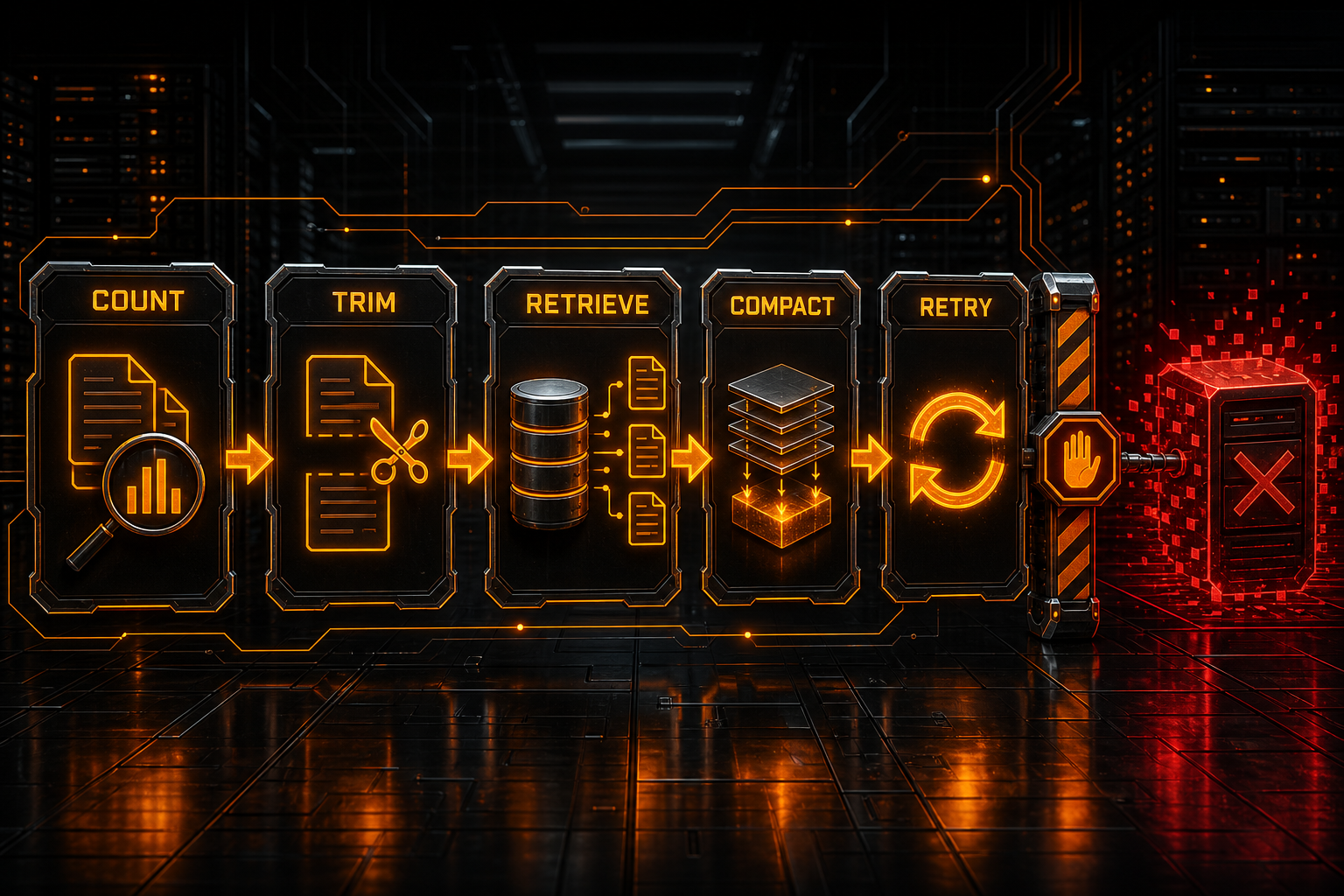
1. Estimate input and output before the request
2. Compact history and tool output at a soft threshold
3. Cap retrieval tokens and tool-result size
4. Preserve objectives, constraints, decisions, and tool pairs
5. Count again
6. Split the task or start a new session if it still does not fit
7. Consider a larger-context model only after compaction
8. Record tokens before and after, plus the content categories removed
Use two limits:
- a soft threshold that triggers preventive compaction;
- a hard threshold that blocks the request before the provider rejects it.
The right percentages depend on the model and required output. Do not treat one fixed ratio as universal.
Handling Context Errors Through Nbility
Copy the exact model ID from the Nbility model catalog, then verify its current context and output limits. OpenAI-compatible clients normally use:
https://api.nbility.ai/v1
Before opening a support ticket, prepare this redacted information:
Model ID
API route
Error code and message
Estimated input tokens
Output-limit parameter
Whether tools, images, or documents are included
Third-party client, if any
Request ID and timestamp
Submit it through Nbility support tickets without a real API key, complete prompt, or sensitive file.
For related status-code and endpoint issues, see the AI API error guide. If the call succeeds but visible text is missing, use the empty AI API content guide.
FAQ
Does context length exceeded mean the input or output is too long?
Either can affect the budget. Inspect the error, input count, output reserve, and any separate model limits.
Will a larger-context model solve it permanently?
No. It delays the boundary. A conversation with no trimming, summaries, or tool limits will continue growing.
Can I simply remove the oldest messages?
That works as a basic sliding window, but preserve the user objective, system constraints, key decisions, and tool-call pairs. Summarize important older state first.
Why do images or PDFs consume context so quickly?
Multimodal inputs are transformed and counted according to provider rules. Page count, resolution, and processing mode can all matter. Send only the pages or regions required.
Does prompt caching expand the context window?
Usually not. Caching primarily reduces latency or the cost of repeated input; the content still has to fit the model limit. Follow the provider's current rules.
Summary
Fixing Context Length Exceeded is a budgeting problem, not a parameter guessing exercise:
- account for system prompts, history, tools, retrieval, and output;
- count before sending and leave a safety margin;
- retain objectives, structured state, summaries, and recent turns in layers;
- cap RAG chunks and tool output;
- use compaction, fresh sessions, and external state for long-running agents;
- choose a larger-context model only when the workload genuinely requires it.
Context is a finite resource. Treat it as observable, allocatable, and compressible, and long chat, RAG, and agent workflows become much more stable.