What Is an OpenAI-Compatible API? Base URL, API Key, and Model Explained
Learn how OpenAI-compatible APIs work, how to configure Base URL, API Key, and model ID, and when to use Chat Completions or Responses API.
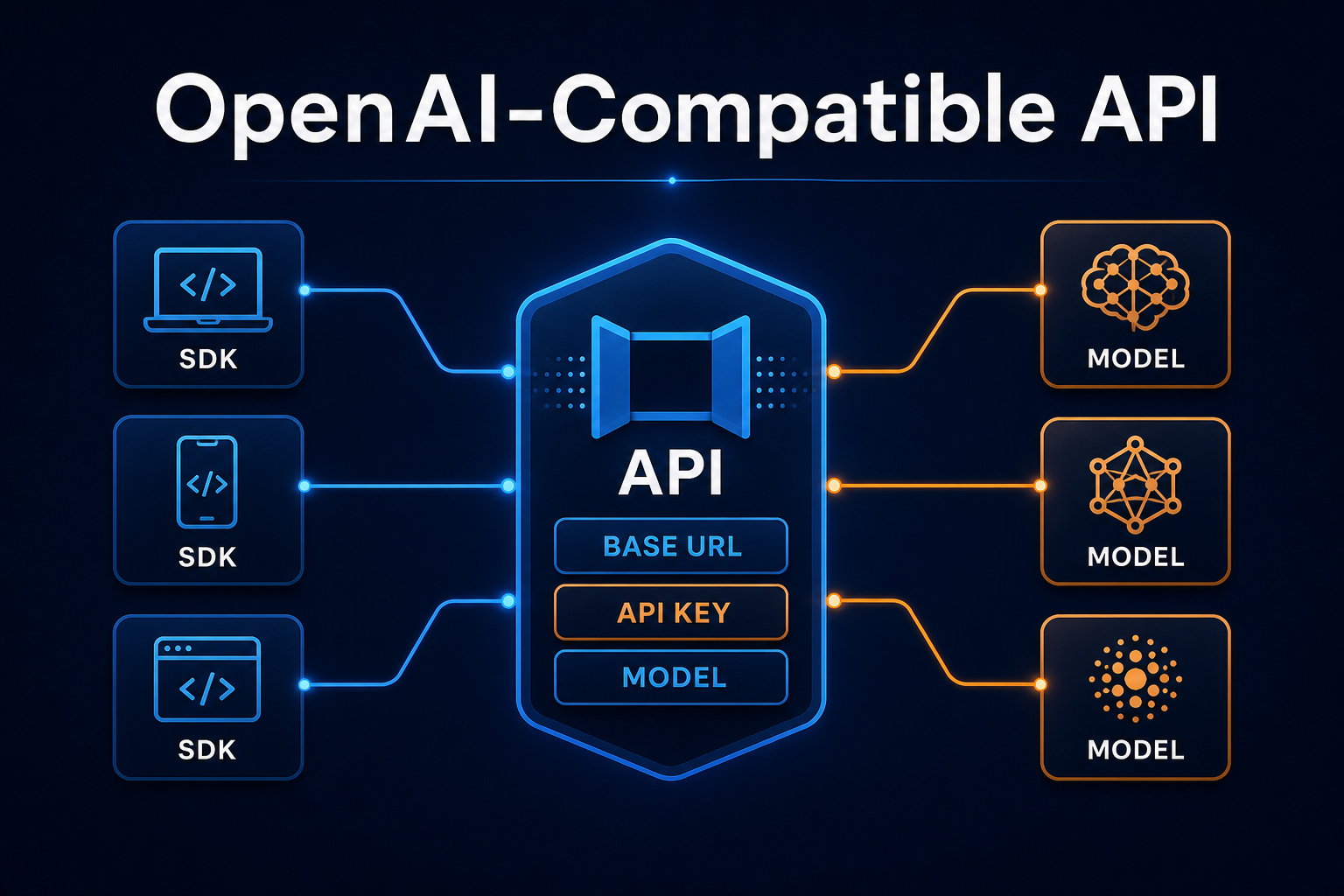
You have probably seen these three settings in Cursor, Codex CLI, Open WebUI, Chatbox, or a Python project:
Base URL
API Key
Model
They appear everywhere because a growing number of AI services expose an OpenAI-compatible API. Your application can keep using a familiar OpenAI SDK and request format while you replace the endpoint, credential, and model ID to connect to another service or API gateway.
Compatibility, however, does not mean every feature is identical. If you do not understand the relationship between Base URL, endpoint, model ID, and API protocol, the result is often a 401, 404, model not found, or a response parser looking in the wrong field.
This guide explains the core concepts through real configuration examples.
What Does “OpenAI-Compatible” Mean?
An OpenAI-compatible service accepts HTTP requests shaped like common OpenAI APIs and returns a similar JSON response.
A chat request, for example, normally goes to:
POST /v1/chat/completions
Its body includes:
{
  "model": "YOUR_MODEL_ID",
  "messages": [
    {
      "role": "user",
      "content": "Explain an API gateway in one sentence."
    }
  ]
}
A typical response contains:
{
  "choices": [
    {
      "message": {
        "role": "assistant",
        "content": "An API gateway is a unified entry point between clients and backend services."
      }
    }
  ]
}
An application that already uses the OpenAI SDK can therefore keep most of its authentication, message construction, streaming, and error-handling code.
Behind the compatible interface, an API gateway may provide:
- access to models from multiple providers;
- unified authentication and quota controls;
- model-name mapping;
- routing and failover;
- usage metering and logs;
- translation among OpenAI, Claude, and Gemini formats.
The Three Values You Must Configure
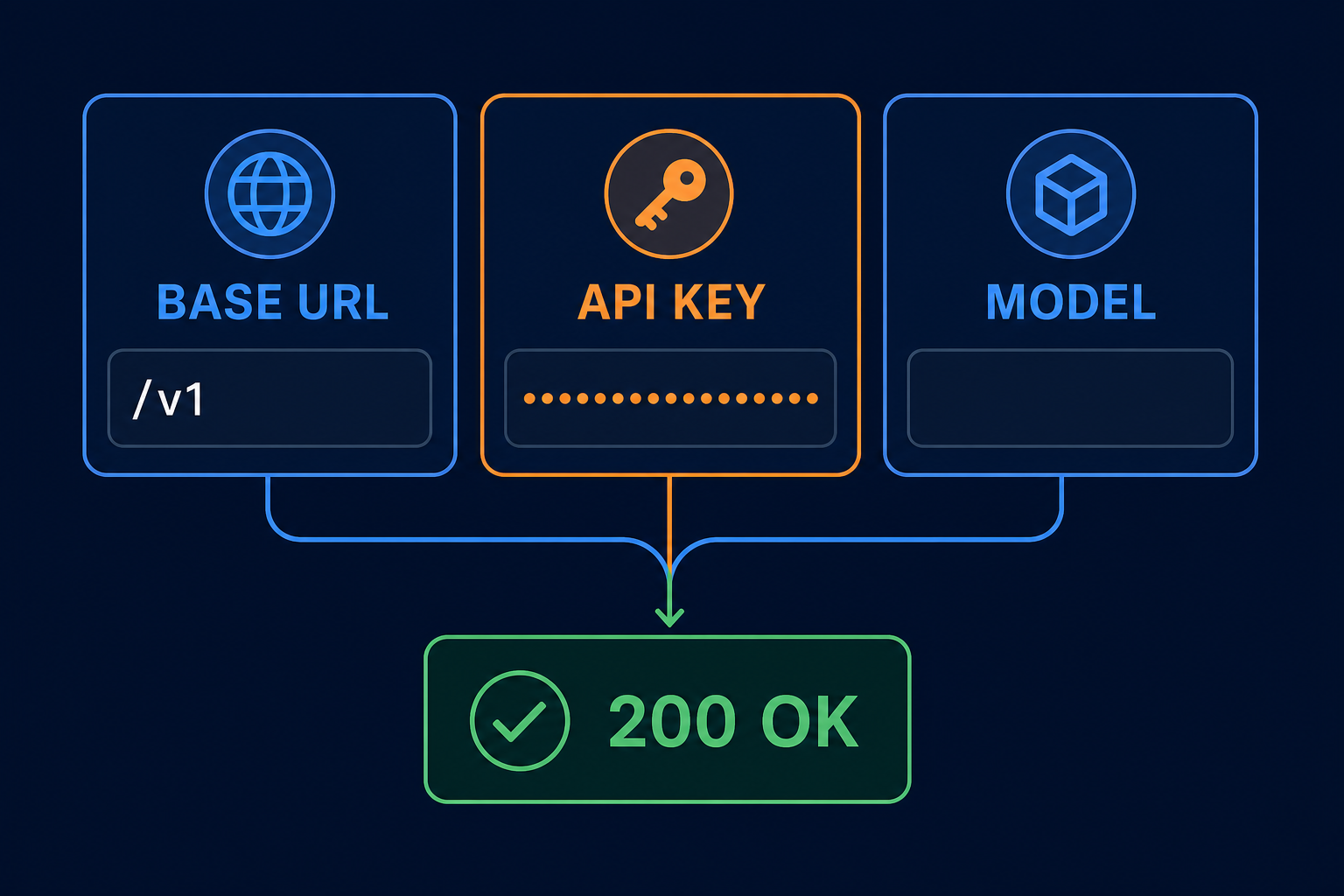
1. Base URL: Where Requests Go
The Base URL is the service root used by an SDK or client.
For Nbility's OpenAI-compatible endpoints, a common SDK setting is:
https://api.nbility.ai/v1
The SDK appends an endpoint to this value:
Base URL:  https://api.nbility.ai/v1
Endpoint:  /chat/completions
Final URL: https://api.nbility.ai/v1/chat/completions
Clients do not all join paths in the same way. Some expect a Base URL that already includes /v1; others append /v1 themselves. Check the client documentation or inspect its final request URL.
Typical mistakes look like:
https://api.example.com/v1/v1/chat/completions
https://api.example.com/chat/completions
https://api.example.com/v1/chat/completions/chat/completions
A Base URL, API version, and complete endpoint are related, but they are not interchangeable.
2. API Key: Whether You May Call the Service
Most OpenAI-compatible endpoints use a Bearer token:
Authorization: Bearer YOUR_API_KEY
The key identifies an account or token group and controls quota and model permissions. Store it in a server-side environment variable, secret manager, or secure client setting.
Do not:
- include a real key in an article or screenshot;
- commit it to GitHub;
- embed it in public browser code;
- print the complete header in logs;
- share a long-lived production key in chat.
An environment variable is a reasonable starting point:
export NBILITY_API_KEY="YOUR_API_KEY"
3. Model: Which Model Receives the Request
model is a service-recognized ID, not an arbitrary display name:
{
  "model": "YOUR_MODEL_ID"
}
The same underlying model may have different IDs on different platforms, and a gateway may map an alias to a specific upstream. Consult the current service's model list instead of copying an ID from another provider's documentation.
You can inspect the models visible to the current token:
curl https://api.nbility.ai/v1/models \
  -H "Authorization: Bearer $NBILITY_API_KEY"
When you see model not found, check:
- spelling and capitalization;
- whether the token can access that model;
- whether the client overrides your model setting;
- whether the gateway defines the expected alias;
- whether the endpoint supports that model.
How Does a Request Travel?
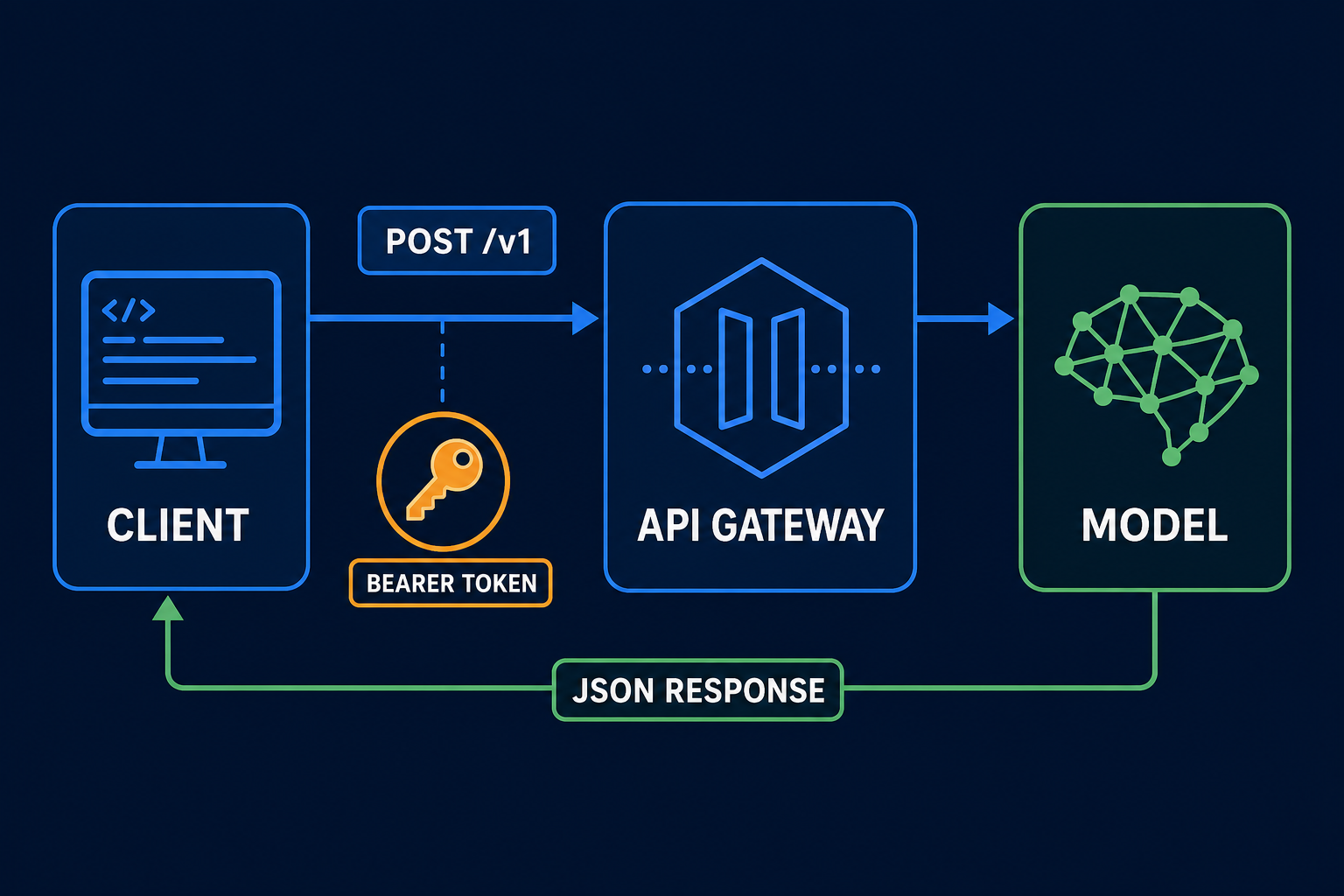
The request path can be simplified to:
client
→ send an HTTP request with a Bearer token
→ API gateway validates access and request shape
→ route to the selected model
→ translate the upstream result into compatible JSON
→ return it to the client
A minimal curl request looks like this:
curl https://api.nbility.ai/v1/chat/completions \
  -H "Authorization: Bearer $NBILITY_API_KEY" \
  -H "Content-Type: application/json" \
  -d '{
    "model": "YOUR_MODEL_ID",
    "messages": [
      {"role": "user", "content": "Hello"}
    ]
  }'
If this request works, the domain, authentication, endpoint, and model are basically correct. Add long context, images, tools, and streaming only after this baseline succeeds.
Python Configuration
The OpenAI SDK accepts a custom base_url:
import os
from openai import OpenAI

client = OpenAI(
    api_key=os.environ["NBILITY_API_KEY"],
    base_url="https://api.nbility.ai/v1",
)

response = client.chat.completions.create(
    model="YOUR_MODEL_ID",
    messages=[
        {"role": "user", "content": "Explain API compatibility briefly."}
    ],
)

print(response.choices[0].message.content)
The important change is not a new SDK. It is pointing the familiar SDK at the correct compatible service.
Node.js Configuration
import OpenAI from 'openai';

const client = new OpenAI({
  apiKey: process.env.NBILITY_API_KEY,
  baseURL: 'https://api.nbility.ai/v1',
});

const response = await client.chat.completions.create({
  model: 'YOUR_MODEL_ID',
  messages: [{ role: 'user', content: 'Hello' }],
});

console.log(response.choices[0].message.content);
Do not place the key in browser-side code in production. Call the API from a backend or controlled serverless function.
Chat Completions vs Responses API
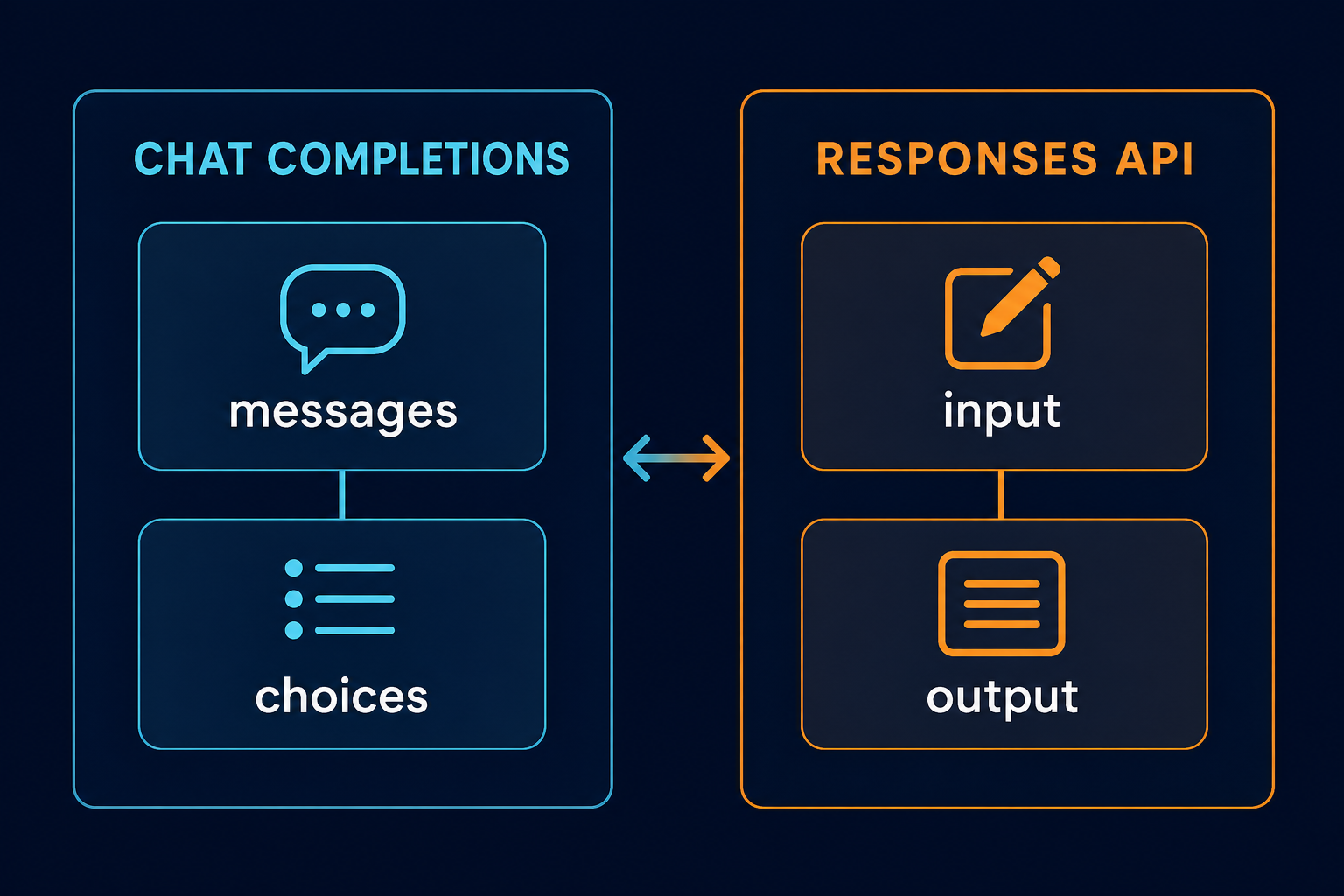
There is more than one common OpenAI-compatible protocol.
| Topic | Chat Completions | Responses API |
|---|---|---|
| Endpoint | /v1/chat/completions | /v1/responses |
| Primary input | messages | input, instructions |
| Primary output | choices | output, output_text |
| Conversation state | Client normally resends history | Can continue with previous_response_id |
| Tools | Function Calling | Newer format designed around tools and stateful work |
| Compatibility | Broad support in older tools | Increasingly used by new SDKs and tools such as Codex |
Chat Completions:
client.chat.completions.create(
    model="YOUR_MODEL_ID",
    messages=[{"role": "user", "content": "Hello"}],
)
Responses API:
response = client.responses.create(
    model="YOUR_MODEL_ID",
    input="Hello",
)
print(response.output_text)
You cannot pass messages unchanged to an endpoint that expects input, and you should not expect a Responses API call to return choices. The client method, endpoint, request body, and response parser must all use the same protocol.
How Much Is Usually Compatible?
Compatibility has several layers:
- Basic requests: model, text input, and ordinary output;
- Streaming: SSE and incremental content;
- Tool calls: tool definitions, calls, and result submission;
- Multimodal input: images, audio, or files;
- Advanced parameters: structured output, reasoning controls, caching;
- Error shape: status codes and errors the SDK can parse.
Support for /v1/chat/completions does not imply support for every parameter OpenAI has ever exposed. A field may be:
- ignored;
- translated to an upstream parameter;
- effective only for certain models;
- rejected as unsupported;
- implemented differently because the upstream capability differs.
Test the capabilities your application actually needs—not just a one-line chat response.
Why Can One SDK Call Different Models?
An SDK constructs HTTP requests and parses responses. It does not require the backend to be one specific model provider.
A gateway can read:
{
  "model": "YOUR_MODEL_ID"
}
It then routes the request to an appropriate upstream and translates the result back into a compatible response. The client method stays stable even if the gateway speaks different protocols to different providers.
That is the practical value of a compatible interface: your application does not need a separate integration layer for every model.
Common Configuration Failures
401: Invalid API Key
Check the Bearer format, environment variable, token status, and service host. Do not automatically retry a 401.
404: Wrong Address or Endpoint
Look for a duplicated /v1, a complete endpoint mistakenly entered as a Base URL, or a client using Responses while the selected path supports only Chat Completions.
Model Not Found
Query /v1/models and confirm the token's permissions. Do not assume that two platforms use the same ID.
Empty Output
Inspect the protocol and response fields:
Chat Completions → choices[0].message.content
Responses API    → output / output_text
Reasoning models may also expose reasoning-related fields or stop early when the output-token budget is too small.
Streaming Fails
Confirm that both service and client support SSE, that a proxy is not buffering or truncating the stream, and that the client understands the endpoint's event format.
How to Evaluate a Compatible Service Before Migrating
Test the same features your production application uses:
[ ] basic text request
[ ] streaming
[ ] long context
[ ] tool calls
[ ] JSON / structured output
[ ] image or file input
[ ] timeouts and cancellation
[ ] 401, 429, and 5xx handling
[ ] usage and billing data
[ ] target model permission
Also consider stability, privacy policy, log retention, data residency, rate limits, cost, and support quality. “It returned one sentence” is not a complete compatibility test.
FAQ
Must a Base URL Include /v1?
Not always. It depends on how the client appends paths. The OpenAI SDK uses https://api.nbility.ai/v1 for Nbility, while another client may expect the service root. Verify the client documentation and final request URL.
Does an OpenAI-Compatible API Require an OpenAI Model?
No. Compatibility describes the interface, not the model owner. A gateway can expose models from multiple providers through a compatible shape.
Can I Replace Only the Base URL?
Basic chat often works that way, but verify model IDs, endpoint choice, streaming, tools, and response fields. Advanced features are not guaranteed to be identical.
Why Does My Key Not See Every Model?
The list may depend on token group, account permission, region, balance, or service policy. Treat /v1/models called with the current key as the source of truth.
Which Should I Choose: Chat Completions or Responses API?
Choose Chat Completions for broad compatibility and older tools. Consider Responses API for newer OpenAI SDK workflows, Codex, or stateful tool use—provided both the client and target service support it.
Summary
The OpenAI-compatible API model comes down to four ideas:
Base URL decides where the request goes
API Key identifies the caller and permissions
Model selects the routed model
Endpoint selects the API protocol
Validate those four pieces with a minimal request before adding streaming, multimodal input, and tools.
To connect multiple models through one interface, start with the Nbility API overview, authentication guide, and model endpoint. If a call fails, use the API error reference to separate authentication, path, rate-limit, and upstream failures.