Using a Custom OpenAI API in Cursor: Setup, Limits, and Troubleshooting
Configure Cursor BYOK correctly, understand the limits of custom OpenAI-compatible Base URLs, and fix authentication, endpoint, model, and streaming errors.
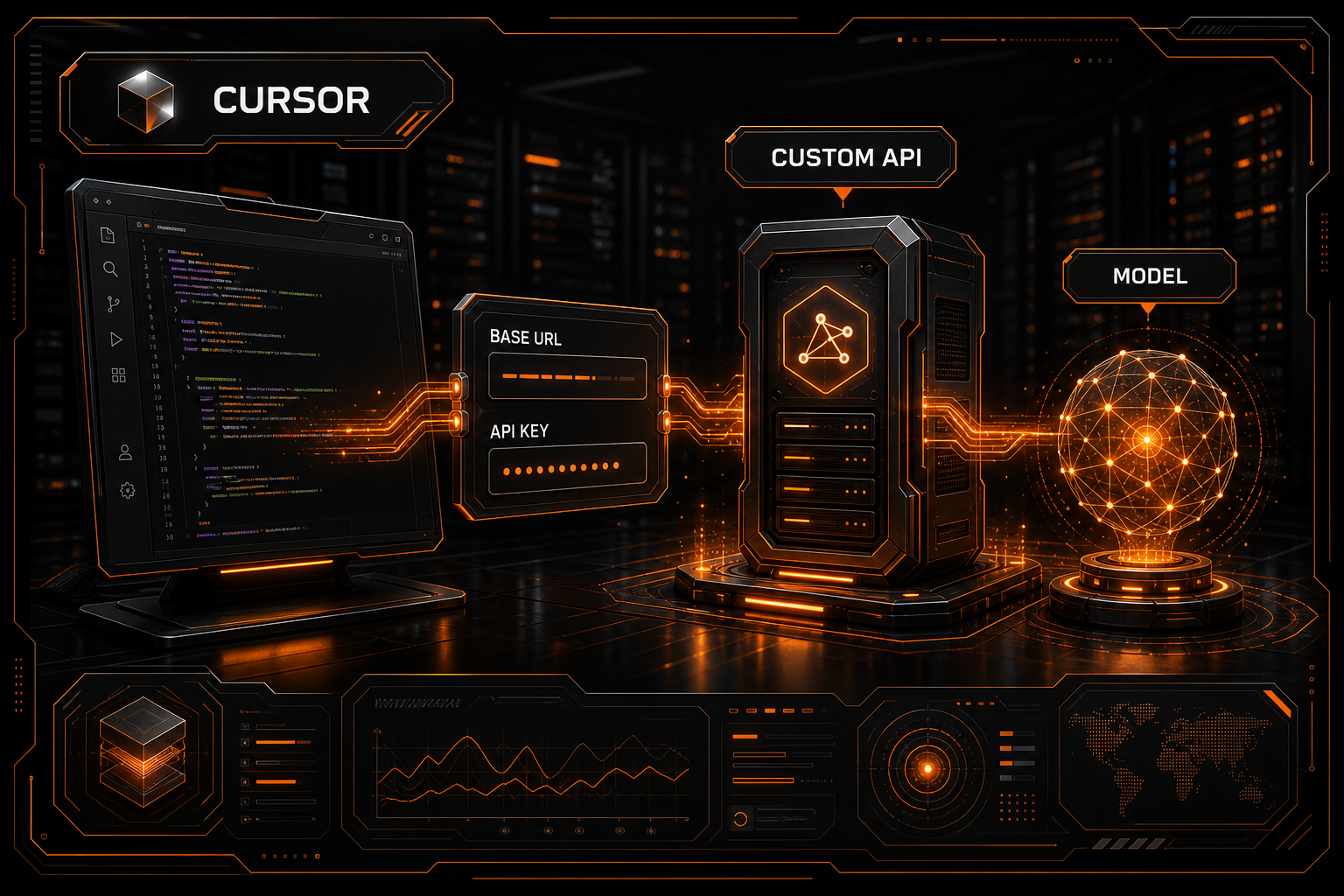
There are two related—but not identical—reasons to bring an API credential to Cursor: using your own OpenAI key and routing OpenAI-shaped requests through a compatible gateway.
Cursor's current documentation, checked in July 2026, explicitly supports bring-your-own-key (BYOK) settings for OpenAI, Anthropic, Google, Azure OpenAI, and AWS Bedrock under Cursor Settings → Models. It also documents two important boundaries: custom keys work only with chat models, and Tab completion continues to use Cursor's built-in models.
An arbitrary OpenAI-compatible Base URL is less universal. Whether you can override it depends on the Cursor build, account plan, and organization policy. Even when the field is available, a gateway that passes a basic chat request may not support the streaming and tool calls Cursor Agent needs.
This guide separates those cases and gives you a testable setup rather than assuming every OpenAI-compatible endpoint is interchangeable.
What Is Actually Supported?
| Goal | Explicitly documented by Cursor | Important limitation |
|---|---|---|
| Use your own OpenAI key | Yes | Standard, non-reasoning chat models |
| Use an Anthropic or Google key | Yes | Only models available in Cursor's picker |
| Connect Azure OpenAI | Yes | Must match your Azure deployment |
| Connect AWS Bedrock | Yes | IDE credentials or dashboard IAM setup |
| Override the OpenAI Base URL | Depends on the available client/account setting | Compatibility is not guaranteed |
| Power Tab completion with your key | No | Tab still uses Cursor's built-in models |
If your current settings do not show a Base URL override, do not edit undocumented internal state based on an old tutorial. Use a provider Cursor currently exposes or check again after updating the client.
Add Your API Key in Cursor
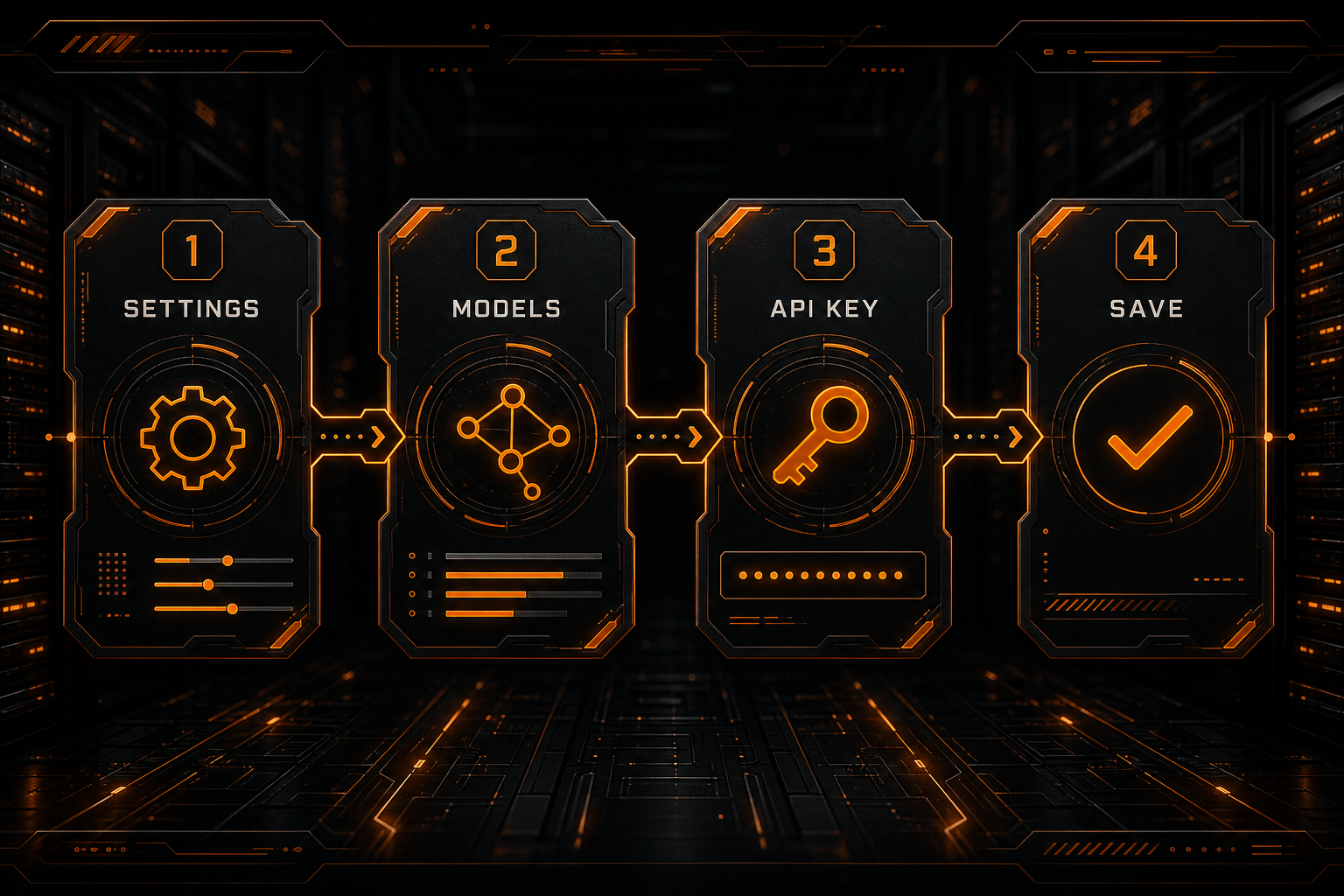
Cursor's documented BYOK flow is straightforward:
- Open Cursor Settings.
- Select Models.
- Find OpenAI, Anthropic, Google, Azure, or AWS Bedrock.
- Enter the appropriate credential and click Save.
Models available through that provider then appear in the model picker. If the provider rejects the key, requests through it continue to fail until you update or remove the credential.
Three details matter in practice.
Match the Provider and Protocol
Put an OpenAI key in the OpenAI section and use the corresponding sections for Anthropic and Google. A gateway can translate protocols on the server, but Cursor still chooses its outbound request format from the configured provider.
Treat the Model Picker as the Usable Set
Saving a key does not make every possible model ID available. Cursor documents that model availability varies by plan, region, and provider. Its OpenAI BYOK help specifically describes standard, non-reasoning chat models.
BYOK Does Not Replace Every Cursor Model
Custom API keys apply to chat models. Cursor states that Tab completion continues to use its built-in models. Seeing both Cursor usage and provider-side usage is therefore not, by itself, evidence of a broken setup.
Connect an OpenAI-Compatible Gateway
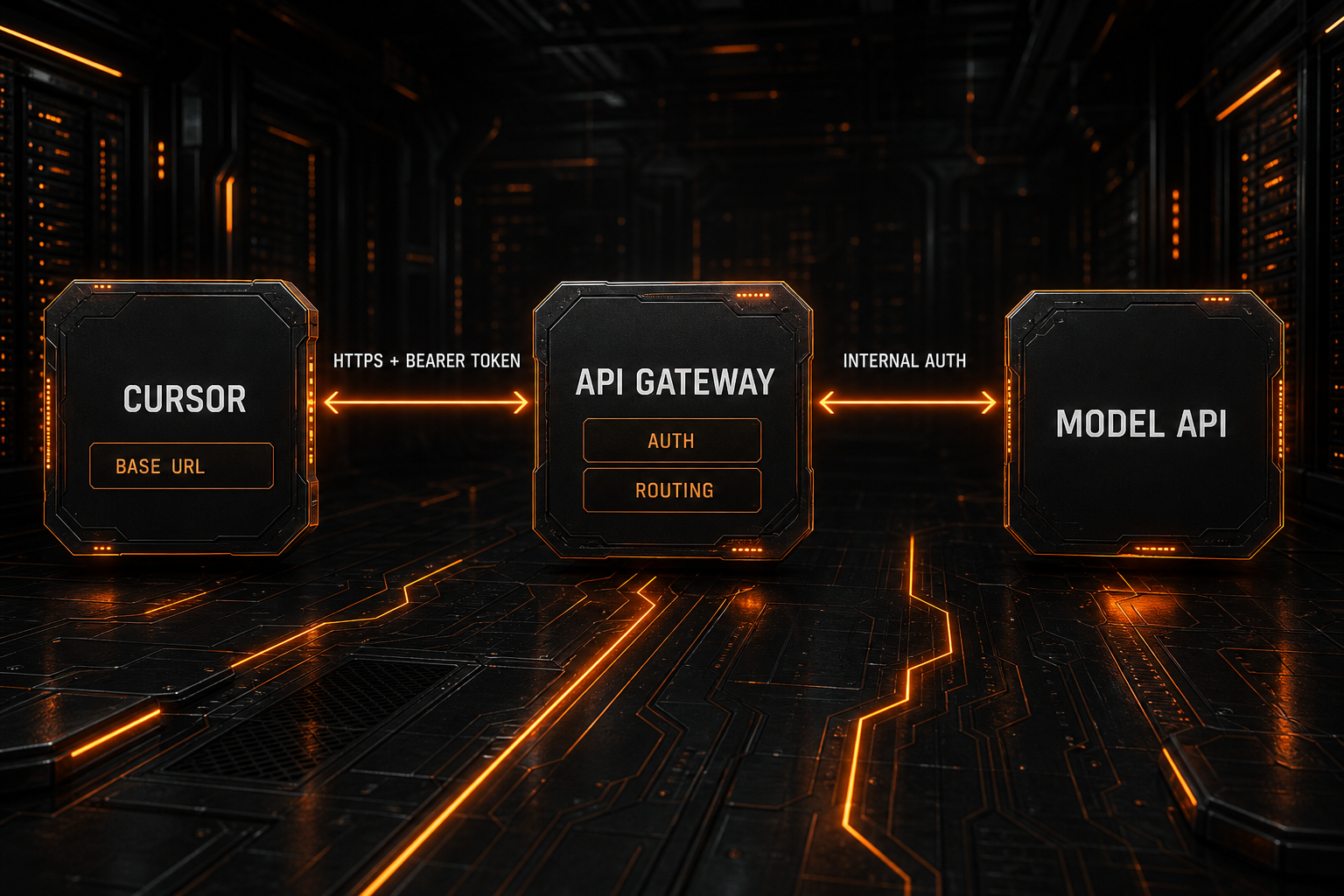
If your Cursor OpenAI settings expose a Base URL or equivalent override, configure it as an API root:
Provider: OpenAI
Base URL: https://api.nbility.ai/v1
API Key: YOUR_API_KEY
Model: a chat model visible in Cursor and supported by the gateway
Do not paste the full Chat Completions endpoint into a Base URL field:
Correct: https://api.nbility.ai/v1
Wrong:   https://api.nbility.ai/v1/chat/completions
Clients normally append /chat/completions. A complete endpoint in the Base URL field can produce a path such as:
/v1/chat/completions/chat/completions
Before testing in Cursor, validate the same host, key, and model with curl:
curl https://api.nbility.ai/v1/chat/completions \
  -H "Authorization: Bearer YOUR_API_KEY" \
  -H "Content-Type: application/json" \
  -d '{
    "model": "YOUR_MODEL_ID",
    "messages": [
      {"role": "user", "content": "Reply with: API works"}
    ]
  }'
If curl fails, fix the gateway, token, or model first. Cursor cannot make an invalid endpoint valid. If curl succeeds and Cursor fails, investigate protocol support, Cursor's model allowlist, and feature compatibility.
For a deeper explanation of these fields, read What Is an OpenAI-Compatible API?.
What Must the Gateway Implement?
Cursor Chat and Agent can send more complex traffic than a one-line curl call. A useful compatible service should correctly handle:
POST /v1/chat/completions;- Bearer-token authentication;
modelandmessages;- SSE streaming;
- tool or function calls;
- long context and multi-turn history;
- OpenAI-style JSON errors and status codes;
- the parameters emitted by the current Cursor client.
A basic text response proves only basic compatibility. Validate capabilities incrementally:
plain chat
→ streaming
→ multi-turn context
→ tool call
→ Agent file edit
At each stage, inspect both Cursor's error and the gateway log. This isolates a protocol mismatch much faster than enabling every Agent capability at once.
Privacy: BYOK Does Not Mean a Direct Connection
This is one of the most important constraints.
Cursor says your key is not persisted on its servers, but it is sent to Cursor's backend with each request because the backend performs final prompt construction. The connection is encrypted, and Cursor says the key is not retained after the request.
Cursor also states that its Zero Data Retention policy does not apply when you use your own API key. Data handling follows the selected provider's privacy policy. With a third-party gateway, you must also evaluate the gateway operator and the actual upstream provider: logging, retention, data location, and access control can all matter.
For sensitive repositories, check at least:
- Cursor team and account privacy settings;
- whether the gateway logs prompts, source code, or responses;
- the upstream model provider's retention policy;
- key scopes, limits, and rotation;
- organization controls on custom providers;
- data residency and compliance requirements.
Do not interpret BYOK as a direct device-to-provider request path.
Troubleshooting Custom API Errors
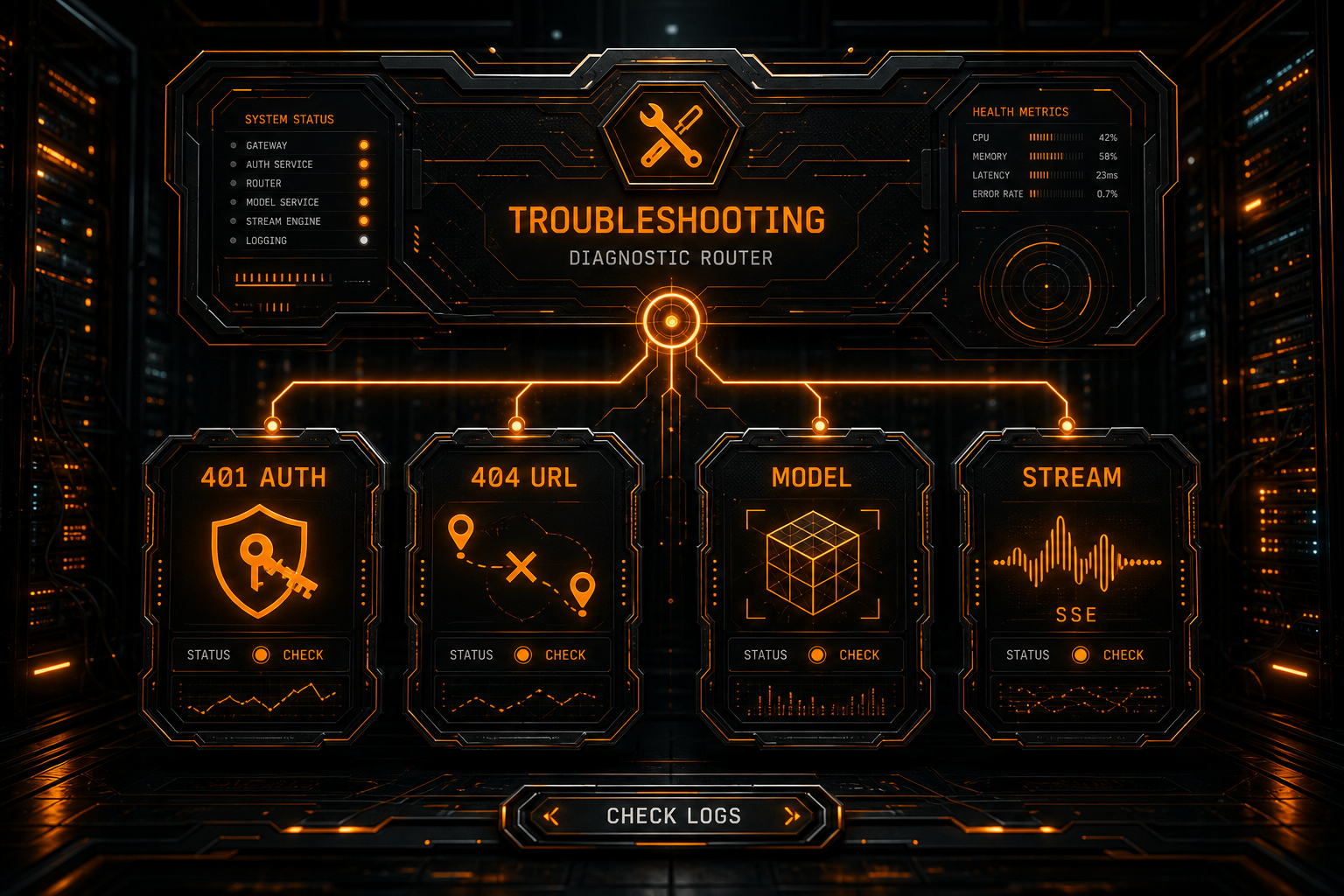
401: Invalid API Key
Check whether:
- the key was copied completely, without surrounding spaces;
- it belongs to the service at the configured Base URL;
- the token is active and has remaining quota;
- the gateway accepts
Authorization: Bearer ...; - a corporate proxy is stripping the authorization header.
Do not retry a 401 indefinitely. It is normally a deterministic credential or permission error.
404: Not Found
A malformed Base URL is the most common cause:
/v1/v1/chat/completions
/chat/completions/chat/completions
Another possibility is that the gateway implements Responses API while the Cursor client is calling Chat Completions. Inspect the final URL in gateway access logs rather than relying only on what the settings field displays.
Model Not Available vs Model Not Found
These can come from different layers:
- Cursor does not expose the model for the current plan or region;
- the model type is outside Cursor's documented OpenAI BYOK scope;
- the gateway does not recognize the model ID;
- the token lacks access;
- Cursor's display name does not match the gateway ID.
First confirm that the model appears in Cursor's picker, then verify its ID through the gateway's model list or console.
Chat Works but Agent Fails
Test tool calling and streaming first. Agent requests can include tool definitions, tool results, and longer multi-turn context. A service that implements only messages → content may pass chat and fail as soon as Agent invokes a tool.
The Request Spins Without Streaming Output
Verify that:
- the server returns
text/event-stream; - a reverse proxy is not buffering SSE;
- the expected terminal event or
[DONE]arrives; - chunks follow the Chat Completions streaming shape;
- an intermediary is not closing long-lived connections.
For status-code diagnostics, see How to Fix AI API 401, 404, 429, and 5xx Errors.
Preflight Checklist
Before moving a real Cursor workflow to a custom API, confirm:
[ ] Cursor is current and its settings match the latest docs
[ ] Provider, Base URL, API key, and model belong together
[ ] A minimal curl request succeeds
[ ] Plain chat succeeds in Cursor
[ ] Streaming completes cleanly
[ ] Agent tool calls work
[ ] The team understands that Tab still uses Cursor models
[ ] BYOK privacy and retention paths have been reviewed
[ ] The token has limits, monitoring, and a rotation plan
[ ] 401, 404, 429, and 5xx responses have a handling policy
FAQ
Can Cursor use any OpenAI-compatible endpoint?
Not universally. Cursor explicitly documents BYOK for several providers, but the availability of an OpenAI Base URL override can depend on client version, plan, and administrative policy. Use the setting shown in your current client. Avoid undocumented internal modifications when it is absent.
Does BYOK replace the need for a Cursor plan?
BYOK changes the source of supported chat-model calls; it does not replace the entire Cursor product. Current feature, model, and plan limits remain defined by Cursor's pricing and account pages.
Why Is Tab Completion Not Using My API?
That is a documented product boundary. Custom API keys work with chat models, while Tab completion continues to use Cursor's built-in models.
Does Cursor Store My Key?
Cursor says it does not persist the key on its servers. The key is nevertheless sent to Cursor's backend with every request for final prompt construction, so BYOK should not be understood as a direct client-to-provider connection.
Conclusion
The supported path for adding your own key is Cursor Settings → Models. Cursor documents BYOK for OpenAI, Anthropic, Google, Azure OpenAI, and AWS Bedrock, but custom keys are limited to chat models, do not power Tab completion, and do not inherit Cursor's Zero Data Retention policy.
For an OpenAI-compatible gateway, first confirm that your client exposes a Base URL override. Then validate plain chat, streaming, tool calls, and Agent behavior in that order. Nbility offers a unified OpenAI-compatible endpoint; check current model and token access in the console, and always use placeholders such as YOUR_API_KEY in documentation, screenshots, and repositories.