How to Fix 401, 404, 429, 500, 502, and 503 AI API Errors
A practical troubleshooting sequence for AI API authentication, endpoint, rate-limit, quota, gateway, and upstream failures—including when to retry.
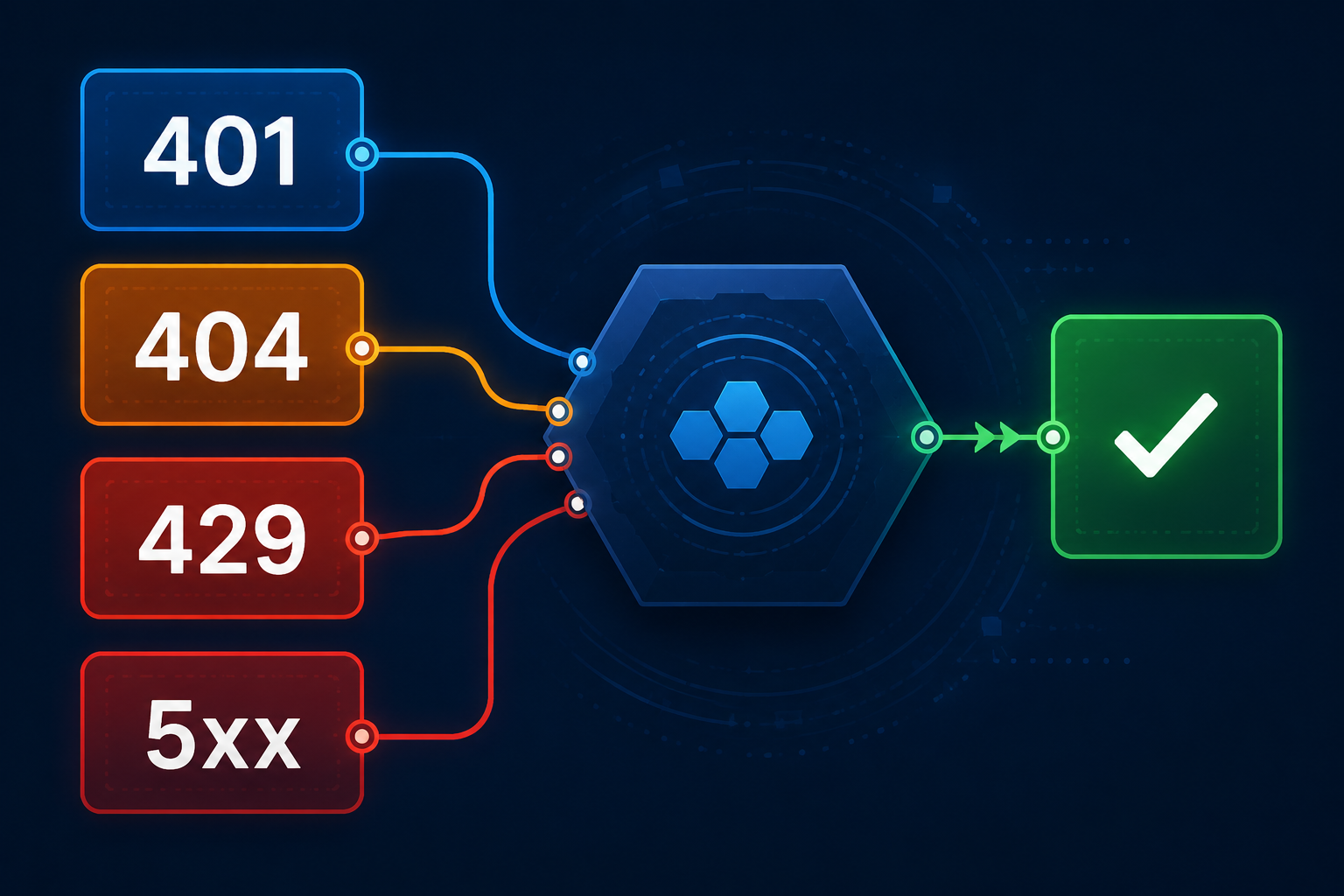
An HTTP status is not merely a generic “request failed” message. It tells you which layer is most likely responsible:
401: authentication is missing or invalid;404: the endpoint, path, or resource does not exist;429: requests are too frequent, or quota is exhausted;500: the gateway or upstream hit an internal error;502: the gateway did not receive a valid upstream response;503: the service is temporarily unavailable or overloaded.
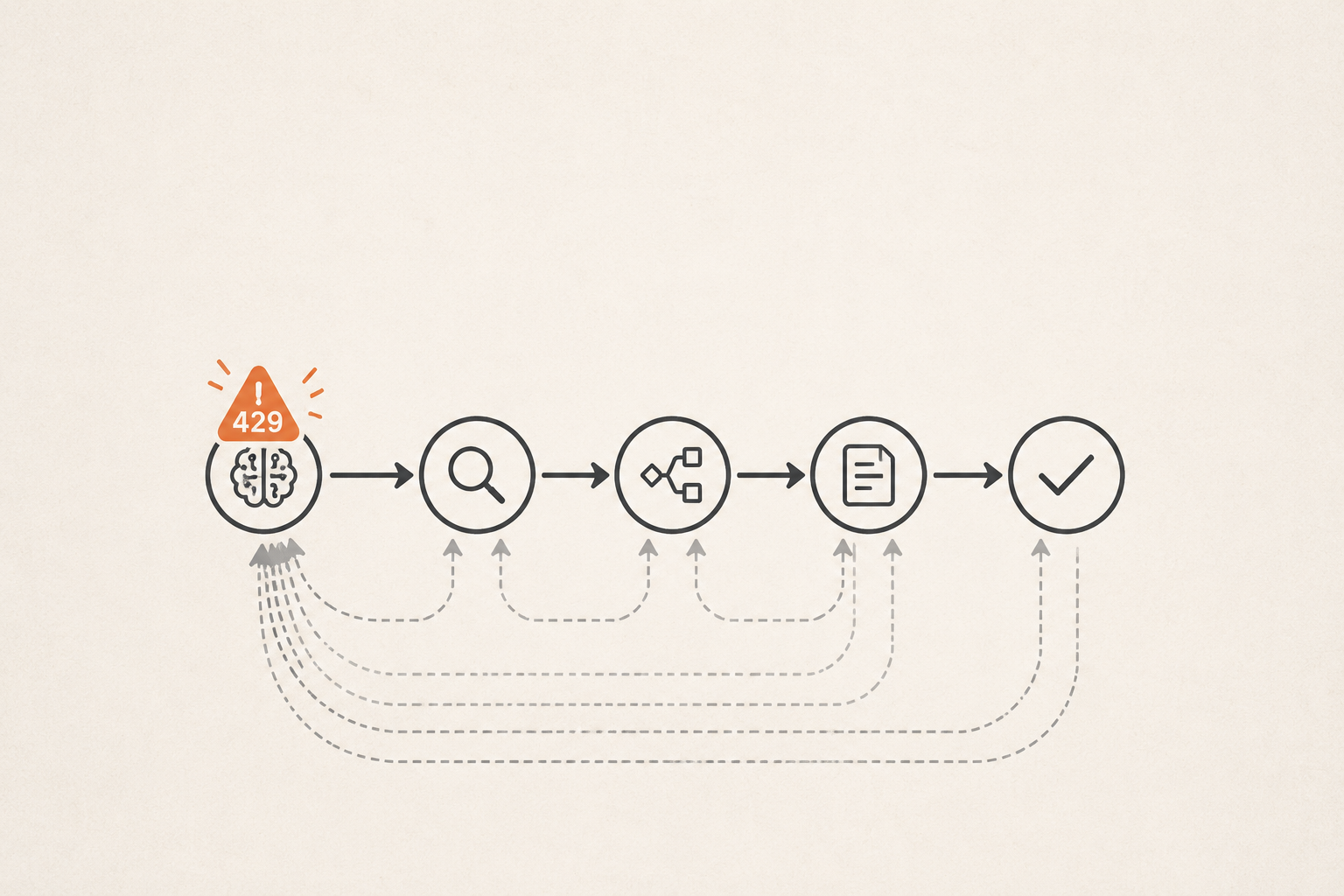
Efficient troubleshooting does not begin by switching models, restarting everything, or retrying forever. It begins by preserving the complete response and investigating the layer identified by the status. This guide combines the Nbility API error reference with the official OpenAI and Anthropic error guidance to produce a workflow that applies to chat, coding agents, images, and video APIs.
Quick Diagnosis Table
| Status | Typical cause | Check first | Automatic retry? |
|---|---|---|---|
400 | Invalid JSON or parameters | Body, field names, types | No |
401 | Missing or invalid key | Auth header, environment, token status | No |
403 | Insufficient permission | Token group, model access, IP/region policy | No |
404 | Missing URL, path, or resource | Base URL, /v1, API protocol | No |
429 | Rate limit or insufficient quota | Error code, balance, concurrency | It depends |
500 | Internal or upstream error | Response body, request ID, service status | Limited retry |
502 | Invalid upstream response | Gateway and upstream health | Limited retry |
503 | Service unavailable or overloaded | Service status and capacity | Limited retry |
The central question is: can this failure recover without changing the request? Configuration and permission errors cannot.
Capture the Complete Error Context
Do not log only API Error. Preserve at least:
HTTP status
error message, type, and code
request timestamp and timezone
request URL without credentials
the selected model
client or SDK version
redacted request ID / trace ID
whether streaming was enabled
retry count
Nbility uses this standard error shape:
{
  "error": {
    "message": "A human-readable error description",
    "type": "error_type",
    "code": "error_code"
  }
}
The same HTTP status can carry different error codes. A 429, for example, may mean rate_limit_exceeded or insufficient_quota. Those require completely different responses.
Never log the full Authorization header, API key, cookies, private conversation content, or unredacted files. A timestamp, error code, request ID, and a short redacted key prefix/suffix are normally enough for support.
401 Unauthorized: Check the Key Before Retrying
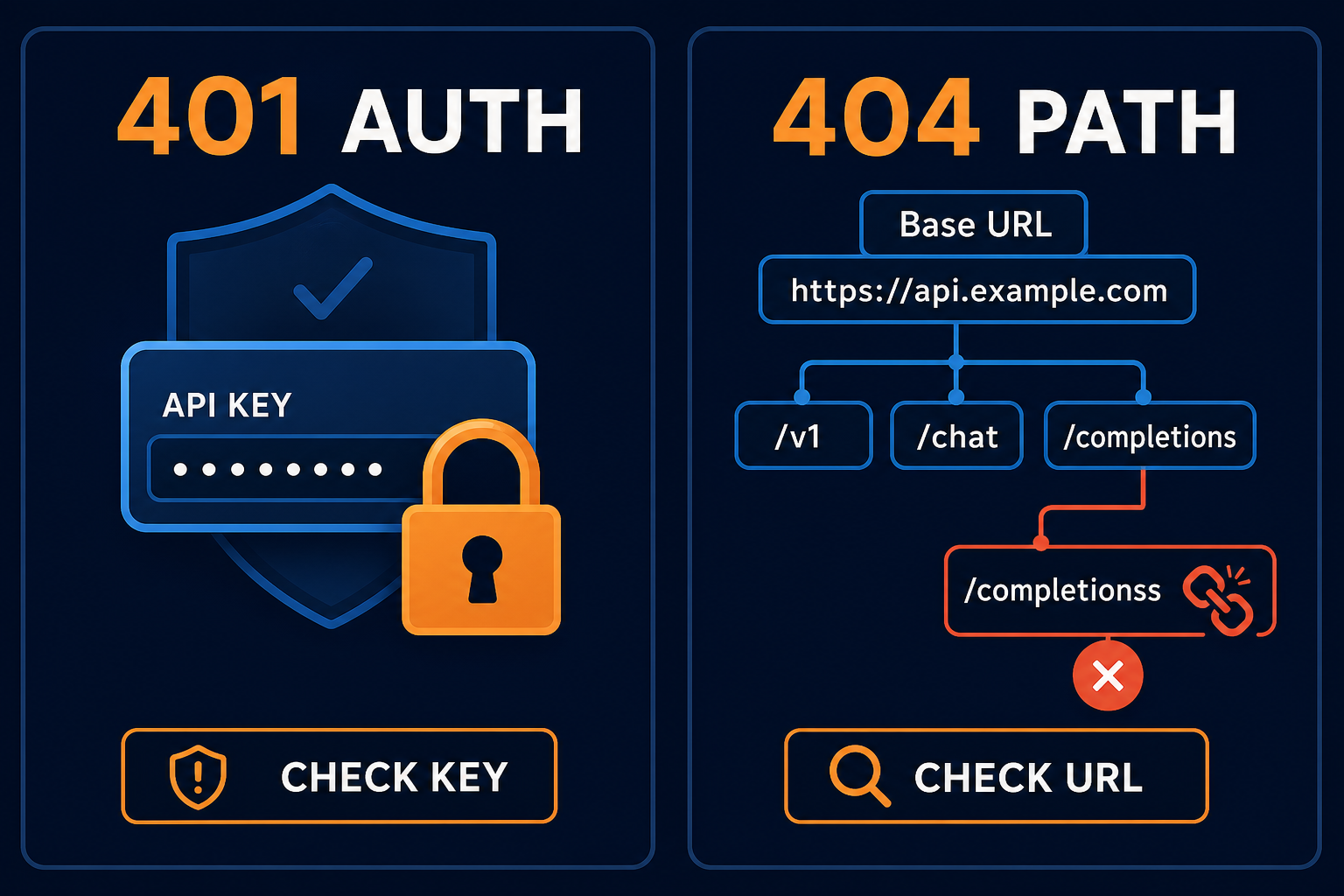
Nbility defines 401 as a missing or invalid API key, commonly with invalid_api_key. Check in order:
[ ] The Authorization header exists
[ ] The Bearer format is correct
[ ] The key has no copied spaces, quotes, or newlines
[ ] The current process loaded the environment variable
[ ] The value is an API key, not a browser token or another provider's key
[ ] The token was not revoked, disabled, or expired
[ ] The request is going to the service that issued the key
OpenAI-compatible requests generally use:
Authorization: Bearer YOUR_API_KEY
For a minimal curl test, read the key from the environment so it does not appear literally in shell history:
export NBILITY_API_KEY="YOUR_API_KEY"

curl https://api.nbility.ai/v1/models \
  -H "Authorization: Bearer $NBILITY_API_KEY"
Do not troubleshoot by printing the secret:
echo "$NBILITY_API_KEY"
Check only whether it exists:
if [ -n "$NBILITY_API_KEY" ]; then
  echo "API key is set"
else
  echo "API key is missing"
fi
401 vs 403
A useful mental model is:
401: the service cannot validate your identity or credential;403: the credential is recognized, but this operation is not allowed.
A valid key may still receive 403 when its group lacks model access, an IP is outside an allowlist, or an account policy blocks the request. Retrying an unchanged request will not grant permission.
404 Not Found: Check Base URL, /v1, and Protocol
A 404 means the requested endpoint or resource was not found. In AI integrations, the server is often healthy and the assembled URL is wrong:
https://api.example.com/v1/v1/chat/completions
https://api.example.com/chat/completions
https://api.example.com/v1/responses
https://api.example.com/v1/messages
Break the final URL into three parts:
service host + API version + endpoint
Nbility examples include:
OpenAI Chat Completions: https://api.nbility.ai/v1/chat/completions
OpenAI Responses:        https://api.nbility.ai/v1/responses
Claude Messages:         https://api.nbility.ai/v1/messages
The Base URL entered in a client is not always the complete request URL:
- OpenAI-compatible SDKs commonly use
https://api.nbility.ai/v1; - Claude Code uses
https://api.nbility.aiasANTHROPIC_BASE_URLand appends/v1/messagesitself.
Inspect the final URL emitted by the client. Common failures include:
- both the Base URL and client append
/v1; - a full endpoint is entered where a Base URL is expected;
- a Responses client calls a Chat-Completions-only route;
- a path is misspelled;
- a task or file resource was deleted;
- a reverse proxy does not forward the route.
429: Separate Rate Limit from Insufficient Quota
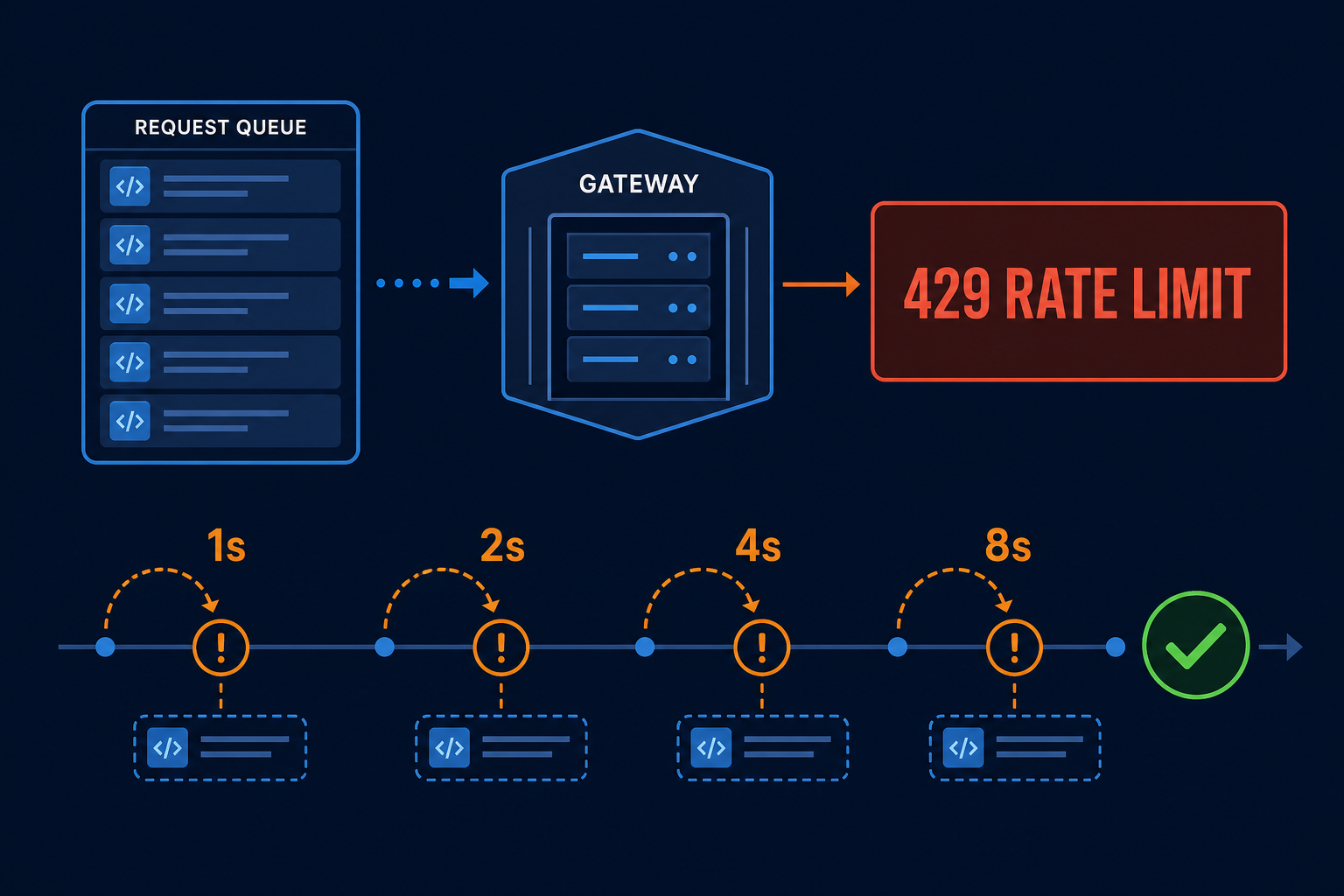
429 Too Many Requests has at least two common interpretations.
Requests Are Too Fast: rate_limit_exceeded
Respond by:
- reducing concurrency;
- pacing requests;
- honoring
Retry-Afterwhen present; - adding exponential backoff and jitter;
- limiting the number of retries;
- placing bulk work in a queue.
A simplified delay sequence is:
1 second → 2 seconds → 4 seconds → 8 seconds
Production clients should add jitter so every worker does not retry simultaneously:
import random
import time

for attempt in range(4):
    delay = min(8, 2**attempt) + random.uniform(0, 0.5)
    time.sleep(delay)
    # retry request here; stop immediately after success
Quota Is Exhausted: insufficient_quota
Backoff cannot restore an empty balance. Inspect:
- account balance;
- token quota or expiry;
- project/team budget;
- model-group permission;
- daily or monthly spend caps.
Never choose a retry policy from the HTTP status alone. Read the response code and message.
500, 502, and 503: Server Error Does Not Mean Infinite Retry
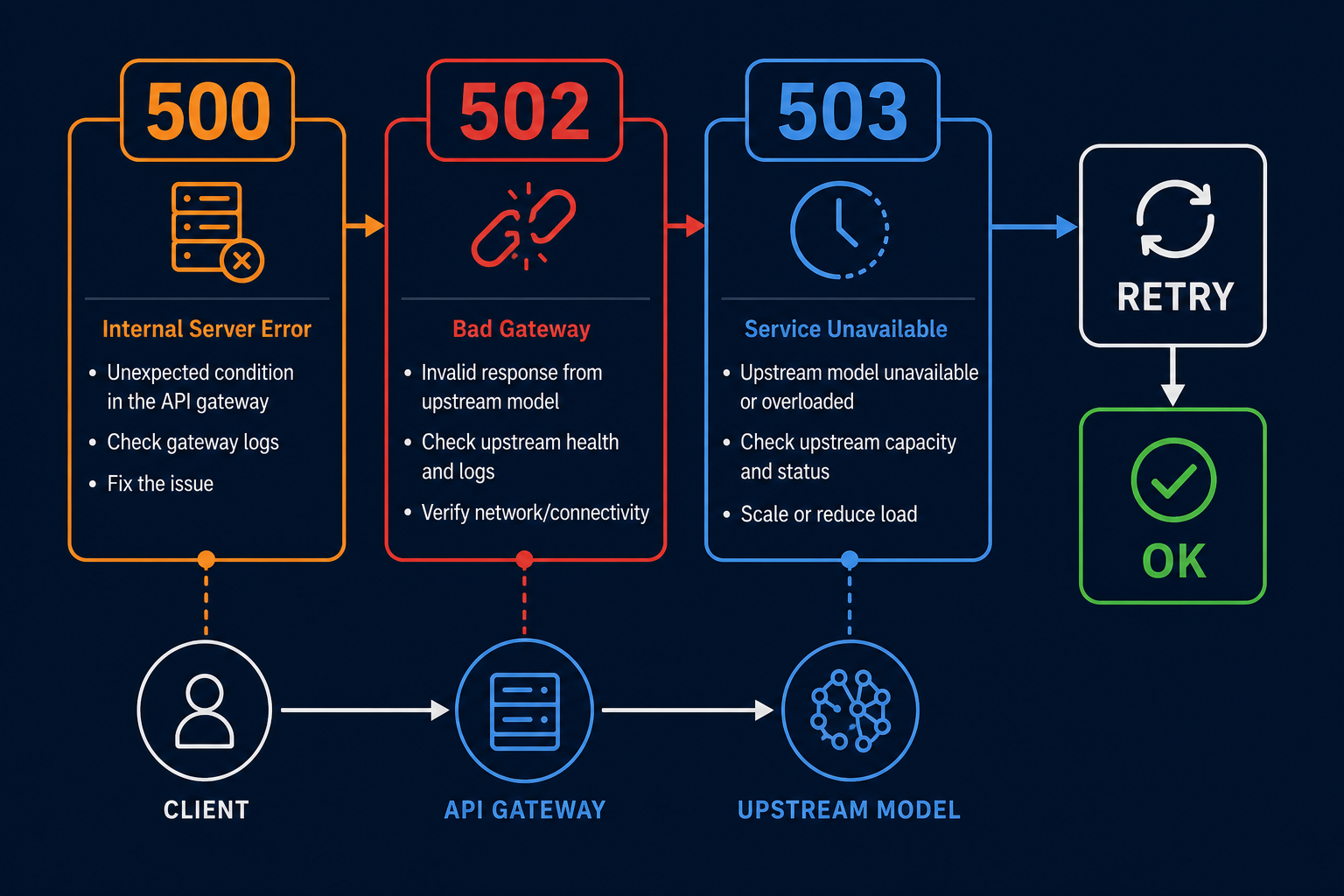
500 Internal Server Error
The gateway or upstream encountered an unexpected condition. Nbility errors such as upstream_error and unmarshal_response_body_failed may appear as 500.
Check whether the body is unusually large, the streaming response is malformed, or one model/parameter combination reproduces the failure consistently. Preserve a minimal request and request ID for support.
502 Bad Gateway
A gateway failed to receive a valid response from upstream. Possible causes include:
- an upstream connection closed early;
- an upstream body could not be parsed;
- a temporary TLS, proxy, or DNS failure;
- a stream ended unexpectedly;
- an upstream timeout was converted to 502 by a proxy.
503 Service Unavailable
The service may be temporarily unavailable, under maintenance, or overloaded. Unlike a permanent configuration error, a 503 may recover after a short delay.
A Safer 5xx Retry Policy
Retry only idempotent or safely repeatable operations:
retry no more than 2–3 times
use exponential backoff and jitter
set a per-request timeout
record the request ID for every failure
fail and alert after the retry budget is exhausted
avoid retries at multiple layers simultaneously
Repeating a chat request usually creates only another generation. Repeating image, video, payment, or task-creation requests can produce duplicate jobs or charges. Confirm idempotency or use an idempotency key/task ID before retrying.
Why Proxies Sometimes Produce 502 or 504
The real path may contain several layers:
client → CDN → reverse proxy → API gateway → upstream model
Each layer has its own connection and response timeout. A model may eventually finish even though an earlier proxy has already returned 502 or 504. Compare:
- client timeout;
- CDN or reverse-proxy timeout;
- gateway upstream timeout;
- maximum model processing time;
- stream idle timeout.
Do not assign every 5xx response to the model provider without checking the complete path.
A Layer-by-Layer Troubleshooting Sequence
1. Reproduce with a Minimal Request
Remove tools, images, long context, and optional fields. Send one short message. If that works, add parameters back one at a time.
2. Confirm Final URL and Protocol
Record the real URL, method, and content type. Determine whether the client is using Chat Completions, Responses, or Claude Messages.
3. Validate Authentication Without Exposing It
Confirm the header exists, the format is correct, and the token is active. Never print the complete value.
4. Verify Model Access
The model ID must exactly match one available to the token. model not found may appear as 400 or 404, so do not rely on the HTTP status alone.
5. Decide Whether the Error Is Retryable
400 / 401 / 403 / 404 → fix request or configuration; do not auto-retry
429 rate limit       → honor Retry-After or use backoff
429 quota            → restore quota or adjust limits
500 / 502 / 503      → limited retries; record and escalate persistent failures
6. Escalate with Evidence
Provide support with:
timestamp and timezone
HTTP status, error.code, and error.message
redacted request URL
model ID
whether streaming was enabled
request ID / trace ID
minimal reproduction
steps already attempted
That is far more actionable than “the API does not work.”
Production Client Checklist
A reliable AI API client should include:
- connection and read timeouts;
- limited retries only for recoverable errors;
- exponential backoff and random jitter;
- concurrency limits and queues;
- structured error logs;
- request-ID propagation;
- credential redaction;
- metrics by status and model;
- alerts for 5xx rates and latency;
- idempotency or deduplication for image, video, and task APIs.
The goal is not to make every request succeed forever. It is to classify failures correctly, recover within a strict budget, and preserve evidence when recovery is impossible.
For Nbility integrations, keep the API error reference and getting-started guide nearby. Persistent upstream failures can be submitted through the support ticket page with credentials and business data redacted.