Dify Embedding Dimension Errors: Check Models, Caches, and Existing Indexes
Diagnose Dify vector dimension mismatches by checking actual embedding outputs, query and document caches, and existing indexes. Includes Dify 1.19.0 source checks and a safe temporary-dataset validation plan.
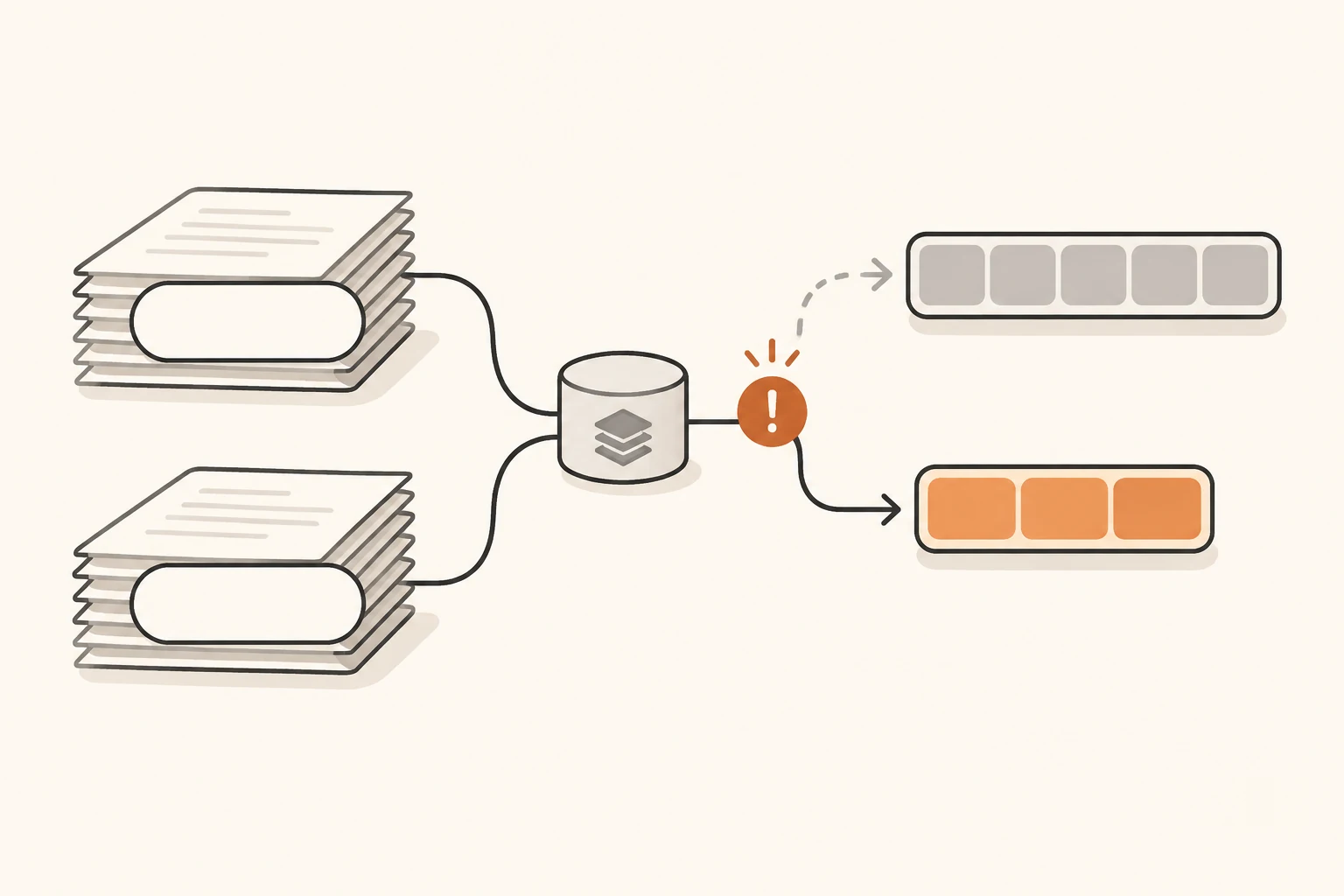
Dify imports your documents and the chat model responds, but knowledge retrieval fails with Vector dimension error: expected dim: 512, got 384. Start by checking whether document vectors and query vectors are compatible. Changing the chat model or rewriting its prompt cannot convert vectors already stored in an index.
Caches add another source of confusion. Creating a knowledge base, rerunning indexing, and waiting for Redis expiry affect different parts of the system. Completing one of those actions does not establish that every path has stopped using old vectors.
This article was checked on November 8, 2026, against Dify's then-current stable release, 1.19.0, its knowledge-base documentation, and a recent cross-workspace cache report. It covers text vector retrieval with High Quality indexing in Classic Knowledge Bases; Economical keyword indexing needs a separate diagnosis. We did not deploy Dify to reproduce the reported defect or measure retrieval accuracy. For initial API setup, start with the Dify and Nbility connection guide.
What a dimension error establishes
An embedding model converts text into an array of numbers. Indexing produces document vectors; retrieval produces a query vector and compares it with the stored vectors. The expected and got values indicate that a vector's length does not meet the target operation's requirement. Check whether the failure occurred during indexing or retrieval before deciding which side is mismatched.
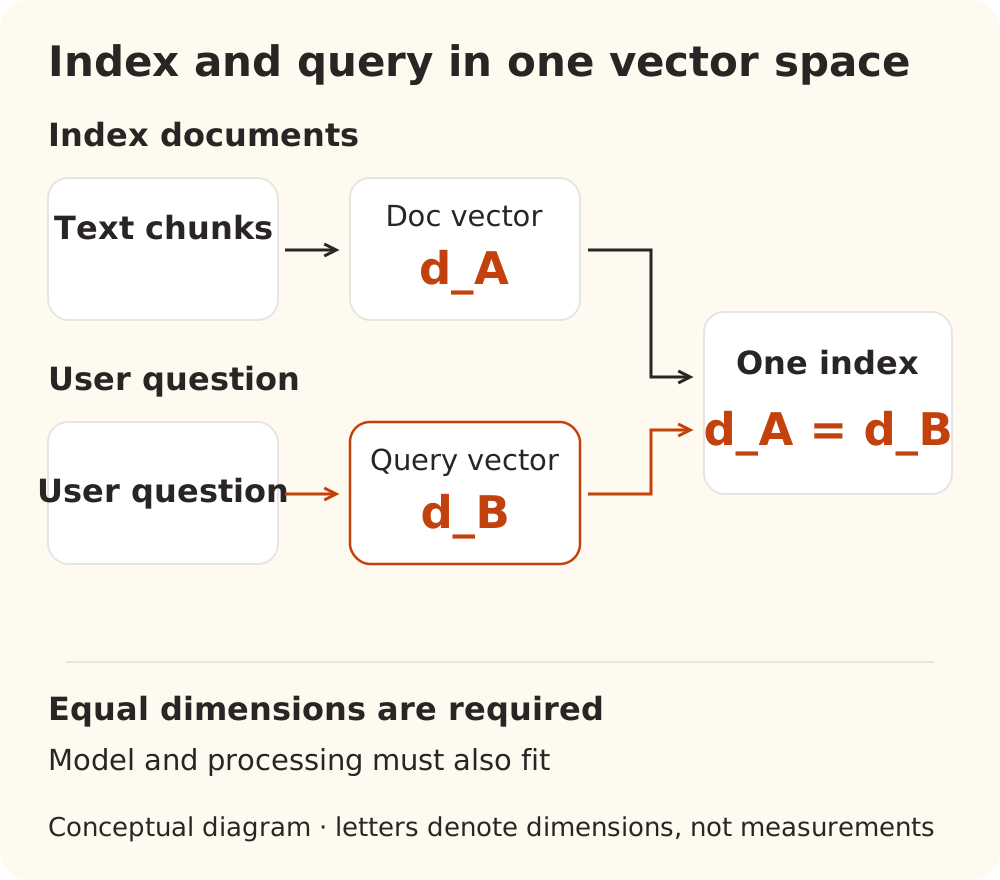
Record the following side by side. Identify the credential configuration without copying its secret:
| Check | When the documents were indexed | For the current query |
|---|---|---|
| Workspace, provider, and registered model name | Configuration saved at the time | Configuration actually selected |
| Endpoint and effective model version | Service that produced stored vectors | Service producing query vectors |
| Output dimensions and relevant parameters | Actual returned length | Actual returned length |
| Text processing | Document prefixes, normalization, and related settings | The model's required query-side processing |
Equal dimensions are necessary, but insufficient. Two models that each return 1,024 numbers do not necessarily use the same semantic coordinate system. Some models also require different document and query prefixes or task parameters. Follow the model's intended pairing rather than making the two request bodies identical.
The Nbility Embeddings API documentation distinguishes model selection, output dimensions, and index migration. Only some models support dimensions. Padding, truncating, or forcing a common dimension value is not a general solution to incompatible embeddings.
The recent report has specific conditions
Dify Issue #45223, opened November 1, describes a self-hosted source deployment reporting version 1.18.0 at main@4c521a3c. Two workspaces belonged to one Dify deployment, sharing its database and Redis. They registered the same provider/model name but connected to different effective models: one returned 512-dimensional vectors, the other 384-dimensional vectors.
The author reported these results:
| Operation in the author's environment | Reported result | What to investigate |
|---|---|---|
| B imports text already processed in A, then uses a fresh query | expected dim: 512, got 384 | Persistent document-vector cache reuse |
| B imports unique text, then repeats A's recent query | expected dim: 384, got 512 | Redis query-vector cache reuse |
| B searches the same unique text with a query not used in A | HTTP 200 | B's model and retrieval path are not completely broken |
These are the issue author's results, not our measurements. The report does not establish interference between separate Dify deployments or disclosure of another workspace's source documents. It also does not measure retrieval degradation between models with equal dimensions.
At the time of review, the issue was Open. Of its three replies, two came from a bot and one from the author. PR #45226 was also Open and unmerged. The author's patched validation used newly created disposable datasets: it supports preventing new collisions, not recovery of existing affected indexes. The patch explicitly excludes endpoint/configuration changes within one workspace and model load balancing.
This makes the report a useful diagnostic lead for matching deployments. It does not give every dimension error the same cause.
Redis, document caches, and indexes require different checks
The 1.19.0 cache implementation reads document embeddings by model name, text hash, and provider. Its query-cache key likewise combines provider, model name, and query hash, without workspace identity. The lazy query path can read that cache before resolving the effective model.
That code explains why a matching display name does not establish equivalent model outputs. Separate these three layers:
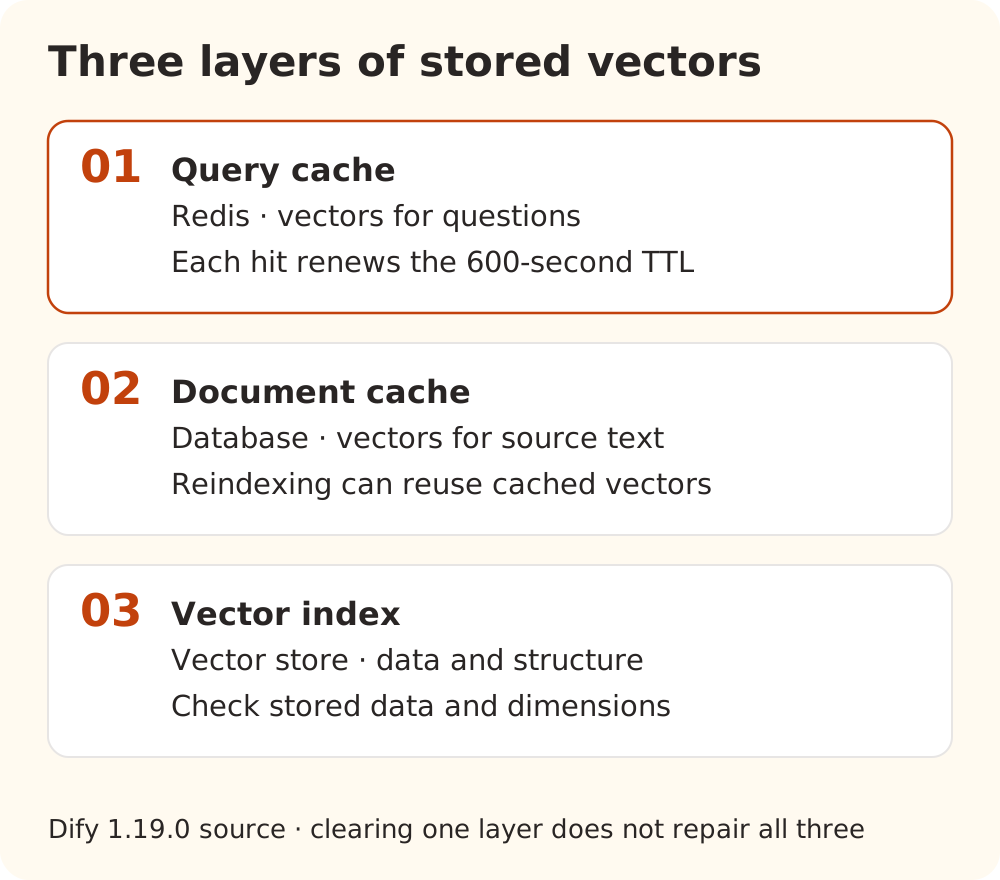
- Redis query cache: stores the vector for a question. In this release, its 600-second TTL refreshes on every hit. Ten minutes since the first request does not guarantee expiry; the key needs an uninterrupted idle interval.
- Persistent document cache: stores vectors for source text in the database. Indexing can reuse these values instead of calling the model. Clearing Redis does not clear this layer.
- Vector-store index or collection: contains vectors and the corresponding storage structure. Preventing stale cache reads does not automatically convert existing vectors. A collection created with the wrong dimensions may need backend-specific recreation.
These statements come from reviewing the 1.19.0 code, not from independently reproducing a complete deployment failure. The query cache's 600-second TTL says nothing about the lifetime of document-cache rows or stored indexes.
Dify's knowledge settings documentation says changing the embedding model re-embeds all chunks. Distinguish that normal operation from changing the effective service behind a same-named configuration without changing its cache identity. When cache collisions are confirmed, a completed indexing task alone does not prove that the intended model recomputed every chunk.
Check the endpoint's actual output with public text
This Python example makes one Nbility Embeddings request, outside Dify's two caches. Set NBILITY_API_KEY and EMBEDDING_MODEL privately before running it. Choose an embedding model ID available to your account, and distinguish the upstream request ID from a Dify display name.
import json
import math
import os
from urllib.request import Request, urlopen

request = Request(
    "https://api.nbility.ai/v1/embeddings",
    data=json.dumps({
        "model": os.environ["EMBEDDING_MODEL"],
        "input": ["Public embedding probe A.", "Public embedding probe B."],
        "encoding_format": "float",
    }).encode("utf-8"),
    headers={
        "Authorization": "Bearer " + os.environ["NBILITY_API_KEY"],
        "Content-Type": "application/json",
    },
)
with urlopen(request, timeout=60) as response:
    result = json.load(response)

rows = sorted(result["data"], key=lambda row: row["index"])
if [row["index"] for row in rows] != [0, 1]:
    raise ValueError("Expected one embedding for each input")
dimensions = []
for row in rows:
    vector = row["embedding"]
    if not vector or not all(math.isfinite(value) for value in vector):
        raise ValueError("Expected a nonempty finite vector")
    dimensions.append(len(vector))
if len(set(dimensions)) != 1:
    raise ValueError("The two vectors have different dimensions")
print("response model:", result.get("model", "not reported"))
print("dimensions:", dimensions)
The script does not print credentials, raw vectors, or business documents. For another service, use its verified HTTPS endpoint and the corresponding credentials. Match any model-specific parameters actually configured in Dify. This example does not set an extra dimensions parameter.
Two nonempty vectors of the same length establish a usable structure for that direct request. They do not prove that Dify selected the same configuration, that an existing collection has the right dimensions, or that retrieval quality is acceptable. A response's model field is also a service-provided label, not independent proof of model identity.
We checked the example's success and failure paths with local synthetic responses. We did not make an authenticated Embeddings request. Verify real dimensions under your own configuration.
Validate a temporary knowledge base before migrating existing data
Record Dify, model-plugin, and API/worker versions, the original knowledge base's model configuration, the vector backend, and the stage that fails. Preserve source documents, app bindings, and retrieval settings. Changing chunking, reranking, prompts, and models together makes the result harder to interpret.
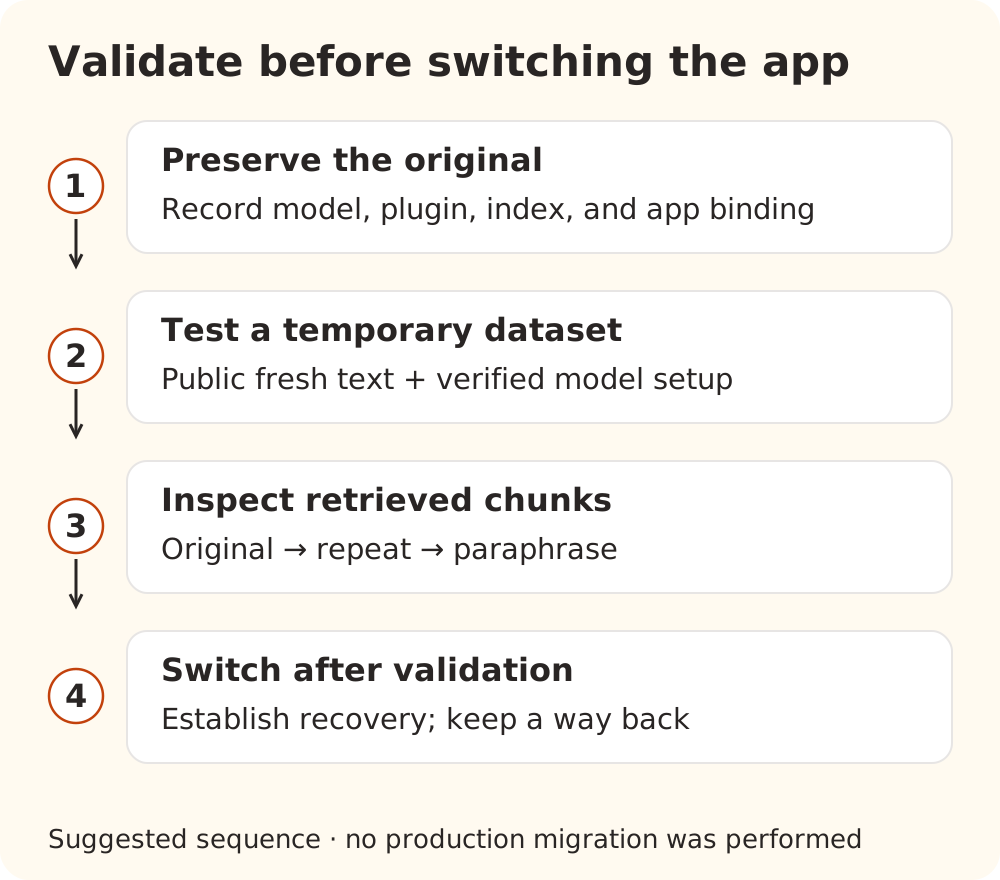
Use a disposable knowledge base for a small check:
- Confirm the effective model. Compare the direct request's dimensions with Dify's selected configuration and the collection's requirements. Where the plugin supports it, use distinct registration entries for nonequivalent model configurations. Do not invent an upstream request model ID that the service will reject.
- Import a small public fixture. Use unique, easily checked text, such as “Demo record 109: returns are accepted within 7 days of delivery; inventory checks take place every Wednesday.” Wait for indexing to finish. A new knowledge base does not itself create a new cache namespace, so also avoid known cached text and queries for the initial check.
- Inspect retrieved chunks directly. On Dify's documented Retrieval Testing page, ask how many days record 109 allows for returns. Repeat the exact question, then paraphrase it. Success means retrieving the expected source chunk. HTTP 200 or a chat model answering “7 days” is insufficient. Changes to retrieval settings on this page apply only to that test session.
- Establish the existing-data recovery procedure before switching. For an ordinary model migration, use the documented re-embedding workflow. For confirmed cache-identity collisions, first verify the maintainer-approved fix and recovery guidance, then address affected caches and indexes. Keep the original knowledge base, validate its replacement, and preserve a way to restore the app's previous binding.
If a temporary dataset works while the original still fails, inspect its older index, chunks, and caches; that difference alone does not prove the cause. Repeated queries failing while fresh queries work is a reason to inspect the query cache. Failures tied to previously embedded text warrant checking the document cache. Treat these as clues rather than automatic diagnoses.
Do not experiment by flushing all Redis data, deleting entire tables, or dropping a production vector collection. On a shared deployment, first identify the workspace, effective model configuration, and affected scope. The unmerged PR does not demonstrate a one-command repair of existing affected collections, so it should not be presented as a universal production recovery procedure.
What a completed check looks like
Confirm that the endpoint's actual dimensions match the configuration, document and query vectors use a compatible space, indexing completes, original/repeated/paraphrased questions retrieve the expected chunks, and the app is bound to the verified knowledge base. If the final application still answers poorly, follow the Dify knowledge-base support workflow to inspect chunking, retrieval, and source references.
When connecting through Nbility, use the model-directory guidance to identify available embedding models, then inspect actual Embeddings output. A unified API endpoint simplifies connection setup; consistency of Dify's stored caches and vector indexes still needs to be checked within Dify.
Sources checked
- Dify 1.19.0 release, November 4, 2026
- 1.19.0 embedding cache, persistent cache model, and lazy query lookup
- Issue #45223 and all replies, and unmerged PR #45226; status checked November 8, 2026
- Dify's indexing and retrieval settings, knowledge settings, and retrieval testing documentation