PDF RAG Answers Without Sources: Trace the Citation Chain
Follow a public document fixture through extraction, retrieval, LLM context, and source display to find where PDF citations disappear.

A PDF can import successfully and produce fluent answers while still losing its sources. Before choosing a larger model, trace one claim through extraction, chunking, retrieval, model context, and citation display.
Checked on November 10, 2026, this guide uses Dify's current classic-knowledge documentation, the 1.19.0 release record, and a citation issue. The policy below is a public teaching fixture, not a real contract. We did not run a full Dify instance, OCR pipeline, or model evaluation.
The same evidence relationship matters for public web research. The DeepSeek Search & Fetch workflow distinguishes a search summary, a page actually read, and a claim supported well enough to cite.
Start with a claim whose source is unambiguous
Create a temporary document with two distinct rules and explicit page labels:
Demo document: demo-policy-v1
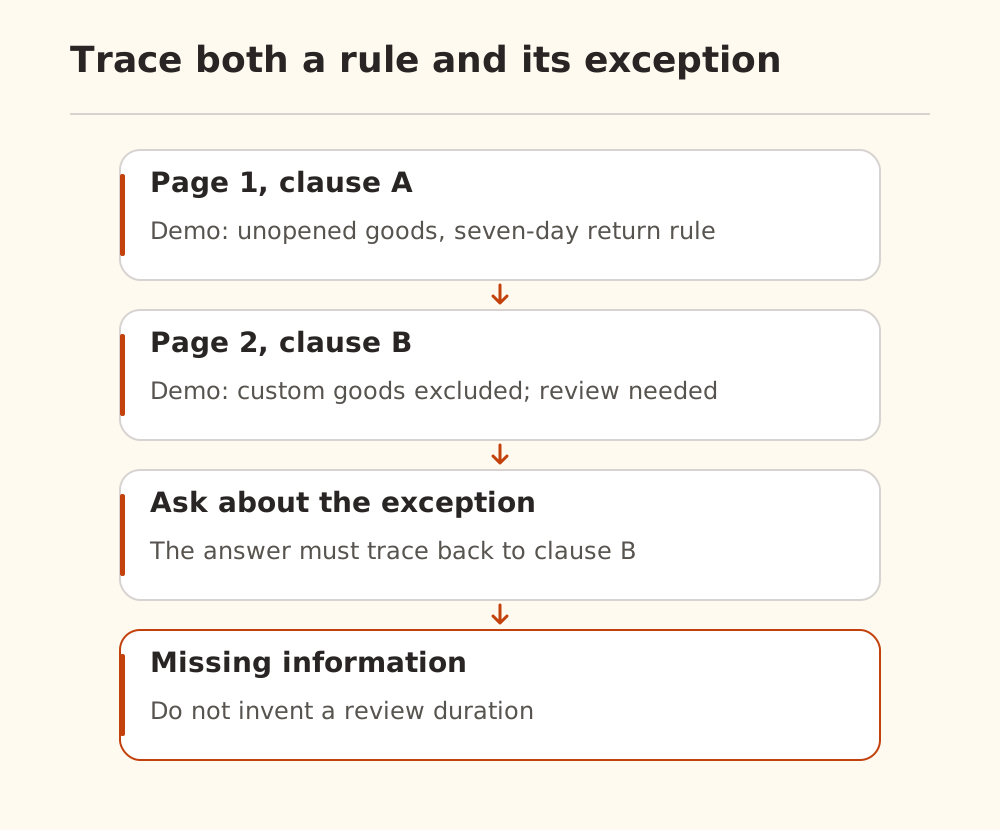
Page 1, clause A: Unopened goods may be returned within 7 days of delivery.
Page 2, clause B: Custom-made goods are excluded from clause A and need manual review.
Ask whether custom-made goods qualify automatically under the seven-day rule. A supported answer needs the exception in clause B and a traceable reference to it. These terms are invented fixture content, not legal advice or Nbility policy.
Also ask how long manual review takes. The fixture does not say. A sound answer should acknowledge missing information rather than invent a duration with a citation marker.
Inspect extracted text before retrieval settings
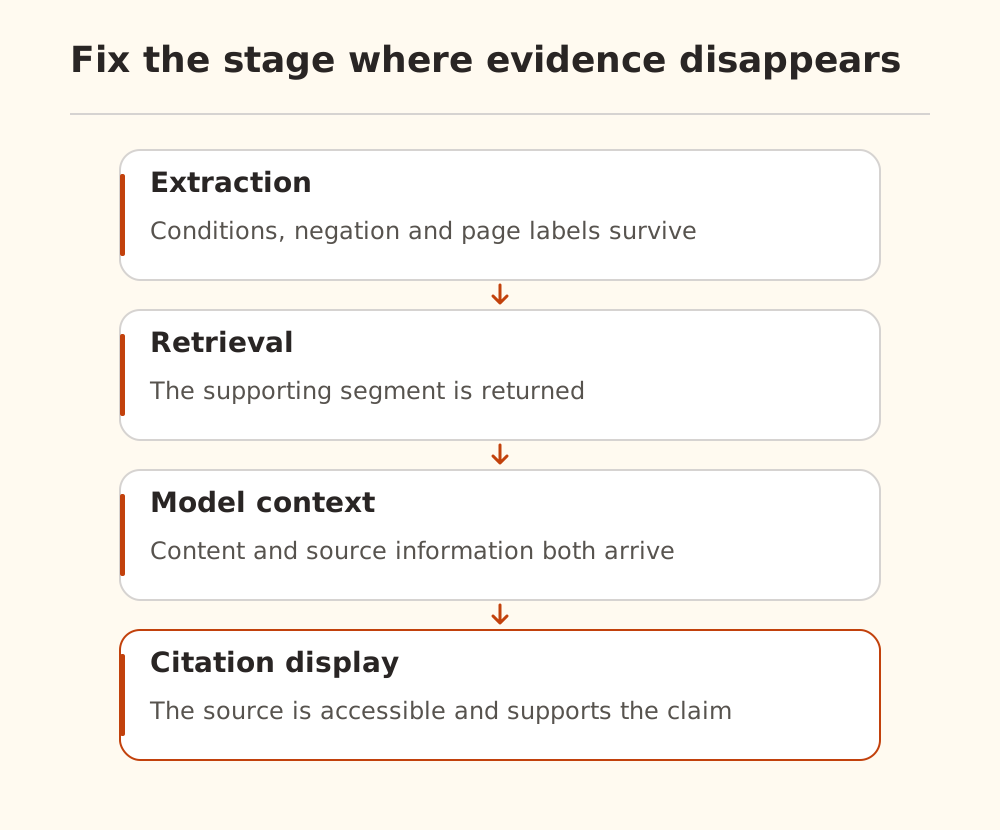
Compare the extracted text with the source page. Scans need OCR, but text PDFs can also suffer from reordered columns, broken tables, and repeated headers. Check negation, conditions, numbers, and table headings closely.
Distinguish physical page position from a printed page number. The second PDF page can be labeled “page 1.” Preserve both if you need reliable navigation. The PDF workflow guide covers the initial processing; this article checks what survives each handoff.
Check whether retrieval returns the exception
Use Dify retrieval testing in a temporary knowledge base. If only clause A returns, inspect chunking, filters, and retrieval settings before changing the answer prompt.
Settings changed on the test page apply only to that test session. The classic retrieval-node guide also distinguishes knowledge-base settings from node-level settings. A good test-page result does not prove the application uses the same configuration.
Reranking can reorder retrieved candidates; it cannot recover text lost during extraction. See the rerank API guide. Failures following an embedding change belong to a different investigation: dimensions, caches, and old indexes.
Preserve structured source information
The classic Knowledge Retrieval node outputs result, an array containing chunk content, metadata, titles, and other attributes. The official instructions bind that result to the LLM node's Context. Current documentation also describes a separate Agent Knowledge Retrieval node; do not assume their configuration paths are interchangeable.
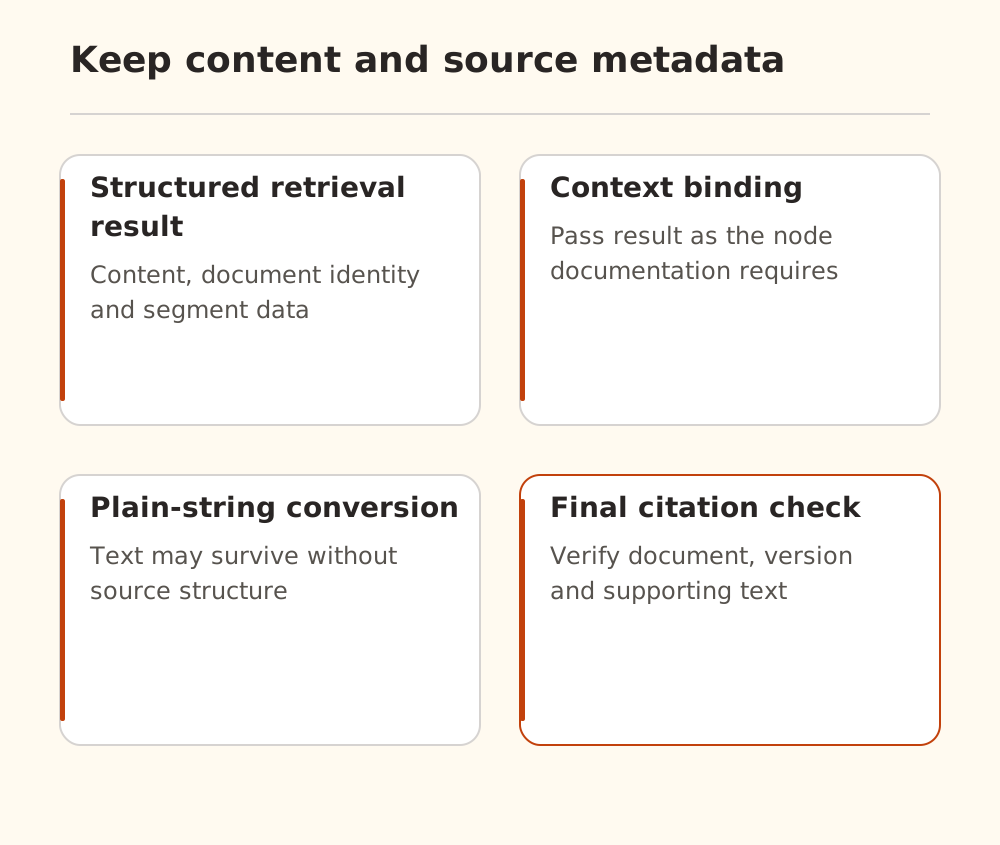
In Dify #43638, the reporter used self-hosted 1.13 and saw retrieved content without displayed sources. Two replies supplied source inspection and a focused function check distinguishing structured context from a plain string. Both qualified their evidence rather than claiming reproduction of the reporter's full environment. The issue remained open when checked.
That supports checking the actual Context binding. It does not establish that every missing citation comes from a template node, or that 1.19.0 fixes the report. Compare direct binding in a workflow copy and inspect the installed version's real response.
Verify what the citation supports
A model-written [1] is not proof of a traceable citation. Check the document, version, and source segment behind it, then confirm that the segment supports the adjacent claim. If page information was never retained, the model cannot reliably reconstruct it for the application.
| Failure | First place to inspect |
|---|---|
| Source clause missing from extracted text | Parser, OCR, page type |
| Extracted text exists but is not retrieved | Chunks, filters, both retrieval-setting layers |
| Retrieval succeeds but model context lacks it | Node connections and Context binding |
| Model sees text but UI has no source | Metadata, citation setting, response display |
| Source exists but exception is misread | Prompt and model interpretation |
After each change, repeat the general-rule, exception, and unanswered-question checks. For Nbility, configure the model connection using the connection guide. A working model API does not supply missing OCR, page labels, or citation metadata. Fix the evidence path first so later model changes are meaningful.