Recover an Expired Video Generation Download Link
Look up the original job before rendering again. Distinguish stale URLs from deleted output, and validate the MP4 before replacing your archived copy.

If a video job succeeded but its download returns 403 or 404, start with the original job. You may have an expired URL, the wrong download credentials, or an output the provider has already deleted. Keep “the provider generated this video” separate from “we have a saved copy.”
Is the original still available?
The MiniMax V2 query reference says task.content.url is temporary and that another query can fetch a new URL after expiry. Only jobs from the past seven days are queryable. That window is not the lifetime of the URL. Replicate's retention policy describes a different rule: outputs and other data from API predictions are removed after an hour by default. Querying again cannot be relied on to get back an output that has already been removed.
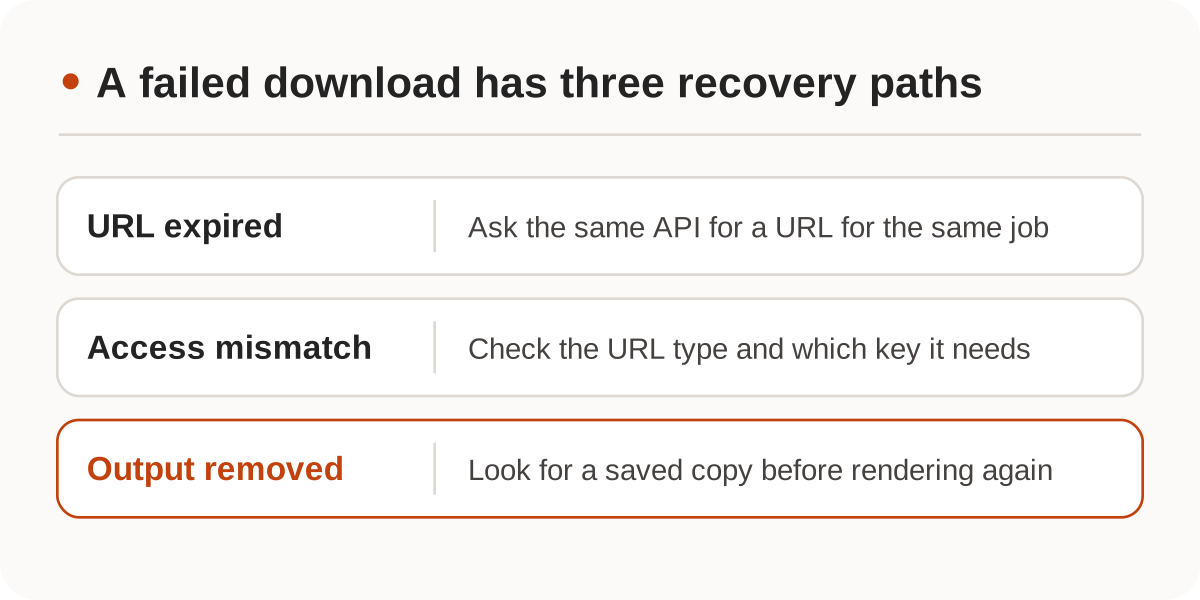
Keep the job ID and query the same provider and API version. If the response still does not give you a usable file, use that provider's rules to distinguish authorization, URL expiry and file removal. Render again only when you have ruled out an available copy and can accept the cost and variation of a new job. See waiting, querying, and cancelling video jobs if you are not sure the original submission was accepted.
Know where the API key belongs
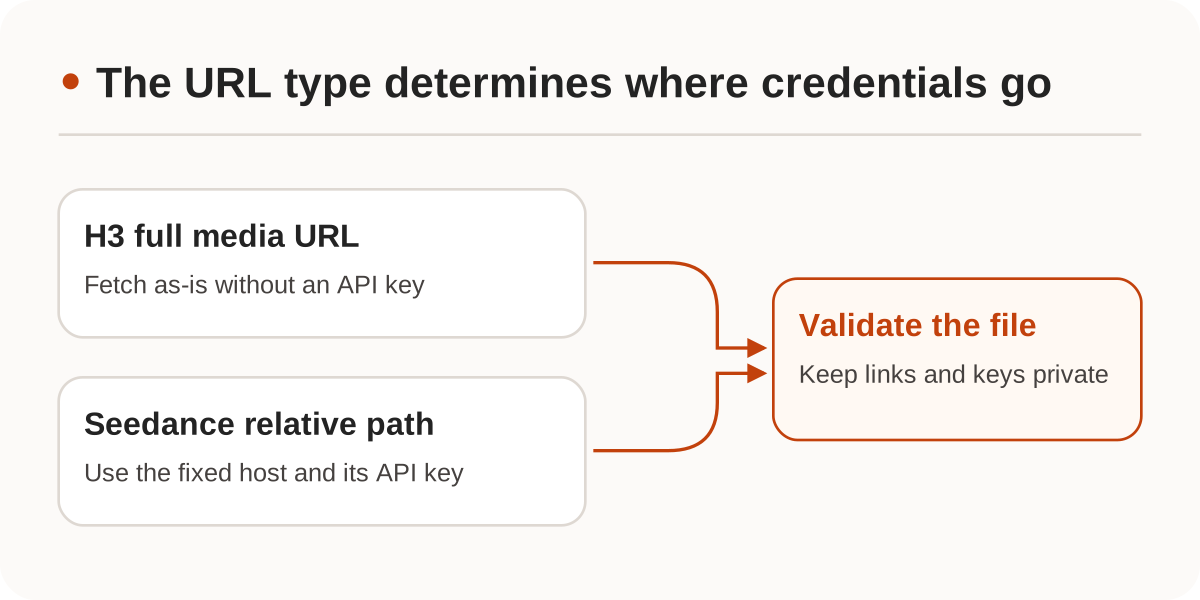
Nbility MiniMax H3 returns a full url on success. Download it as-is, without an API key. Nbility's native Seedance query, by contrast, returns a relative content.video_url. Resolve it against the fixed API base and authenticate the request as documented. A field named url is not permission to forward an API key to another host. Do not put keys in player URLs, or write full signed media links to public logs.
Decode the file before replacing the archive copy
Use this Bash example only with a trusted, full HTTPS MP4 URL, not an authenticated relative path. It uses curl and ffmpeg, puts a temporary file in the same directory as the destination, and replaces video.mp4 only after validation. Give each job its own working directory rather than having multiple workers write to the same filename.
set -euo pipefail
umask 077
: "${RESULT_URL:?Set RESULT_URL to the trusted HTTPS media URL}"
tmp_file=$(mktemp './video.XXXXXX')
trap 'rm -f -- "$tmp_file"' EXIT

curl --fail --silent --show-error --location \
  --proto '=https' --proto-redir '=https' --max-time 120 \
  --output "$tmp_file" --url "$RESULT_URL"
ffmpeg -v error -nostdin -xerror -abort_on empty_output \
  -protocol_whitelist file -f mov -i "$tmp_file" \
  -map 0:v:0 -map '0:a?' -f null -
mv -f -- "$tmp_file" ./video.mp4
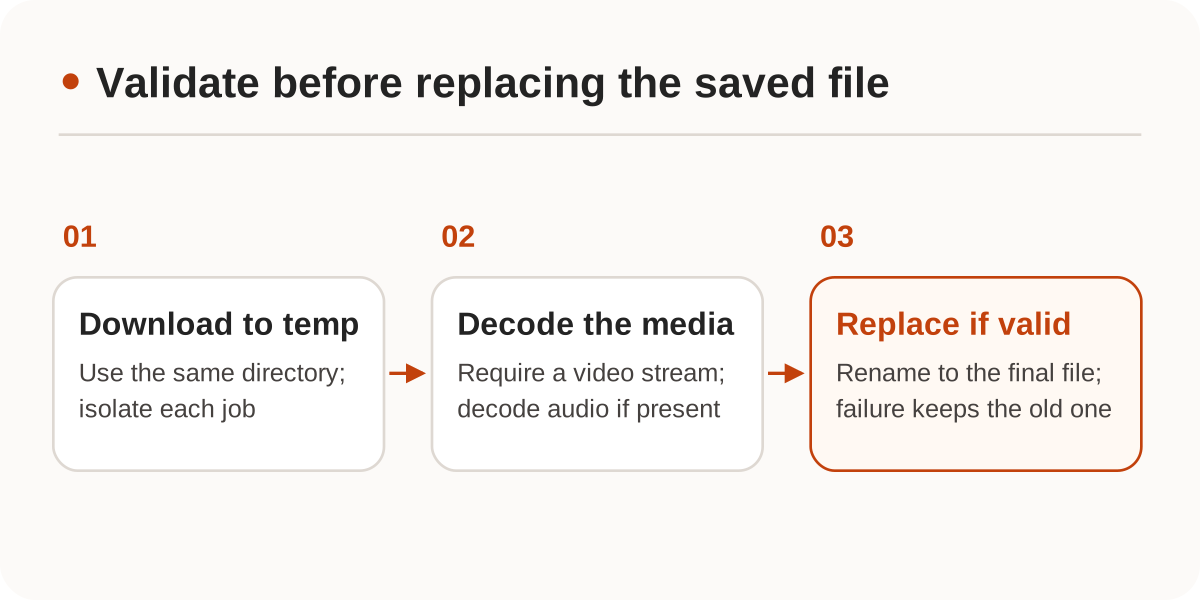
The input-side -f mov selects the MOV/MP4 demuxer. The command requires a video stream and also decodes audio streams when present; add a separate requirement if delivery must include sound. An HTTP 200 and a nonempty file do not prove the video is complete. A decodable file can still have the wrong aspect ratio or be shorter than the deliverable. Check those against the job specification, and set size and runtime limits when running full decodes in a worker.
Notify the recipient that the video is ready only after the copy is saved. If readiness comes from an asynchronous event, also deduplicate video webhooks. We checked the provider rules and FFmpeg command documentation on November 20, 2026. File handling was checked locally with synthetic MP4 and invalid inputs; no real generation result was accessed and no URL lifetime was measured.