How to Store API Keys Safely and Keep Them Out of GitHub
Learn where API keys belong: environment variables, ignored .env files, secret managers, and CI/CD secrets—plus the correct response when a credential reaches Git history.
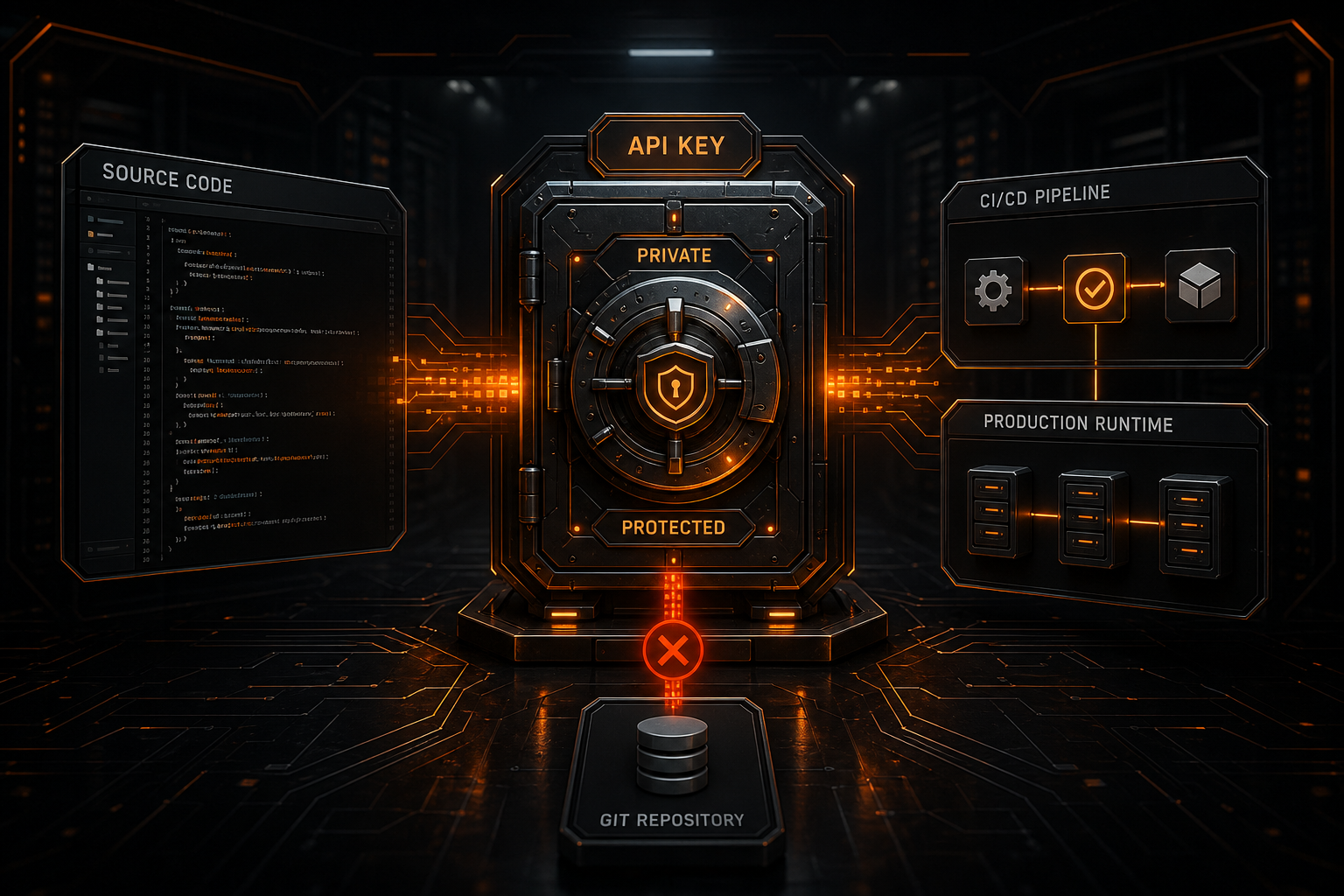
API keys are often exposed through an ordinary development sequence rather than a sophisticated attack:
git add .
git commit -m "update config"
git push
Only afterward does someone notice that an .env file, test script, notebook, screenshot, or log contained a live credential.
The goal is not to hide the key more cleverly. Use this principle instead:
Separate credentials from code, inject them per environment, grant minimum privileges, and treat every secret that reaches Git history as exposed.
This guide covers local development, team workflows, GitHub Actions, production deployments, and the correct order of operations after an accidental commit.
What Counts as a Secret?
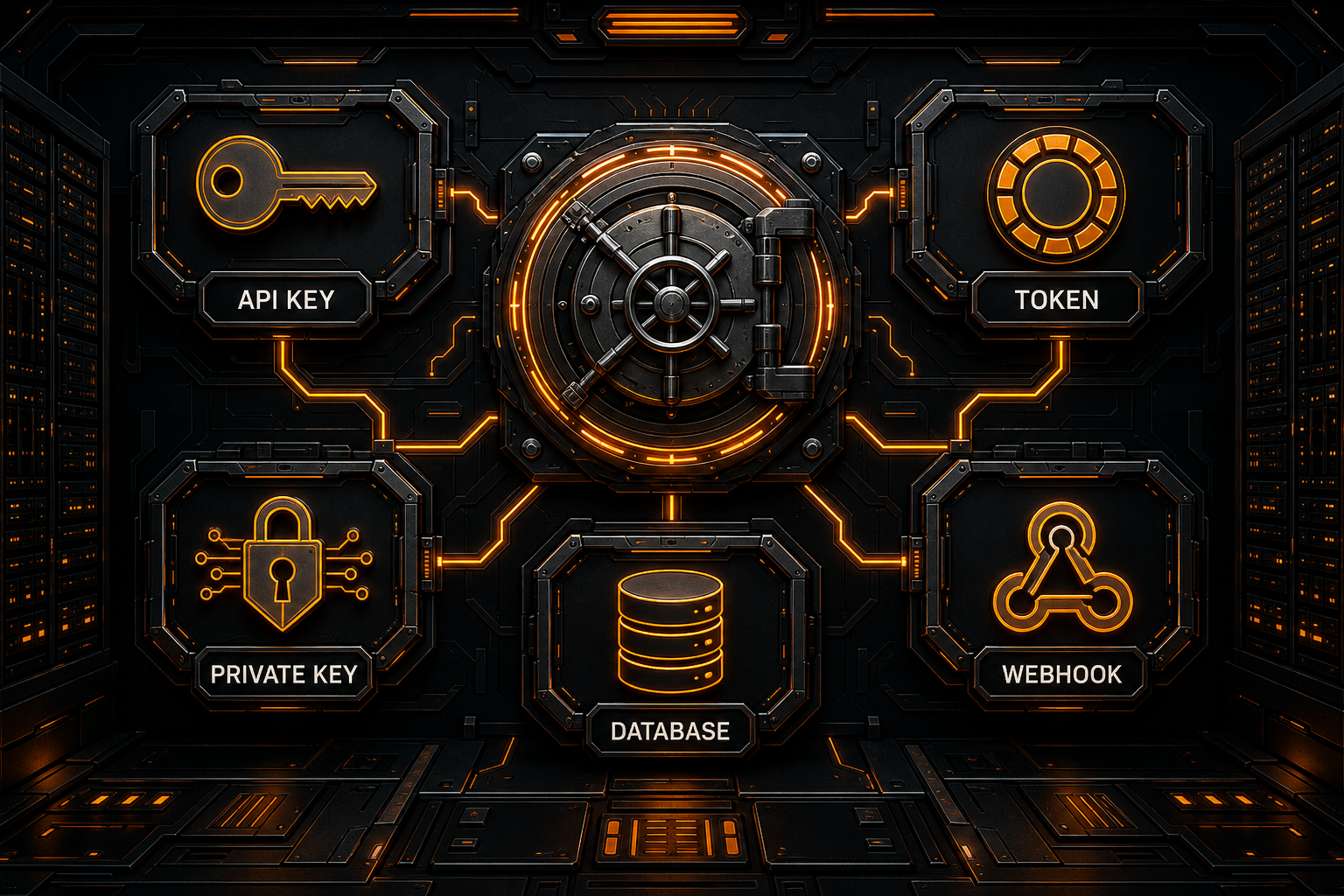
Secrets include much more than AI API keys:
- AI provider keys;
- GitHub personal access tokens;
- cloud access keys;
- OAuth client secrets;
- database URLs and passwords;
- SSH and TLS private keys;
- webhook signing secrets;
- session secrets and JWT signing keys;
- service-account JSON files;
- package publishing tokens;
- signed URLs with durable access.
Some values may not grant access alone but still deserve protection:
- combinations of key prefixes and suffixes;
- private Base URLs;
- customer accounts, project IDs, and request payloads;
- authorization headers in production logs;
- credential recovery codes.
Where Should an API Key Live?
| Environment | Recommended | Avoid |
|---|---|---|
| Local development | Environment variable, ignored .env, OS keychain, or password manager | Source-code constants |
| Team sharing | Secret manager or controlled password vault | Plaintext chat, email, or shared document |
| GitHub Actions | Repository, Environment, or Organization Secrets | Workflow YAML literals |
| Production | Platform secrets, KMS, Vault, or runtime bindings | Frontend bundles and image layers |
| Temporary test | Short-lived, low-privilege, revocable token | Reused production admin key |
Configuration that varies by deployment should remain separate from code. Environment variables are a common interface, but their safety still depends on origin, process permissions, logs, and lifecycle.
Local Development: Use .env Carefully
1. Ignore Local Secret Files First
# Local secrets
.env
.env.*
!.env.example

# Private keys and provider credentials
*.pem
*.key
secrets/
credentials.json
This keeps .env.example available while excluding real environment files.
2. Put Placeholders in .env.example
NBILITY_API_KEY=YOUR_API_KEY
NBILITY_BASE_URL=https://api.nbility.ai/v1
NBILITY_MODEL=YOUR_MODEL_ID
A “temporary test key” still does not belong in a template. Bots and other users can exploit credentials in public repositories quickly.
3. Confirm Git Never Tracked the File
.gitignore applies to untracked files. If .env is already in the index, adding an ignore rule does not remove it.
Check:
git status --short
git check-ignore -v .env
After revoking an exposed key, stop tracking the file with:
git rm --cached .env
Commit that removal. This removes the file from the current tree, not from earlier commits.
4. Restrict Local File Permissions
On Linux and macOS:
chmod 600 .env
Permissions are not complete protection, but they reduce accidental reads by other users on the machine.
Read Secrets from the Environment
Node.js:
const apiKey = process.env.NBILITY_API_KEY;

if (!apiKey) {
  throw new Error('NBILITY_API_KEY is not configured');
}
Python:
import os

api_key = os.environ.get("NBILITY_API_KEY")
if not api_key:
    raise RuntimeError("NBILITY_API_KEY is not configured")
Never log the complete value:
// Do not do this
console.log(process.env.NBILITY_API_KEY);
Record whether configuration exists, or use a non-reversible internal credential identifier.
Frontend Environment Variables Are Not Secrets
Anything delivered to the browser is accessible through:
- JavaScript bundles;
- DevTools Network;
- source maps;
- page source;
- browser extensions;
- intermediary proxies and logs.
Prefixes such as VITE_, NEXT_PUBLIC_, and REACT_APP_ normally indicate that a value becomes client-side code. Use them for public configuration, not provider credentials.
The safe architecture is:
Browser
   ↓ authenticated request
Your backend / serverless function
   ↓ server-side secret
AI API
The backend must authenticate users, restrict models and budgets, and avoid becoming an unauthenticated open proxy.
Use Secrets in GitHub Actions
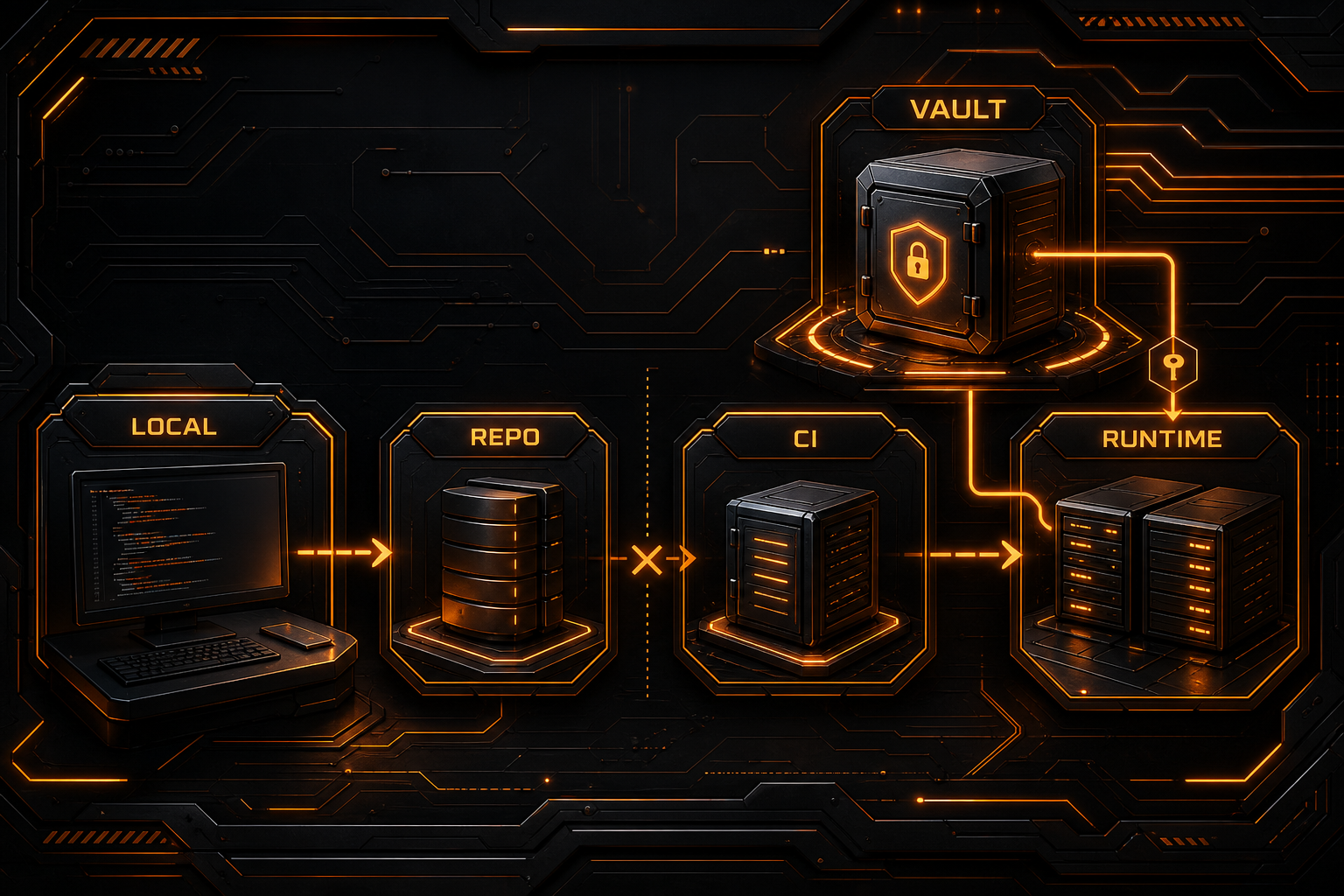
Create the value under Settings → Secrets and variables → Actions, then reference it in the workflow:
jobs:
  test:
    runs-on: ubuntu-latest
    steps:
      - uses: actions/checkout@v4
      - name: Run integration test
        env:
          NBILITY_API_KEY: ${{ secrets.NBILITY_API_KEY }}
        run: npm run test:integration
Important controls include:
- use Environment Secrets for production deployment;
- require reviewers and protected branches for production;
- never
echoa secret inrun; - avoid command arguments, artifact files, or cache keys containing secrets;
- review third-party actions and pin trusted versions or commits;
- do not expose sensitive secrets to untrusted fork pull requests;
- prefer short-lived OIDC credentials over long-lived cloud keys when supported;
- use separate credentials per repository, environment, and job.
GitHub masks known secret values in logs, but masking is not a complete defense. Encoded, sliced, transformed, or unregistered credential formats can still leak.
Production: Prefer a Secret Manager
Production applications should receive secrets from the runtime platform rather than a copied .env file:
- Cloudflare Workers Secrets;
- AWS Secrets Manager or Parameter Store;
- Google Secret Manager;
- Azure Key Vault;
- HashiCorp Vault;
- Kubernetes Secrets with encryption and RBAC;
- encrypted environment settings from the hosting platform.
A strong deployment path is:
CI receives a short-lived deployment identity
→ CI deploys code without reading production secrets in plaintext
→ runtime obtains secrets within its permissions
→ application calls the restricted resource
A secret manager still needs access policy, auditing, rotation, versioning, and revocation.
Apply Least Privilege and Credential Separation
One key should not grant every model, unlimited spend, and administrative access.
Separate credentials by:
Development / staging / production
Human / CI / backend service
Read-only / inference / administration
Low budget / high budget
Specific model or project scope
For an AI API, consider:
- model allowlists;
- quotas or spending limits;
- source IP restrictions where supported;
- a dedicated key for each agent;
- scheduled rotation;
- immediate revocation after disuse;
- alerts for abnormal usage.
Least privilege does not prevent exposure, but it reduces its blast radius.
Stop Secrets Before They Reach a Commit
Enable GitHub Secret Scanning and Push Protection
GitHub Secret Scanning examines Git history for known credential types and can generate alerts. Push Protection can block supported secret patterns before they enter the repository.
These controls are not complete substitutes for safe design:
- custom formats may not be recognized;
- test data can create false positives;
- encoded or split secrets may evade detection;
- a private repository is not a secret store.
Add Local and CI Scanning
Tools such as Gitleaks and TruffleHog can run through:
- pre-commit hooks;
- pre-push hooks;
- CI jobs;
- custom patterns and allowlists;
- merge policies that block high-confidence leaks.
Do not print the full matching secret in public CI output.
Review the Staged Diff
git status --short
git diff --cached --stat
git diff --cached
Also inspect notebooks, screenshots, archives, generated logs, and other binary assets for embedded credentials and sensitive metadata.
What to Do After a Key Reaches GitHub
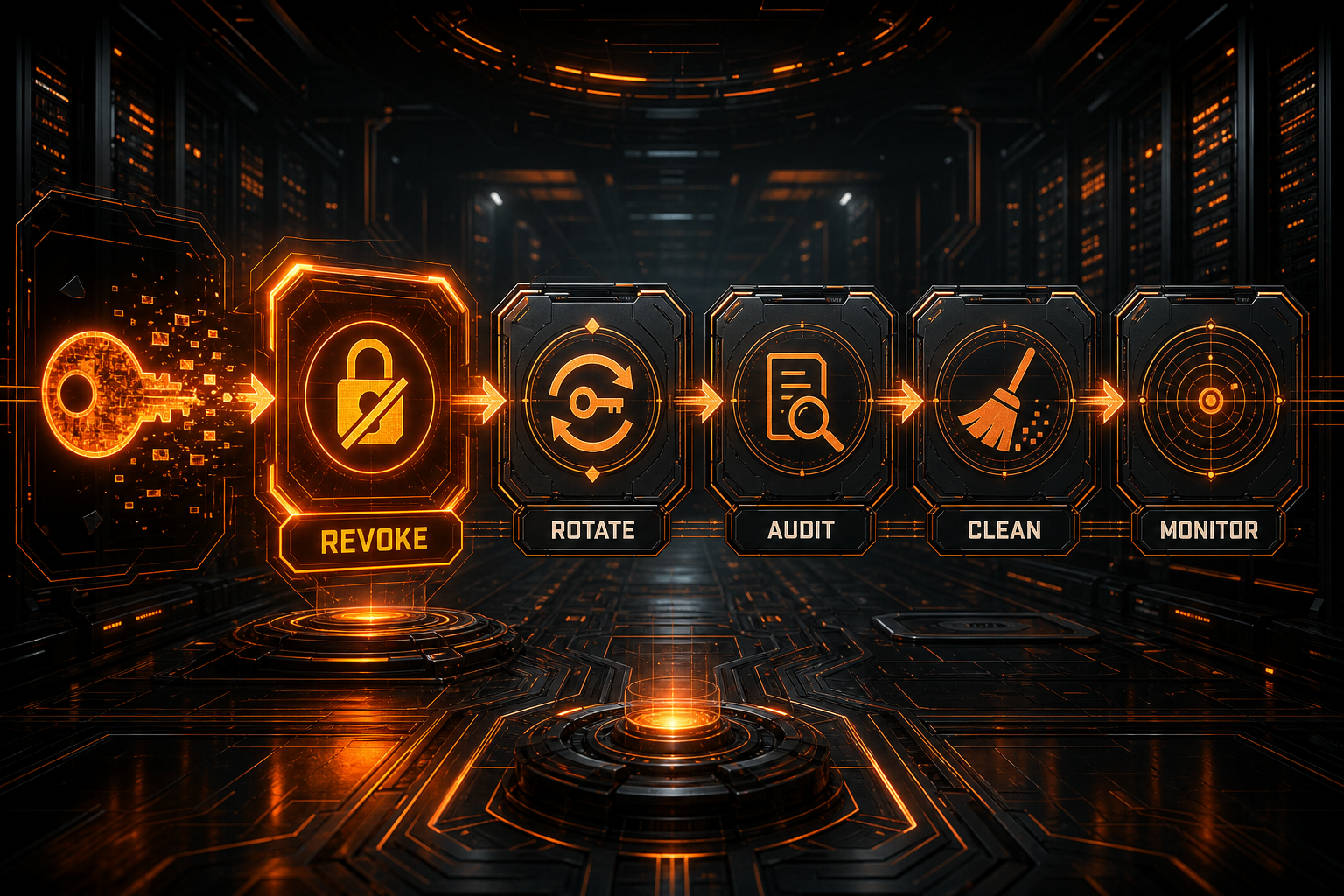
The order matters.
Step 1: Revoke or Rotate Immediately
Do not spend hours rewriting Git history first. GitHub's guidance prioritizes revoking or rotating a password, token, or credential because:
- someone may already have cloned the repository;
- forks, caches, and logs may retain copies;
- automated scanners may already have found it;
- pull requests, issues, or workflow artifacts can preserve it.
Create a new, lower-privilege credential after revocation and update legitimate consumers.
Step 2: Assess Abuse and Scope
Review:
- provider access logs;
- balance and unusual spend;
- created resources or permission changes;
- source IPs, timestamps, and models;
- CI, deployment, and production logs;
- reuse of the same credential elsewhere.
Expand revocation, pause services, or notify the security owner when necessary.
Step 3: Remove It from Current Code
Move the value to an environment variable or secret manager, update ignore rules, and add scanning or tests that prevent recurrence.
Step 4: Decide Whether to Rewrite History
Revoking a password or token normally makes the old value unusable. History rewriting is useful to reduce further distribution, meet compliance requirements, or remove sensitive data that cannot be revoked.
GitHub recommends git-filter-repo, but rewriting has significant side effects:
- every subsequent commit hash changes;
- commit and tag signatures can become invalid;
- pull-request diffs and comments can be affected;
- branch protections may need temporary changes;
- an old collaborator clone can recontaminate the repository;
- forks and other copies are not cleaned automatically.
Coordinate every collaborator, address open pull requests, back up the repository, and define a re-clone procedure before force-pushing rewritten history.
Step 5: Handle Other GitHub Copies
After rewriting, you may still need GitHub Support for cached views or sensitive references and must coordinate with fork owners. Follow GitHub's current “Removing sensitive data” procedure rather than assuming a force push removed every copy.
Common Security Myths
“The Repository Is Private, So Keys Are Fine”
Private repositories can still be exposed through incorrect access, account compromise, CI logs, third-party actions, forks, or insiders. Keep secrets separate.
“Deleting the Line in a New Commit Fixes It”
The value remains in history. Revoke first, then evaluate cleanup.
“GitHub Masks Every Secret Automatically”
Masking only helps with values that are registered or recognized. Transformed secrets can still reach logs.
“Base64 Makes It Safe”
Base64 is encoding, not encryption. Anyone can reverse it.
“Environment Variables Are Completely Secure”
Child processes, debuggers, crash reports, and logs can expose environment values. Environment variables are a configuration interface, not an automatic security boundary.
“One Shared Admin Key Is Easier for the Team”
It destroys attribution, selective revocation, and useful auditing while increasing the impact of a leak. Separate keys by person, service, and environment.
Secure Nbility API Keys
Create dedicated tokens for each workload in the Nbility console, with appropriate model scope, quota, and validity period. An OpenAI-compatible client can read the key from an environment variable:
export NBILITY_API_KEY="YOUR_API_KEY"
Use this API root:
https://api.nbility.ai/v1
Do not place a live token in:
- blogs or documentation;
- Git repositories;
- an AI agent's prompt or durable memory;
- support screenshots;
- terminal recordings;
- frontend variables;
- Dockerfiles or container image layers.
When configuring a coding assistant, also review the Codex CLI OpenAI-compatible API guide and Cline custom API permission controls. A client being able to read a key does not mean its agent should receive unrestricted production access.
If exposure is suspected, revoke the old token in the console immediately. Then submit a redacted timestamp, token identifier, and suspicious usage details through Nbility support tickets.
Pre-Release Checklist
[ ] No real secret exists in source or templates
[ ] .env and private-key files are ignored
[ ] Sensitive files have never been tracked
[ ] No server credential appears in a frontend bundle
[ ] CI uses GitHub Secrets or short-lived identity
[ ] Production uses a platform secret or secret manager
[ ] Every environment and service has a least-privilege key
[ ] Secret Scanning, Push Protection, and CI scanning are enabled
[ ] Logs, screenshots, notebooks, artifacts, and caches were reviewed
[ ] Revocation, rotation, and incident response are documented
FAQ
Is an .env file secure?
It is appropriate for local development when ignored, permission-restricted, and not shared. A platform secret or secret manager is preferable in production.
Should I revoke a key committed to a private GitHub repository?
Yes. If you cannot prove no one accessed it, treat it as exposed. Private visibility is not credential storage.
Does deleting the commit make the key safe again?
No. It may already exist in clones, caches, or scanners. Revoke or rotate it first.
Does GitHub Secret Scanning detect every key?
No. It covers many known formats and supports custom patterns, but misses remain possible. Combine it with Push Protection, local scanning, and manual review.
Can I encrypt a key and commit it?
Only use encrypted configuration when decryption identity, access controls, rotation, and auditability are designed properly. Never put the ciphertext and its decryption key in the same repository.
Summary
A safe API-key lifecycle looks like this:
- source code reads environment variables and contains no live credentials;
- local
.envfiles are ignored and examples contain placeholders only; - CI/CD uses controlled secrets or short-lived identity;
- production uses a secret manager and least privilege;
- Push Protection, scanners, and staged-diff review run before merge;
- any key that reaches Git is revoked and rotated before history cleanup.
Secret security is not one .gitignore rule. It covers creation, distribution, use, monitoring, rotation, and revocation.