Finding the right product code with Dify hybrid search
Similar product names can hide different specifications. Compare lexical, vector and hybrid retrieval in Dify, then validate product identity before answering.
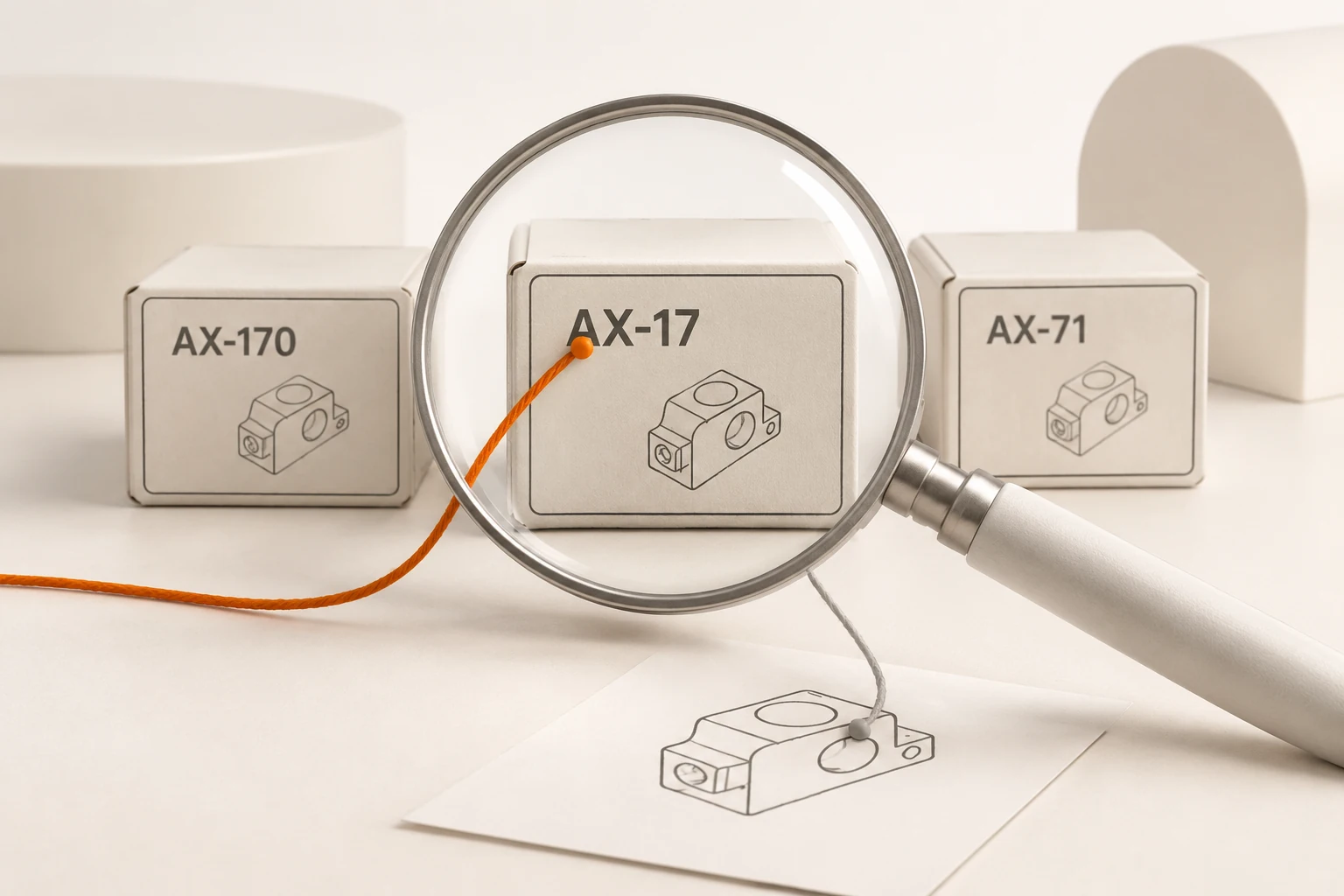
If someone asks for the power supply of AX-17 and the knowledge base returns the AX-170 manual, a fluent answer can still be wrong. Dify hybrid search combines lexical and semantic signals. Product identity needs a separate check before a specification becomes an answer.
What does each retrieval method contribute?
Vector search is useful when a person describes a symptom rather than using the manual's wording. Full-text search gives another route to model codes, error messages and technical terms. Semantic similarity does not establish that two identifiers are identical.
Dify's current indexing guide lists vector, full-text and hybrid retrieval for High Quality indexes. Hybrid search offers keyword/semantic weighting or a rerank model. Economical indexing has a different keyword mechanism; these settings should not be treated as interchangeable.
Full-text search is not an exact database lookup either. Tokenization can split AX-17, and punctuation or mixed-language text can affect matches. Inspect results from the actual backend before relying on an identifier match.
Which test documents expose the problem?
Use a temporary knowledge base with deliberately different, fictional specifications:
| Chunk ID | Text |
|---|---|
ax17-power | Demo device AX-17 uses a 12V supply and a barrel connector. |
ax170-power | Demo device AX-170 uses a 24V supply and terminal connectors. |
ax71-reset | For demo device AX-71, hold reset for three seconds when the red light stays on. |
These are test inputs, not hardware advice. Keep the complete product code in every relevant chunk and retain a stable product identifier alongside it. Confirm that extraction and chunking have preserved the code before changing retrieval settings.
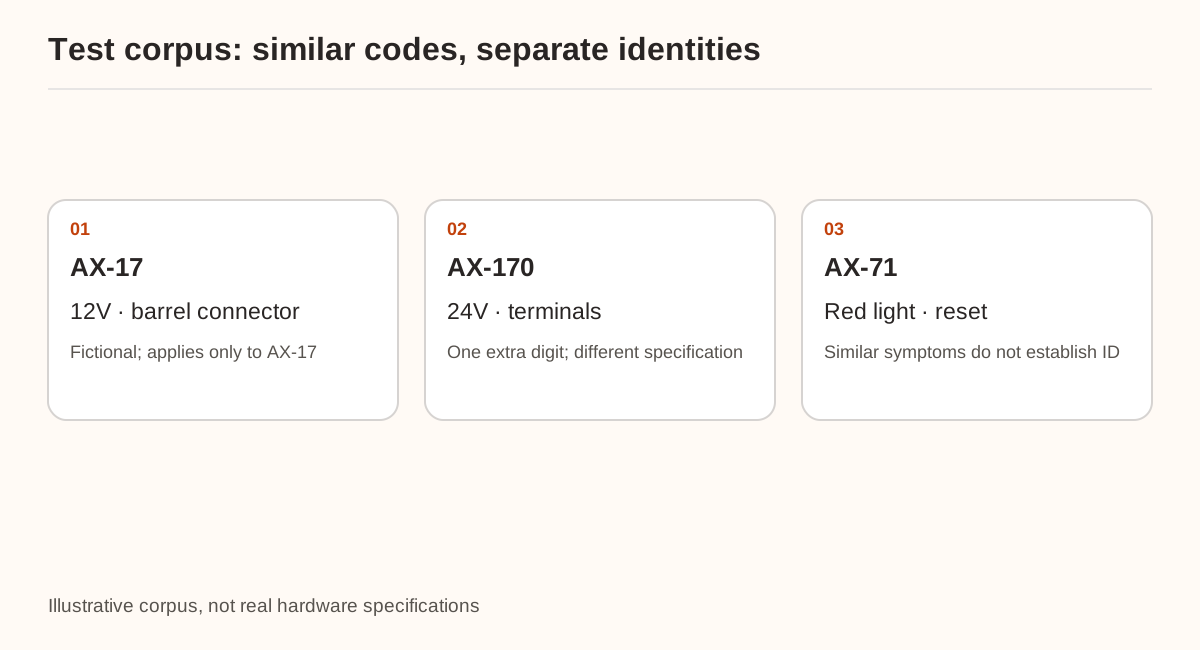
Test four queries: the voltage for AX-17, the voltage for AX-170, how to reset a device with a steady red light, and the voltage for the absent AX-19. They check exact identity, a near match, conversational language and missing information. Optimizing for the first query alone could damage the others.
How should the retrieval settings be compared?
Use Retrieval Testing to record document IDs, chunk IDs and order under full-text, vector and hybrid retrieval. Keep the corpus, questions and chunking fixed. Change retrieval mode first, then adjust hybrid weights separately.
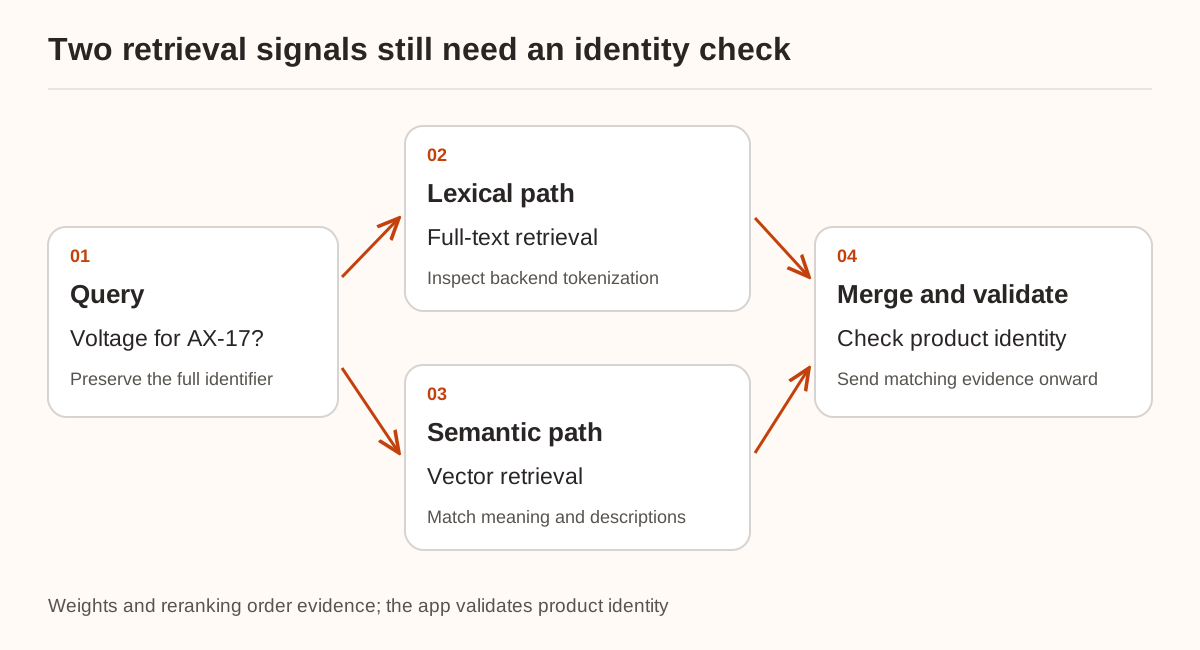
There is no universally correct weighting. Evaluate both identifier questions and natural-language descriptions. If the correct manual never enters the candidate set, review candidate coverage before reranking; increasing the final result count cannot recover evidence that was never collected.
The current Knowledge Retrieval node documentation distinguishes knowledge-base settings from node settings. With multiple bases, the node processes combined results. Test-page changes are temporary, so check the actual application configuration and published version separately.
How can an application reject a wrong product?
For an explicit product-code input, use a catalog check before presenting specifications. This small program handles one standalone code. It neither extracts codes from a question nor implements Dify tokenization:
import unicodedata

catalog = {
    "AX-17": {"chunk_id": "ax17-power", "volts": 12},
    "AX-170": {"chunk_id": "ax170-power", "volts": 24},
}
user_code = "AX-17"
code = unicodedata.normalize("NFKC", user_code).strip().upper()
match = catalog.get(code)
if match is None:
    print("No exact product; ask for the model label.")
else:
    print(code, match["chunk_id"], match["volts"])
Here NFKC normalizes full-width letters and digits. The code does not remove separators, correct spelling or merge neighboring products. Maintain aliases explicitly. For AX-19, request the model label instead of substituting AX-17. A question containing multiple codes may require clarification about whether the user wants a comparison.
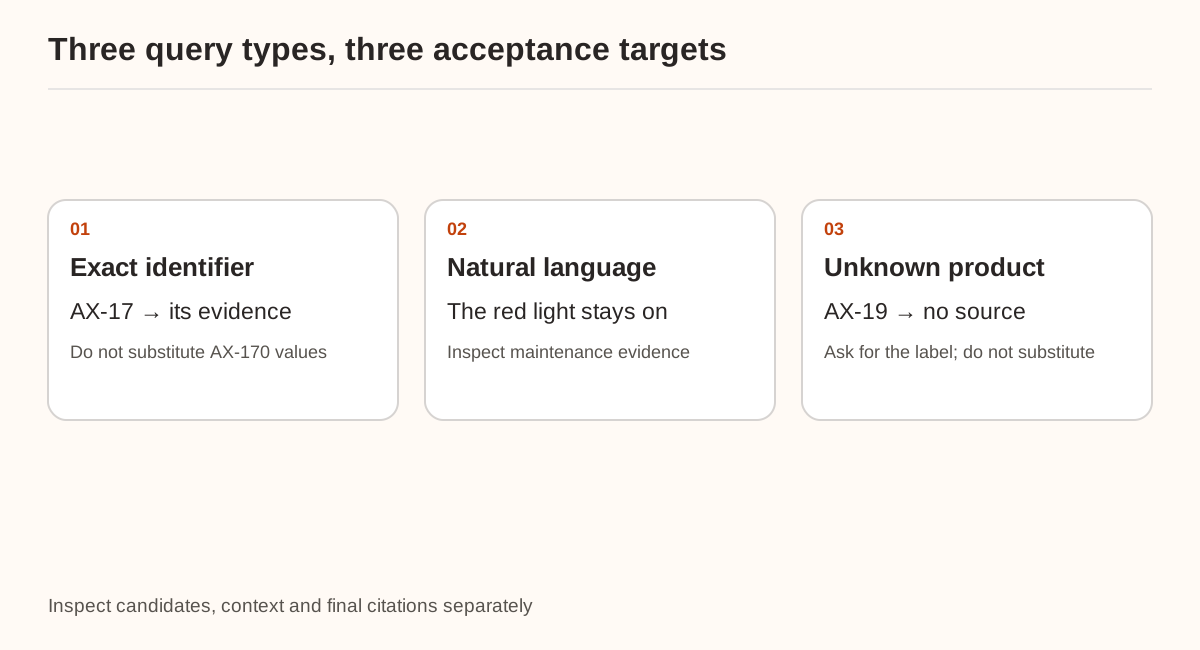
Check three separate outcomes: the target product reaches the candidates, its evidence survives into the model context, and the final specifications cite that evidence. If a condition and its exception get separated, continue with parent-child chunking.
Sources were checked on November 21, 2026, including the Dify 1.20.0 release. Its Weaviate BM25-score fix is relevant to that backend and version, not proof that every retrieval error is resolved. Only the local normalization and lookup example was tested; no Dify retrieval run or accuracy measurement was performed. Nbility's Embeddings API supplies the model connection; tokenization, indexing and product validation remain application responsibilities.