Retiring a Dify document means checking retrieval, not just the file list
Disable, archive and delete have different meanings in Dify. Verify document withdrawal through retrieval and new conversations, and separate it from history and application caches.
Uploading a replacement adds a document; it does not establish that the previous edition has left retrieval. Dify offers disable, archive and delete for different retention needs. Check retrieved evidence and a fresh conversation after withdrawal to identify where stale answers still originate.
Which withdrawal action fits the task?
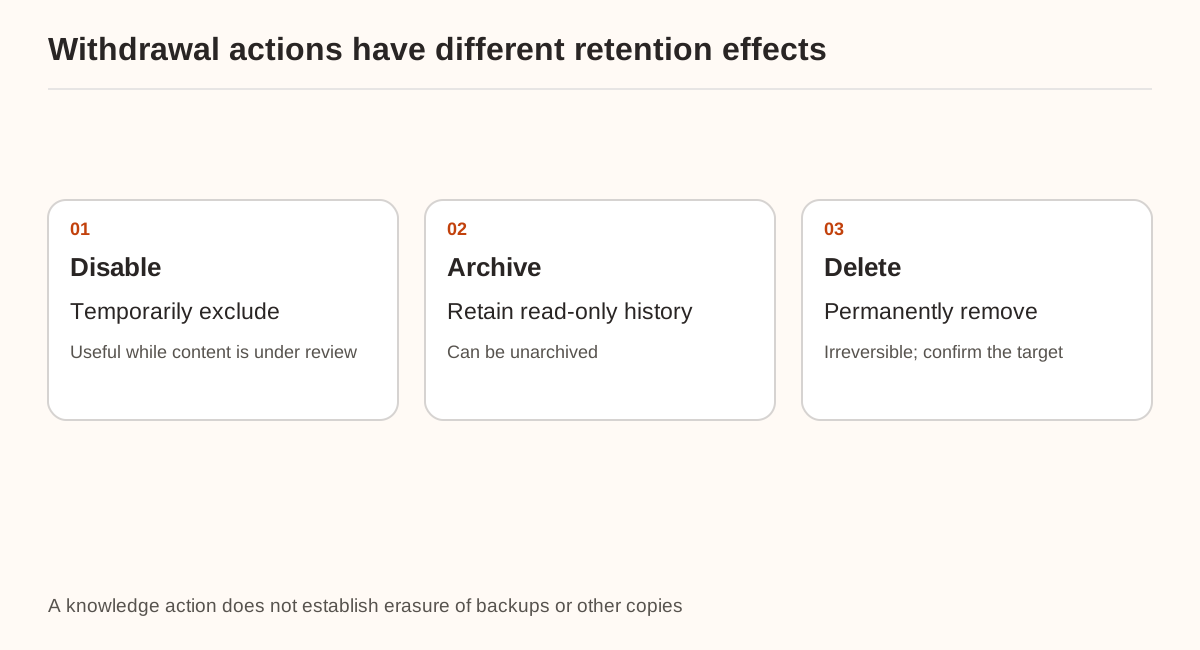
The current maintenance guide describes disabling as temporary exclusion from retrieval. Archived documents are retained read-only and can be unarchived. Deletion permanently removes a document and cannot be undone.
| Goal | Action to consider | Follow-up check |
|---|---|---|
| Temporarily withdraw questionable information | Disable | New retrieval no longer returns the document |
| Retain history outside everyday retrieval | Archive | Current retrieval excludes it and retention remains intentional |
| Stop retaining the knowledge document | Delete under the retention policy | Confirm the target and review other copies separately |
Rehearse in a temporary knowledge base or application copy before touching production content. Removing a knowledge document does not demonstrate erasure of original uploads, backups, external sources, conversation history or application caches. Each needs its own retention process.
What should be recorded before replacing a file?
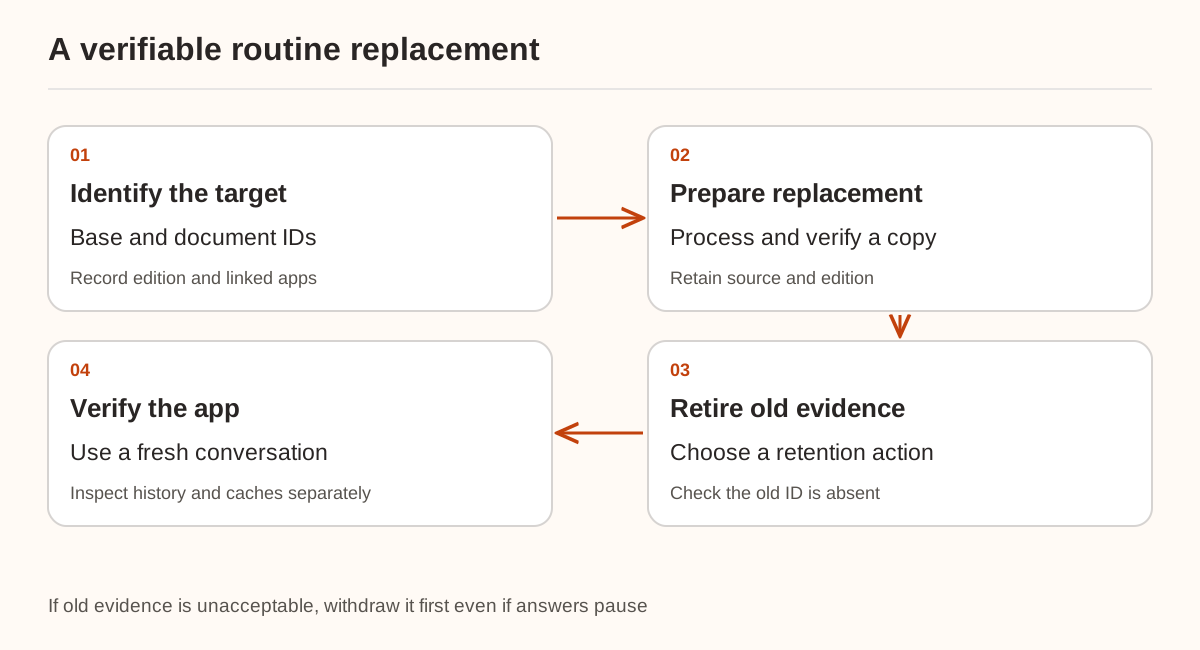
Record the knowledge-base ID, document ID, edition, key chunks and linked applications. Repeated filenames such as “latest-policy.pdf” do not identify the target reliably. If historical queries require both editions, use version and effective-date filtering instead of treating every old edition as disposable.
For a rehearsal, create demo-hours-v1 with a fictional service window of 09:00–17:00 and demo-hours-v2 with 10:00–18:00. These are not Nbility's service hours. Keep stable identifiers and ask when the demo window opens.
For a normal replacement, prepare and verify the new edition in a copy, then switch applicability and retire the old document. If the old content is already known to be unacceptable, stop retrieving it first, even if the temporary response must say the information is under review. Maintaining an answer is not a reason to keep withdrawn evidence in context.
What demonstrates withdrawal from a new request?
Run the original question and paraphrases in retrieval testing. Inspect document and chunk IDs, not just the time in the generated sentence. Check which knowledge bases the application node searches and whether another document or external source contains the same obsolete text.
Retrieval Testing settings are temporary. The node documentation also distinguishes base-level and node-level processing. Tightening a test-page filter does not prove the published app uses it.
Maintain a set of source IDs that must not return. This example checks a locally normalized retrieval structure; it is not Dify's raw response format:
retired_ids = {"demo-hours-v1"}
retrieved = [
    {"document_id": "demo-hours-v2", "chunk_id": "opening-hours"},
]
leaked = [row["document_id"] for row in retrieved
          if row["document_id"] in retired_ids]
if leaked:
    raise ValueError("Retired evidence is still retrievable")
print("No retired IDs in this result")
The check covers this result only, not every query, application or storage system. Include a query about something unique to the retired edition so similar wording does not conceal its continued availability.
Why might a clean retrieval still produce an old answer?
An existing conversation may contain the previous answer or tool result. Changing retrieval does not rewrite information already in conversation history. Compare a fresh conversation with the existing one and inspect the inputs. If both retrieve the old edition, investigate bindings, copies and filters. If only the existing conversation remains wrong, inspect its history.
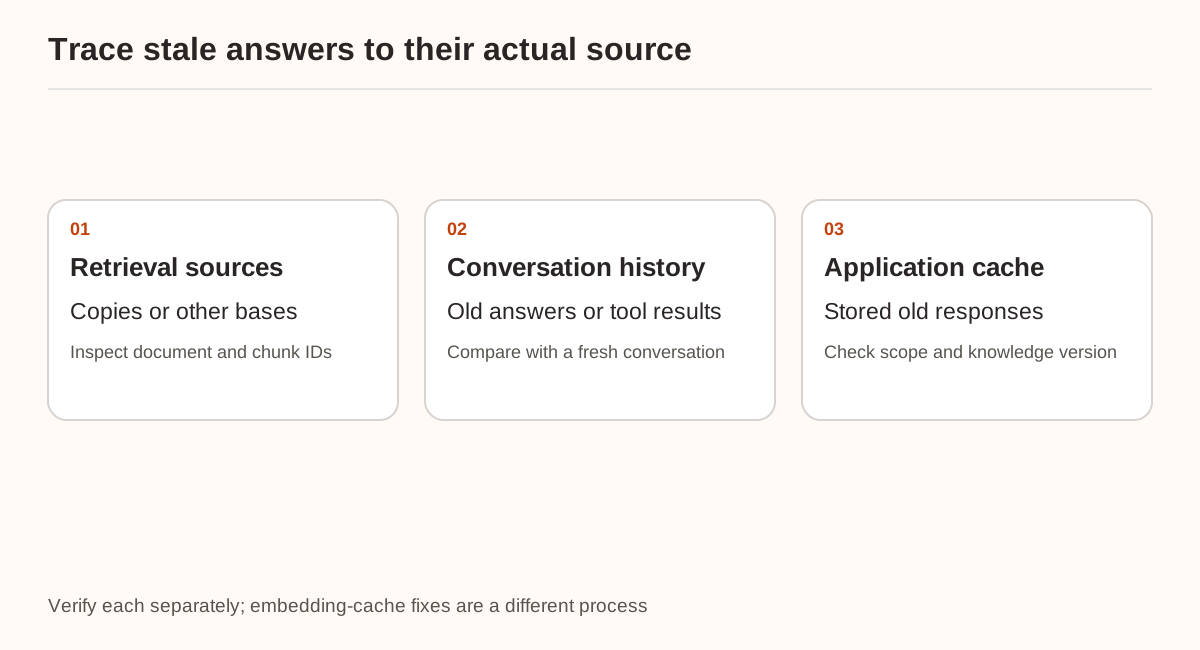
If the application has an answer cache, connect it to content changes—for example through a knowledge-version key or scoped invalidation. This is a design recommendation, not a claim that Dify has already invalidated your cache. It is also distinct from embedding caches and vector migrations.
Retain evidence of retrieved source IDs, context used by the fresh conversation and how existing conversations communicate the update. Then verify the citation chain and questions with no supported answer.
Sources were checked on November 21, 2026. Only synthetic source-list checks were run. No real Dify document was disabled, archived or deleted, and no cache invalidation was tested. Nbility's connection basics cover model connectivity; document withdrawal and conversation handling require their own application-side verification.