Choosing the right policy version with Dify metadata filters
Use Dify metadata filters to select the applicable policy edition. Separate effective dates from upload dates and test historical queries, missing fields and region mismatches.

A new policy can be indexed successfully while the bot still cites its predecessor. Both documents may be highly relevant to the wording of the question. Dify metadata filters can restrict retrieval to an applicable region and edition. Upload order alone does not establish which policy applies.
Why separate effective dates from upload dates?
Built-in upload and last-update dates describe document management. A policy from last year may be uploaded today; next month's policy may arrive early. Neither event changes the policy's effective period.
Dify metadata documentation supports custom String, Number and Time fields. Names use lowercase letters, numbers and underscores. The following fields are application-defined examples, not built-in Dify fields:
| Document | policy_id | edition | region | status | valid_from | valid_until |
|---|---|---|---|---|---|---|
| Previous | demo-travel | v1 | cn | approved | 2026-01-01 | 2026-11-01 |
| Current | demo-travel | v2 | cn | approved | 2026-11-01 | empty |
For this example, the start is inclusive and the end exclusive. An empty end means no known end date. The content owner must define that convention. An edition label such as v2 does not tell Dify when it becomes applicable.
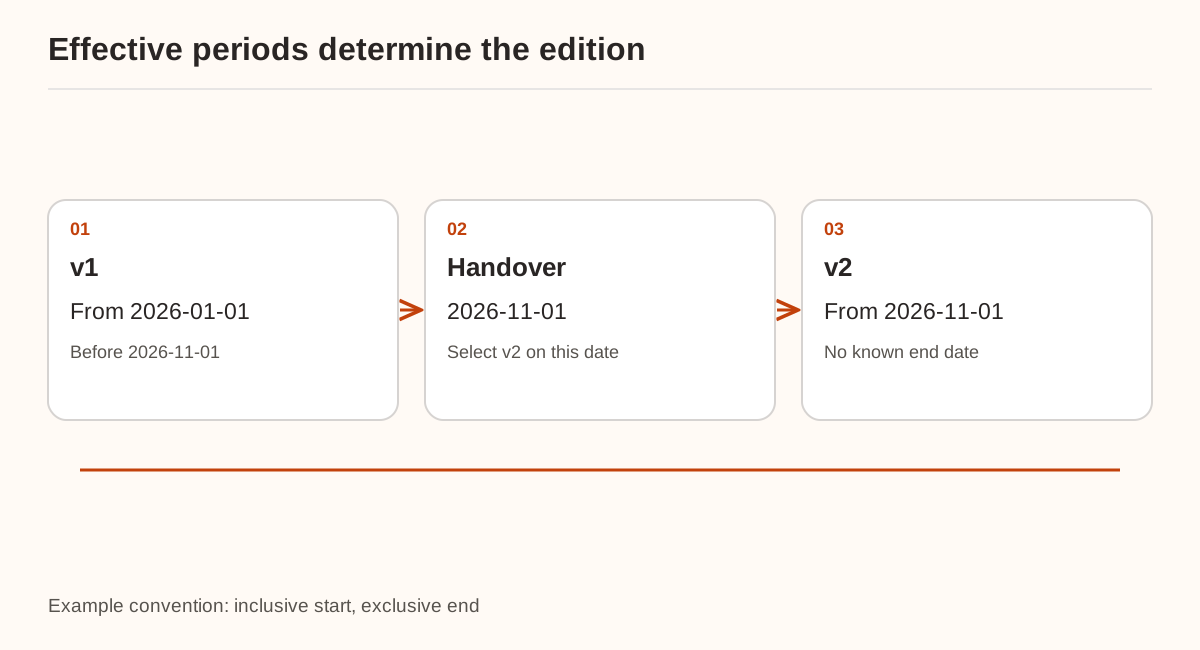
Is the question about today or a historical date?
Resolve that distinction before retrieving the policy. A current-policy workflow can use a maintained, confirmed edition value. A historical workflow should first select the edition applicable on the requested date. Ask for missing date or region information when it changes the answer.
This offline example checks a half-open date interval and requires one applicable edition. It is not a Dify filter payload or an approval system:
from datetime import date

rows = [
    {"id": "travel-v1", "region": "cn", "status": "approved",
     "start": "2026-01-01", "end": "2026-11-01"},
    {"id": "travel-v2", "region": "cn", "status": "approved",
     "start": "2026-11-01", "end": None},
]
as_of = date.fromisoformat("2026-11-21")
selected = [
    row for row in rows
    if row["region"] == "cn" and row["status"] == "approved"
    and date.fromisoformat(row["start"]) <= as_of
    and (row["end"] is None or as_of < date.fromisoformat(row["end"]))
]
if len(selected) != 1:
    raise ValueError("No unique applicable edition; review metadata.")
print(selected[0]["id"])
Test the exact handover date. No match can indicate a gap or a context mismatch; multiple matches can indicate overlapping periods. Similarity ranking should not silently resolve either data problem.
Which conditions can the Dify node express?
The application integration guide describes automatic and manual filtering. Manual filters select fields and operators, use constants or workflow variables, and combine conditions with AND or OR. Once the edition is known, an AND filter can require policy_id is demo-travel, edition is v2, region is cn and status is approved.
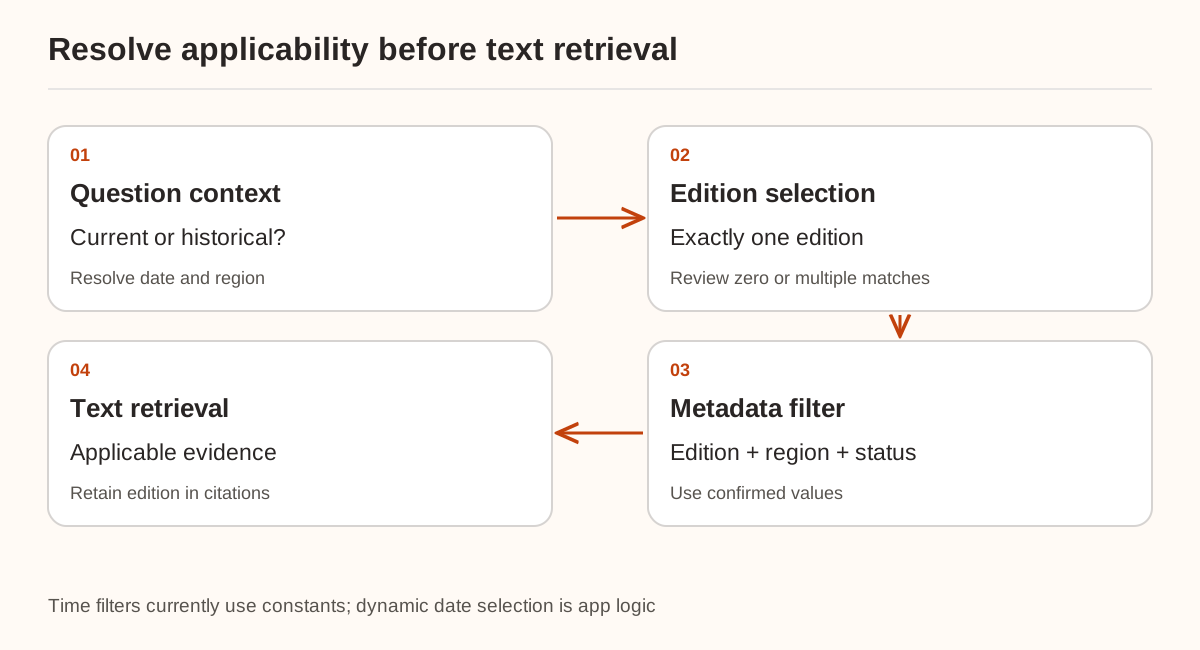
The current guide limits Time field filters to constants. Do not describe the Python date selection as a dynamic date expression supported directly by the node. For arbitrary dates, resolve the edition in application logic and pass a supported string variable, or use a separately verified external retrieval implementation.
When searching multiple knowledge bases, the manual filter selector shows common metadata fields. Values are case-sensitive: cn and CN are different. Automatic filtering requires a model and its interpretation should not be confused with a confirmed business edition.
Why might some documents still lack the field?
Creating a metadata field does not populate every document. In bulk editing, leaving Apply to All Documents unchecked updates only documents that already have the field. Check the scope when adding it to a selection of existing documents.
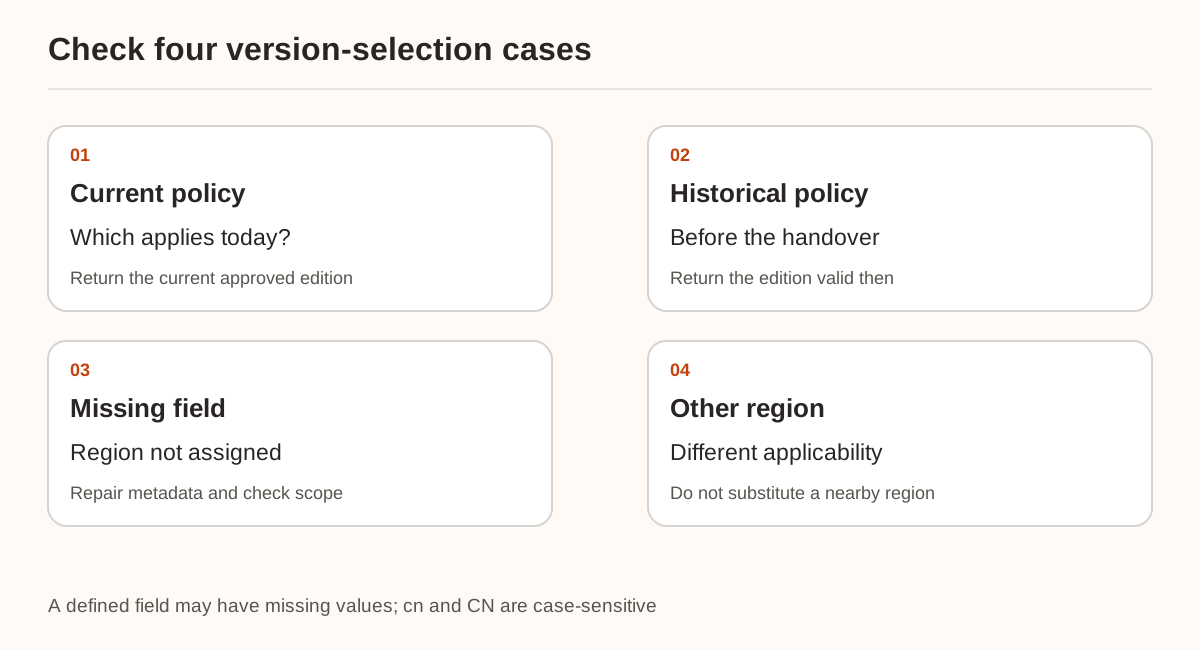
Inspect results for current policy, a date before the handover, documents missing region metadata and questions about another region. Confirm that excluded editions never enter the model context, then verify the cited document ID and edition. A fixed v2 filter for current questions cannot answer every historical query.
This article uses metadata for applicability, without claiming user authorization isolation. For withdrawn documents, see retiring knowledge from retrieval. Preserve the source and citation chain after filtering. The connection basics cover model setup; the model endpoint does not create your business metadata.
Sources were checked on November 21, 2026. Only the local date-boundary, no-match and overlapping-period checks were exercised. No real Dify metadata was changed and no node filtering was run. Verify both current and historical questions in a copy of your workflow against the deployed version.