What Is MCP? Host, Client, and Server Explained with a Real Tool Call
MCP is not a model API or merely a plugin system. Follow a real order lookup to understand MCP hosts, clients, servers, JSON-RPC, stdio, and Streamable HTTP.
If you remember only one sentence, make it this one:
MCP is a standard protocol for connecting AI applications to external data, tools, and workflows.
It is not a model and does not make a model smarter by itself. It is also not an OpenAI-compatible API and does not generate answers. MCP solves a different problem: giving AI applications a consistent way to discover and use filesystems, databases, browsers, GitHub, and business services.
The popular “USB-C for AI” analogy is useful, but still abstract. This guide runs a real get_order tool and inspects the JSON-RPC messages so that Host, Client, and Server stop feeling like interchangeable labels.
The short version: three different responsibilities
Suppose a user asks a desktop AI assistant:
Check the status of order
NB-1001.
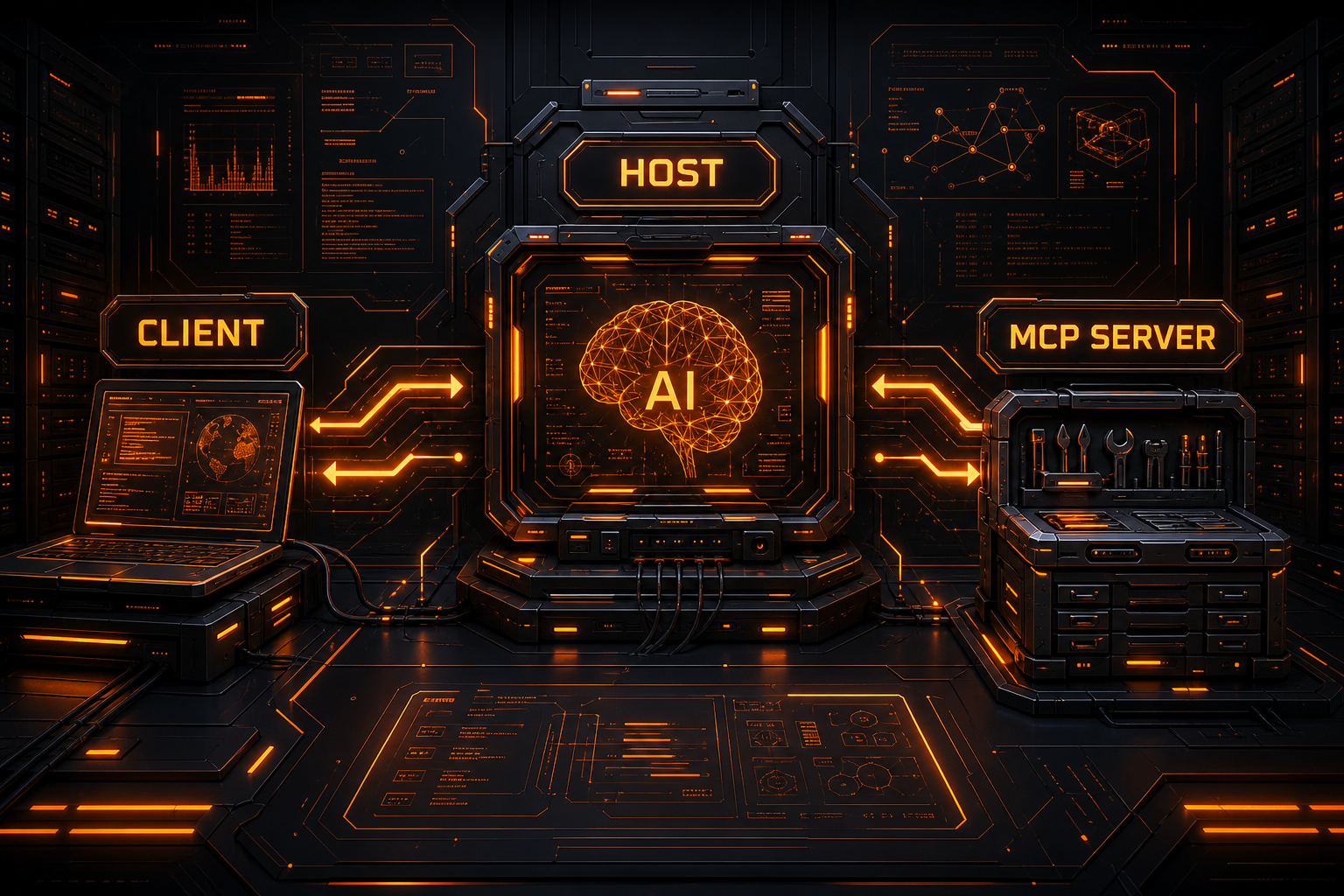
At least three roles are involved:
| Role | In this example | Responsibility |
|---|---|---|
| Host | The desktop assistant or coding agent | Owns the UI, model orchestration, permissions, and multiple MCP connections |
| Client | One MCP session inside the Host | Initializes one Server connection, negotiates capabilities, sends requests, and receives results |
| Server | A local order-tools process | Exposes get_order and accesses the actual order data |
A Host may connect to many Servers, but it normally creates a separate Client connection for each one. In MCP terminology, Client does not mean the end user or the whole desktop app. It is the protocol component responsible for one connection.
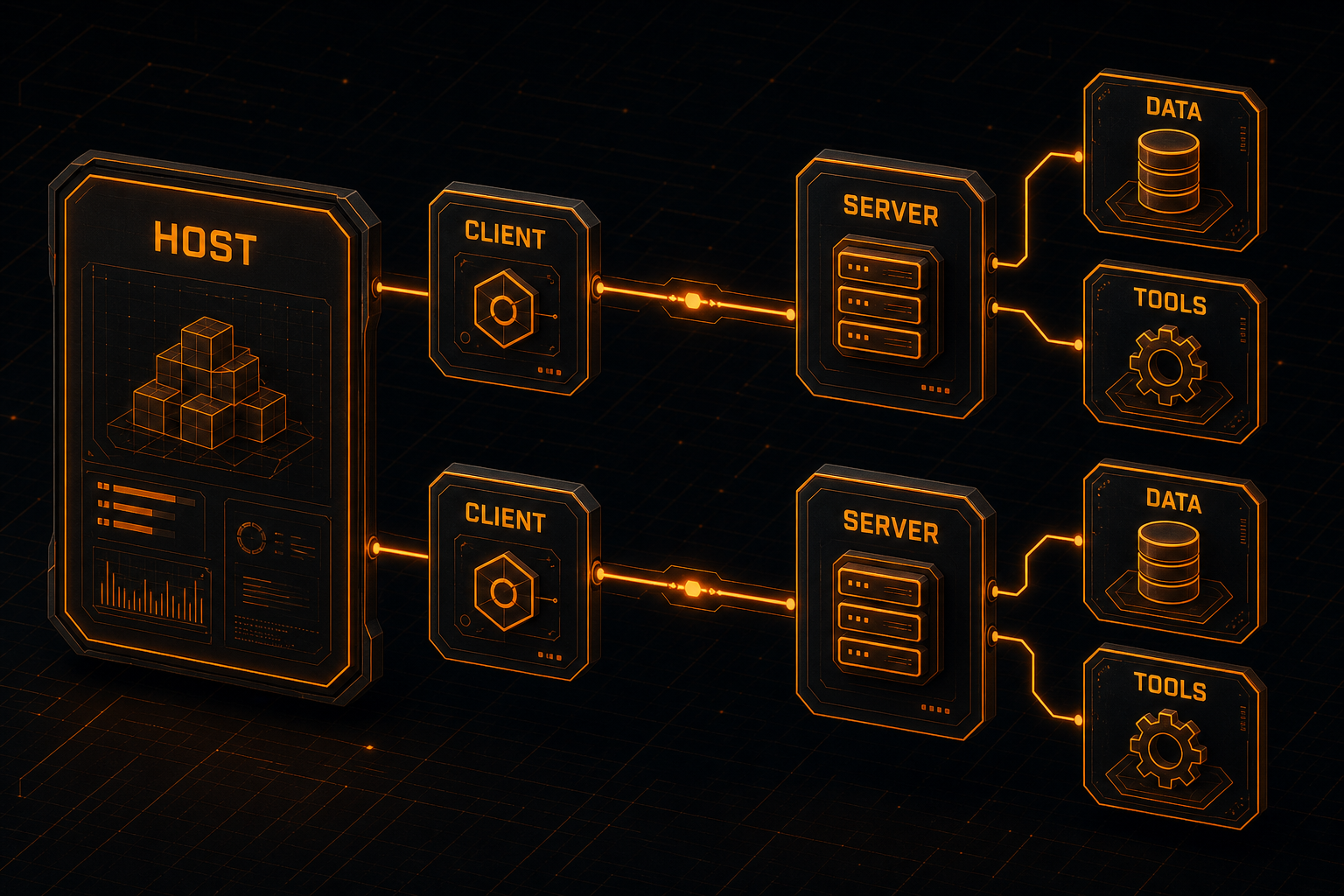
A simplified path looks like this:
User
  ↓
Host (application and model orchestration)
  ↓
Client (MCP session)
  ↓ JSON-RPC
Server (tool implementation)
  ↓
Order data / external API / database
Two layers: protocol messages and transport
MCP becomes easier to reason about when you split it into two layers.
Data layer
The data layer defines:
- JSON-RPC requests, responses, and notifications;
- initialization and capability negotiation;
- methods such as
tools/listandtools/call; - protocol primitives including Resources, Prompts, and Tools;
- errors, progress, and change notifications.
Transport layer
The transport layer moves those messages between Client and Server. The current specification defines two standard transports:
- stdio: the Host launches a local Server process and communicates over standard input and output;
- Streamable HTTP: the Client communicates with a remote MCP endpoint using HTTP POST/GET, while the Server may use SSE to stream multiple messages.
Both carry MCP JSON-RPC messages. They differ in process boundaries, deployment, authentication, and security—not in what a tool means.
A real run, not an imagined response
For this article, I used the official Python mcp SDK 1.28.1 to build a minimal Server. I then completed initialization, tool discovery, and an actual call over stdio.
1. Server: expose an order lookup
from mcp.server.fastmcp import FastMCP

mcp = FastMCP("order-tools")

ORDERS = {
    "NB-1001": {"status": "shipped", "items": 2},
    "NB-1002": {"status": "processing", "items": 1},
}


@mcp.tool()
def get_order(order_id: str) -> dict:
    """Look up an order by its public order ID."""
    return ORDERS.get(order_id, {"status": "not_found", "items": 0})


if __name__ == "__main__":
    mcp.run(transport="stdio")
@mcp.tool() turns the function name, docstring, and type hints into a tool definition. No LLM is involved here. The Server only advertises and executes a business capability.
2. Client: start the Server and call the tool
import asyncio
import sys

from mcp import ClientSession, StdioServerParameters
from mcp.client.stdio import stdio_client


async def main():
    params = StdioServerParameters(
        command=sys.executable,
        args=["server.py"],
    )

    async with stdio_client(params) as (read, write):
        async with ClientSession(read, write) as session:
            await session.initialize()

            tools = await session.list_tools()
            print([tool.name for tool in tools.tools])

            result = await session.call_tool(
                "get_order",
                {"order_id": "NB-1001"},
            )
            print(result)


asyncio.run(main())
The SDK hides most wire details. Underneath, however, it still sends the following JSON-RPC exchange.
Wire-level sequence: initialization to result
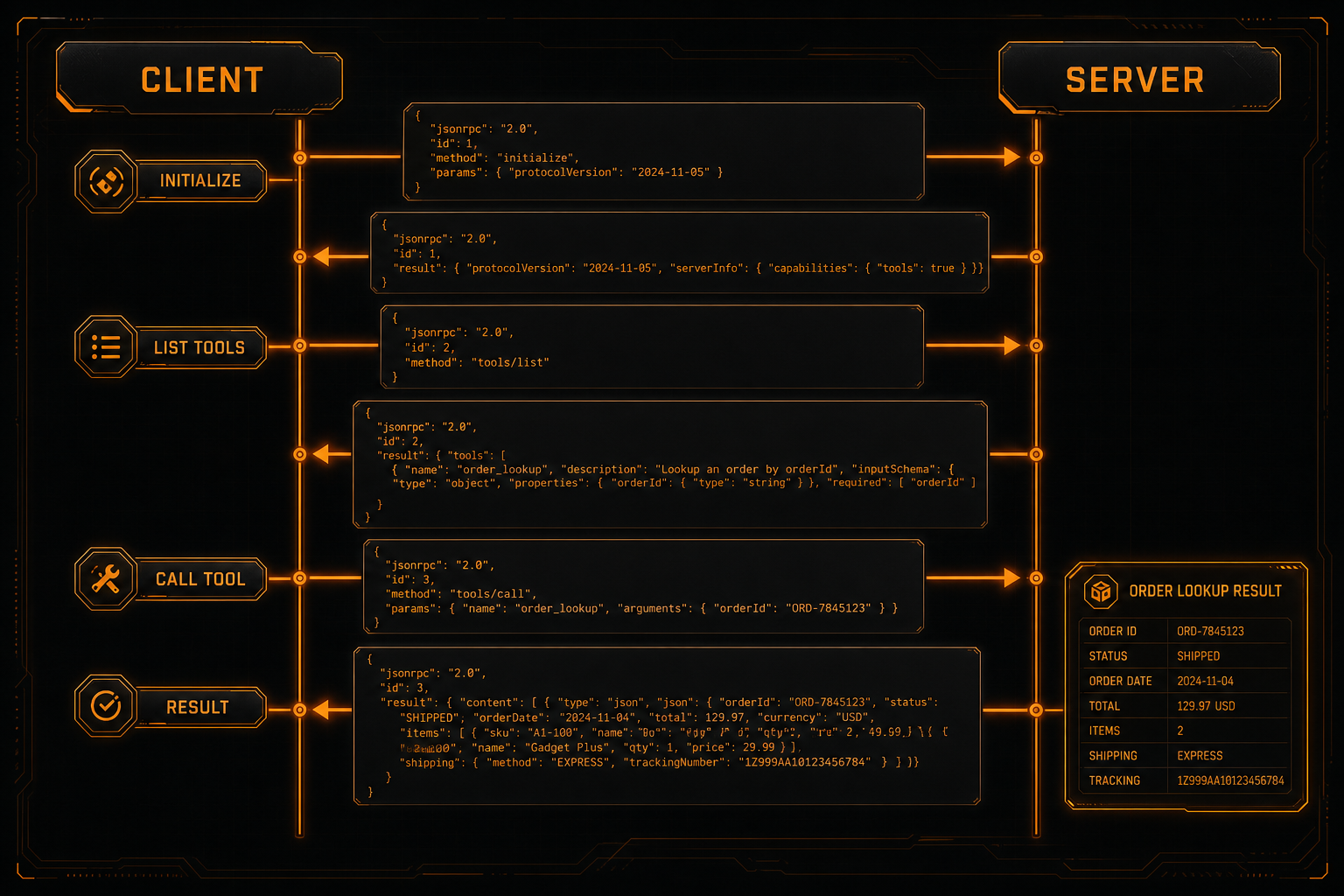
Step 1: initialize the connection
The Client sends:
{
  "jsonrpc": "2.0",
  "id": 1,
  "method": "initialize",
  "params": {
    "protocolVersion": "2025-11-25",
    "capabilities": {},
    "clientInfo": {
      "name": "article-demo",
      "version": "1.0.0"
    }
  }
}
The Server returns its accepted protocol version, capabilities, and implementation details:
{
  "jsonrpc": "2.0",
  "id": 1,
  "result": {
    "protocolVersion": "2025-11-25",
    "capabilities": {
      "prompts": { "listChanged": false },
      "resources": {
        "subscribe": false,
        "listChanged": false
      },
      "tools": { "listChanged": false }
    },
    "serverInfo": {
      "name": "order-tools",
      "version": "1.28.1"
    }
  }
}
The Client then sends a notification that expects no response:
{
  "jsonrpc": "2.0",
  "method": "notifications/initialized"
}
Initialization must be the first protocol interaction. It establishes a compatible version and negotiates capabilities before normal operations begin.
This SDK run negotiated
2025-11-25. Specifications evolve, so production code should let the SDK negotiate instead of hard-coding the version shown here. The stable specification pages cited below are versioned2025-06-18; the roles and core tool methods used in this demonstration are consistent with them.
Step 2: discover tools
The Client requests:
{
  "jsonrpc": "2.0",
  "id": 2,
  "method": "tools/list",
  "params": {}
}
The actual Server response included this definition:
{
  "jsonrpc": "2.0",
  "id": 2,
  "result": {
    "tools": [
      {
        "name": "get_order",
        "description": "Look up an order by its public order ID.",
        "inputSchema": {
          "type": "object",
          "properties": {
            "order_id": { "type": "string" }
          },
          "required": ["order_id"]
        }
      }
    ]
  }
}
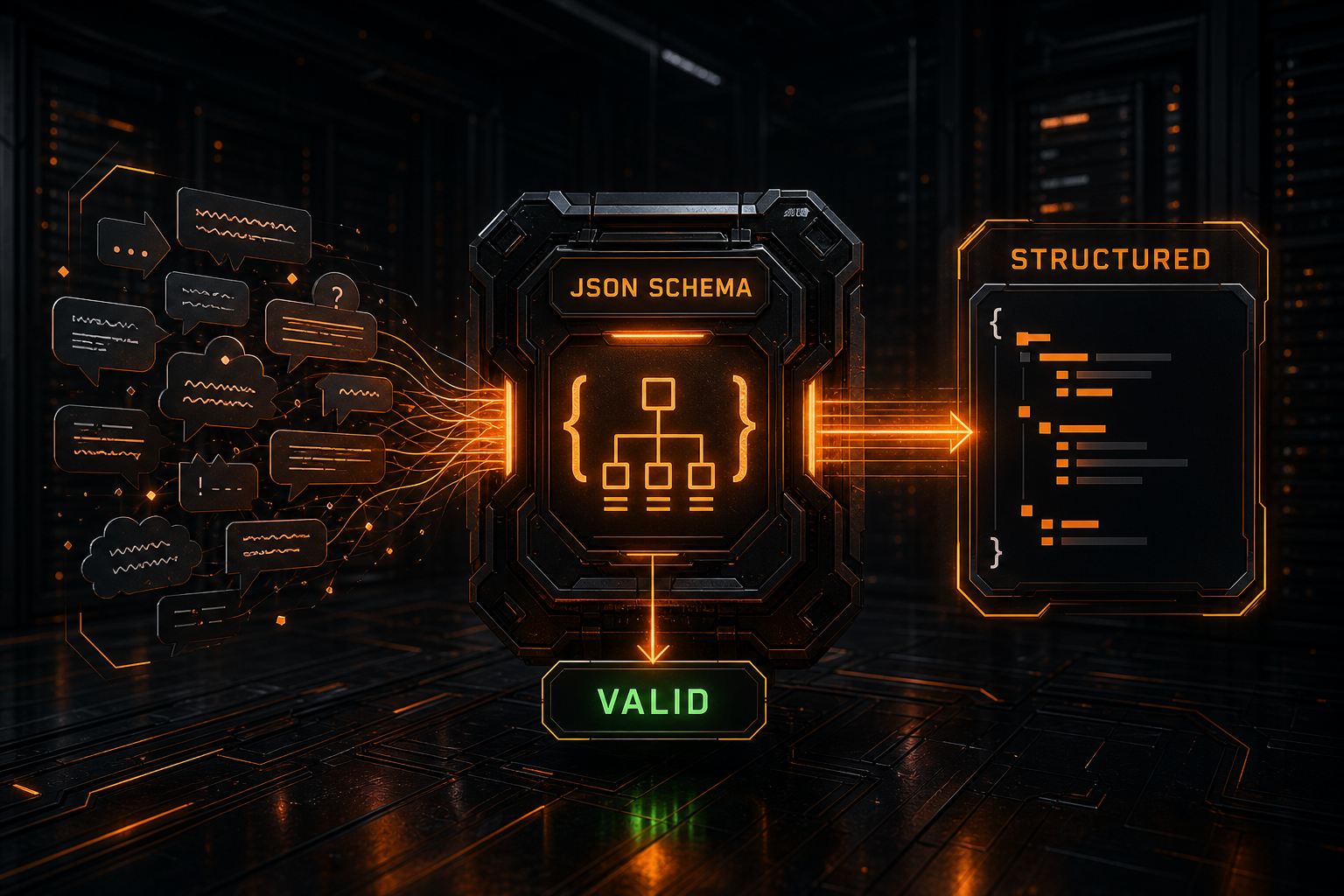
This is a major part of MCP's value. A model or Host does not need every argument hard-coded in advance; the Server advertises a schema that describes the available input.
Step 3: call the tool
The Client sends:
{
  "jsonrpc": "2.0",
  "id": 3,
  "method": "tools/call",
  "params": {
    "name": "get_order",
    "arguments": {
      "order_id": "NB-1001"
    }
  }
}
The Server runs the Python function and returns:
{
  "jsonrpc": "2.0",
  "id": 3,
  "result": {
    "content": [
      {
        "type": "text",
        "text": "{\n  \"status\": \"shipped\",\n  \"items\": 2\n}"
      }
    ],
    "isError": false
  }
}
That payload is the real result captured while preparing this article, not a fabricated “expected output.”
Where does the model fit?
The demo above runs without any model at all. That proves an important point: MCP is a Client–Server protocol. It does not require an LLM to initiate every tools/call.
A typical AI Host adds these steps:
- The Host discovers tools through an MCP Client.
- It presents tool names, descriptions, and schemas to a model.
- The model suggests calling
get_orderfor the user's request. - The Host applies its permission and approval policy.
- The MCP Client sends
tools/callto the Server. - The Host gives the tool result back to the model.
- The model turns the result into a user-facing answer.
That means two separate protocol legs exist:
Host ↔ model provider: OpenAI / Claude / Gemini model API
MCP Client inside Host ↔ MCP Server: MCP JSON-RPC
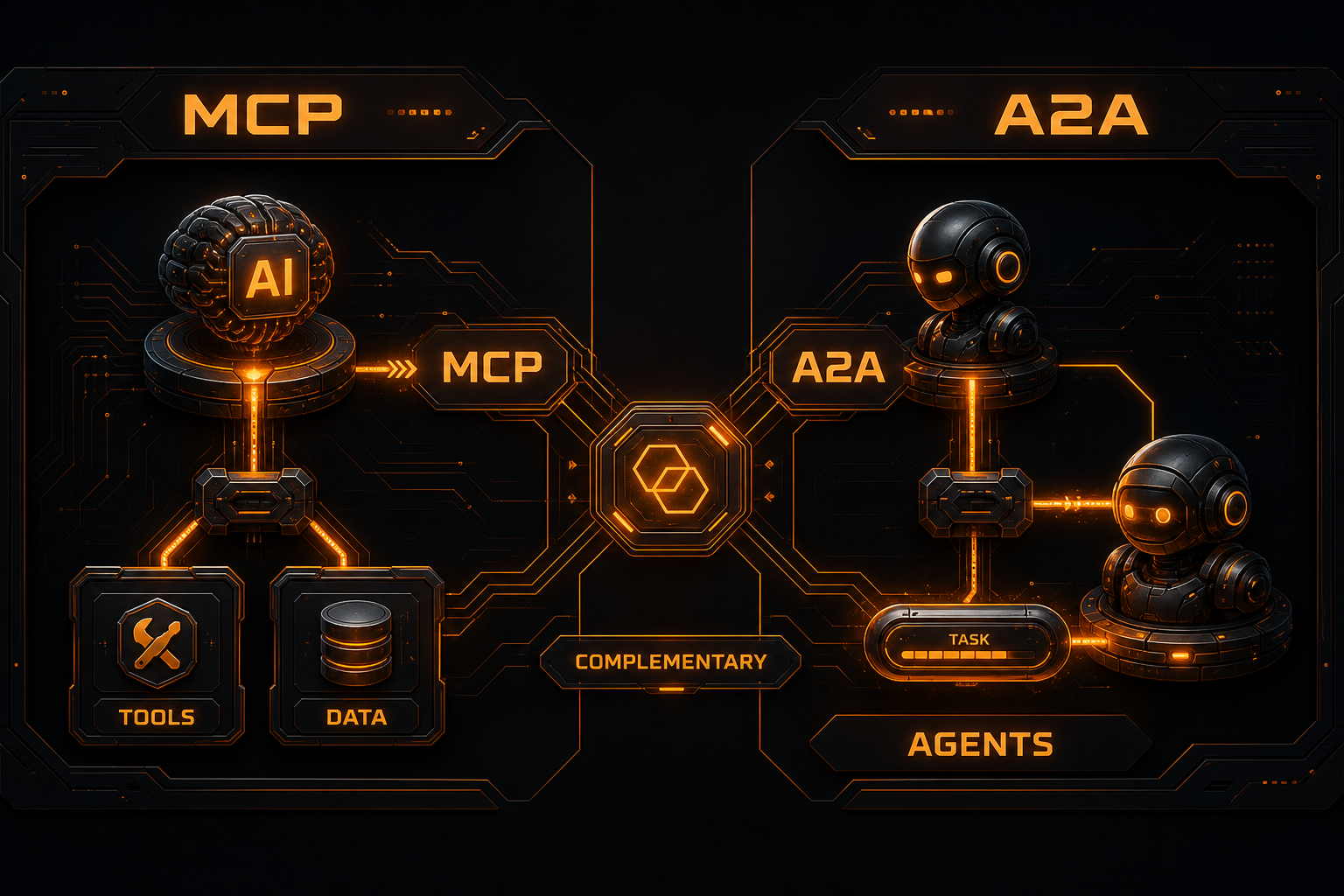
MCP does not replace a model API, and a model API does not automatically turn your database into an MCP Server. If an application uses several model providers, an OpenAI-compatible API or gateway can unify the model side while MCP handles tools and context.
Tools, Resources, and Prompts are not the same
An MCP Server can expose more than tools.
| Primitive | Typical control | Best suited for | Examples |
|---|---|---|---|
| Tools | Usually model-controlled | Actions and dynamic computation | Look up an order, create an issue, run a query |
| Resources | Usually application-controlled | Addressable context data | Files, database schemas, logs |
| Prompts | Usually user-controlled | Reusable workflow templates | Code review or incident analysis templates |
“Usually” matters. MCP defines protocol primitives, while each Host can design its own confirmation UI, automation policy, and permission model.
stdio or Streamable HTTP?
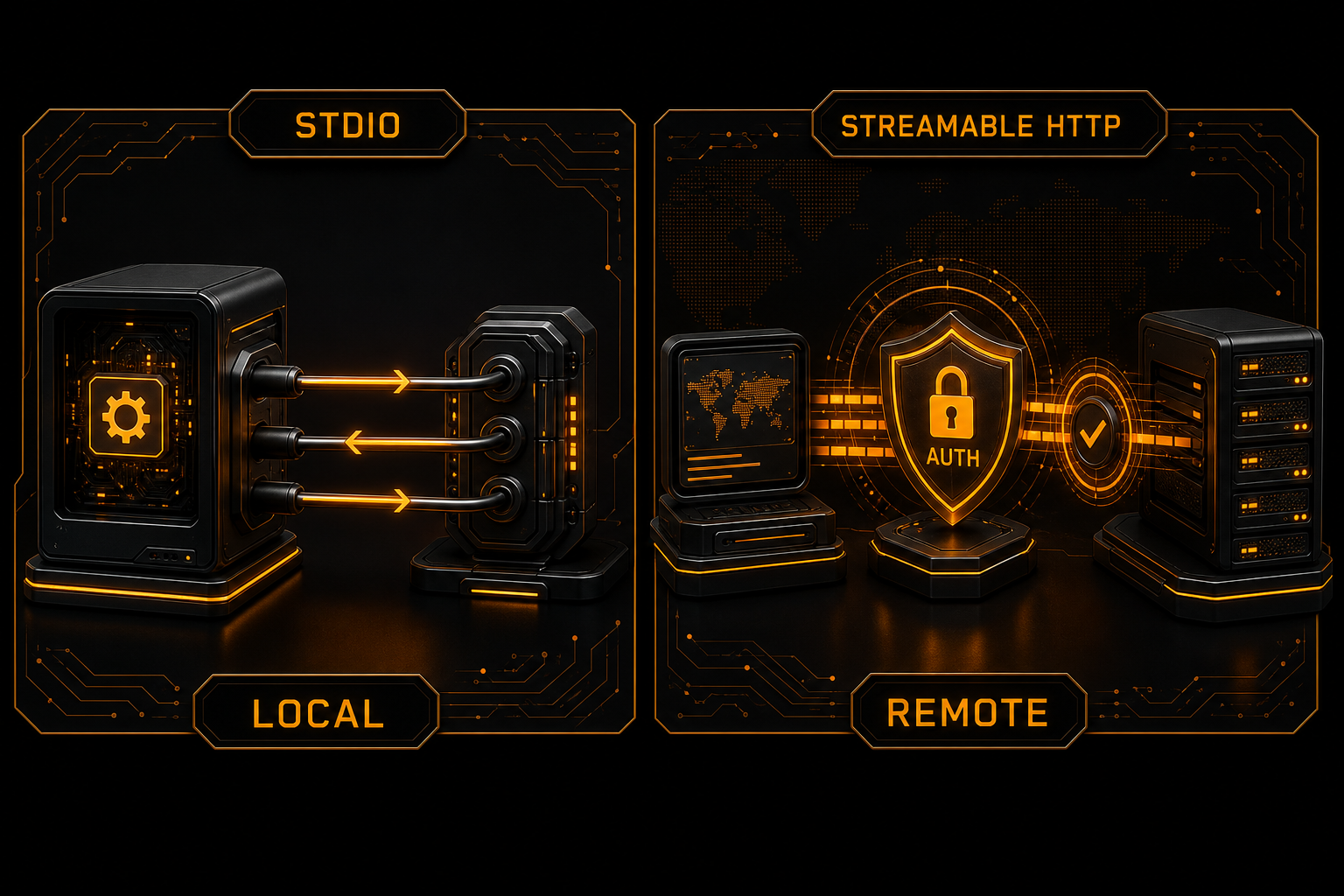
Choose stdio when the Server runs locally with the Host
Good fits include:
- local filesystem or Git tools;
- a single-user desktop assistant;
- trusted processes the Host can launch safely;
- cases that do not need standalone network authentication.
One practical rule: stdout must contain only valid MCP messages. Write debug logs to stderr, or an ordinary log line may corrupt the protocol stream.
Choose Streamable HTTP for a remote shared service
Good fits include:
- multiple users or devices;
- independent deployment, scaling, and upgrades;
- enterprise tools that need OAuth, audits, and tenant isolation;
- Servers that cannot be launched by the Host locally.
Do not treat the standalone “HTTP+SSE transport” found in older tutorials as the current standard. The current standard is Streamable HTTP: the Client sends JSON-RPC to one MCP endpoint, and the Server can return either JSON or an SSE stream of messages.
Security boundary: tools can take real action
MCP standardizes invocation; it does not make a tool safe.
At minimum, an implementation should:
- Show the tool name, arguments, and impact so users know what is about to happen.
- Require confirmation for dangerous actions such as deleting files, sending messages, or moving money.
- Use least privilege: a read-only lookup should not receive write credentials, and a Server should not inherit unrelated environment variables.
- Validate inputs beyond JSON Schema, including paths, IDs, budgets, and tenant ownership.
- Treat outputs as untrusted content because pages and databases can contain prompt injection.
- Keep an audit trail without logging API keys or sensitive payloads.
- Authenticate and validate remote origins: Streamable HTTP Servers should validate
Origin, bind local deployments to localhost where possible, and use proper authentication. - Enforce cancellation and timeouts so a blocked Server cannot hold the Host forever.
The official Tools specification explicitly recommends a human in the loop who can deny invocations. A later security article will build a concrete MCP threat model instead of squeezing every risk into this introduction.
Common misconceptions
“Installing MCP gives the model access to my data”
No. A Server must expose a Resource or Tool, the Host must connect to it, and the Host still decides what can enter the model's context.
“One MCP Client connects to every Server”
A Host can manage many Servers, but the architecture normally uses one Client session per Server. That keeps capabilities, state, and permissions isolated.
“Tools are just Function Calling with a new name”
They are related but operate at different layers. Provider function calling describes how a model asks for a function. MCP describes how a Host discovers and invokes tools hosted by external Servers. A Host often converts MCP Tool schemas into the provider's format and maps the model's choice back to tools/call.
“An MCP Server must call an LLM”
It does not. The order Server in this article has no model dependency. A Server can be a database adapter, browser controller, or wrapper around a business API.
“Remote MCP means exposing stdio to the internet”
No. Use Streamable HTTP with authentication, authorization, origin validation, session handling, and secure deployment—not a raw process pipe forwarded over the public internet.
When is an MCP Server worth building?
It is a good fit when:
- the same tool should work in several MCP-capable Hosts;
- you want consistent schemas, errors, and permission boundaries;
- the external system changes often and per-Agent adapters would be expensive;
- tool execution should remain independent from the model provider.
It may be unnecessary when:
- one application calls one simple internal function;
- the operation is high-risk but you have no approval or audit layer;
- your only goal is to unify several model APIs;
- your team has not defined tool permissions or tenant boundaries.
If your real problem is presenting OpenAI, Claude, and Gemini behind one model endpoint, start with the native API format differences and a gateway adapter instead of treating MCP as universal middleware.
Takeaway
A complete MCP tool call is straightforward:
- The Host creates a Client session for a Server.
- The Client negotiates version and capabilities with
initialize. - It discovers tool schemas with
tools/list. - The Host or model chooses a tool, subject to policy and approval.
- The Client invokes it with
tools/call. - The Server executes business logic and returns content or structured data.
- The Host decides whether to display the result or pass it back to the model.
The most useful boundary to remember is this: the model reasons, the Host controls, the Client owns the protocol session, and the Server connects to the real world.
If an Agent calls several model providers, Nbility can unify model APIs, usage, and channels while the Host connects to MCP Servers under separate tool permissions. They complement each other rather than compete.