OpenAI vs Claude vs Gemini API Formats: A Practical Comparison
Compare OpenAI Responses and Chat Completions, Claude Messages, and Gemini GenerateContent across authentication, messages, tools, streaming, multimodal input, and structured output.
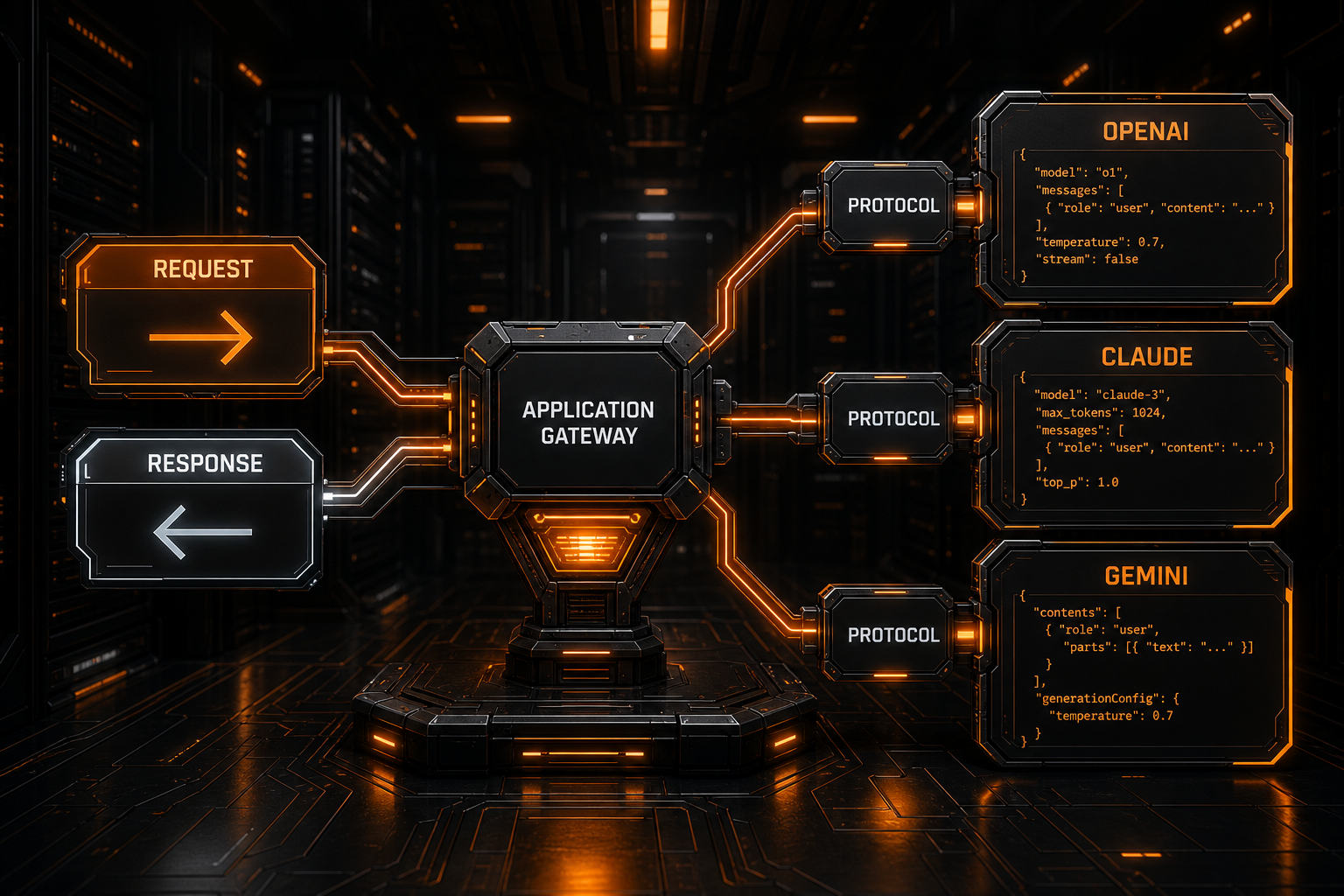
OpenAI, Claude, and Gemini can all handle chat, vision, tool use, and structured JSON. Their native APIs, however, are not interchangeable by changing only the model name.
Common integration mistakes include:
- sending OpenAI
messagesunchanged to Claude; - putting Claude's
systemvalue inside Geminicontents; - replacing the Base URL without converting authentication headers;
- treating every provider's tool request as
tool_calls; - concatenating every streaming
dataline as plain text; - assuming visible text always lives in one universal
contentfield.
A multi-provider client, gateway, or agent needs a canonical application model with provider-specific encoders and parsers. It should not assume that upstream wire protocols are naturally compatible.
The Core Differences at a Glance
| Area | OpenAI Responses | Claude Messages | Gemini GenerateContent |
|---|---|---|---|
| Typical route | POST /v1/responses | POST /v1/messages | POST /v1beta/models/{model}:generateContent |
| Model location | Body field model | Body field model | URL path {model} |
| Authentication | Authorization: Bearer ... | x-api-key: ... | x-goog-api-key: ... |
| Version header | Usually no fixed-date version header | anthropic-version | Version commonly appears in the URL, such as v1beta |
| Input entry point | input | messages | contents |
| System instructions | instructions | Top-level system | systemInstruction |
| Content units | Input/output items and content parts | Content blocks | Parts |
| Text output | output_text blocks inside output; SDKs often expose an aggregate helper | text blocks inside content[] | text parts inside candidates[].content.parts[] |
| Output limit | max_output_tokens | max_tokens | generationConfig.maxOutputTokens |
| Tool definition | Function tool in tools | tools with input_schema | tools[].functionDeclarations |
| Tool request | Function-call item | tool_use block | functionCall part |
| Tool result | Function-call-output item | tool_result block | functionResponse part |
OpenAI itself has two commonly encountered text protocols: the newer Responses API and the widely deployed Chat Completions API. “OpenAI format” is therefore not precise enough by itself.
Why Message Payloads Cannot Be Copied Directly
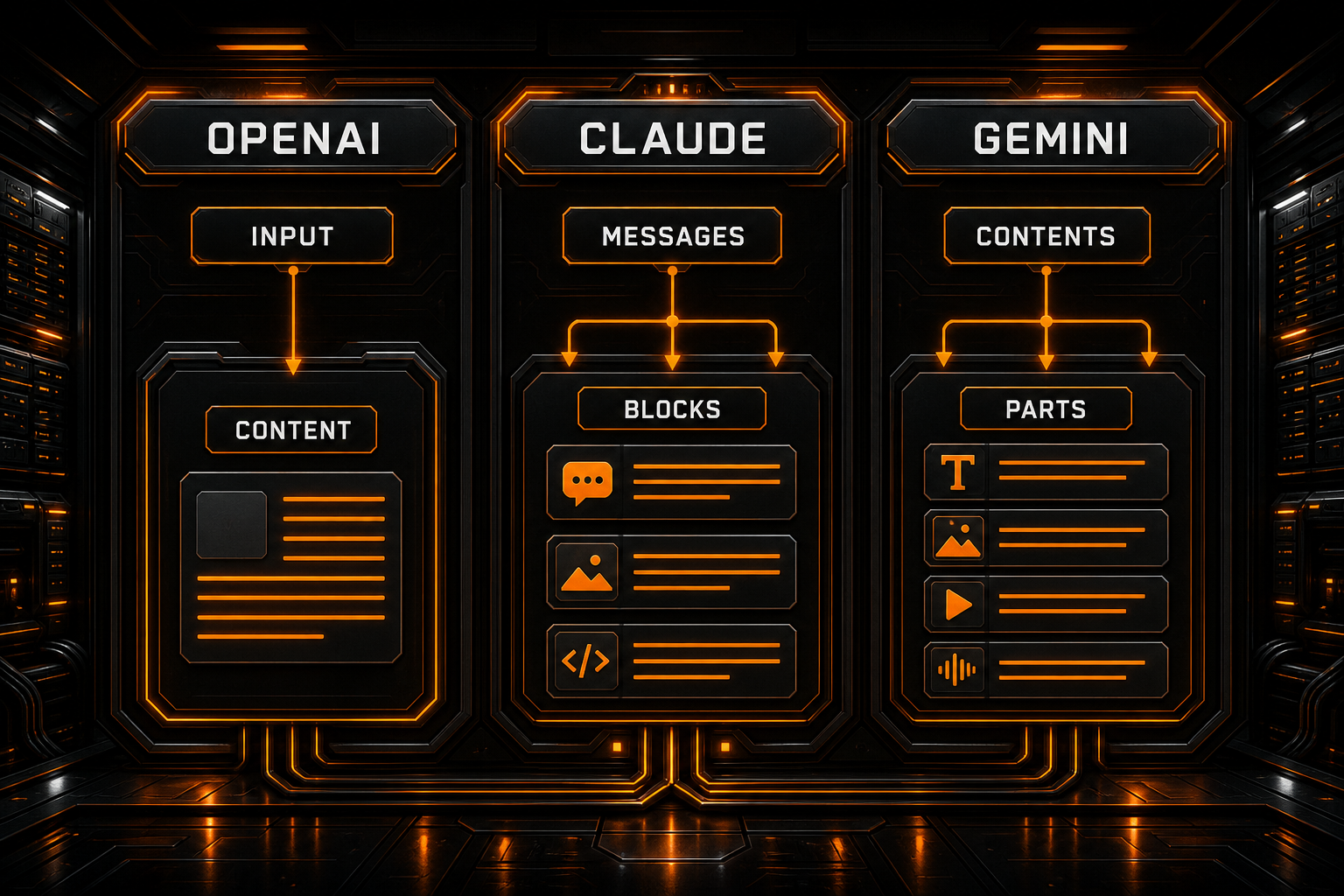
OpenAI Responses: input Is a String or a List of Items
A minimal request looks like this:
curl https://api.openai.com/v1/responses \
  -H "Authorization: Bearer $OPENAI_API_KEY" \
  -H "Content-Type: application/json" \
  -d '{
    "model": "YOUR_MODEL_ID",
    "instructions": "Answer concisely.",
    "input": "Explain API adapters in one sentence.",
    "max_output_tokens": 300
  }'
For more complex conversations, input can be an array of items. The response output may also include messages, function calls, reasoning-related items, and other object types. Avoid hardcoding this path:
response.output[0].content[0].text
OpenAI's documentation explicitly warns that output often contains more than one item. Official SDKs expose an output_text aggregate for simple text extraction; a protocol adapter should iterate over item and content types.
OpenAI Chat Completions: messages and choices
Older clients and many OpenAI-compatible gateways still use:
{
  "model": "YOUR_MODEL_ID",
  "messages": [
    { "role": "developer", "content": "Answer concisely." },
    { "role": "user", "content": "Explain API adapters." }
  ],
  "max_completion_tokens": 300
}
Visible text is normally found at:
choices[0].message.content
That is a different contract from Responses API input, instructions, and output. When a service claims OpenAI compatibility, verify whether it supports Chat Completions, Responses, or both.
Claude Messages: user and assistant Conversation Turns
A basic native request is:
curl https://api.anthropic.com/v1/messages \
  -H "x-api-key: $ANTHROPIC_API_KEY" \
  -H "anthropic-version: 2023-06-01" \
  -H "content-type: application/json" \
  -d '{
    "model": "YOUR_MODEL_ID",
    "system": "Answer concisely.",
    "max_tokens": 300,
    "messages": [
      { "role": "user", "content": "Explain API adapters." }
    ]
  }'
Claude message content can be a string or an array of blocks. A response resembles:
{
  "content": [
    { "type": "text", "text": "..." }
  ],
  "stop_reason": "end_turn",
  "usage": {}
}
Tool use, thinking, citations, and other capabilities appear as additional block types. Parse by type rather than treating content as a single string.
Gemini: contents Contain parts
The Gemini REST route carries the model in the URL:
curl "https://generativelanguage.googleapis.com/v1beta/models/YOUR_MODEL_ID:generateContent" \
  -H "x-goog-api-key: $GEMINI_API_KEY" \
  -H "Content-Type: application/json" \
  -d '{
    "systemInstruction": {
      "parts": [{ "text": "Answer concisely." }]
    },
    "contents": [{
      "role": "user",
      "parts": [{ "text": "Explain API adapters." }]
    }],
    "generationConfig": {
      "maxOutputTokens": 300
    }
  }'
A common text path is:
candidates[0].content.parts[].text
The same parts array may carry functionCall, functionResponse, image data, or other modalities, so the first part is not guaranteed to be text.
Google's current documentation also offers the newer Interactions API and recommends it for access to the latest capabilities and models. This article focuses on the still explicitly documented and widely integrated
generateContentwire format. Choose the API documented for your target model.
Roles and System Instructions
OpenAI
Responses API provides top-level instructions and supports roles in input items. Chat Completions commonly uses roles such as developer, system, user, and assistant; current role priority and model support should be checked in OpenAI's documentation.
Claude
The traditional Messages request places its primary system prompt in the top-level system field. Conversation messages normally alternate between user and assistant. Do not insert { "role": "system" } and assume native Claude Messages will interpret it like OpenAI.
Gemini
Gemini uses systemInstruction, while conversation history belongs in contents. Model responses generally use the model role rather than assistant.
An adapter can start with these internal roles:
instruction
user
assistant
It can then map them to each provider's top-level instruction field, message roles, and content structure.
Tool Calling Uses Different Correlation Fields
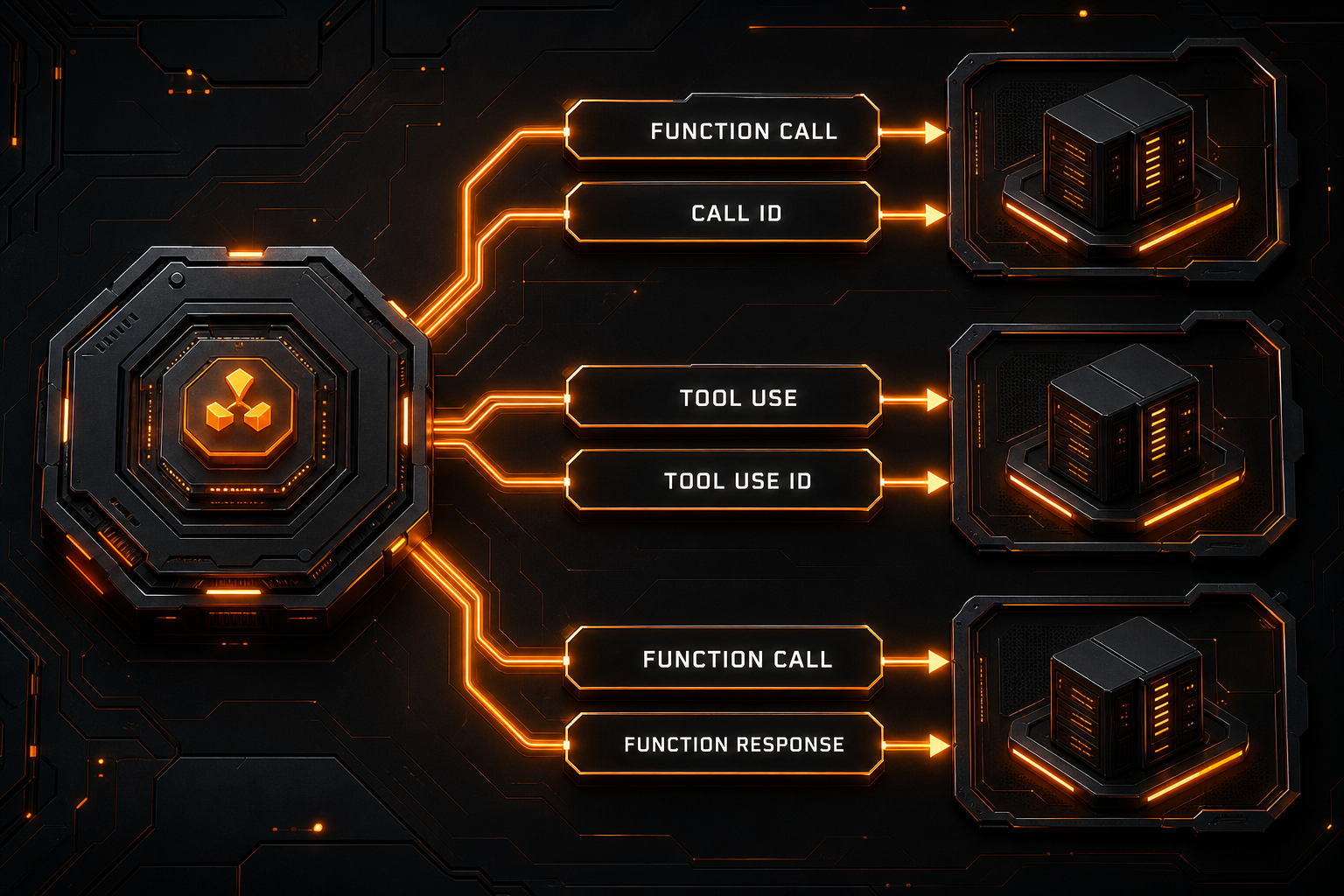
The abstract process is similar everywhere:
Declare tools
→ model requests a call
→ application executes it
→ return the result with correlation data
→ model produces the final answer
The wire formats are not the same.
OpenAI Responses
A function declaration commonly looks like:
{
  "type": "function",
  "name": "get_weather",
  "description": "Get current weather",
  "parameters": {
    "type": "object",
    "properties": {
      "city": { "type": "string" }
    },
    "required": ["city"]
  }
}
The model emits a function-call item. After execution, the application sends a function-call-output item associated with its call_id. Do not substitute Chat Completions tool_call_id or Claude tool_use_id blindly.
OpenAI Chat Completions
The assistant message returns tool_calls[]. Results are sent as messages with role: "tool", correlated through tool_call_id.
Claude Messages
Claude tools use name, description, and input_schema. The model returns a block such as:
{
  "type": "tool_use",
  "id": "toolu_...",
  "name": "get_weather",
  "input": { "city": "Shenzhen" }
}
The application puts a tool_result block in the next user message and associates it with tool_use_id.
Gemini GenerateContent
Function declarations live under tools[].functionDeclarations. The model emits a functionCall part, and the application returns a functionResponse part.
A cross-provider tool runner needs at least this normalized shape:
type ToolCall = {
  provider: 'openai' | 'claude' | 'gemini';
  id?: string;
  name: string;
  arguments: unknown;
};
Keep the provider's original identifier and payload as well. Losing native correlation information can break multi-turn or parallel tool execution.
Images and Multimodal Input
| Provider | Common representation |
|---|---|
| OpenAI Responses | Content items such as input_text and input_image |
| OpenAI Chat Completions | Text and image parts inside message content |
| Claude | Content blocks such as text, image, and document, with a URL or Base64 source |
| Gemini | text, inlineData, fileData, and related fields inside parts |
A correct adapter converts more than field names. It must account for:
- MIME types;
- URL, Base64, and file-reference mechanisms;
- file count and size limits;
- ordering within a message;
- PDF, audio, and video support;
- provider-specific upload and caching workflows.
A useful internal type might be:
type ContentPart =
  | { type: 'text'; text: string }
  | { type: 'image_url'; url: string; mimeType?: string }
  | { type: 'image_base64'; data: string; mimeType: string };
The adapter then decides whether the target API supports the part and how it should be serialized.
Streaming Is Not One Universal SSE Contract
OpenAI Responses
Responses API emits typed semantic events, including text deltas and completion events. Dispatch by event type; do not concatenate every data payload into one string.
OpenAI Chat Completions
Text commonly arrives in:
choices[0].delta.content
Tool arguments may be split across many deltas and must be accumulated by call index or identifier.
Claude
Claude's event sequence includes:
message_start
content_block_start
content_block_delta
content_block_stop
message_delta
message_stop
Text is commonly accumulated from text_delta, while tool input can arrive as partial JSON deltas.
Gemini
Gemini exposes streamGenerateContent. Each chunk remains organized around candidates, content, and parts. An OpenAI choices[].delta parser cannot process it correctly.
A normalized internal event model can look like:
type NormalizedEvent =
  | { type: 'text_delta'; text: string }
  | { type: 'tool_delta'; callId?: string; data: string }
  | { type: 'usage'; input: number; output: number }
  | { type: 'done'; reason?: string }
  | { type: 'error'; error: unknown };
Preserve unknown native events too, so new provider event types are not silently discarded.
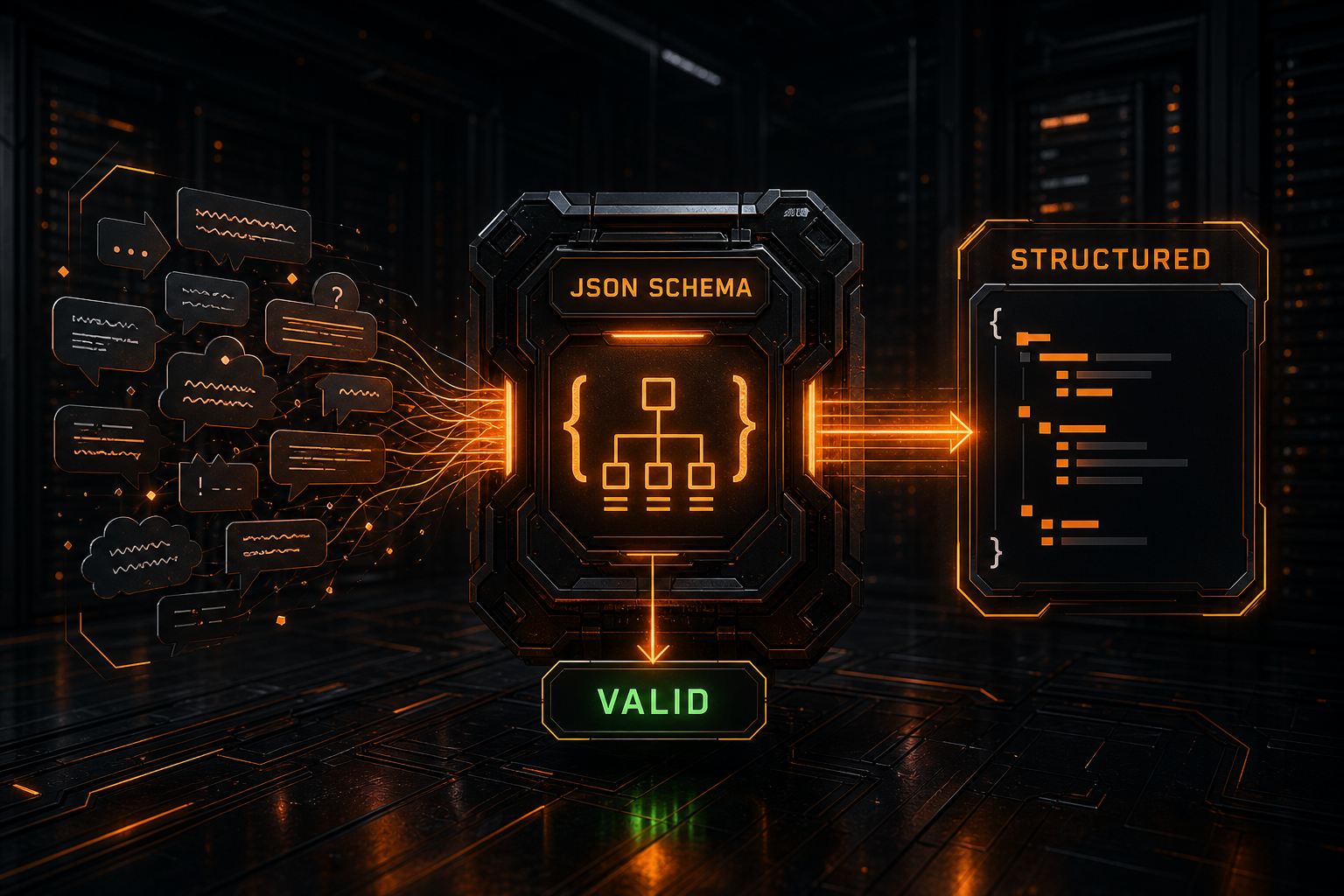
Structured Output Requires Provider-Specific Configuration
All three providers offer constrained JSON output, but configuration differs:
- OpenAI: configure text or response format and JSON Schema in Responses or Chat Completions;
- Claude: declare the current structured format through fields such as
output_config.format; - Gemini: use fields such as
generationConfig.responseMimeTypeandresponseJsonSchemaorresponseSchema.
JSON Schema support does not imply support for every keyword. Production code should:
- stay within each provider's documented subset;
- parse and validate again in the application;
- handle refusals, truncation, tool calls, and empty output;
- retain the raw response for diagnosis;
- avoid treating “JSON mode” as a guarantee of business-schema validity.
A dedicated structured-output guide can cover schema design in depth. If a request succeeds but visible text is absent, start with the empty AI API content guide.
Authentication and Errors Also Need Adapters
Authentication Headers
OpenAI: Authorization: Bearer YOUR_API_KEY
Claude: x-api-key: YOUR_API_KEY
        anthropic-version: 2023-06-01
Gemini: x-goog-api-key: YOUR_API_KEY
Do not ship these keys in browser code. See the API key security guide for local, CI/CD, and production storage.
Error Responses
Even when all providers return HTTP 400, 401, 429, or 5xx, they differ in JSON nesting, error types, request-ID headers, and retry information.
A business-level error can be normalized as:
type ProviderError = {
  provider: string;
  status: number;
  code?: string;
  type?: string;
  message: string;
  requestId?: string;
  retryable: boolean;
  raw: unknown;
};
Do not discard the original status and payload. For status-code diagnosis, use the AI API error troubleshooting guide.
Designing a Reliable Multi-Provider Adapter
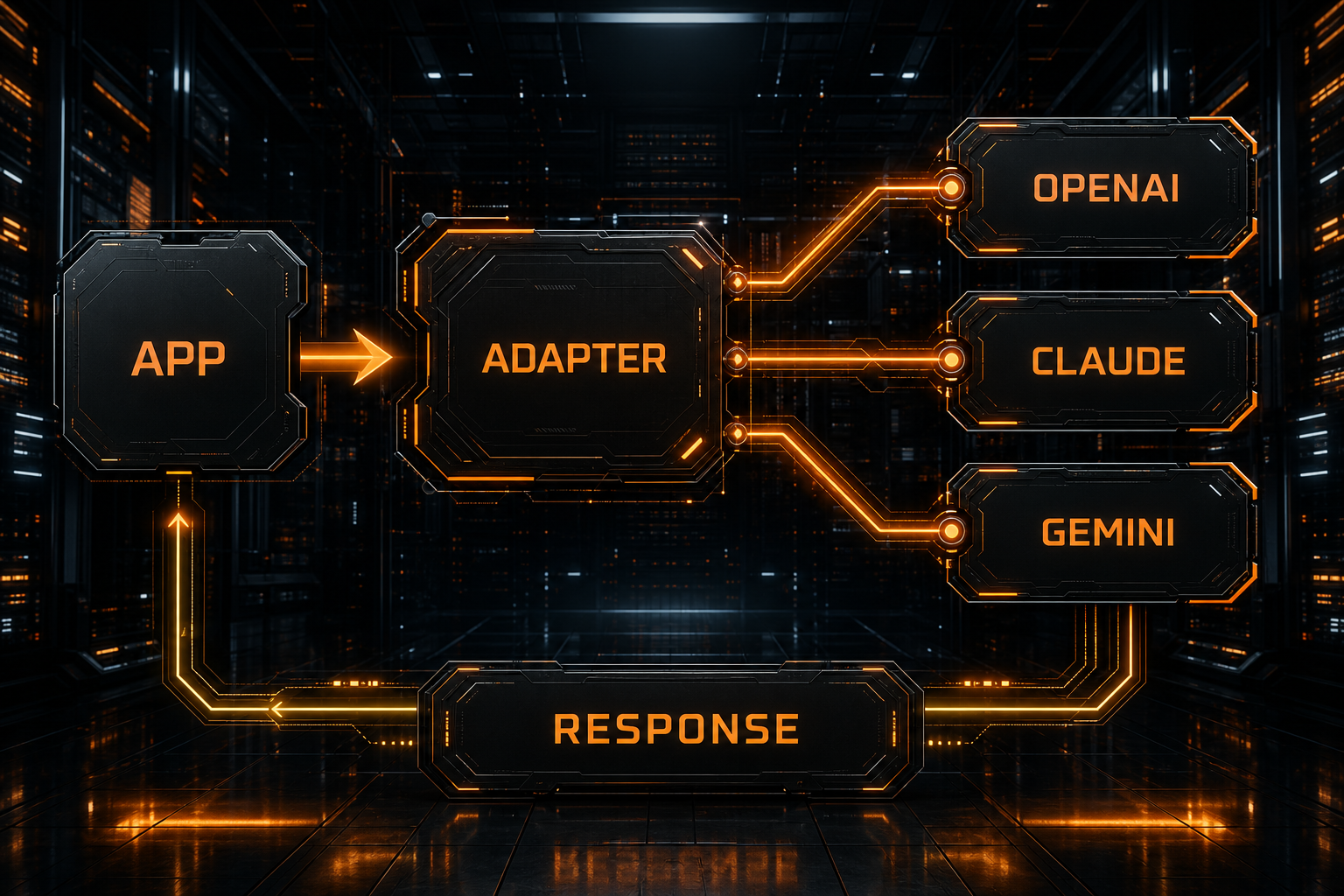
1. Define a Canonical Internal Model
Normalize at least:
- system instructions;
- messages and multimodal parts;
- generation options;
- tool definitions;
- structured-output intent;
- text, tool calls, usage, finish reasons, and errors.
2. Encode and Parse Each Provider Independently
Canonical request
├─ OpenAI Responses adapter
├─ OpenAI Chat Completions adapter
├─ Claude Messages adapter
└─ Gemini GenerateContent adapter
Do not create one giant JSON object containing every provider's fields and hope upstream servers ignore what they do not recognize.
3. Negotiate Capabilities Instead of Silently Dropping Them
If a target model cannot process images, parallel tools, or a schema keyword, return an explicit error or let a policy layer choose a documented downgrade. Never remove user input silently.
4. Preserve Native Responses
The normalized object is convenient for business logic. The native object is essential for debugging, auditing, and adopting new features. Retain both.
5. Test Every Protocol Feature Separately
At minimum, cover:
Plain text
Multi-turn messages
System instructions
Image input
One tool call
Parallel tool calls
Tool-result return
Streaming text
Streaming tool arguments
Structured output
Truncation and refusal
429 and 5xx
A successful basic chat request does not prove agent, streaming, or tool compatibility.
Choosing a Format with Nbility
Nbility exposes multiple protocol routes, including:
OpenAI Chat Completions: https://api.nbility.ai/v1/chat/completions
OpenAI Responses:        https://api.nbility.ai/v1/responses
Claude Messages:         https://api.nbility.ai/v1/messages
Before integration, use the Nbility model catalog to verify:
- the exact model ID;
- supported protocols for that model;
- tool, image, and structured-output capabilities;
- the client's final request endpoint;
- token permissions and quota.
If an existing SDK supports only OpenAI format, choose a route explicitly documented as OpenAI-compatible. If your application depends on Claude-native content blocks, use the Messages route. Do not infer the protocol from the model's brand.
For compatibility issues, send a redacted route, model ID, status code, and response type through Nbility support tickets. Never include a live API key or a complete sensitive prompt.
FAQ
Can the OpenAI SDK call native Claude or Gemini APIs directly?
No. It can do so only when the target service provides an additional OpenAI-compatible layer, and only within that layer's documented compatibility scope.
Is changing Base URL and model enough?
Only when the provider implements the exact protocol used by the client. Authentication, routes, tools, streaming, and response structures must all be compatible.
Can Claude's system prompt be placed in messages?
The basic Messages API normally uses top-level system. Do not copy an OpenAI system-role message without checking the current Claude feature and API documentation.
What is Gemini's assistant role?
Model turns inside Gemini contents generally use the model role rather than assistant.
Are the three JSON Schema implementations identical?
No. Their configuration fields and supported schema subsets can differ. Always validate the result in your application.
Why does plain chat work while tool calling fails?
A compatibility layer may translate text messages but not fully convert tool declarations, call identifiers, returned results, and streamed arguments.
Summary
The differences among OpenAI, Claude, and Gemini go beyond property names:
- endpoints, authentication, and model placement differ;
input,messages, andcontentshave different semantics;- system instructions, roles, and multimodal structures differ;
- tool-call correlation and result-return protocols differ;
- streaming events require independent parsers;
- structured output and supported schema subsets differ;
- multi-provider systems need a canonical internal model plus dedicated adapters.
Identify the protocol your client actually sends before selecting an endpoint and model ID. That prevents most cases where a model swap results in 400 or 404, empty visible text, or broken tools.