Check every page before trusting a DeepSeek OCR result
DeepSeek OCR returns raw page results. HTTP 200 can still contain an error, and length means incomplete page text. Validate coverage, finish reasons, and coordinates before indexing.
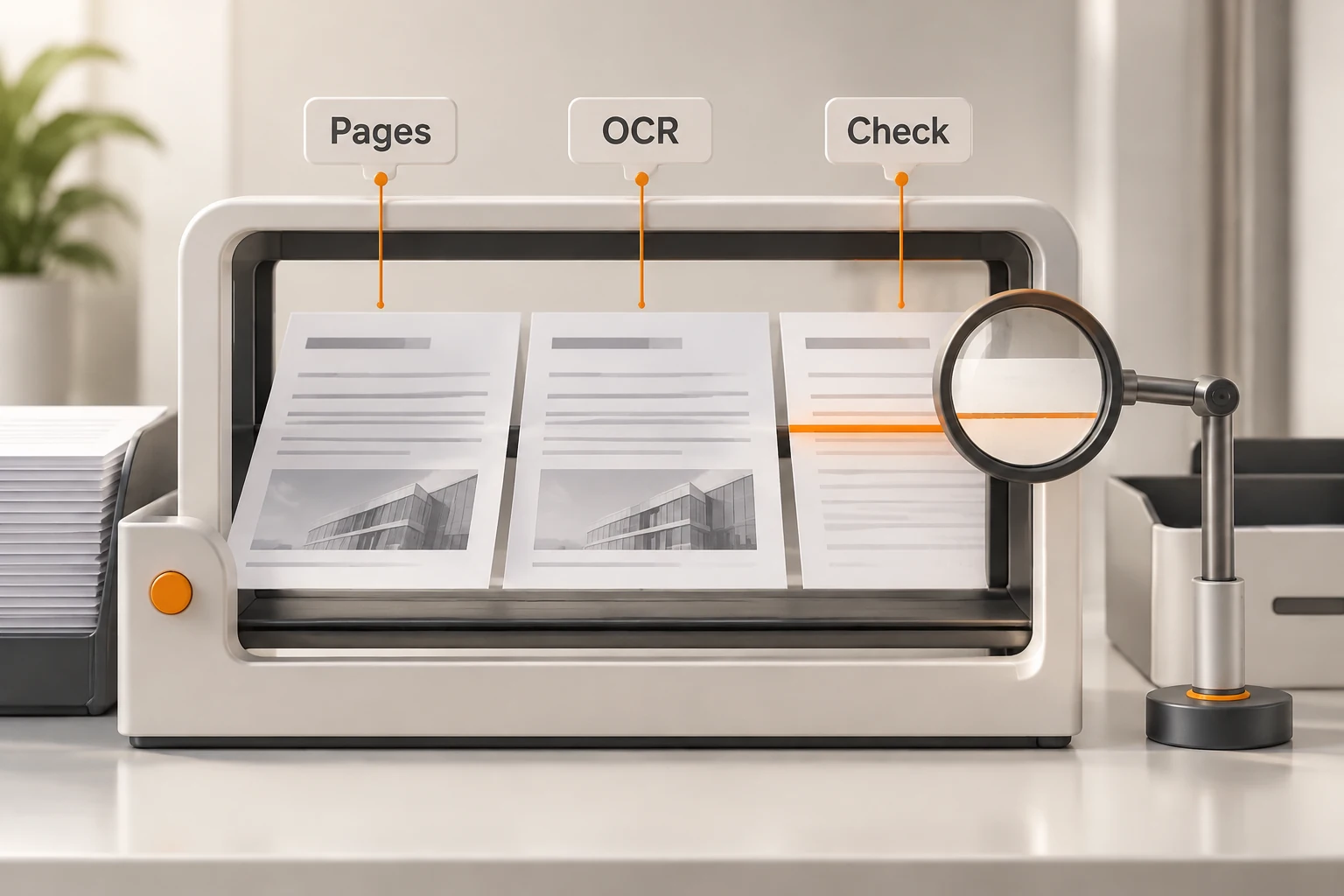
DeepSeek's application APIs opened on November 13, 2026 include a standalone OCR endpoint. It returns page-level recognition results; it does not store the file in the Files API or automatically send it to a chat model. Before indexing a scan, check whether every page finished.
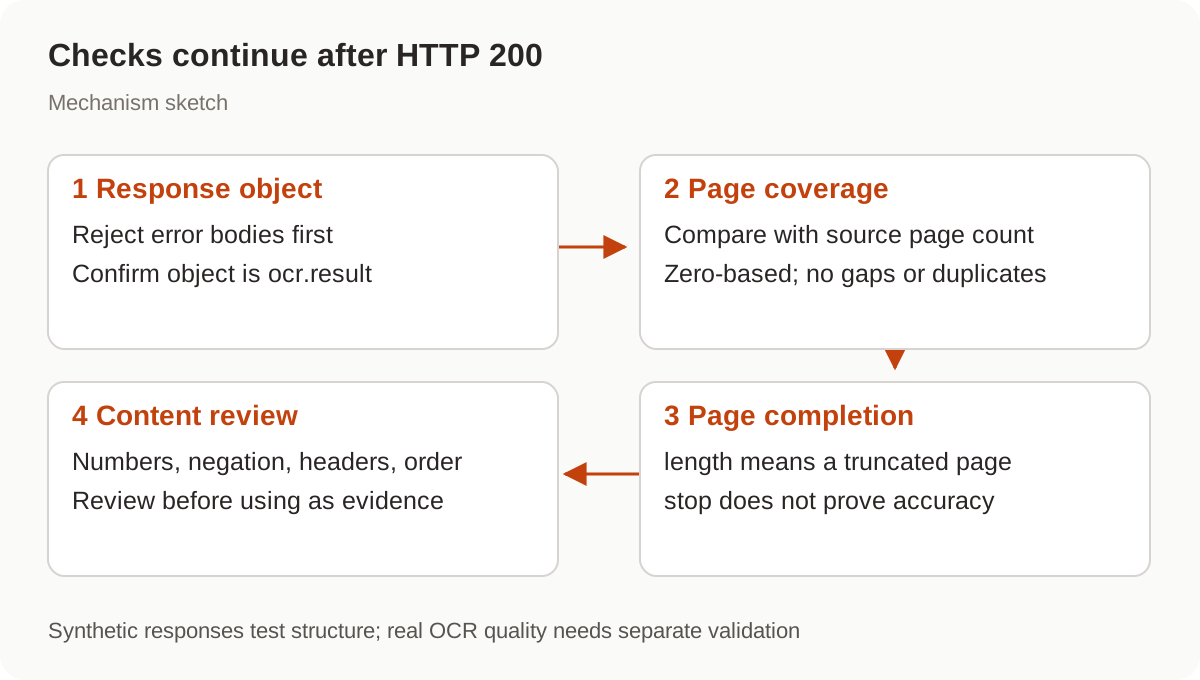
HTTP 200 is insufficient. Once recognition starts, the status has already been sent, so a later failure can arrive as an error object. A result with finish_reason: "length" also contains an incomplete page.
We checked the release notes and OCR guide on November 19. No real document was uploaded or recognition quality measured. The examples cover request structure, offline response validation, and coordinate arithmetic.
When should you use standalone OCR?
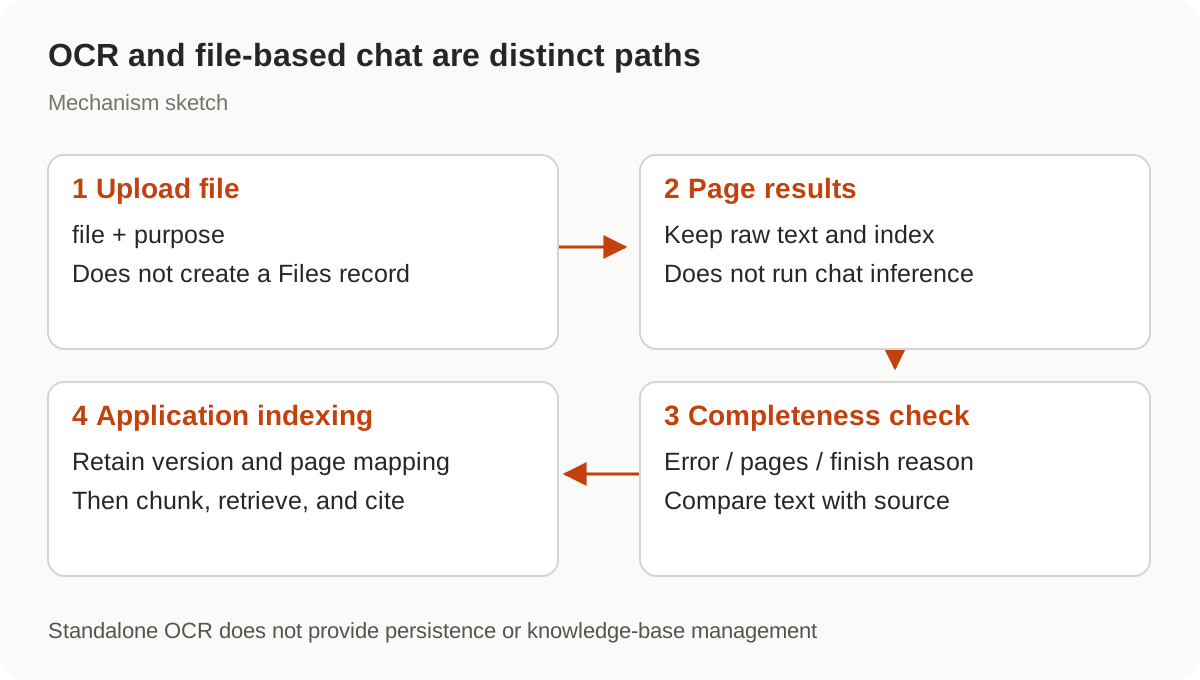
Use it when your application needs to retain page results, inspect reading order, map source locations, or build its own retrieval index. File-based chat instead lets the service assemble parsed content for inference; see DeepSeek file input and URL reading.
These are distinct workflows. An OCR upload does not produce a reusable Files API record. Persistence, chunking, and embedding belong to your application. Extracted text also does not establish that charts have been delivered to a vision model as images.
Which fields belong in the request?
Send multipart/form-data to POST https://api.deepseek.com/v1/tools/ocr. Both file and purpose are required; additional fields return 400. Do not copy chat parameters such as model or stream into this form.
curl --silent --show-error "https://api.deepseek.com/v1/tools/ocr" \
  -H "Authorization: Bearer $DEEPSEEK_API_KEY" \
  -F 'purpose=text_recognition' \
  -F 'file=@public-demo.pdf' \
  -o ocr-response.json \
  -w 'HTTP %{http_code}\n'
This unexecuted example needs official credentials and a public sample file. Let curl -F set the multipart boundary. Avoid automatic submission retries that assume duplicate recognition is harmless.
| Purpose | Document handling |
|---|---|
text_recognition | Extracts text directly from Word and PowerPoint without images; recognizes other files page by page |
rich_layout_recognition | Recognizes every file page by page |
Supported formats include PDF, DOC/DOCX, PPT/PPTX, and several image types, detected from actual file contents. Current limits are 100 MiB and 1,000 pages. Upload must finish within 120 seconds with no pause over 30 seconds. The total upload, recognition, and result window is 180 seconds. Reduce the file when those service limits are reached; a longer client timeout cannot extend them.
What should be checked before indexing?
During recognition the service sends newline keepalives, followed by one JSON object. Those newlines are leading whitespace accepted by a JSON parser, not SSE data: events or separate page responses.
This offline check rejects errors, mismatched coverage, duplicate page indices, and incomplete finish reasons. Obtain EXPECTED_PAGES independently from the original document. The two-page fixture and failure branches were checked with synthetic responses; no OCR request was made.
import json
from pathlib import Path

EXPECTED_PAGES = 2
result = json.loads(Path("ocr-response.json").read_text())
if "error" in result:
    raise SystemExit("OCR failed; inspect the error before retrying")
if result.get("object") != "ocr.result":
    raise SystemExit("Unexpected response type")
pages = result.get("pages", [])
if result.get("page_count") != len(pages) or len(pages) != EXPECTED_PAGES:
    raise SystemExit("Page coverage mismatch")
if sorted(page["index"] for page in pages) != list(range(EXPECTED_PAGES)):
    raise SystemExit("Missing or duplicate page index")
incomplete = [page["index"] for page in pages if page.get("finish_reason") != "stop"]
if incomplete:
    raise SystemExit(f"Review incomplete pages: {incomplete}")
print("Coverage checks passed; compare text with the source before indexing")
stop does not prove accurate recognition. Compare negation, numbers, columns, and table headings with the original. Do not index a length page as complete evidence. Export the affected page or a smaller region from the original and retain its mapping when processing it again.
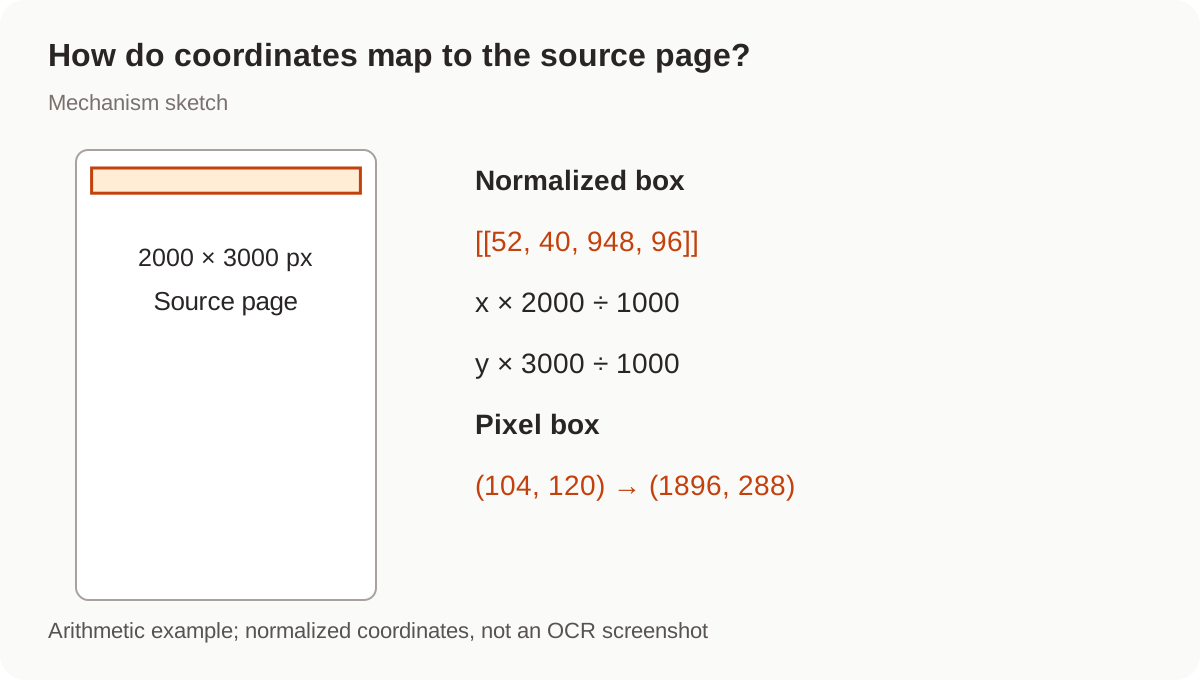
How do normalized coordinates map to pixels?
Page recognition can preserve special tokens such as <|ref|> and <|box|> with coordinates normalized to 0–1000. Direct text extraction lacks those markers by design.
Rectangles use [[x1, y1, x2, y2]], with the origin at the page's top-left corner:
horizontal pixels = x × page width ÷ 1000
vertical pixels = y × page height ÷ 1000
The guide's sample [[52, 40, 948, 96]] maps to (104, 120) through (1896, 288) on a 2000-by-3000-pixel page. This is arithmetic, not a real recognition result. Preserve orientation and rendering dimensions, then round appropriately when cropping pixel boundaries.
Keep raw output before removing markers. A separate plain-text copy can serve retrieval while original results, document versions, and page mappings support verifiable PDF citations.
Can a disconnected request be submitted again immediately?
A disconnected client does not cancel recognition. DeepSeek states that work continues after the file is received and is billed if completed. Unfinished work still occupies concurrency after disconnecting. The current account limit is 15 recognitions in progress, separate from chat models.
For a definitive error, repair passwords, unsupported files, or size and page violations first. Split documents that hit the recognition deadline. Temporary service or internal errors can justify a controlled later retry. If only the local client timed out, retain timestamps, file fingerprints, and submission state; inspect the official console or contact support before resubmitting the whole set. No result-retrieval endpoint was verified here, so this article does not invent a recovery command.
The guide also labels response usage as reference information, not the billing basis. Do not calculate an OCR invoice from those token counts.
Before connecting results to a knowledge base, review the document processing workflow. Nbility connection basics do not establish support for DeepSeek's standalone OCR endpoint, which was not tested through Nbility here.