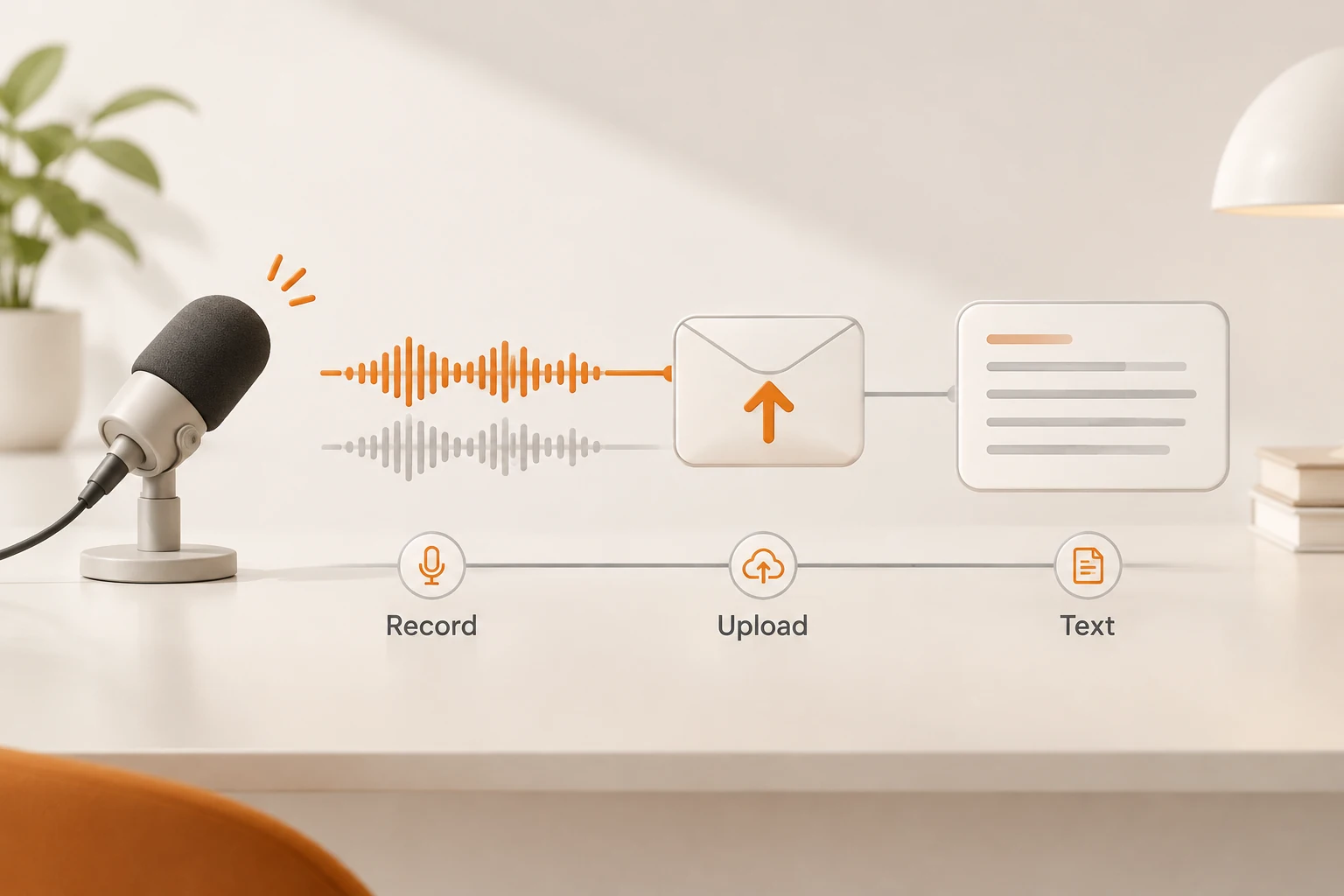
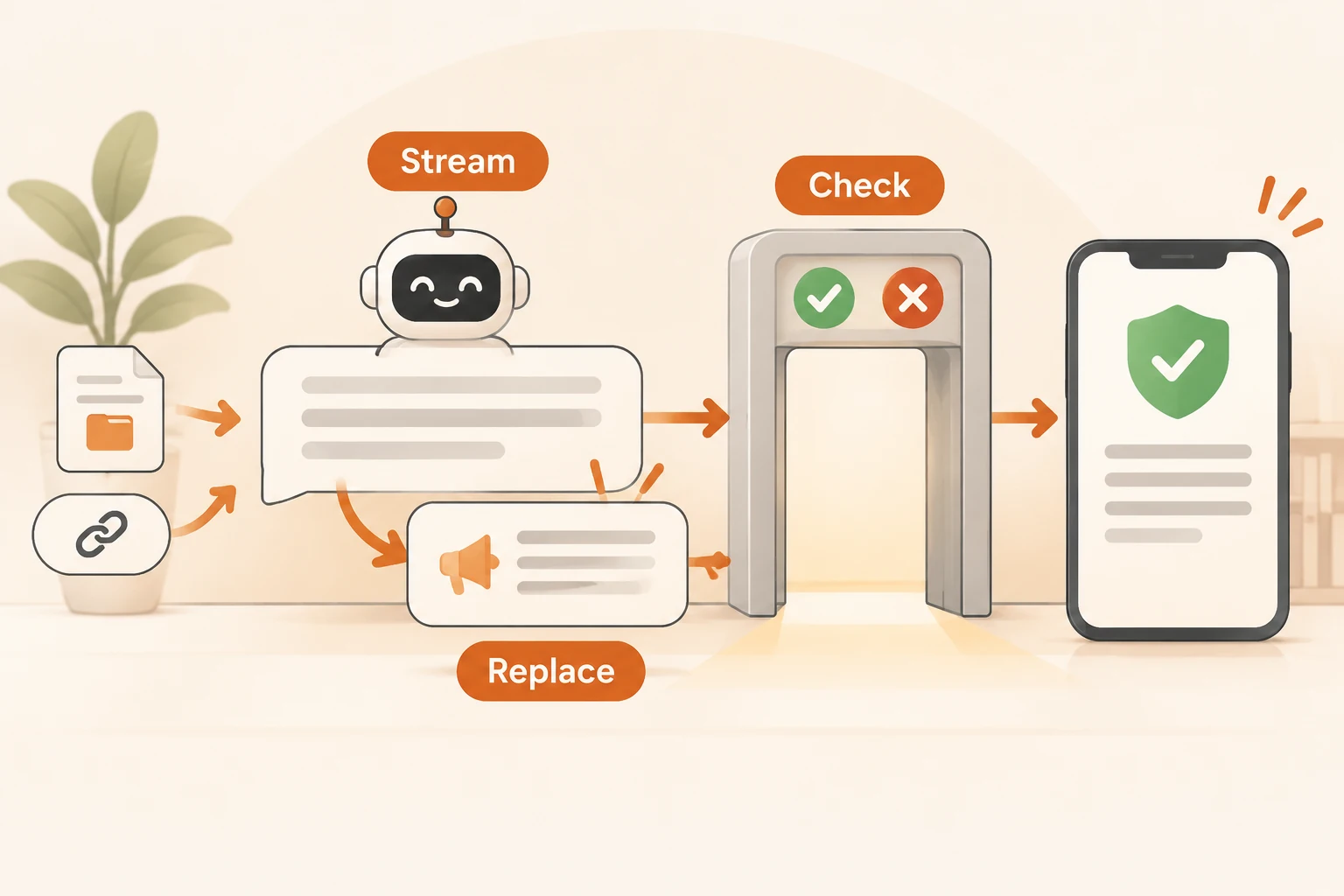
Does the DeepSeek API read files and web pages now? Upload, parsing and link reading
Since November 13, deepseek-flash accepts file input and can read links. Which parsing purpose to choose, how a file_id is referenced in all three protocols, why every turn re-bills the document, and when you should parse files yourself.
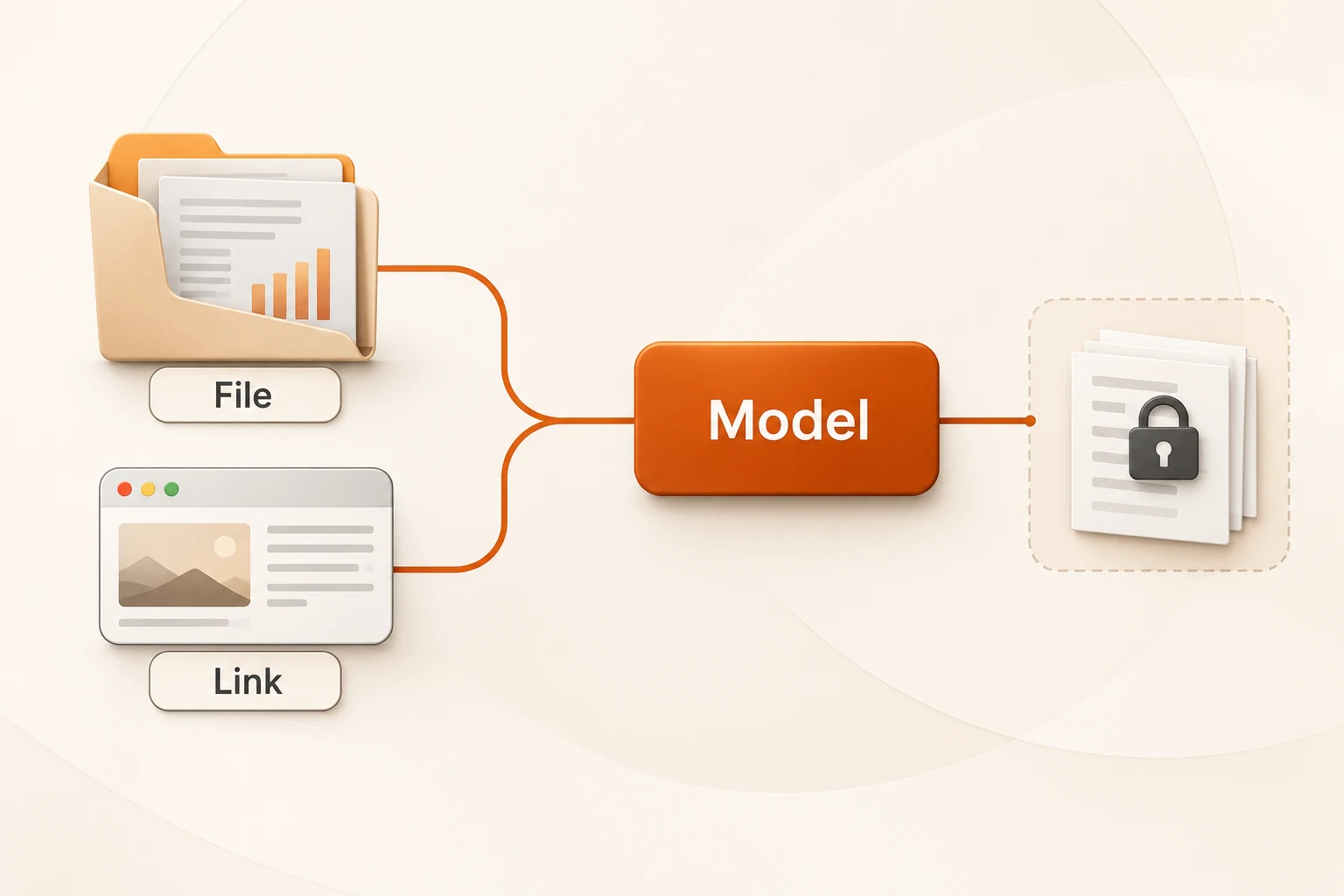
Yes. Since November 13, 2026, deepseek-flash can bring outside content into a conversation two ways: upload a PDF, Office file or image to the Files API and reference the returned file_id, or enable the deepseek_read_url tool and let the model read links in the user message. Parsing and fetching happen on DeepSeek's side; your request just carries the reference.
"Supports files" does not mean you can paste a file into messages. A document must be uploaded and parsed successfully before it has a file_id, and once referenced, its content stays in the context and is billed as input tokens on every turn. Those three facts explain most of what surprises people.
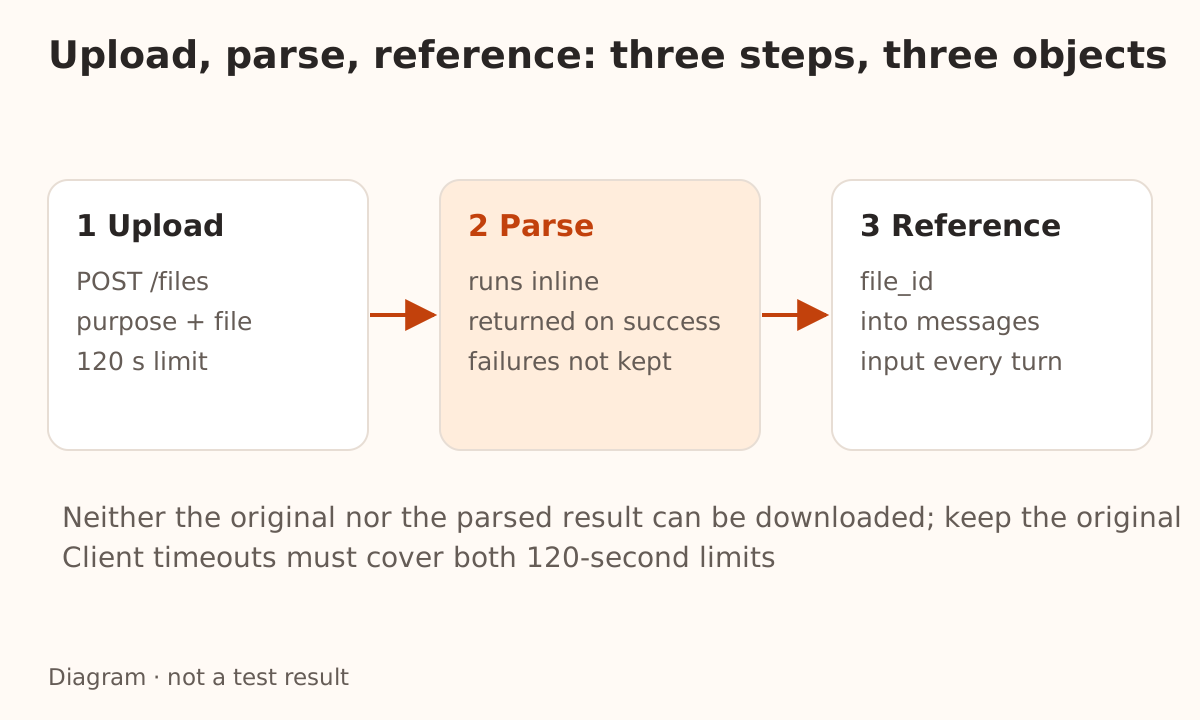
A file is three steps, not one field
| Step | What happens | What failure looks like |
|---|---|---|
| Upload | POST /files with purpose and the file | Over 120 seconds returns 408; a file over 100 MiB returns 413 |
| Parse | Runs during the upload, following purpose | Over 120 seconds returns 504; an incomplete result returns 500 |
| Reference | Send the returned file_id in a chat request | Too much content or a wrong format returns 400 |
The important detail: the response arrives only after parsing succeeds, and nothing is sent while the file is being parsed. Set the timeout on your client, your reverse proxy and any gateway to cover upload time plus parsing time. The usual 30-second default is not enough.
A client disconnect does not cancel parsing. If parsing succeeds, the file is stored, billed, and shows up in GET /files. On a timeout, check the list before uploading again.
Two parsing purposes: whether the model sees figures
purpose decides what the model receives. It affects answer quality and cost.
purpose | What the model gets | Suitable documents |
|---|---|---|
text_recognition | Text only; charts, photos and diagrams are dropped | Contracts, papers, scanned text |
rich_layout_recognition | Text plus figures cropped at their original positions | Reports with charts, slides, manuals with diagrams |
Take a financial report with a revenue trend chart and the question "what does this chart show?" With text_recognition the model reads only the body text and can answer from that alone. With rich_layout_recognition it sees the chart and can use it together with the text.
Two limits to keep in mind:
- Figures are detected and cropped automatically, and not every figure is guaranteed to be detected. A figure that was not cropped is invisible to the model.
- Cropped figures use input tokens and count toward the per-request image limit. If the model does not need to see figures,
text_recognitionis cheaper.
There is a third purpose, user_data, for files that need no parsing: images, txt/md/csv/json and source code, plus XLSX/XLS spreadsheets and EPUB/MOBI e-books, which are converted to Markdown during upload (AZW3 and DRM-protected e-books are not supported). These uploads carry no parsing fee; the original file may be at most 32 MiB and its text at most 8 MiB. The documentation does not say how much of a spreadsheet's formulas, extra sheets and charts survive the conversion, so try a small file with a known answer before relying on it for data questions.
Referencing the same file_id from three protocols
Files belong to your account: every API key under it can reference them. Only the block shape differs.
Messages (https://api.deepseek.com/anthropic/v1/messages) needs a beta header:
{
  "model": "deepseek-flash",
  "messages": [{
    "role": "user",
    "content": [
      {"type": "document", "source": {"type": "file", "file_id": "file-api-xxxxxxxxxxxxxxxx"}},
      {"type": "text", "text": "Summarize the key points of this document."}
    ]
  }]
}
Add the header anthropic-beta: files-api-2025-04-14. One easy mistake: with curl you must write the full /anthropic/v1/messages path, while the Anthropic SDK appends /v1 for you.
Responses uses input_file and Chat Completions uses file; neither needs a special header:
{"type": "input_file", "file_id": "file-api-xxxxxxxxxxxxxxxx"}
{"type": "file", "file_id": "file-api-xxxxxxxxxxxxxxxx"}
Pass the file_id, not the bytes or a URL. Document files cannot be sent as base64 or a link in the request; they must go through the upload flow. And a document cannot be used as an image: putting it in an image block returns 400.
Re-billing happens on reference, not on upload
Costs split in two places:
| Stage | Billed by | Current price |
|---|---|---|
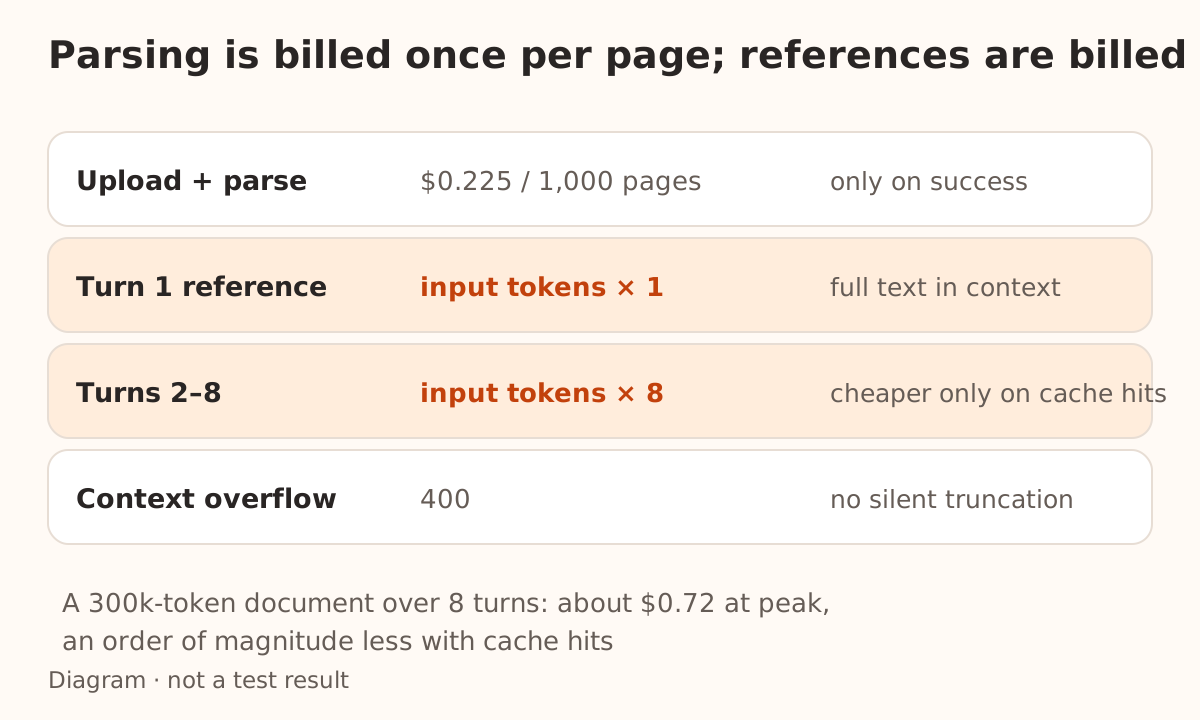
| Upload and parse | Per page, only on success | $0.225 per 1,000 pages |
| Chat reference | Input tokens: the parsed text goes into context | deepseek-flash input, $0.30 per 1M tokens at peak, $0.15 off-peak |
A 150-page report therefore costs about $0.034 to parse, usually a small part of the bill. The reference is what adds up: the full document stays in the conversation context, re-billed as input on every turn, and it is not silently truncated. If the context overflows, the request returns 400.
Suppose that report parses to 300k tokens and you ask eight questions:
- With no cache hits, the document alone is 300k × 8 = 2.4M input tokens, roughly $0.72 at peak prices.
- If the prefix hits the cache, cached input is billed at $0.006 per 1M at peak, an order of magnitude lower.
That is why you should verify caching works when the same document is referenced repeatedly in one session. For the general split between what a client shows, API-equivalent estimates and actual settlement, see T3 Code usage and billing.
Two hard limits apply per request: at most 20 documents, and at most 8 MiB of text. Referencing the same file_id more than once counts each time, so sending one large document three times in a single message can hit the limit on its own.
Link reading only looks at the last user message
deepseek_read_url does not work like a fetch function you write yourself:
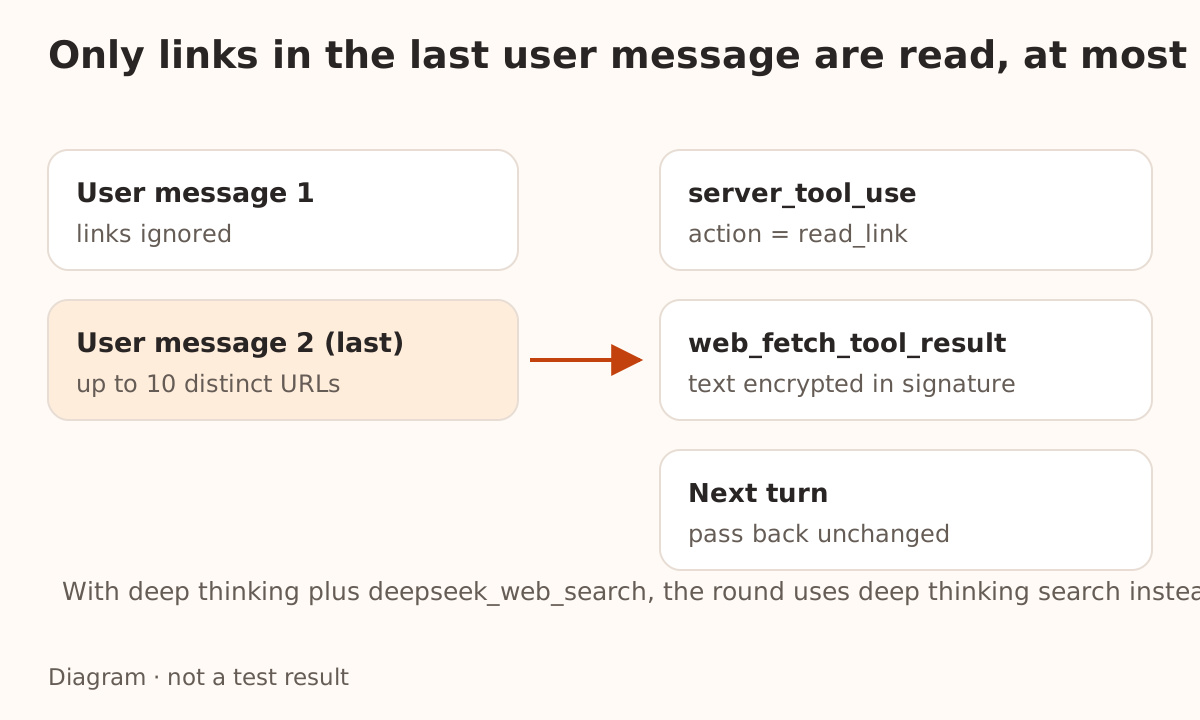
- Only the last user message is checked for URLs, at most the first 10 different ones, duplicates counted once. The model decides which to read.
- If deep thinking and
deepseek_web_searchare both on, that round runs deep thinking search instead and does not read links separately. To read links only, declaredeepseek_read_urlalone. - Each page read produces a
server_tool_useblock (input.actionisread_link) and aweb_fetch_tool_resultblock. Several links are all called first, then their results arrive together. - The result carries the URL, title and publication date, but not the page text: the page travels encrypted in
signature. In a multi-turn conversation, pass the block back unchanged or the page is not restored into context.
Failures come in three kinds, and they mean different things:
error_code | Meaning |
|---|---|
url_not_accessible | The link could not be read |
url_not_allowed | Reading is not allowed, or the page failed the content safety review |
unavailable | Service unavailable, page not openable, or the call did not finish |
Billing counts successful fetches. The docs say pages whose result is then replaced by url_not_allowed or unavailable are still billed, so a page blocked by review is one you still paid to fetch ($0.75 per 1,000 fetches). Do not use it to sweep sites whose terms you have not checked.
When to parse files yourself
Server-side parsing saves you OCR, chunking and context assembly, but it is not always the right tool:
- You need to point at the source. If a citation must land on a page and paragraph, keep your own copy of the original so you can check it later. Same requirement as the PDF citation chain.
- The same material serves many users. Parsed results cannot be downloaded, so there is no reusable artifact. Put the document in your own knowledge base and retrieve from it; that beats carrying the full text every turn.
- You need several sheets or preserved layout. The
user_dataspreadsheet path keeps text, not structure. Convert it yourself for reliability. - The file must not leave your system. Uploading sends it out; what happens next depends on the terms and your account settings. Evaluate contracts and customer data internally first.
The other direction is just as true: a one-off question, a temporary page, an internal "summarize this article" tool — the server-side path is the shortest.
File handling elsewhere has its own rules this year; Gemini, for example, reads only the first sheet of a workbook and renders some Office formats as page images. The comparison is in what Gemini actually sees in Excel and PowerPoint files. Both cases make the same point: a successful upload does not prove the model saw what you expected.
FAQ
Can I download an uploaded file back? No. Neither the original nor the parsed result can be downloaded, so keep originals in your own system.
How long are files kept?
Permanently by default. You can set expires_after[anchor]=created_at and expires_after[seconds] (1 hour to 30 days) at upload. An account may store up to 10,000 files and 25 GiB.
Why did the upload return 400 about purpose?
For documents, purpose must be sent before the file field. The OpenAI Python SDK sends form fields first, so it needs no change; hand-written curl or a custom multipart body does.
Does a different API key under the same account see my uploads? Yes. Files belong to the account and can be referenced by any key in it, and only within it.
Using this through Nbility today
Nbility does not currently expose a /files upload endpoint or a dedicated route for deepseek_read_url. Uploading under the official flow means calling DeepSeek directly with a DeepSeek API key.
Through Nbility, start with connection basics to confirm available models and how to call them. Turning file content into text and putting it in messages yourself still works, but you own the parsing and length control; see the retry advice in empty content from an AI API. When the model needs to research the web instead, DeepSeek's search and fetch path is separate, covered in DeepSeek's search API splits finding, reading and citing.