Building a Public Chatbot on DeepSeek's New APIs? Handle Refusals in the Frontend
On November 13, DeepSeek opened web search, file input, URL reading and a safety-check parameter to its API. A streamed answer can still end as a refusal after the final review. Here are the refusal markers for three protocols, billing, and file-parsing timeouts.
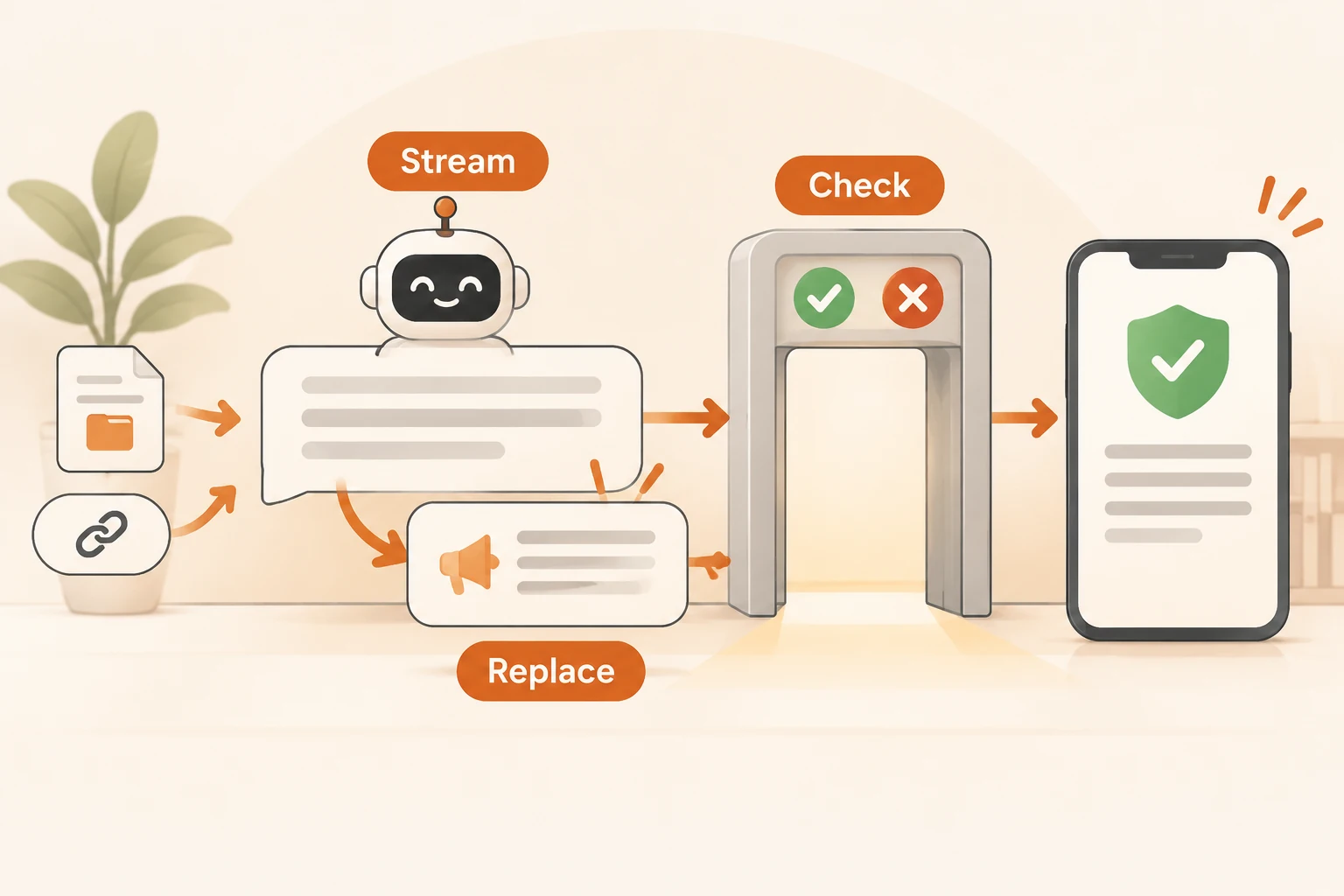
On November 13, 2026, DeepSeek opened several conversation features from its web and mobile apps to the API: web search, search while thinking, file input, URL reading and model content safety. deepseek-flash supports them across the Messages, Responses and Chat Completions protocols, with searching and page fetching done on the server.
If you plan to build a public-facing chatbot on it, one detail is easy to miss: with the safety check on, an answer that has already streamed to the user can still end as a refusal. Your frontend must be able to take that text back down.
This article checks DeepSeek's change log, Build a Chatbot, model content safety, file parsing and pricing docs as of November 15, 2026. We did not call the API with a real key or trigger a refusal; response formats come from the official docs. Everything here describes DeepSeek's own API. If you go through a gateway, confirm separately that fields such as safety_check are passed through unchanged.
Turning on the safety check is one field
{"safety_check": {"level": "high"}}
level must be high or low; low is the same as omitting it and gives the API's default content check. With high, inputs such as user messages and tool_result content, plus the model's output, are reviewed. It works alone or alongside the web tools; on its own, tool_choice must be auto or none.
DeepSeek is explicit: if you serve the public, enable this parameter, but it does not replace your own obligations as a service provider, such as content review, large-model registration and AI labeling. You remain primarily responsible for content safety.
Refusals arrive after streaming ends
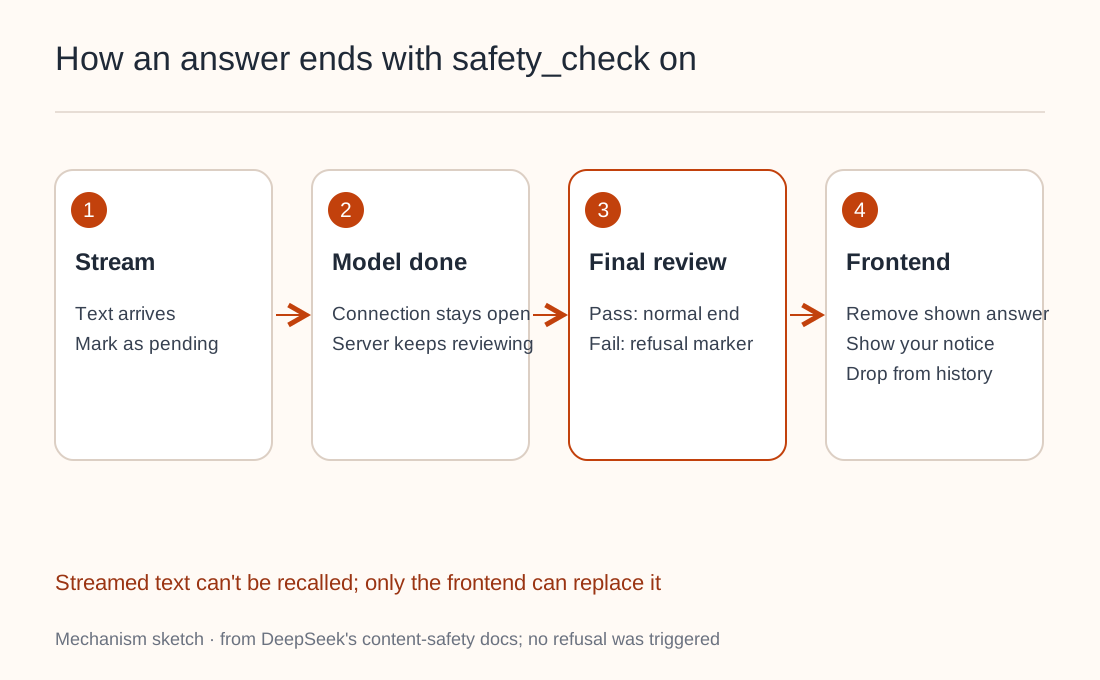
With safety_check on, the connection doesn't close when the model finishes. The server reviews the complete output once more while the connection stays open, and that review can still turn the response into a refusal.
Text already streamed to the browser can't be recalled. Your frontend should therefore:
- Display tokens as they arrive, but mark the answer as pending.
- Decide whether it's a refusal only after the end marker arrives.
- On a refusal, remove the displayed answer and show your own notice. The response won't say why.
- Keep the removed text out of stored history as well.
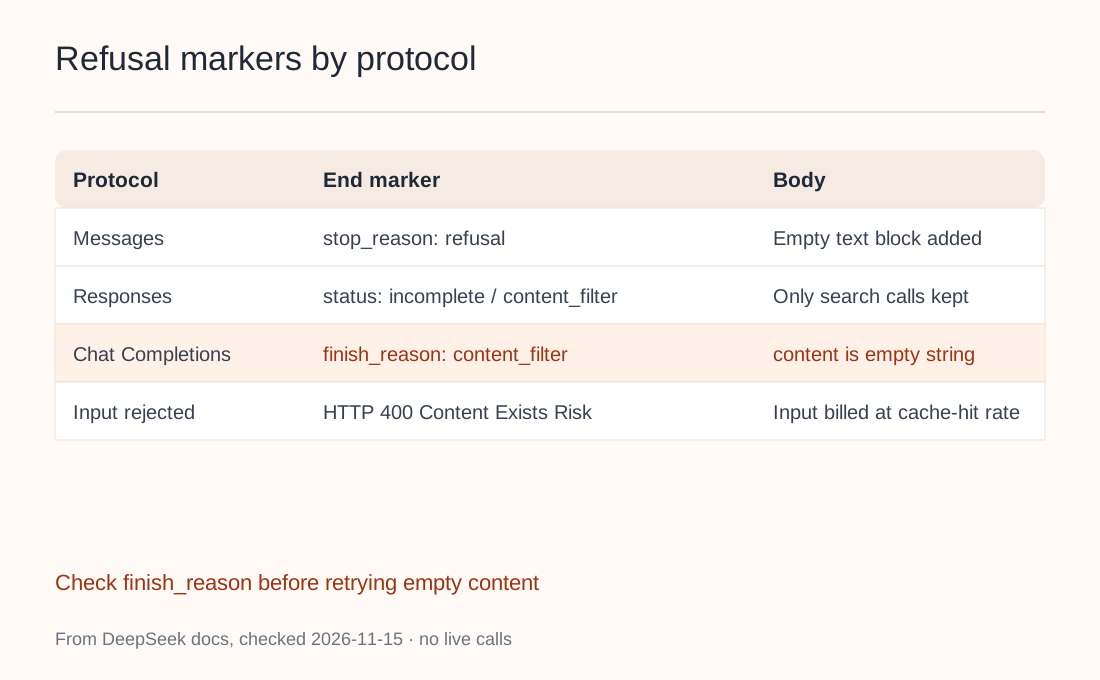
Each protocol marks a refusal differently, so check per protocol:
| Protocol | On refusal | Tools already run |
|---|---|---|
| Messages | stop_reason is refusal | Tool blocks kept, plus an empty text block |
| Responses | status is incomplete, incomplete_details.reason is content_filter | output keeps only web_search_call |
| Chat Completions | finish_reason is content_filter, content is an empty string | server_tool_calls kept, thinking cleared |
On Chat Completions, a refusal looks like an empty response. If your client retries empty content as a network error, you pay again for the same result. Check finish_reason first; see empty content from an AI API. When images fail review, a refusal field names which ones.
Two more cases: requests that declare web tools without safety_check can also end in a refusal, and when the input fails review the request returns 400 Content Exists Risk straight away.
Refusals are billed too
Per the docs:
- Tokens consumed before the refusal are billed as usual.
- Tokens from the safety review itself are billed as output and listed separately as
safety_tokensinusage(usage.completion_tokens_details.safety_tokenson Chat Completions). - When input fails review and returns
400, input tokens are still billed at the cache-hit rate.
deepseek-flash pricing is time-based. Peak hours are 9:00–12:00 and 14:00–18:00 Beijing time on working days, at CNY 2 per million uncached input tokens and CNY 8 per million output tokens; other hours are half price. Web search and page fetching cost CNY 5 per 1,000 calls on top. Log safety_tokens separately from ordinary output so you can see what the review adds each month.
When web tools, safety_check: high or conversation titles are enabled, the server ignores parameters such as temperature, top_p, stop, seed and n (the exact list varies by protocol). max_tokens still applies, but it limits output per reasoning step, not for the whole turn.
File uploads wait for parsing
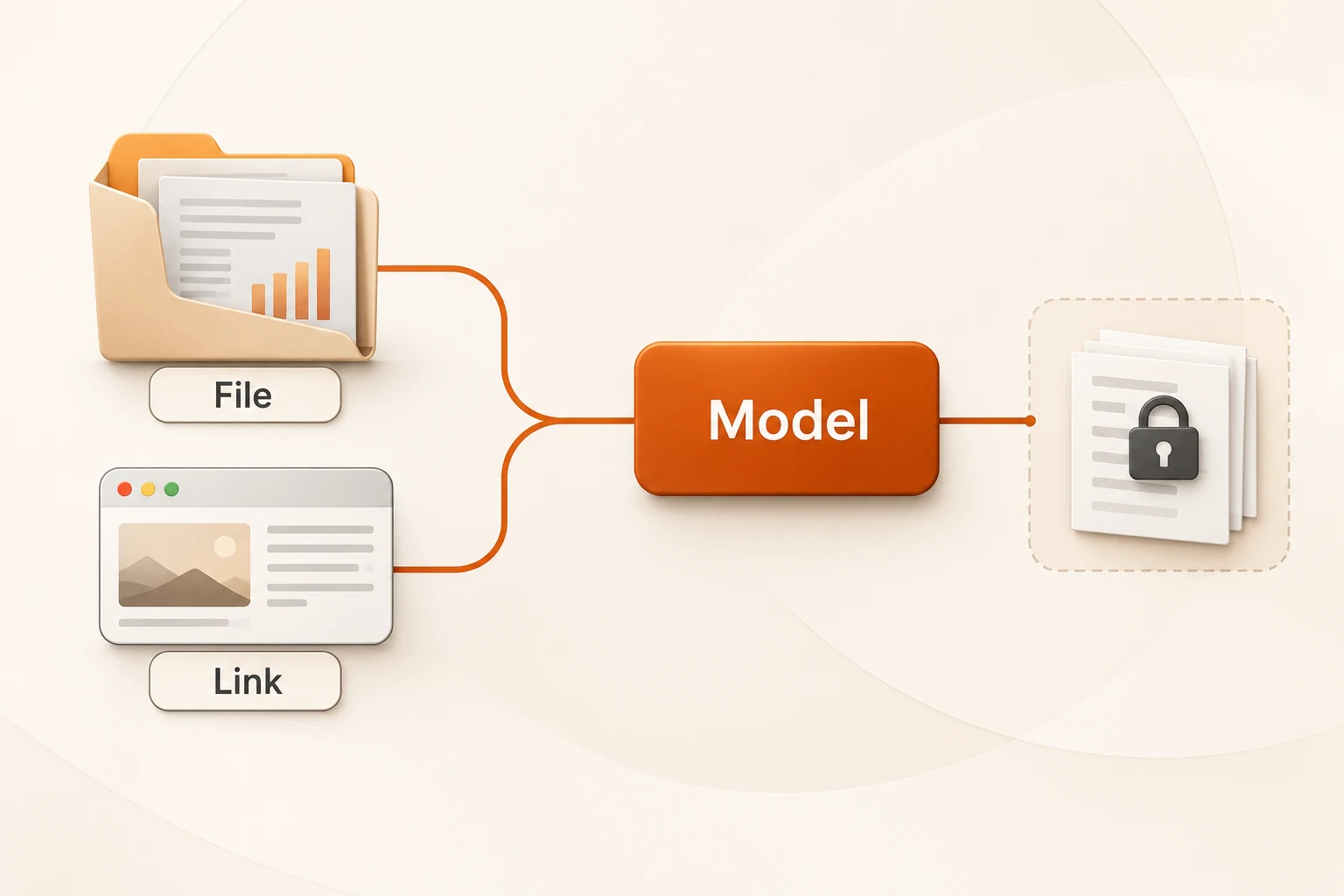
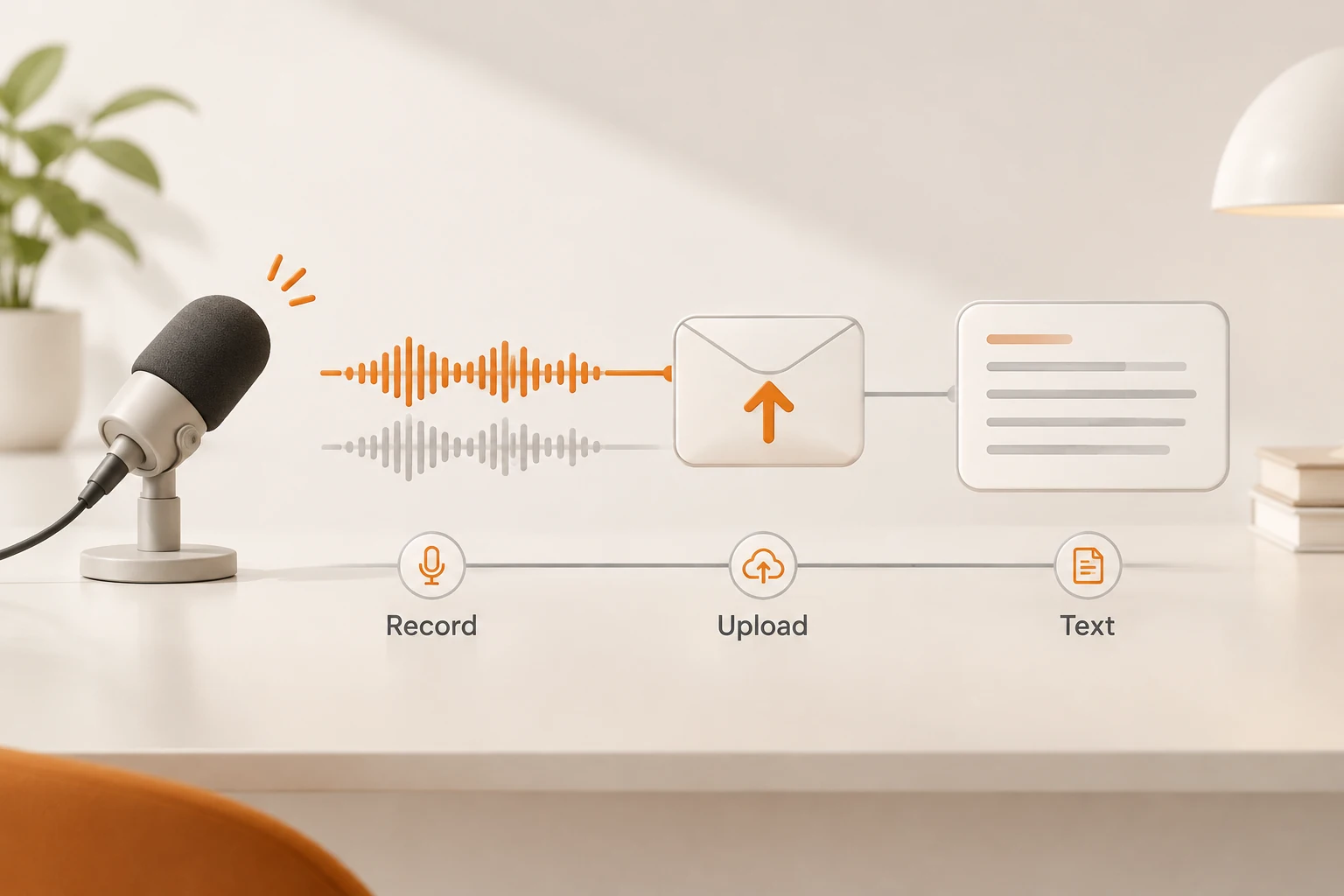
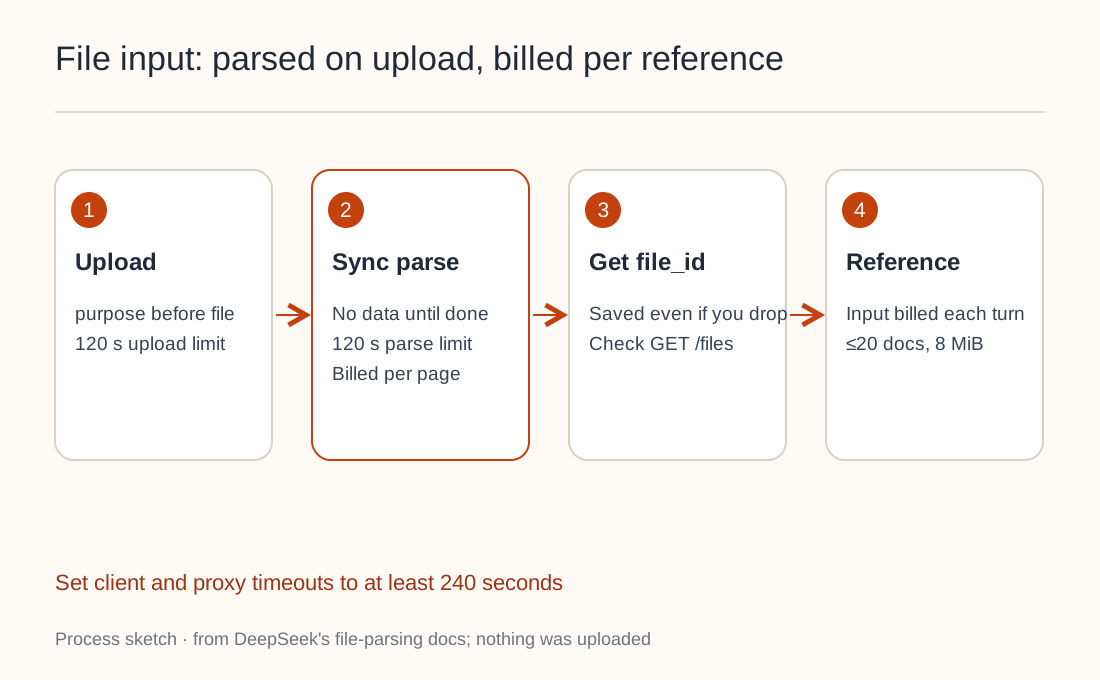
File input takes two steps: upload to the Files API with a parsing mode, then reference the returned file_id in the conversation.
curl https://api.deepseek.com/files \
  -H "Authorization: Bearer $DEEPSEEK_API_KEY" \
  -F purpose="text_recognition" \
  -F file="@report.pdf"
Details that affect implementation:
purposemust come beforefile, or you get400. The OpenAI Python SDK sends form fields first, so it needs no change.- The upload call returns only after parsing finishes, sending nothing in the meantime. Uploads must finish within 120 seconds and parsing within another 120; set client and proxy timeouts to cover both.
- Disconnecting doesn't cancel parsing. A successfully parsed file is stored and billed by page (CNY 1.5 per 1,000 pages) and shows up in
GET /files. Check there before uploading again. text_recognitionkeeps text only and drops charts. Userich_layout_recognitionwhen the model needs to see figures; cropped images count toward input tokens and the per-request image limit.- Referenced documents stay in context. In multi-turn chats, documents referenced in earlier messages remain in full and are billed as input every turn. Overflow returns
400; nothing is silently truncated. Each request can reference up to 20 documents totaling 8 MiB of text.
For the full upload and link-reading flow, see what the DeepSeek API now reads from files and pages. Neither the original file nor the parsed result can be downloaded, so keep originals in your own system. Plain text, spreadsheets and e-books upload with purpose: user_data and carry no parsing fee. For answers that cite their sources, see the PDF Q&A citation chain; for search-and-fetch research, see DeepSeek Search & Fetch.
The demo client isn't a production frontend
DeepSeek open-sourced a demo client that keeps your API key, history and images in browser storage, and labels it demo-only. For a public service, keep the key on your backend, which forwards requests, records usage and handles refusals. Don't hand the key to visitors' browsers; see keeping API keys safe.
A pre-launch checklist:
- The frontend removes the whole answer on a refusal marker and shows a notice.
- Empty
contentnever triggers an automatic retry. - Logs separate
safety_tokens, search calls and parsed pages. - Upload timeouts allow at least 240 seconds for upload plus parsing.
- Your team handles registration, AI labeling and other compliance duties separately.