What Gemini actually sees in an Excel workbook or PowerPoint file
Gemini's expanded Office support has format-specific boundaries: only the first spreadsheet tab is read, and PPTX follows a different path from PPT. Prepare inputs for values, formulas, and layout separately.

Uploading a workbook and asking which regions lost sales sounds simpler than copying tables. There is a significant boundary: Gemini currently reads only the first sheet of XLSX, XLS, and ODS files. A polished answer cannot establish that it saw regional details stored on another tab.
On November 5, Google expanded Office and OpenDocument input support with PPT, ODP, ODS, and page-image processing for DOC. More accepted formats are useful, but acceptance alone does not establish which parts reach the model.
This article checks the release notes and document-processing rules on November 16, 2026. It describes the official Gemini API. We have not uploaded files or obtained model results; the fixtures below are proposed public acceptance material.
PPT and PPTX do not follow the same path
The current documentation distinguishes these inputs:
| Format | What reaches the model | Main boundary |
|---|---|---|
| DOCX, DOTX, ODT, PPTX | Whole-file text, plus embedded images for DOCX and PPTX | Pages and slides are not rendered; layout and charts may not survive |
| DOC, PPT, ODP | Rendered images of every page or slide | Small text and visual interpretation still need checking |
| XLSX, XLS | First-sheet cell values converted to CSV | No formulas, formatting, or other sheets |
| ODS | First-sheet data and formulas | Other sheets are ignored |
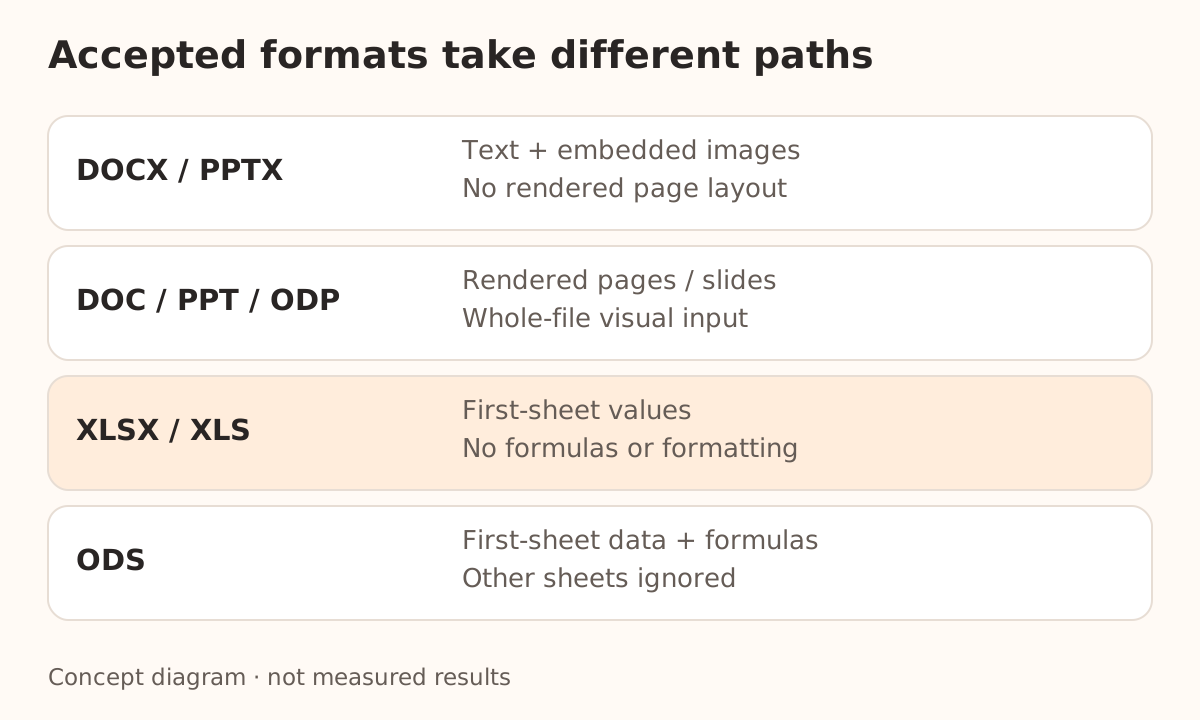
Renaming a PPTX extension to PPT does not convert the file. For layout or chart analysis, consider exporting from the original application to PDF, inspecting that export, and using a page-vision path. For textual takeaways, the original PPTX may be sufficient. Choose a representation based on the evidence the task needs.
This comes before the PDF citation-chain checks: first establish that the input includes the evidence, then check whether answers point back to it.
Declare the workbook scope before asking for calculations
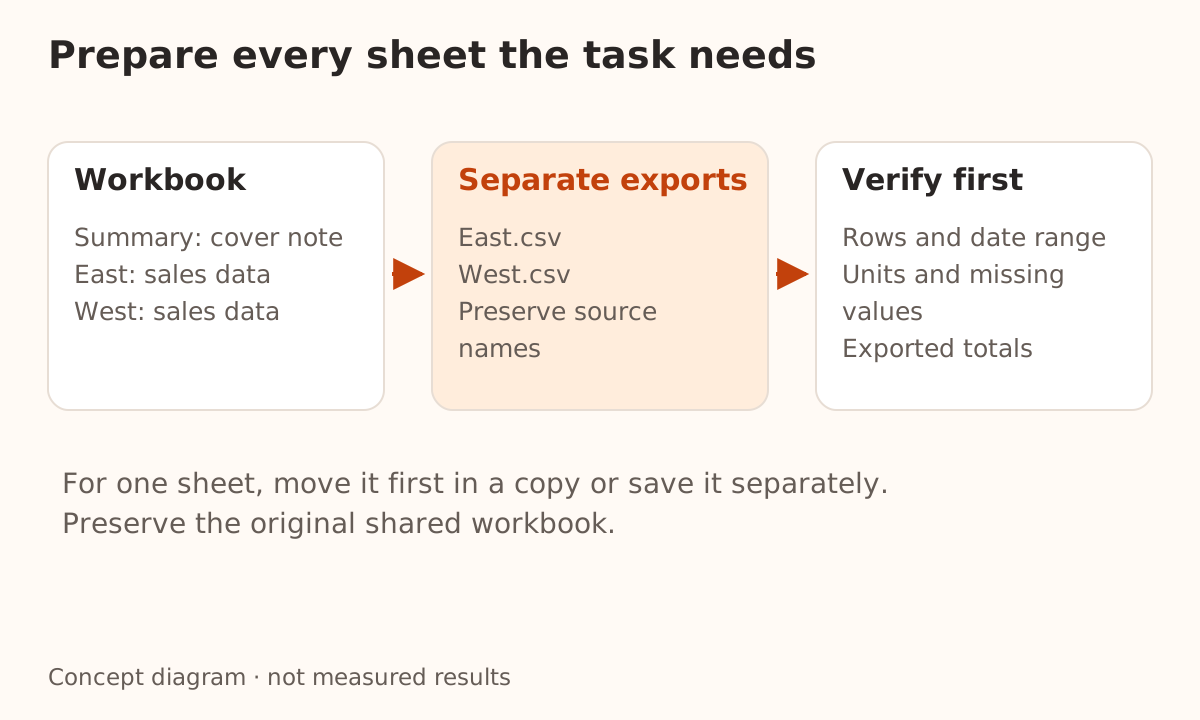
Imagine a public demo workbook containing Summary, East, and West. Summary holds only a cover note; the other tabs contain monthly sales. Mentioning East in the prompt does not make the API read the second tab.
For a task spanning sheets:
- Identify sheet names, date ranges, columns, units, and missing-value meanings.
- Save each target sheet separately, or export individual CSV files with clear source names.
- Check exported row counts, totals, and date boundaries for omissions.
- Ask the model to identify the supplied tables and columns before calculating.
For one target sheet, the documentation also suggests moving it to the first position. Work on a copy rather than changing a shared business workbook just to prepare model input.
Once XLSX formulas have been removed, the model cannot audit them from cell values alone. Supply formula text and dependencies separately when that is the task. ODS includes first-sheet formulas, but that does not establish that cross-sheet dependencies have been recalculated. Verify numeric results in a spreadsheet or deterministic calculation program.
Use evidence the model cannot infer from a tab name
Put different harmless markers in a temporary workbook:
Summary: DEMO-COVER-17
East: DEMO-EAST-42
West: DEMO-WEST-86

Task: list the markers actually available and their source sheets.
Write "not provided" for missing content. Do not infer it from tab names.
These are proposed fixture contents, not model output from this article. Add a sample slide containing labeled arrows and a legend. Ask separately about its words and its visual relationships to distinguish text access from layout understanding.
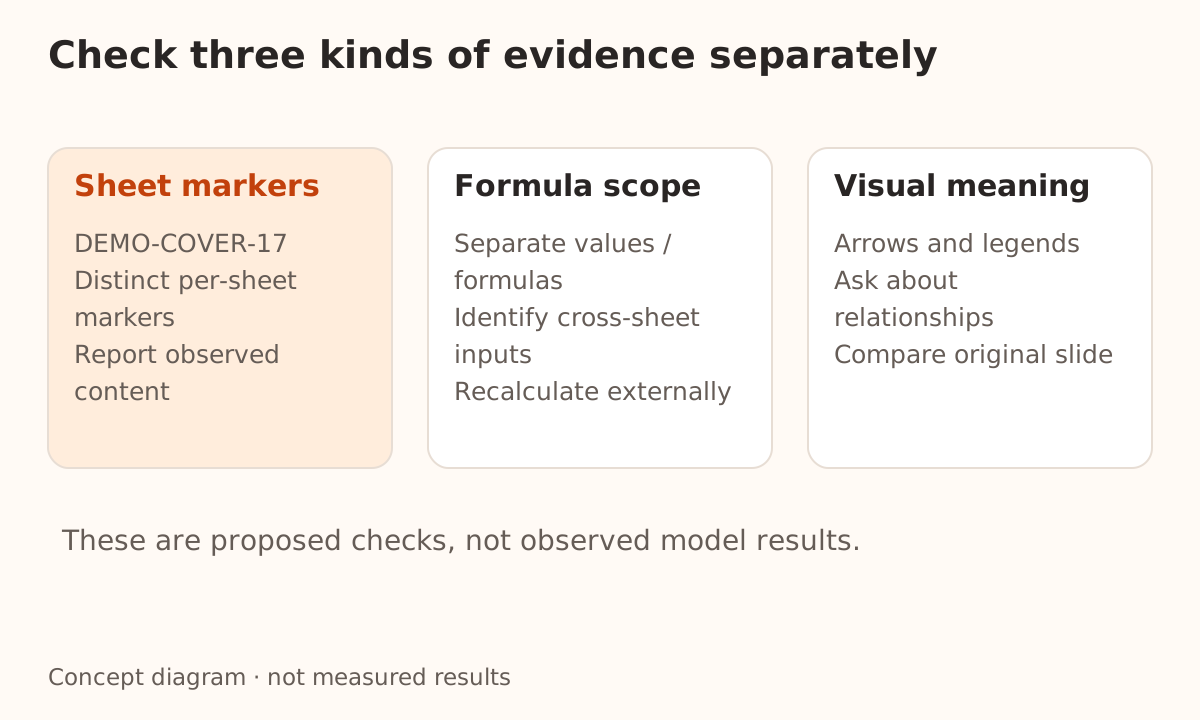
A correct marker provides positive evidence for that run. An omitted marker can also reflect a model ignoring an instruction. Interpret results alongside the documented processing rules and original file; do not derive an accuracy rate from one question. The fixed-task comparison guide explains how to set broader completion criteria.
Files returned by tools follow the same rules
The update also expanded file types in function responses, including Office, audio, and video. Office processing is the same whether a file arrives in the initial request or a tool response. Wrapping an XLSX in a tool result does not expose every sheet.
Attach a small manifest to document workflows: format, included sheets or pages, units, layout requirements, and separately supplied material. Structured output can constrain the answer's fields, but complete fields do not prove complete input.
For Nbility, verify the selected model and channel against the Gemini compatibility documentation. We have not established support for these new formats or Google Files URIs through that route. Official support does not make a third-party upload address interchangeable. Start with a small public file and verify content coverage before using business documents.
For files created by a tool, also check the content blocks and call IDs in multimodal tool results. A filename does not deliver the artifact, and returning it through a tool does not expand the processing scope described here.