Designing a media archive with Gemini Embedding 2
Build cross-modal search with Gemini Embedding 2 by choosing record boundaries, distinguishing aggregation from separate vectors, and preserving source locations.
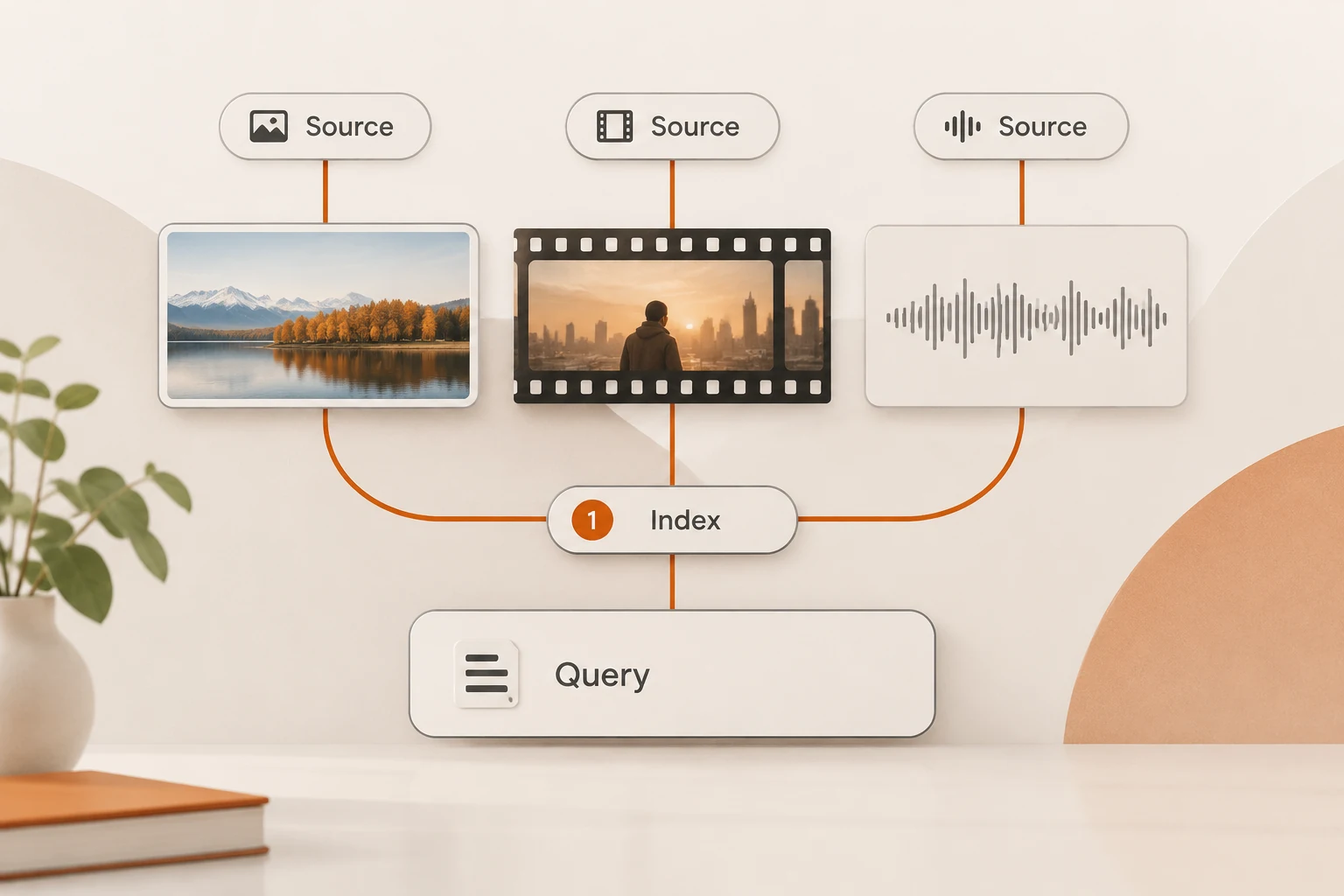
Gemini Embedding 2 maps text, images, audio, video, and PDFs into a shared vector space, allowing a text query to retrieve different kinds of media. A useful archive still needs a clear answer to two questions: what does each vector represent, and where does a search hit lead in the original artifact? Combining unrelated files into one vector makes those questions harder.
We rechecked the embedding guide and model page on November 18, 2026. The model page lists April 2026 as its latest update; November 6 concerns preview deprecation and routing, not a new launch today. This article proposes an archive design and verification method. It contains no model calls or measured retrieval results.
What is cross-modal retrieval useful for?
It can retrieve media related to a description: a product-unboxing clip, a photo containing a red backpack, or an audio segment about returns. The query and indexed material need not share the same modality.
Similarity ranks candidates. It does not prove an object is present or provide a verbatim transcript. Open the source after retrieval and verify it visually, through transcription, or manually. Exact dates, amounts, and contract clauses may also need keyword search or structured filters.
This connects to candidate coverage before reranking: downstream ranking and answering only see the candidates they receive. A shared vector space is not a guarantee of complete retrieval.
What should one vector represent?
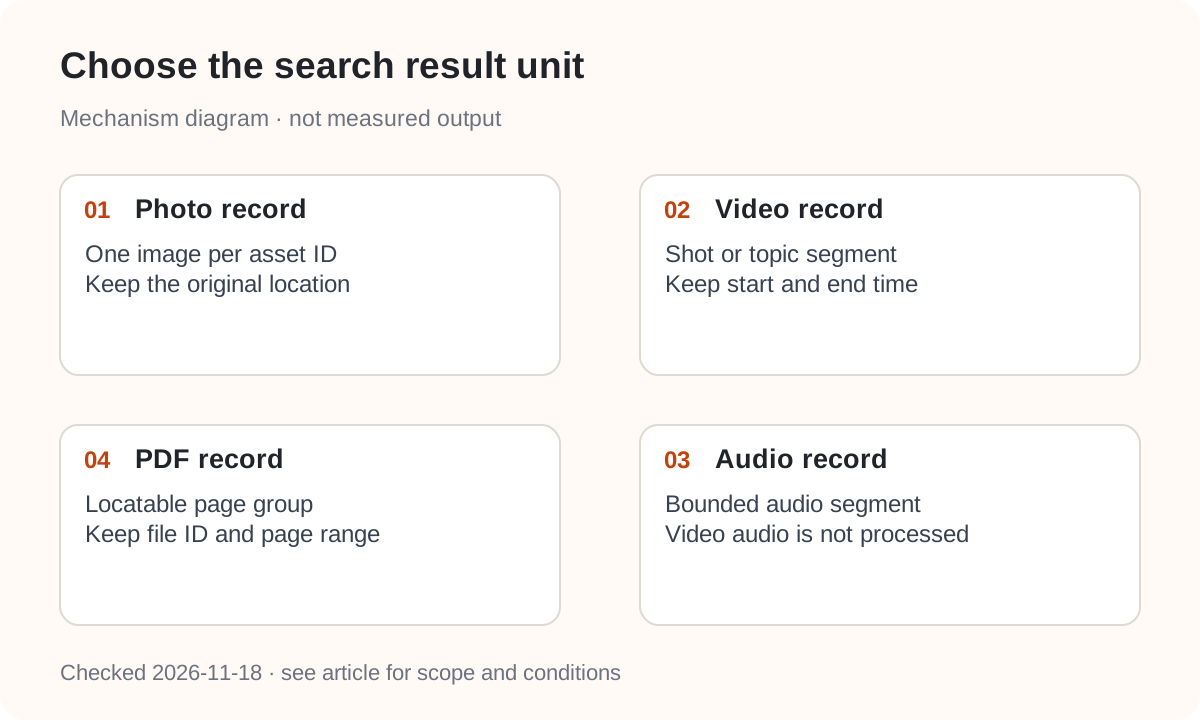
Choose the result unit first. A photo can be one record; audio needs a bounded segment; long video needs a shot or topic segment; PDFs need page groups that remain easy to cite. Store the original asset ID, source location, and preprocessing policy with every record.
Current documented limits include:
| Input | Limit or processing rule |
|---|---|
| Overall | Up to 8,192 input tokens |
| Images | Up to 6; PNG or JPEG |
| Audio | Up to 180 seconds; MP3 or WAV |
| Video | Up to 120 seconds; at most 32 sampled frames; audio tracks are not processed |
| One file per request, up to 6 pages |
Videos no longer than 32 seconds are sampled at one frame per second; longer videos are uniformly sampled to 32 frames. A fleeting action may not appear in the sampled representation. Search over spoken content needs separately extracted audio or a transcript. The audio and video duration limits are different.
Why might several inputs produce only one vector?
Embedding 2 aggregates inputs grouped together. The guide distinguishes multiple parts producing one embedding from separate Content objects producing separate embeddings. An input array's length is not automatically the output vector count.
A product image and its description may belong in one representation. Ten unrelated products in one Content would no longer remain ten independent search results.
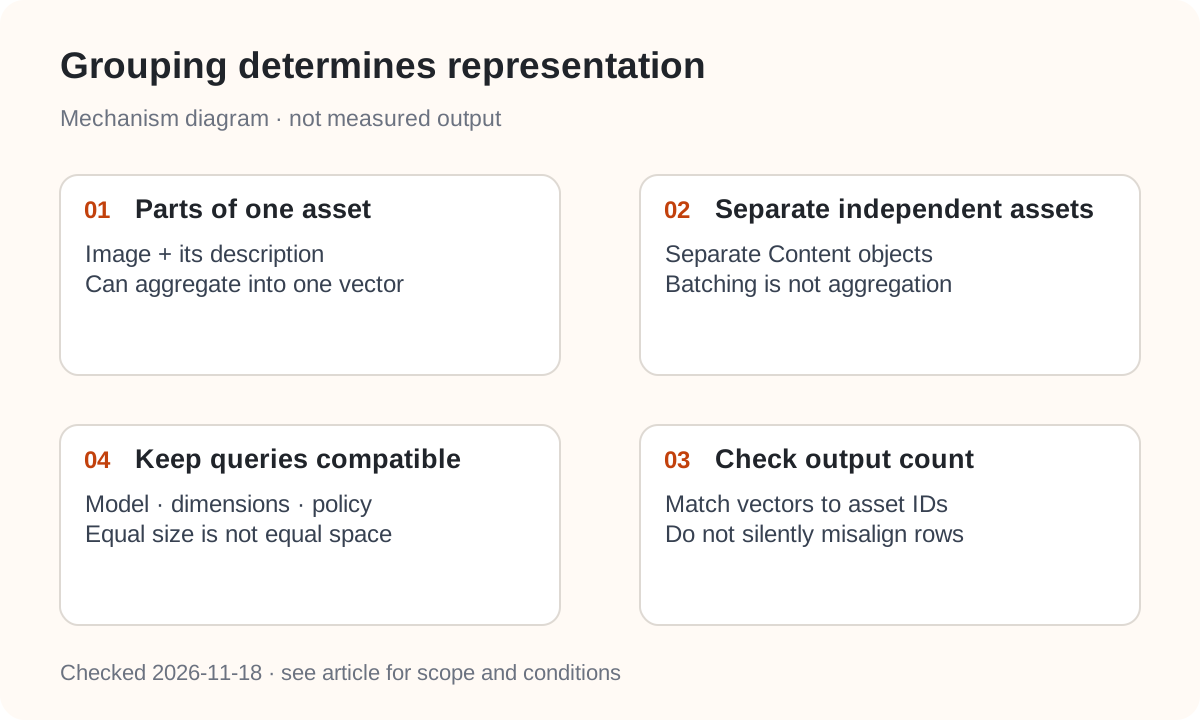
Choose the record boundary before the API structure. Check output count and record IDs on ingestion rather than silently zipping fewer vectors onto a larger input list. For many independent entries, also review the official Batch API embedding support.
Text retrieval has another migration detail: Embedding 2 does not accept the earlier model's task_type. Google recommends task instructions in text, such as task: search result | query: red backpack for a query and title: Product photo | text: ... for a document. For aggregated multimodal input, Google generally advises against adding that task prefix to the text portion. A text-only template is not a universal media template.
What metadata helps catch incompatible indexes?
A record might retain these fields. This is application metadata, not a Google API request:
{
  "asset_id": "public-demo-clip-01",
  "source": "demo.mp4",
  "start_ms": 0,
  "end_ms": 20000,
  "embedding_model": "gemini-embedding-2",
  "dimensions": 768,
  "input_policy": "video-visual-only",
  "content_revision": "demo-v1"
}
The default output is 3072 dimensions; Google recommends 768, 1536, or 3072, with automatic normalization at non-default dimensions in Embedding 2. Keep dimensions and generation policy consistent at query time. Equal dimensions alone do not make vectors from different models comparable. For existing index failures, see the Dify model and cache investigation.
The gemini-embedding-2-preview to stable transition is a documented exception: Google explicitly guarantees the same embedding space and says re-indexing is unnecessary. Our migration record covers the routing date. Do not extend that guarantee to unrelated model changes.
How can you check more than one lucky match?
Collect a small public dataset. Before running retrieval, write down the expected files for each query and plausible distractors. Include separate visual, spoken-content, and text questions, plus a query whose answer is absent.
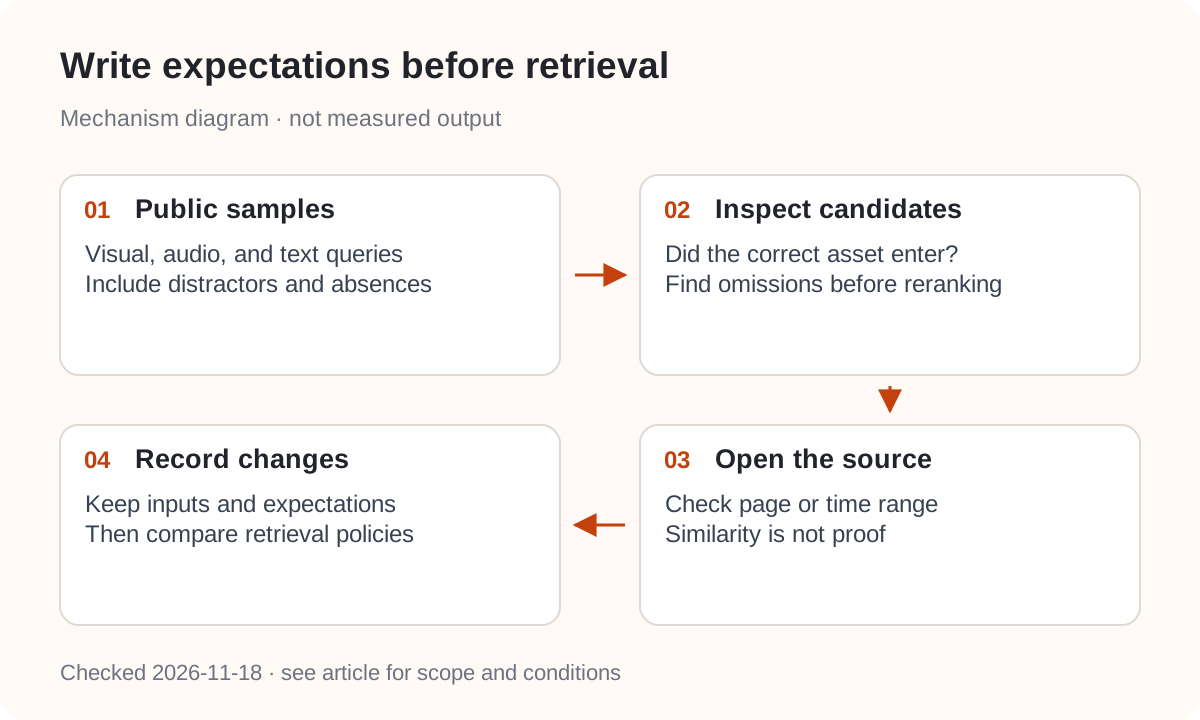
Check whether the expected asset enters the candidate set, whether its time range or page group is useful, and where omissions occur. Do not inherit a text-search similarity threshold without checking it against these samples. This article does not report an accuracy score or optimal threshold because these samples were not run.
Finally, connect every result to the original artifact: page numbers for PDFs and time ranges for media. For evidence-backed answers, use the citation-chain checks. Nbility's general Embeddings reference describes text embeddings; it does not establish support for Google's native multimodal embedContent. Confirm the model, endpoint, and file types separately.