Restoring Global Timestamps After Transcribing Long Audio in Chunks
Record actual chunk boundaries with FFmpeg, map local transcription times back to the original recording, and handle overlap and speaker labels carefully.
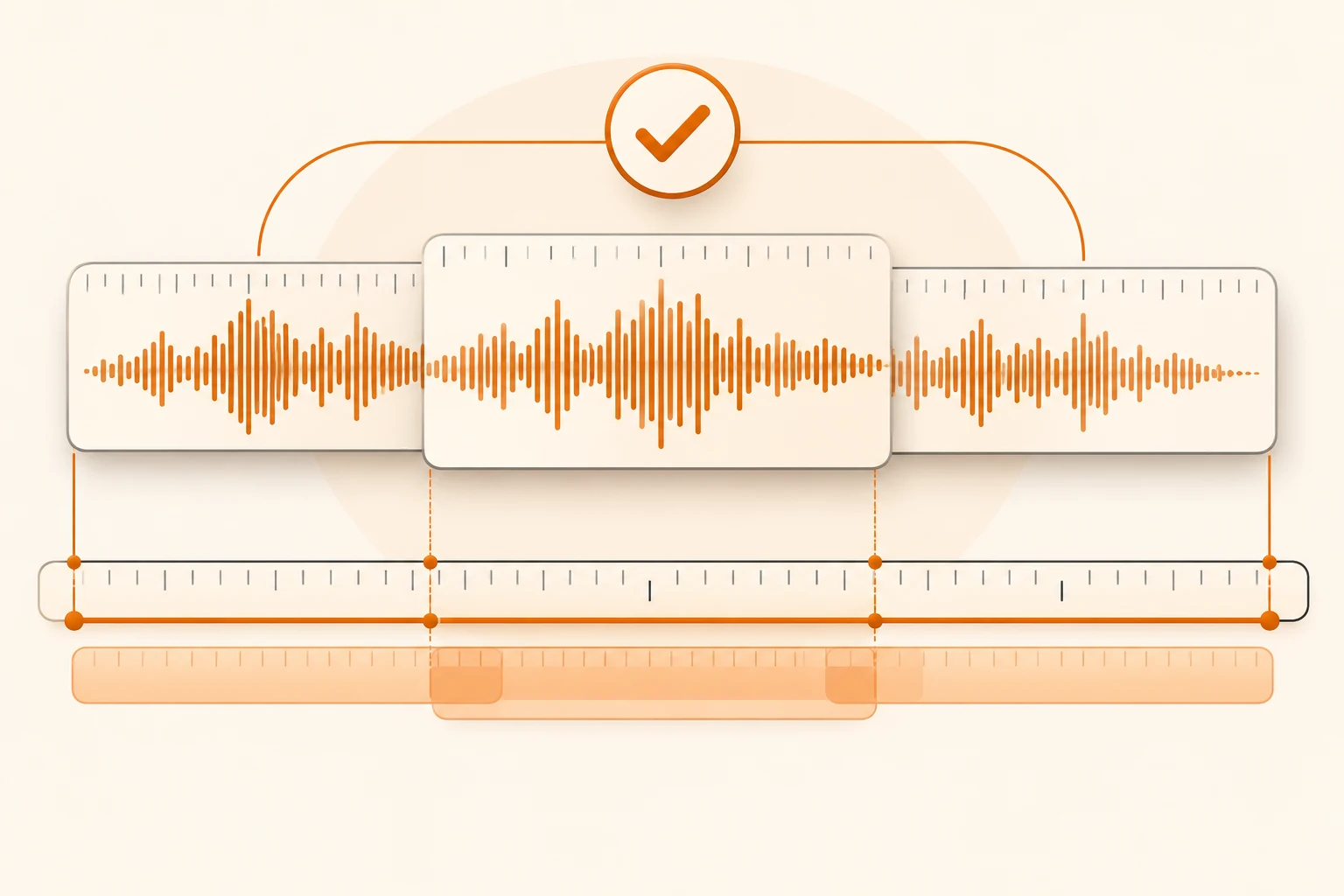
Split a long recording into chunks and each transcription may start again at 00:00. Concatenating those results creates overlapping subtitles. Keep two clocks: the chunk's actual position in the original recording and the local time inside its transcription. Add them, then review the boundaries.
Checked on November 10, 2026, this guide uses FFmpeg documentation and Nbility's audio guide. The segmentation command was executed with synthetic silence on FFmpeg 9.0.2. No real recording was uploaded, no transcription model was called, and speaker recognition was not tested.
Preserve the original and check the model's output contract
Confirm the selected model's file formats, size and duration limits, languages, and output formats. Compatible endpoints do not make every provider's limits identical. If timestamps matter, verify them with a short public sample first. Plain text alone cannot provide reliable audio alignment through a prompt instruction.
Keep an unchanged original and record transcoding or trimming. Mono conversion can affect workflows that rely on separate channels. The 16 kHz mono WAV below is a demonstration choice, not a universal model requirement or an audio-quality recommendation.
Export a manifest while segmenting
Run in a new working directory with a local input copy. Inspect existing output before rerunning:
mkdir -p chunks
ffmpeg -i meeting.wav \
  -map 0:a:0 -vn -ar 16000 -ac 1 -c:a pcm_s16le \
  -f segment -segment_time 600 \
  -segment_list chunks/segments.csv -segment_list_type csv \
  -reset_timestamps 1 chunks/chunk-%03d.wav
600 is a demonstration chunk duration, not an API limit. Adjust it for the model and leave margin. PCM WAV can be much larger than compressed input, so duration segmentation does not guarantee acceptable upload size.
The FFmpeg segment documentation source defines a headerless CSV containing filename, start seconds, and end seconds. reset_timestamps attempts to start each output near zero; the manifest's original-timeline offsets serve a different purpose.
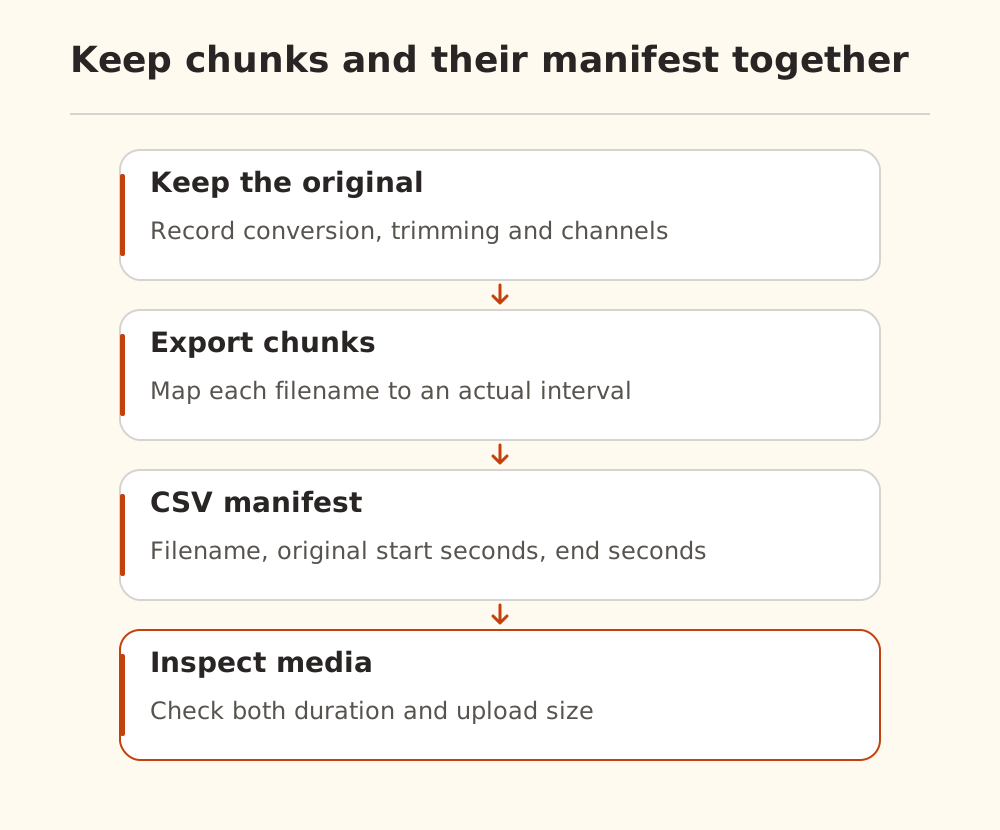
A local 1,250-second silence fixture produced:
chunk-000.wav,0.000000,600.000000
chunk-001.wav,600.000000,1200.000000
chunk-002.wav,1200.000000,1250.000000
This verifies the command and segment boundaries, not speech recognition. Other codecs and cutting methods can be constrained by packet or frame boundaries. Read actual manifests and media information rather than assuming every start equals chunk index times 600.
Validate one chunk before processing everything
The Nbility audio guide documents multipart transcription requests:
curl --fail-with-body --silent --show-error \
  https://api.nbility.ai/v1/audio/transcriptions \
  -H "Authorization: Bearer $NBILITY_API_KEY" \
  -F "model=YOUR_TRANSCRIPTION_MODEL" \
  -F "file=@chunks/chunk-000.wav" \
  -F "response_format=json" \
  --output chunk-000.transcript.json
This basic JSON request does not guarantee timestamps. Select a supported timestamp format and parameters from the model's documentation, then inspect the response. Do not assume all providers share a schema or merge an error body as transcription data. We did not execute this authenticated request.
Check access using the model-list guide. On upload failure, inspect status, content type, and file size before resubmitting.
Restore original-recording times
Use:
global start = manifest chunk start + local transcript start
global end   = manifest chunk start + local transcript end
For a chunk beginning at 600.000 seconds, a local interval of 12.400–15.800 becomes 612.400–615.800. This is arithmetic, not model output. If you trimmed 30 seconds before segmentation and need the untrimmed timeline, add that offset too.
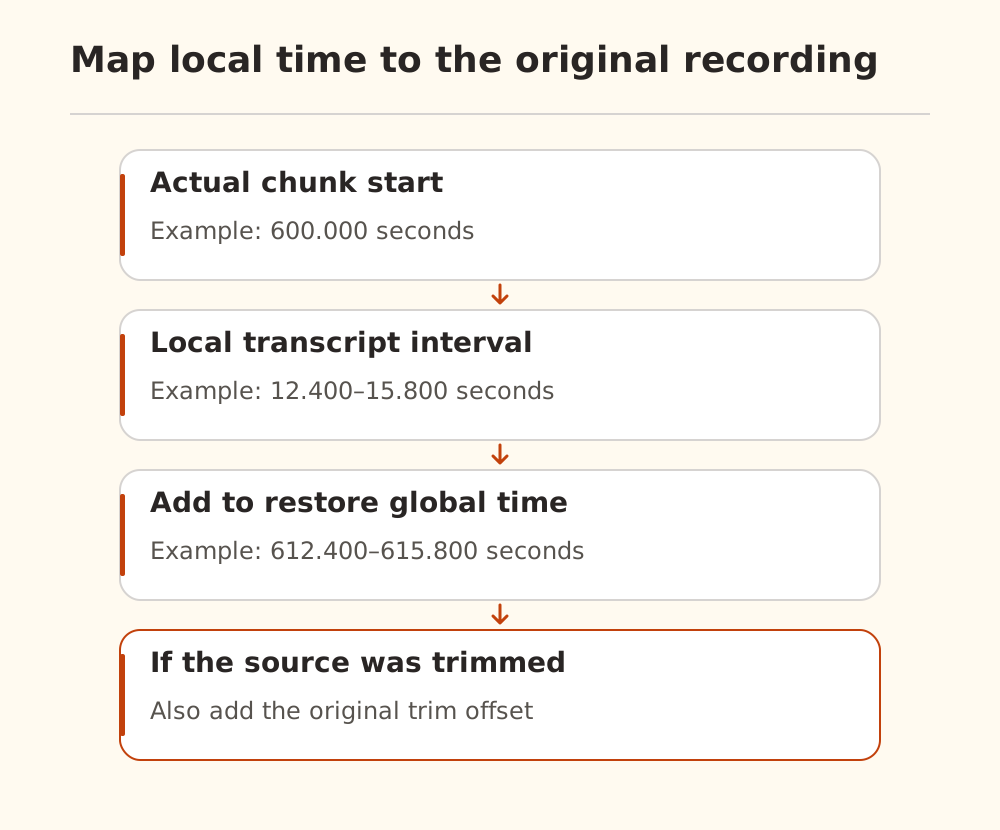
Validate finite numbers, ordered intervals, and plausible positions within the source chunk. Allow justified encoding tolerance without silently repairing absurd values. Sort by global start and retain the source filename for listening checks.
Review overlap and speakers separately
The command above creates consecutive chunks without intentional overlap. If you introduce overlap to preserve boundary sentences, record each actual start. Two recognitions of an overlap can differ in wording, so exact-string deduplication is insufficient; compare time ranges and listen before retaining one version.
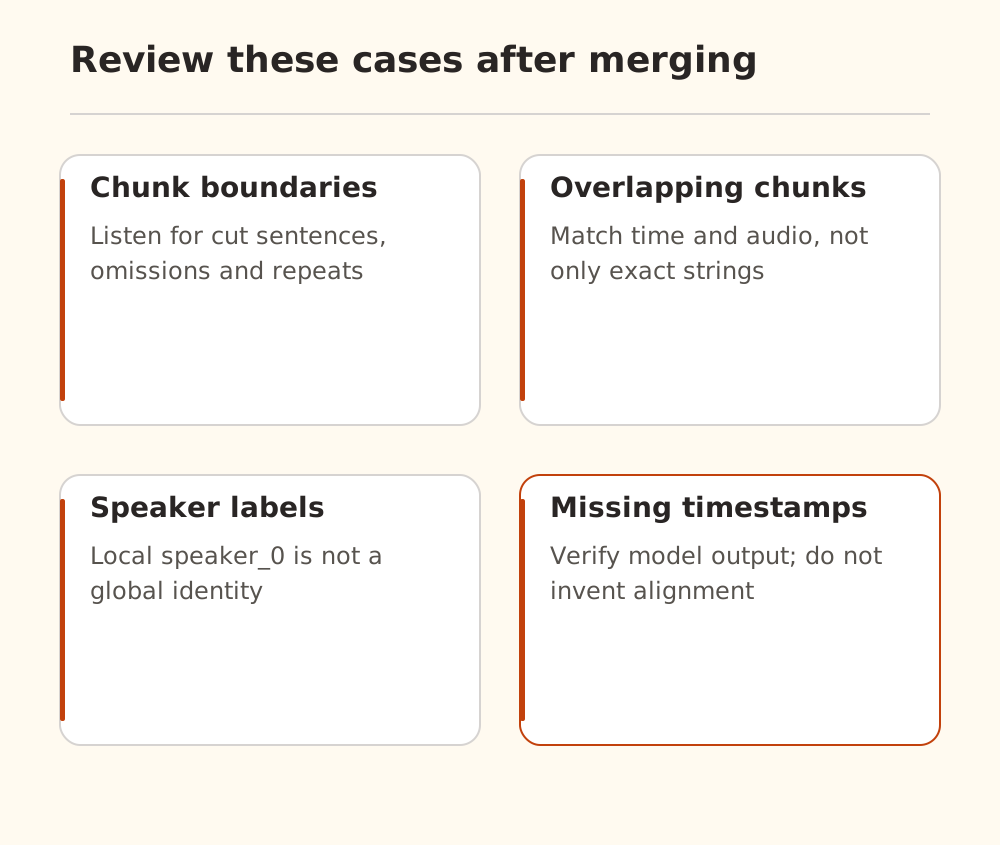
speaker_0 in one chunk need not identify the same person in another. Global speaker identity requires a supporting workflow and separate verification. Names, numbers, and decisions also need review before the transcript becomes meeting minutes.
Listen at the beginning, chunk boundaries, and end, then check timestamps cited in the final output. The document-summary workflow can help with a reviewed transcript, while preserving audio references. Configure dedicated credentials using connection basics, and control recording copies, access, and retention when personal information is involved.