Voxtral 3 Aims to Carry a Voice Conversation Through a Complete Task
Separate transcription, turn detection, reasoning, tools, and playback. Check preview status, interruption boundaries, and tool differences between app and phone sessions.
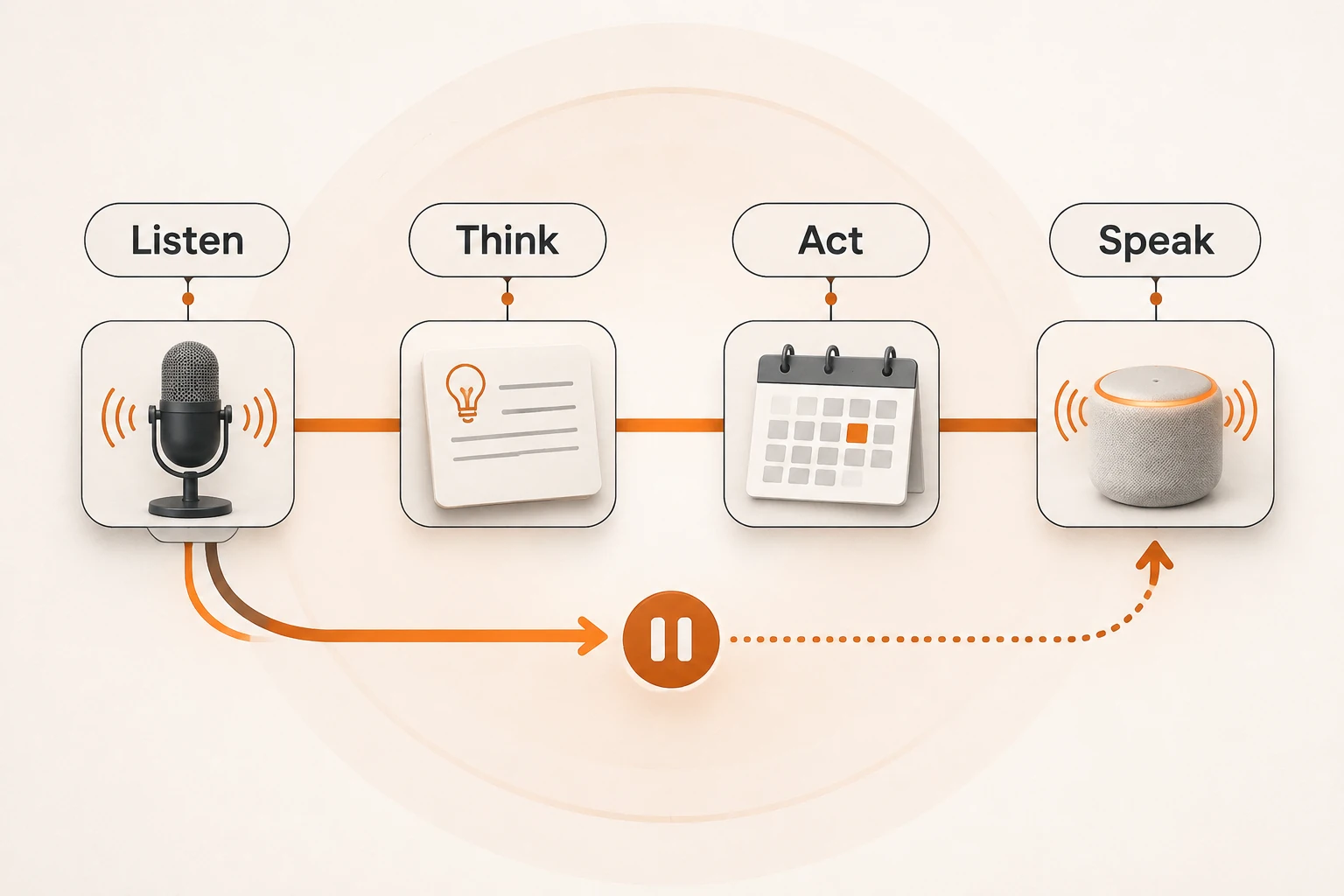
A caller asks for Wednesday appointments, then corrects the date to Thursday. A useful voice assistant must retain the correction, decide when to respond, query the right tool, and speak the result. Fast transcription alone can still lead to the wrong date; natural speech does not establish that a lookup happened.
Mistral released Voxtral 3 and its Voice Agents SDK on October 20, 2026. This article checks the announcement, current SDK guide, and turn-taking documentation on November 11. We have not deployed the SDK, connected a phone call, or measured latency. The scenario below is an acceptance plan.
Different models and the application share the work
Voxtral 3 is a family and a software stack. A typical configuration combines voxtral-mini-transcribe-realtime-3-0, a selectable language model, and voxtral-mini-tts-3-0. The SDK uses LiveKit for real-time audio transport and connects the stages.
| Stage | Responsibility | Observable check |
|---|---|---|
| Transcription and turn detection | Recognize speech and decide when the user is finished | Keep the corrected date; avoid treating a pause as completion |
| Language model | Read history and answer or call a tool | Use the latest intent and correct arguments |
| Tool | Query an application or business system | Preserve actual results, failures, and operation state |
| Synthesis and playback | Speak the answer and allow interruption | Pronounce details correctly and stop stale speech |
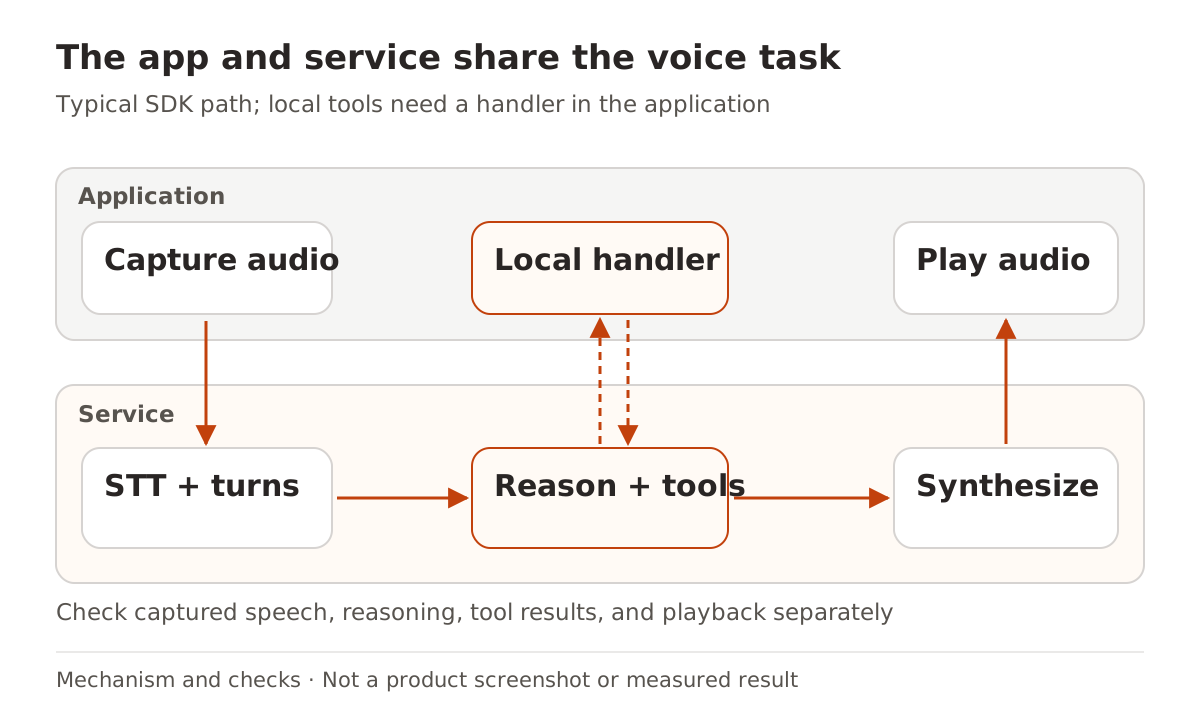
The announcement covers batch transcription, realtime transcription, TTS, and voice agents together. Their language coverage and release status differ. The realtime model page currently says Public Preview. Do not describe every component as generally available. Vendor latency claims also do not measure the complete path through your network, tools, and playback device.
For recorded audio that only needs a transcript, an offline request is simpler; see the Audio API. Turn-taking and interruption require more than adding a streaming flag to an upload.
A pause does not always end the user's turn
People pause while reading order numbers, addresses, and dates. Replying too quickly may act before a correction. The current turn-taking guide distinguishes a likely end from a confirmed end: speculative work should be disposable, and resumed speech can invalidate it.
There is also an API boundary: the Voice Agents SDK handles detection internally and does not expose turn.eager_end or turn.resume to applications. Low-level transcription event examples are not interchangeable with SDK event listeners.
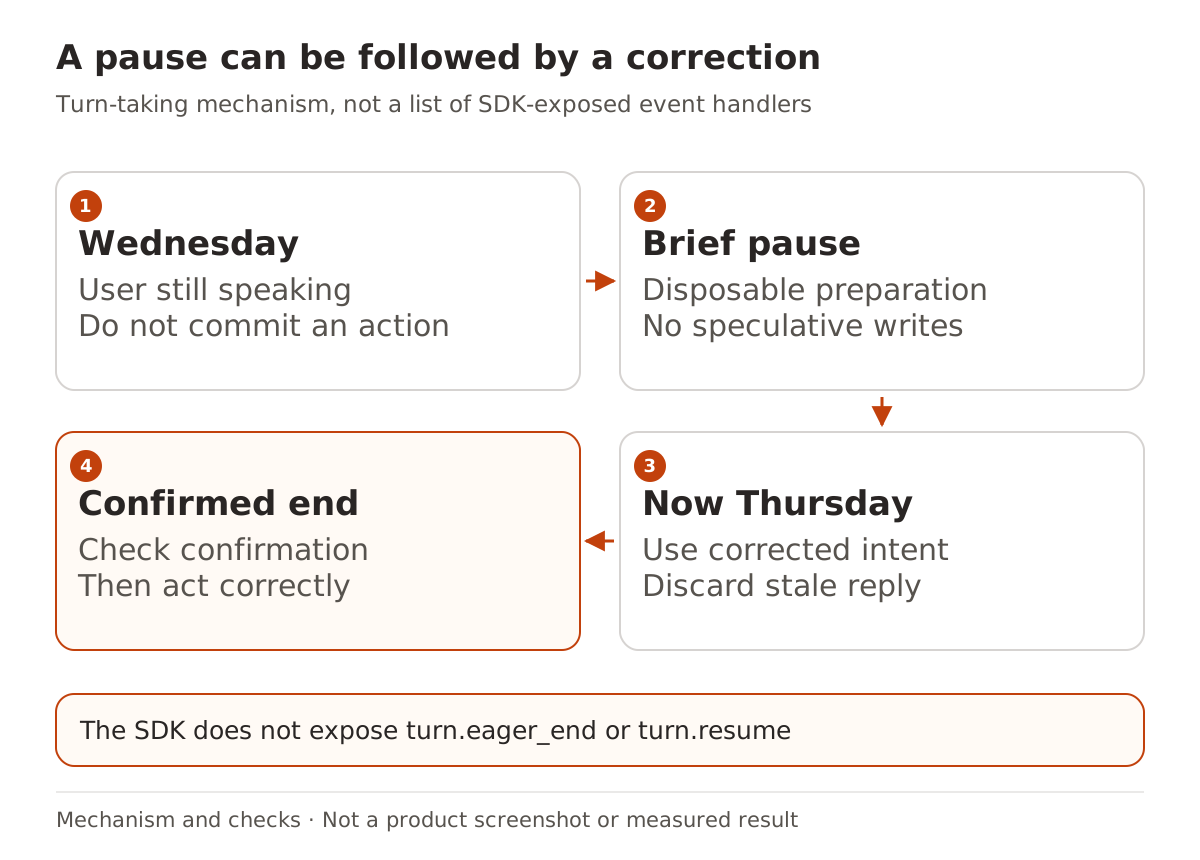
For tools that change data, wait for complete intent and required confirmation, then enforce authorization and execution conditions on the server. A likely end of speech is not permission to send a message or book a slot. Begin with a public, read-only calendar lookup. The tool-output permission guide explains a related boundary independent of audio or MCP.
Current documentation also says realtime transcription cannot enable turn detection and speaker diarization in the same session. Enabling both returns an error. Choose turn detection for interactive exchanges or diarization for multi-speaker records. If both are needed, an appropriately authorized recording can be diarized offline later. A feature list mentioning both does not establish simultaneous availability.
Stopping speech does not roll back a tool
The SDK allows interruption by default, controlled by turn.allow_interruptions. When the user speaks over the agent, it stops speaking and listens. That says what happens to playback; it does not establish that a dispatched business action was undone.
Test a read-only scenario first. Start a Wednesday lookup, correct it to Thursday, and let the old lookup return late. Check that the interface and spoken answer stay aligned with Thursday. Make the tool fail as well: the assistant should report failure instead of reusing an old answer as a new success. Adding bookings later requires operation identity, result lookup, and duplicate protection; the workflow retry article covers the same recovery issue.
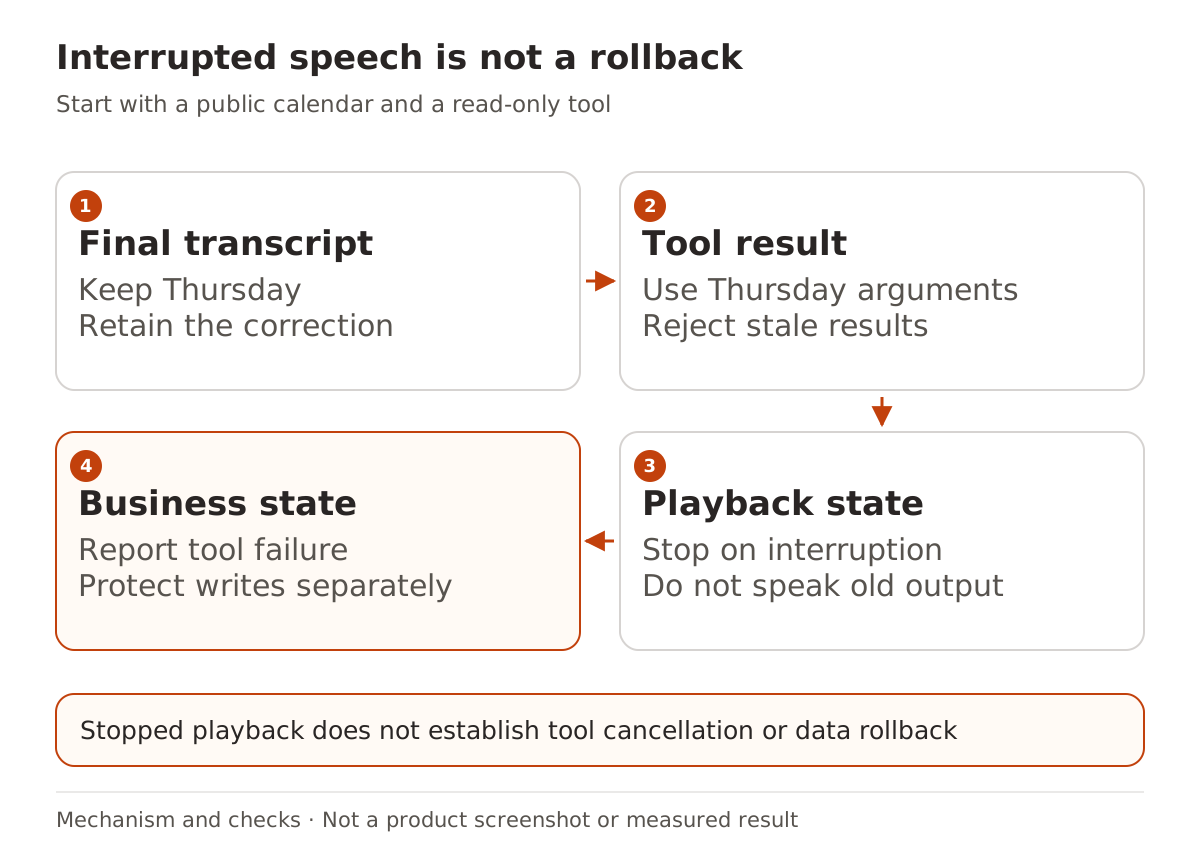
Success means retaining the correction, calling the right read-only tool, grounding the answer in its actual result, stopping stale speech, and reporting failure honestly. Until a real integration runs those cases, they remain checks to perform.
A different surface can lose a tool handler
The tool guide distinguishes server-side tools from client-side handlers in your application. Saving an agent stores the declaration, not the handler code. Attach the handler again when opening a session. A saved declaration does not prove that the current surface can execute it.
Phone calls are a concrete example. The current guide says SIP is available to enterprise customers at launch. Your application code does not run inside that call, so client-side tools fail there; choose server-side tools suitable for the surface. A working browser agent does not establish a working phone agent.
The announcement discusses private deployment, but directs full on-premises deployments to Mistral's team. That is not evidence that every component is a freely downloadable, unrestricted stack. This article has not verified a complete self-hostable weights-and-license combination.
For Nbility, check the actual route through the model documentation. Available transcription or TTS does not establish support for Mistral's session SDK, SIP, or tool runtime. For designing a recurring voice, see voice remixing and resource management. For a complete conversational task, start with a read-only lookup that can be corrected and interrupted.