OpenCode Reasoning Effort Errors: Check Versions, Variants, and Requests
Diagnose unsupported reasoning levels in OpenCode by separating model defaults, selected variants, V1/V2 configuration, and the field actually sent to your endpoint.
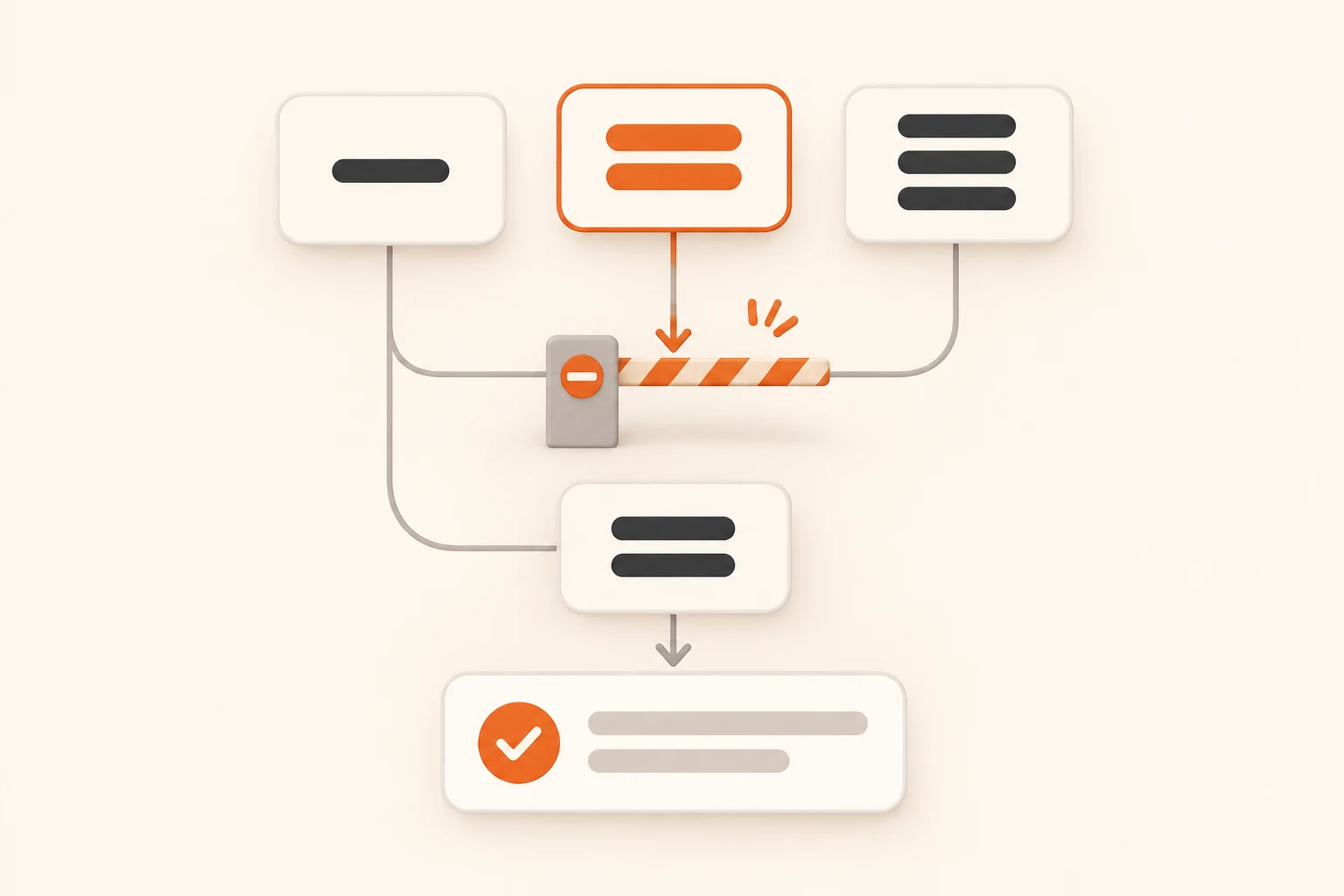
If OpenCode lists a model but rejects your first message with level "medium" not supported, preserve the error, model reference, and selected variant before changing settings. An available menu option, a configured default, and a value actually sent over HTTP are separate things to verify.
Repeating a request with the same rejected parameter rarely helps. Reduce the failure to a short conversation without tools, then change one setting and check the corresponding request. Pause long tasks that could repeat external actions while you investigate.
Checked on November 10, 2026, this guide uses the released OpenCode v2.2.6 source and current official documentation. For a 1.x installation, start with the existing integration guide. Keep the two configuration generations separate.
What a recent report does—and does not—establish
OpenCode issue #62592 describes a Windows desktop installation running 2.2.6, while the CLI on PATH reported 2.0.29. An image-related workflow failed with:
level "medium" not supported, valid levels: low, high, max
The reporter later narrowed the problem to a custom compatible provider and reported success after configuring capabilities and a default. A bot follow-up tested a local mock endpoint and found a different distinction: a request without a selected variant omitted reasoning_effort; explicitly selecting #medium sent that value and triggered the mock rejection.
That follow-up did not test the reporter's real model service or establish where the image workflow came from. It challenges the inference that offering medium means every default request sends it. The issue remained open when checked; it is not evidence of a shipped fix.
We did not run the full OpenCode client or a real GLM service for this article. Configuration behavior below is grounded in released source and official documentation. The runnable example checks local JSON fields only.
Identify the executable and the failing call
Record the terminal version first:
opencode --version
Also check the desktop application's version and the server it actually uses. A terminal version alone does not identify the desktop or remote runtime.
| Record | What it helps distinguish |
|---|---|
| Desktop, CLI, and server versions and locations | A different installation or machine receiving the change |
| Provider ID, model ID, and selected variant | Similar display names with different request settings |
| Failure time and triggering action | Main conversation, title generation, agent, or plugin requests |
| Exact rejected field and value | Parameter validation versus credentials or connectivity |
Try a new message asking only for “OK” without tools. If plain text works while an attachment, agent, or tool path fails, inspect the model and settings used by that specific path before overriding every model.
If the endpoint, credentials, or model ID are still uncertain, use connection basics first. A model appearing in a list does not verify reasoning parameters or a tool round trip.
Separate capabilities, defaults, and selected variants
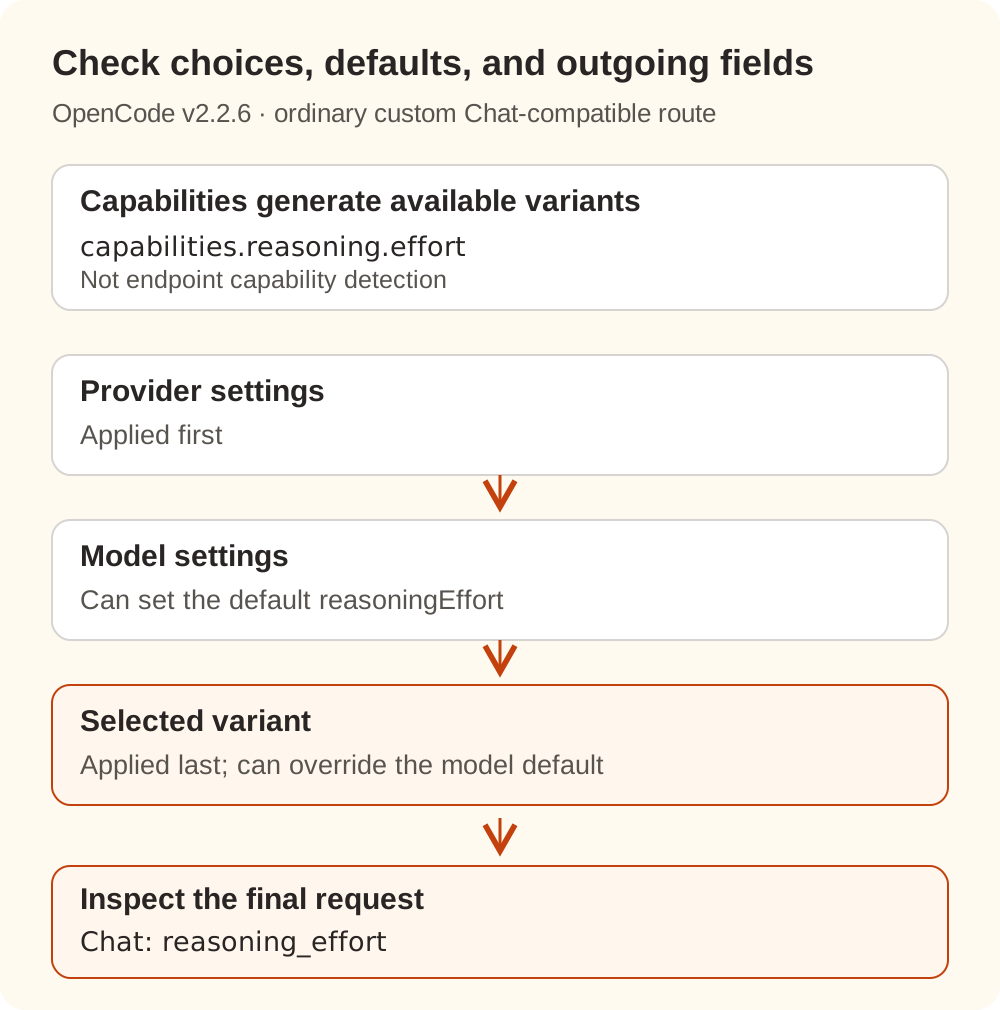
The current official Models documentation assigns different jobs to these V2 fields:
| Setting | Purpose |
|---|---|
capabilities.reasoning.effort | Describes reasoning controls used to generate variants |
Model settings.reasoningEffort | Sets a default request option for that model |
Selected variant settings | Applies after provider and model settings and can override them |
Outgoing reasoning_effort | Field sent by the Chat-compatible adapter discussed here |
The v2.2.6 variant implementation offers a generic low / medium / high fallback for an ordinary custom Chat-compatible model. Explicit capabilities.reasoning can change the generated variants. This is not endpoint capability detection, and other provider packages can use different rules.
Setting only "supported": true without controls does not supply an accurate effort list. Changing a model default also does not establish that a previously selected variant has been cleared. Check any additional variants entries for unsupported choices as well.
The released Chat request implementation adds reasoning_effort when the resolved options contain reasoningEffort. Inspect the request to establish what happened. Responses or native Messages routes need their own adapter checks; the API format comparison explains those distinctions.
A V2 configuration with explicit controls and a default
Confirm accepted values from the endpoint's current documentation or the error for the specific request. The example below assumes your endpoint has been confirmed to accept low / high / max, including high as a request value. It is not a capability list for every GLM model or gateway.
Place this V2 custom Chat-compatible provider definition in the configuration used by the actual OpenCode machine and project:
{
  "$schema": "https://opencode.ai/config.json",
  "model": "nbility/YOUR_MODEL_ID",
  "providers": {
    "nbility": {
      "name": "Nbility",
      "package": "@opencode/ai/providers/openai-compatible",
      "settings": {
        "baseURL": "https://api.nbility.ai/v1",
        "apiKey": "{env:NBILITY_API_KEY}"
      },
      "models": {
        "YOUR_MODEL_ID": {
          "settings": {
            "reasoningEffort": "high"
          },
          "capabilities": {
            "reasoning": {
              "supported": true,
              "effort": ["low", "high", "max"]
            }
          }
        }
      }
    }
  }
}
Replace YOUR_MODEL_ID with an available ID from the model catalog. Adjust or remove the reasoning configuration to match that endpoint. This example focuses on reasoning; separately verify the model's tools, input types, and context limits. The key references a process environment variable. Desktop applications may not inherit terminal variables, so use the credential entry supported by your running version.
The effort list generates choices; settings.reasoningEffort supplies a default. To explicitly test high from a V2 terminal:
opencode run --model 'nbility/YOUR_MODEL_ID#high' 'Reply OK without using tools.'
This requires a loaded configuration and an endpoint supporting that variant. A successful run verifies that request only. Titles, other agents, and tool round trips still need their own checks. We did not execute this authenticated command.
Why a high default may not fix a medium request
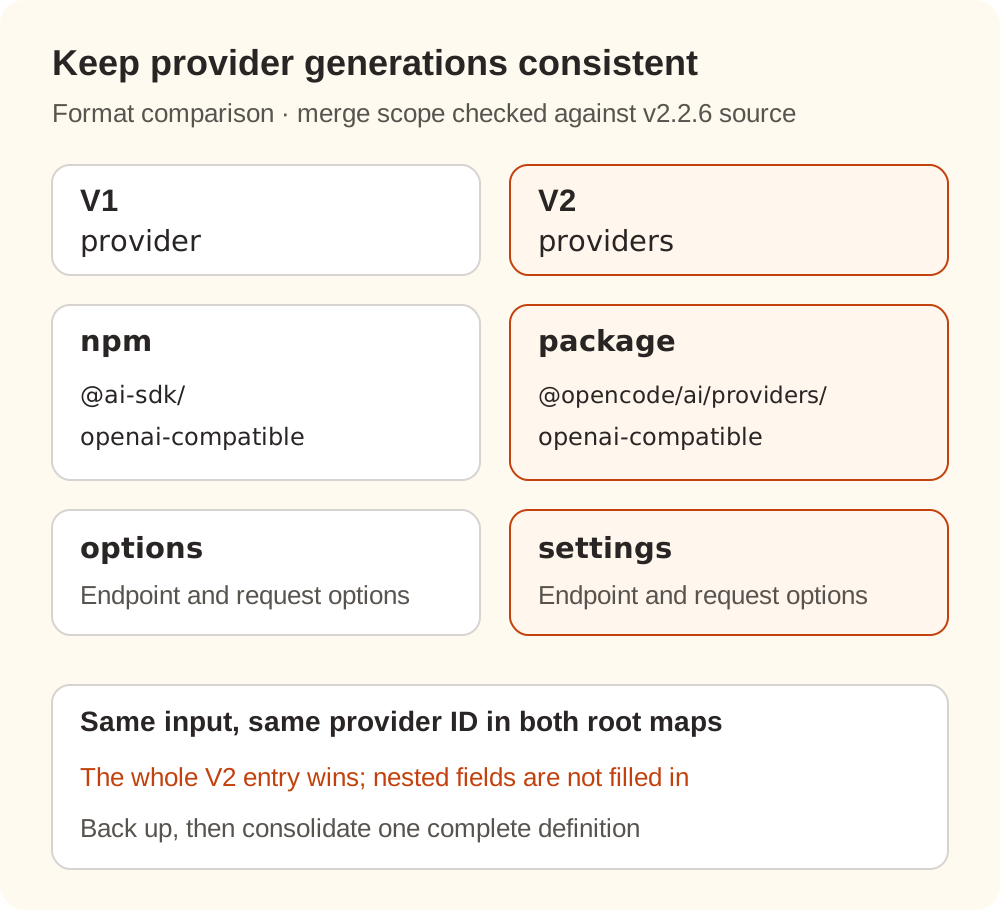
Compare the configuration generations before editing:
| Location | Typical V1 form | V2 form used here |
|---|---|---|
| Provider root | provider | providers |
| Adapter package | npm: "@ai-sdk/openai-compatible" | package: "@opencode/ai/providers/openai-compatible" |
| Endpoint and request options | options | settings |
| Detailed reasoning controls | Do not paste the V2 shape here | capabilities.reasoning |
V2 retains migration support for legacy configuration. That does not make new settings and capabilities fields valid inside a legacy model definition. The v2.2.6 configuration normalizer processes legacy and native provider maps separately. If the same provider ID appears in both maps in one input, the native entry wins as a whole; their nested fields are not combined individually.
Keeping the endpoint in a legacy block and adding only a model override in a native block can therefore lose settings you expected to preserve. Back up the configuration, then consolidate that provider into one complete definition appropriate for the running version, retaining required models and the endpoint.
Also check higher-priority configuration, agent or command model choices, and a remembered session variant. Use the official Config guide to inspect the working directory, global, project, and system sources. Check a remote service on its own machine. Verify the loaded result in a fresh session after editing.
Inspect the outgoing effort locally
If the client or a test service you control can export request JSON, inspect it locally. Share only the necessary fields; exclude authorization, conversation content, code, images, and tool arguments. Nbility usage logs can help correlate model, time, and status, but should not be assumed to retain the client's complete request body.
Save this as inspect_effort.py:
import json
import sys
from pathlib import Path

request = json.loads(Path(sys.argv[1]).read_text(encoding="utf-8"))
if not isinstance(request, dict):
    raise SystemExit("Expected one request JSON object")

allowed = set(sys.argv[2:])
if not allowed:
    raise SystemExit("Pass the effort values accepted by this endpoint")

value = request.get("reasoning_effort")
if "reasoning_effort" not in request:
    print("reasoning_effort: absent; endpoint default not checked")
elif not isinstance(value, str):
    print("reasoning_effort: wrong type")
elif value in allowed:
    print("reasoning_effort: allowed by supplied list")
else:
    print("reasoning_effort: not in supplied list")
Start with this public example input:
{
  "model": "example-model",
  "messages": [{"role": "user", "content": "Reply OK"}],
  "reasoning_effort": "medium"
}
Save it as request.json and run:
python3 inspect_effort.py request.json low high max
The expected result is reasoning_effort: not in supplied list. Removing the field reports absent: the field is missing from this request, while the endpoint's default remains unknown. The script prints no request content, compares only the supplied list, and does not parse Responses payloads, nested requests, or SSE logs.
We extracted the final code blocks from both language versions and checked four inputs: an absent field, high, medium, and a numeric value. Those checks validate the script and JSON handling, not the levels accepted by a live service.
Verify the change before resuming a long task
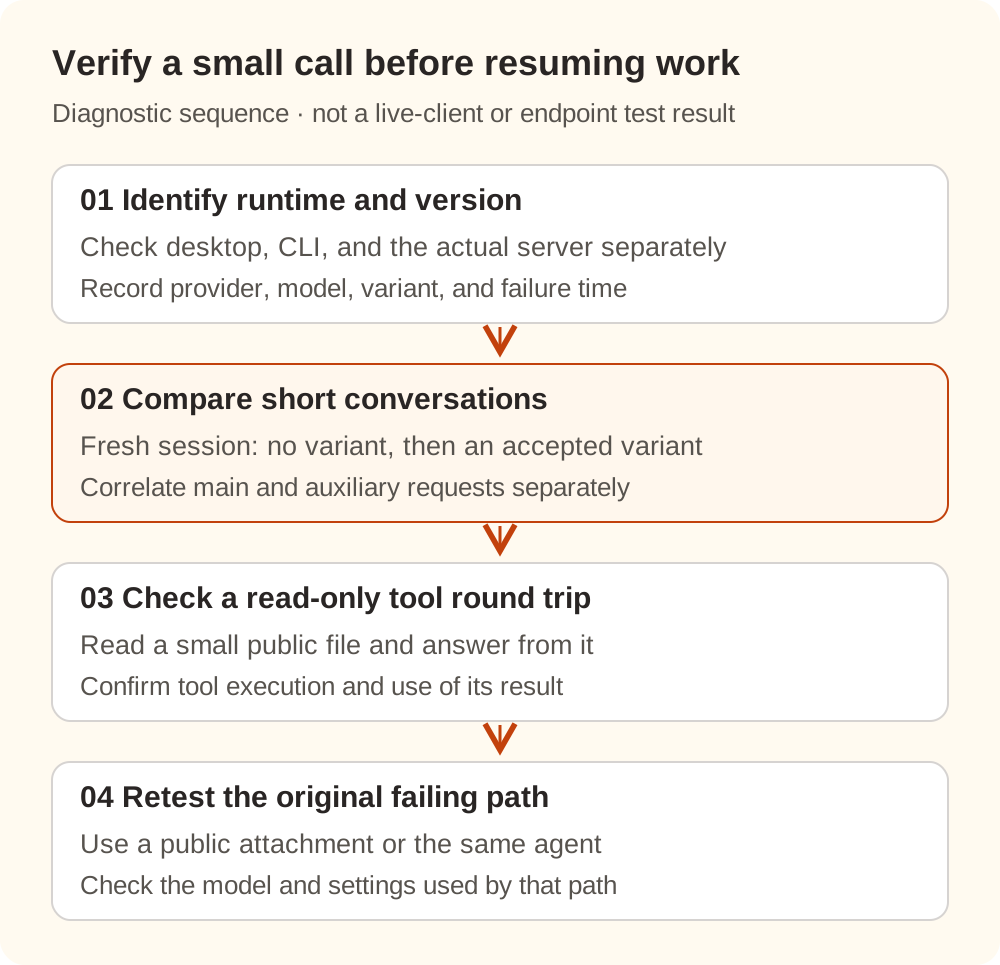
- Identify runtime and configuration. Record versions, server location, provider, and model. Back up the config and edit only the relevant definition.
- Check short conversations. In a fresh session, compare no selected variant with one explicitly supported variant. Correlate each request separately so an auxiliary request's effort is not attributed to the main call.
- Check a read-only tool round trip. Ask the agent to read a small public file and answer from it. Confirm both tool execution and use of the returned content.
- Return to the original failing path. Test the attachment, agent, or plugin with public material and record its actual model and settings.
If the endpoint still rejects the call, compare the final request with its accepted values. If the request no longer contains medium but you still see that error, correlate timestamps and check for an older run, another call, or a different server before adding more overrides.
With Nbility, confirm the model ID, protocol route, and endpoint capabilities before restoring a long task. A compact record of the version, failing call, and outgoing effort gives troubleshooting a firmer starting point than repeatedly replacing credentials.