The PDF says Pickup. Why does text extraction return only the field label?
Read a filled AcroForm both as page text and as form data with pypdf. Preserve current values, qualified names and source locations without guessing what a missing field means.
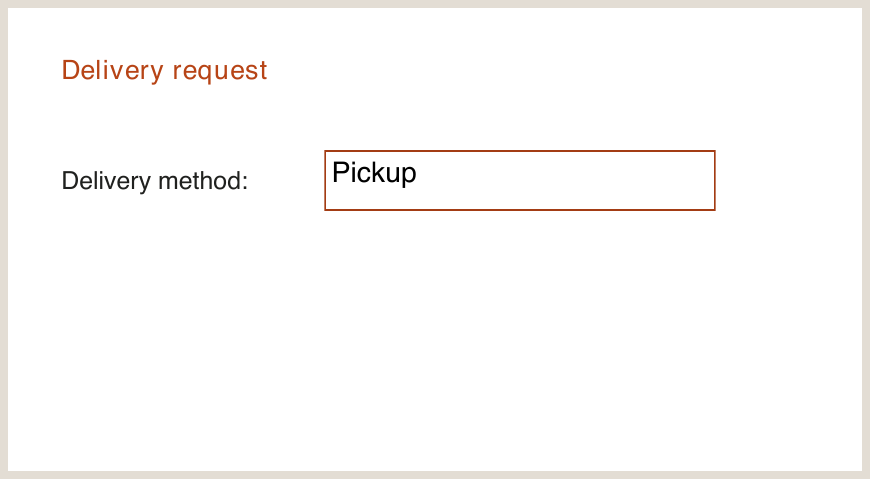
Our delivery request clearly says “Pickup.” A plain-text export ends at “Delivery method:” because the question is page text and the answer lives in an interactive PDF field. A knowledge base that indexes only the export has lost the selection; it hasn't established that the user left the field blank.
Read the same form two ways
Open the completed sample form and inspect the box. With pypdf 7.2.0, the first print below returned Delivery request and Delivery method:. The last print returned Pickup. We also rendered the page to check that its appearance agreed with that stored value.
from pypdf import PdfReader

reader = PdfReader("form.pdf")
print(reader.pages[0].extract_text())
fields = reader.get_fields() or {}
field = fields.get("delivery_method")
if field is None:
    raise ValueError("Expected a delivery_method field")
print(field.get("/V"))
Which value belongs in the indexed passage?
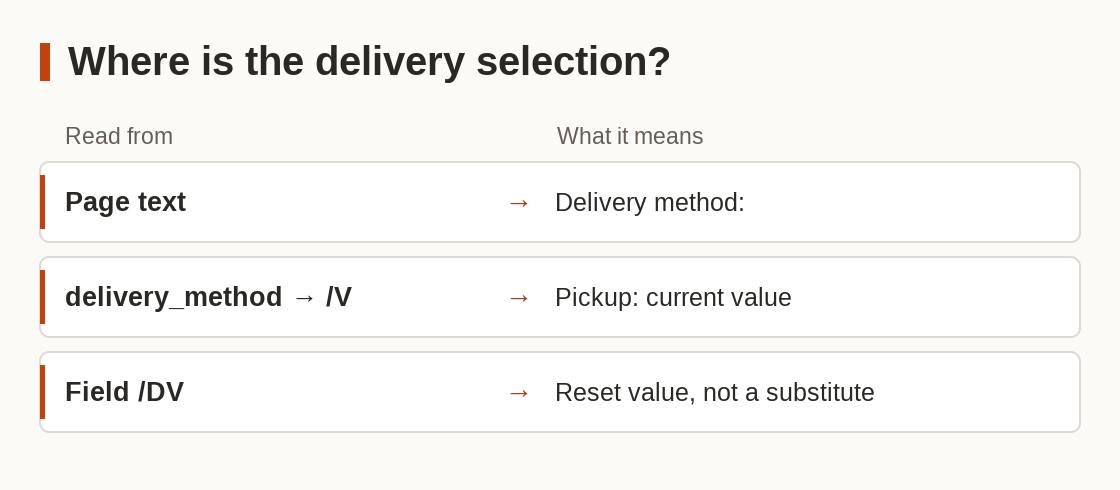
For this text field, index “Delivery method: Pickup” and keep delivery_method, the file revision and the page location with it. The pypdf forms guide distinguishes /V, the current value, from /DV, the value a reset would restore. A /Widget represents the control on the page. Substituting the default can turn an option into a selection no one made.
Keep qualified names when fields are nested: sender.city and receiver.city are two answers. One field can also have widgets on more than one page. Determine citation locations from the associated widgets, not dictionary order. Index only the fields your readers are allowed to retrieve; the full contents of a submitted form don't belong in diagnostic logs.
What does an absent field prove?
A present but empty text field, an absent field, and a mismatch between appearance and value are three different findings. Only the first directly describes an empty current value. If the field is absent, the form might have been flattened into ordinary page content or scanned as an image. If rendering and field data disagree, preserve the original for review rather than letting the model guess which one is authoritative.
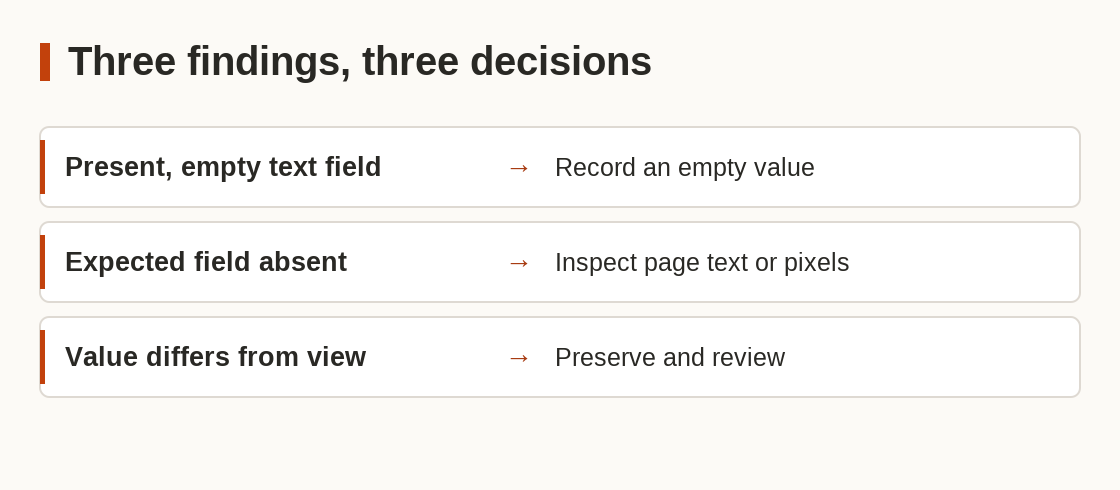
Test two questions. “Which delivery method?” has a traceable answer, Pickup. “On what date?” has none; use it as an unanswerable retrieval check. If the answer is printed only in an image, recognize that region. If the value is present but the interface cannot show where it came from, follow the citation chain.