Six dollars or six kilos? Joining PDF tables across pages
Extract a two-page shipping table without attaching a number to the wrong unit. Key each row by its local header before normalizing the text for retrieval.
Item B costs six dollars to ship and has a twelve-kilo limit. Use the first page's headings for the whole file and you get the opposite: six kilos and twelve dollars. No digits were misread. It's the join across pages that changed the facts.
Where does an otherwise clean extraction go wrong?
In the downloadable shipping schedule, the first page lists item, weight limit and fee. The second lists item, fee and weight limit. Both have three fully ruled columns, so this example separates finding cells from interpreting them.
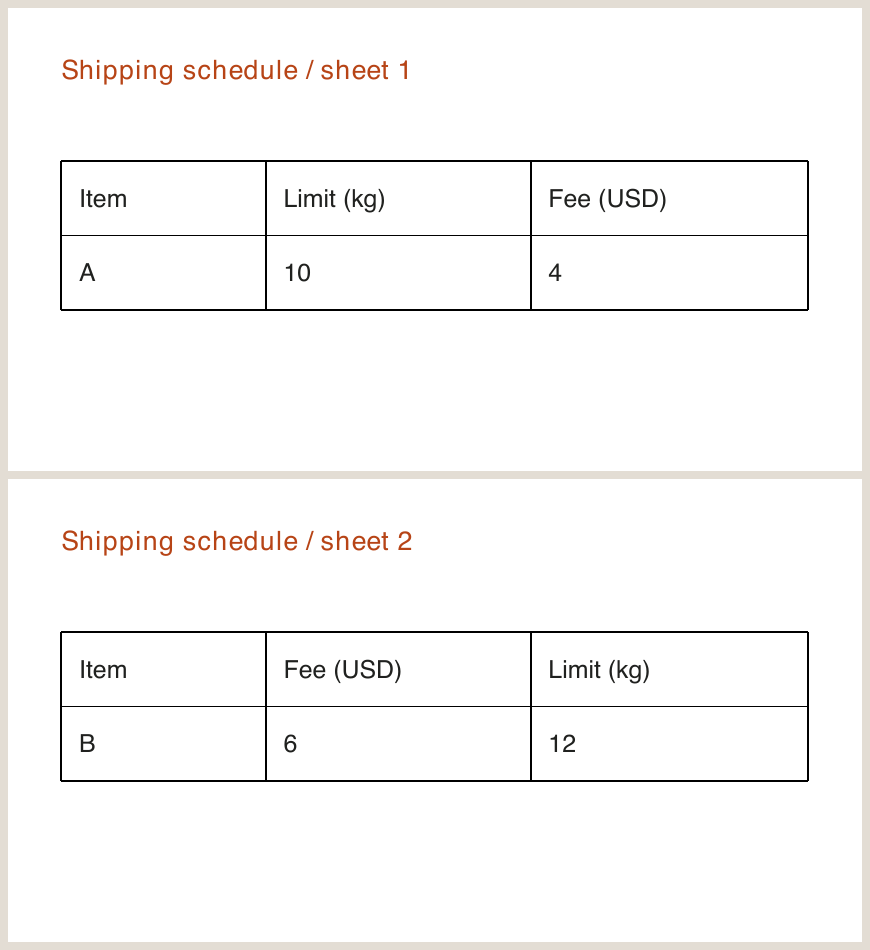
The pdfplumber table API returns tables containing rows of cells for an individual page. Version 0.11.11 extracted ['B', '6', '12'] on the second page. That result is correct. Interpreting position two as kilograms without reading its header is what introduces the error.
Convert a row into a claim you can cite
Name each cell with its own page header before imposing a common output order. This deliberately narrow reader accepts only the sample's one-table layout and expected units. A missing heading or unexpected unit calls for review.
import pdfplumber

expected = {"Item", "Limit (kg)", "Fee (USD)"}
with pdfplumber.open("tables.pdf") as doc:
    for page_no, page in enumerate(doc.pages, 1):
        tables = page.extract_tables()
        if len(tables) != 1 or len(tables[0]) < 2:
            raise ValueError(f"Review table on page {page_no}")
        header, *rows = tables[0]
        if len(header) != 3 or set(header) != expected:
            raise ValueError(f"Review header on page {page_no}")
        for row in rows:
            if len(row) != 3 or not all(row):
                raise ValueError(f"Review row on page {page_no}")
            item = dict(zip(header, row, strict=True))
            print(page_no, item['Item'], item['Limit (kg)'], 'kg', item['Fee (USD)'], 'USD')
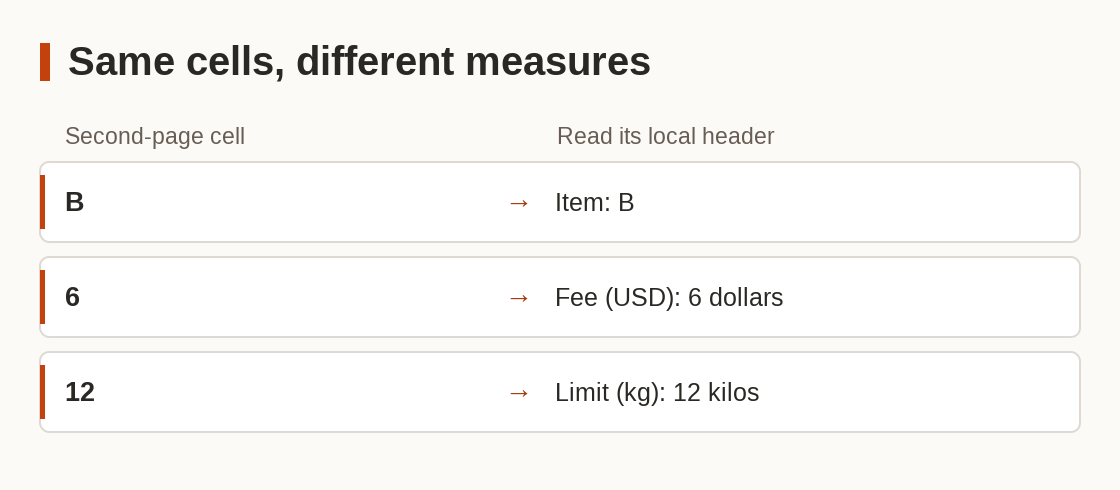
The second output line was 2 B 12 kg 6 USD. For an index, spell out the measure as well as its unit: “Item B: weight limit 12 kg; shipping fee 6 USD.” Keep the table title, physical page and source row alongside it. A reviewer should be able to trace each number to a cell and its heading.
What if the next page omits the header?
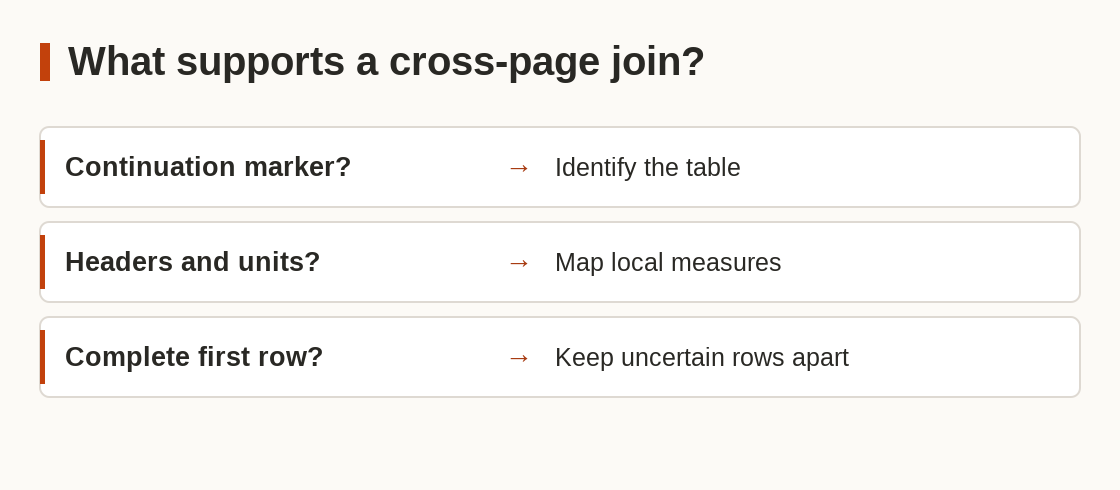
Matching column counts don't establish that a table continues. Look for a continuation marker, matching boundaries and units, and a first row that can stand alone. A blank cell at a page break could be an unfinished row; don't silently turn it into zero or copy the previous value. Keep the pieces with their page locations if the join is uncertain.
Two columns of prose need a different remedy: preserve reading order. If the row is right but its link opens the wrong page, check PDF page labels and positions. Reranking retrieved passages only helps after the correct claim exists in the index.