Why a citation to page 1 of a PDF opens the preface
Separate PDF page labels from physical positions and printed folios. A four-page fixture demonstrates what to store for navigation and what to show in a RAG citation.
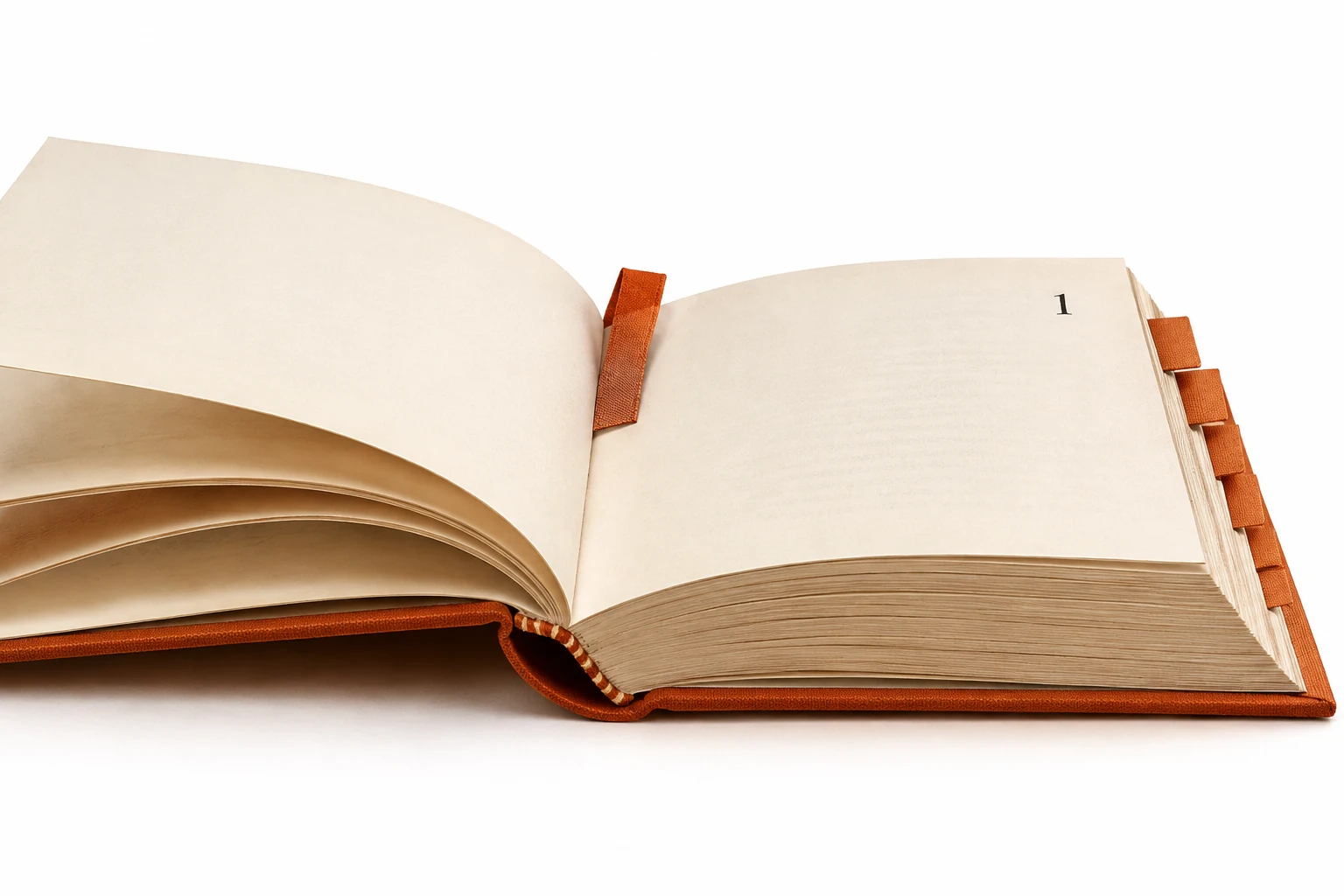
“See page 1” is a good citation for a human holding our sample manual. It is a bad instruction to a viewer that counts sheets from the front cover: the clause is on sheet three. Keep the address used for navigation separate from the label you quote in an answer.
Which page contains Section A?
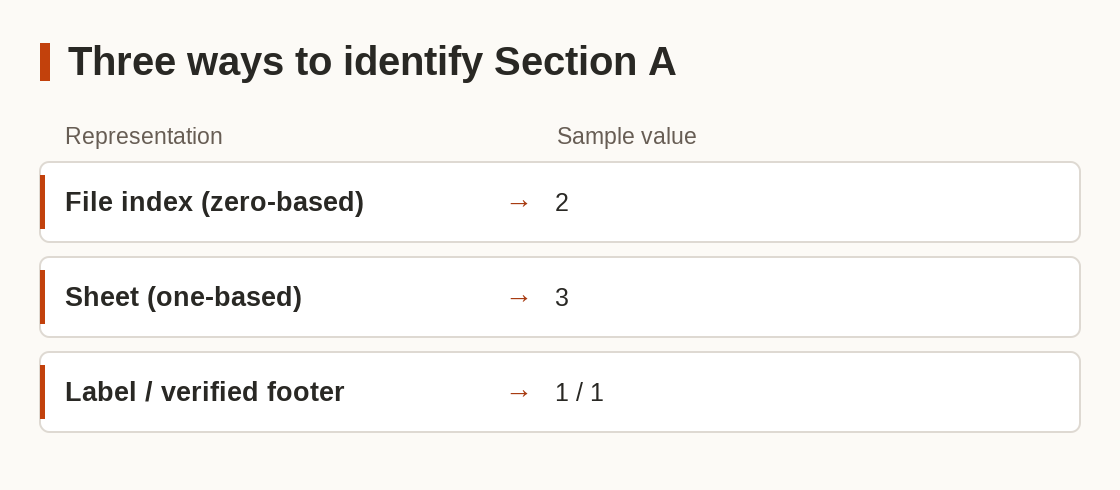
Open the four-page manual and look for the instruction to retain the packing slip. Its file index is 2 (counting from zero), its physical position is 3, and its displayed label is the string "1". The footer actually prints 1. The appendix has A-1 on it; stripping prefixes would give you two different pages called “1.”
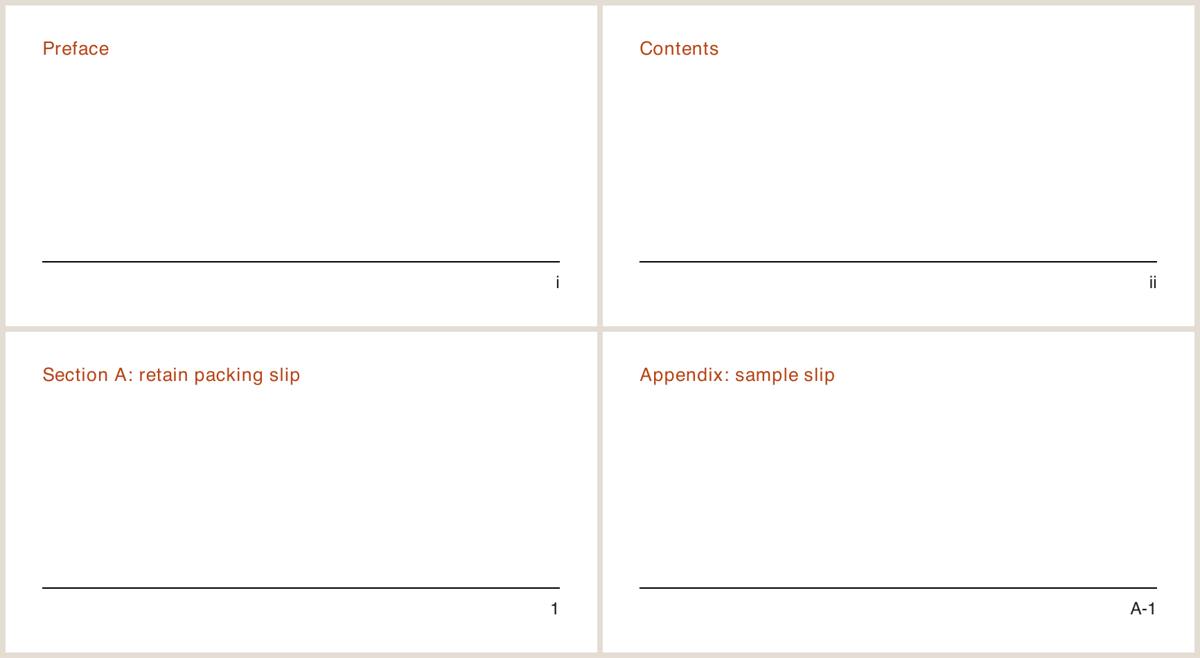
W3C technique PDF17 describes the familiar transition from Roman front matter to Arabic page numbers. PDF labels let the viewer reflect it. A printed footer is page content, however, and a file can omit useful labels or encode labels that disagree with the paper.
Read the label without pretending to have read the footer
The page_labels property returns labels in document order. With pypdf 7.2.0, this prints 0 i, 1 ii, 2 1 and 3 A-1. We checked the rendered pages separately to establish that the labels match the printed folios in this particular file.
from pypdf import PdfReader

reader = PdfReader("labels.pdf")
for index, label in enumerate(reader.page_labels):
    print(index, label)
What should a citation link store?
Show “p. 1 (PDF sheet 3)” while retaining the source revision and index 2. Convert at the viewer boundary: a zero-based page API takes 2; a one-based sheet selector takes 3. If all you know is the physical position, say “PDF sheet 3.” For a passage spanning a page break, store both endpoints.
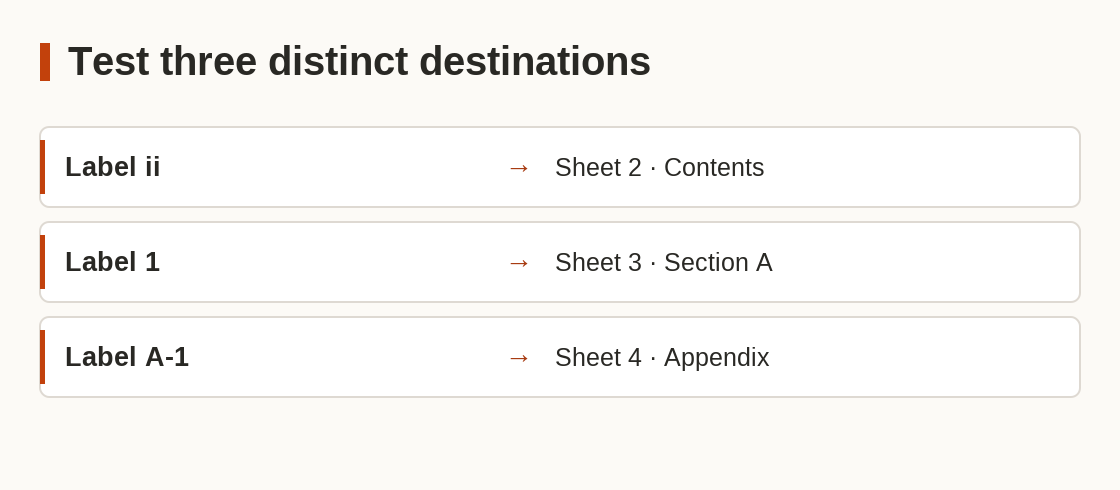
Test the links for ii, 1 and A-1. Each should open a page where both the footer and a distinctive phrase match. Repeat the check on replacement files: adding a cover can invalidate old positions even if the manual keeps its title and printed folios.
If the link is correct but the page doesn't support the answer, follow the PDF citation chain. If the claim sits in a table that continues on another page, check the local headings. A citation to a superseded edition calls for retiring old knowledge-base documents, not a page offset.