Remote MCP Disconnects: Check the Protocol Before Retrying Tools
Diagnose Connection closed and 404 errors across two generations of Streamable HTTP. Check SDK state, verify a fresh connection with a local read-only tool, and avoid repeating an uncertain write.

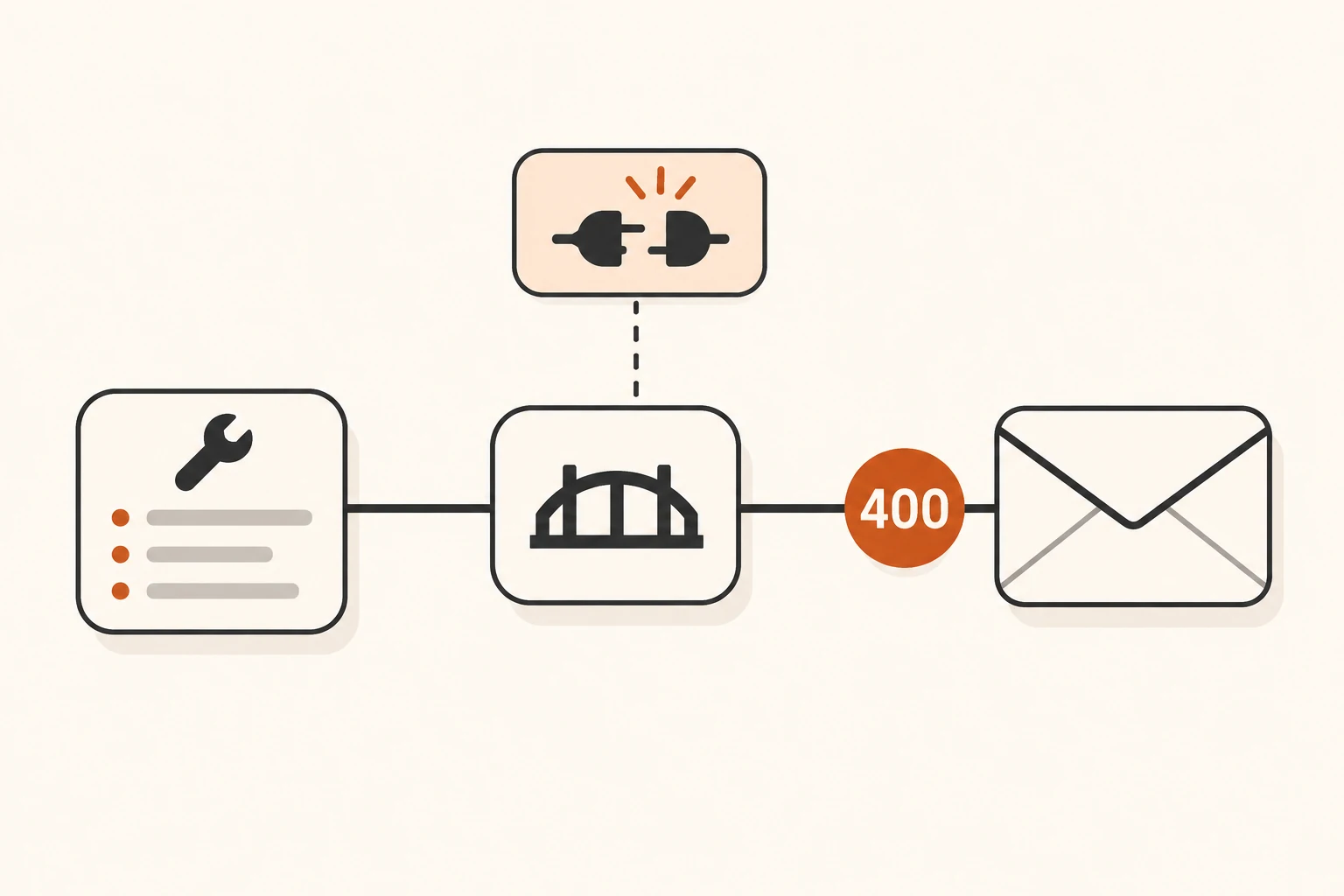
When a remote MCP call disconnects, pause before asking the agent to repeat the whole task. Identify the failed connection, the protocol version in use, and whether the tool might already have executed. A fresh connection proves that new communication works. It does not establish the outcome of an earlier write.
There is a version trap here: Streamable HTTP in 2025-11-25 and 2026-07-28 follows different recovery rules. Session IDs, standalone GET streams, and Last-Event-ID from older tutorials do not carry over to the newer revision.
This article checks both specifications, Python SDK v2.3.0 release records, and all replies to a disconnect report as of November 10, 2026. We ran the local read-only HTTP example below. We did not reproduce the reported defect or test a public proxy, OAuth, or production recovery. For the underlying roles, start with MCP hosts, clients, and servers.
Identify which connection failed
An AI desktop application commonly maintains two paths:
- The application calls a model service for responses and tool selection.
- An MCP client inside the application discovers and invokes tools on an MCP server.
Working text chat does not establish MCP connectivity. A successful tools/list does not establish that the model provider accepts the tool schemas either. For Invalid schema for function, follow the tool-schema investigation. For Connection closed, interrupted HTTP, or an incomplete tool response, inspect the transport path.
When using Nbility, configure the model API according to connection basics. The tool service supplies its own MCP endpoint; the model API's /v1 address is not an MCP endpoint. Usage logs can help correlate model requests, while the application and MCP server provide records for their separate communication.
One transport name, two recovery models
Read the protocol version from client diagnostics and record the application, SDK, and server versions separately. Package version 2.3.0 and protocol revision 2026-07-28 identify different things. An SDK supporting several revisions can still connect to an older server.
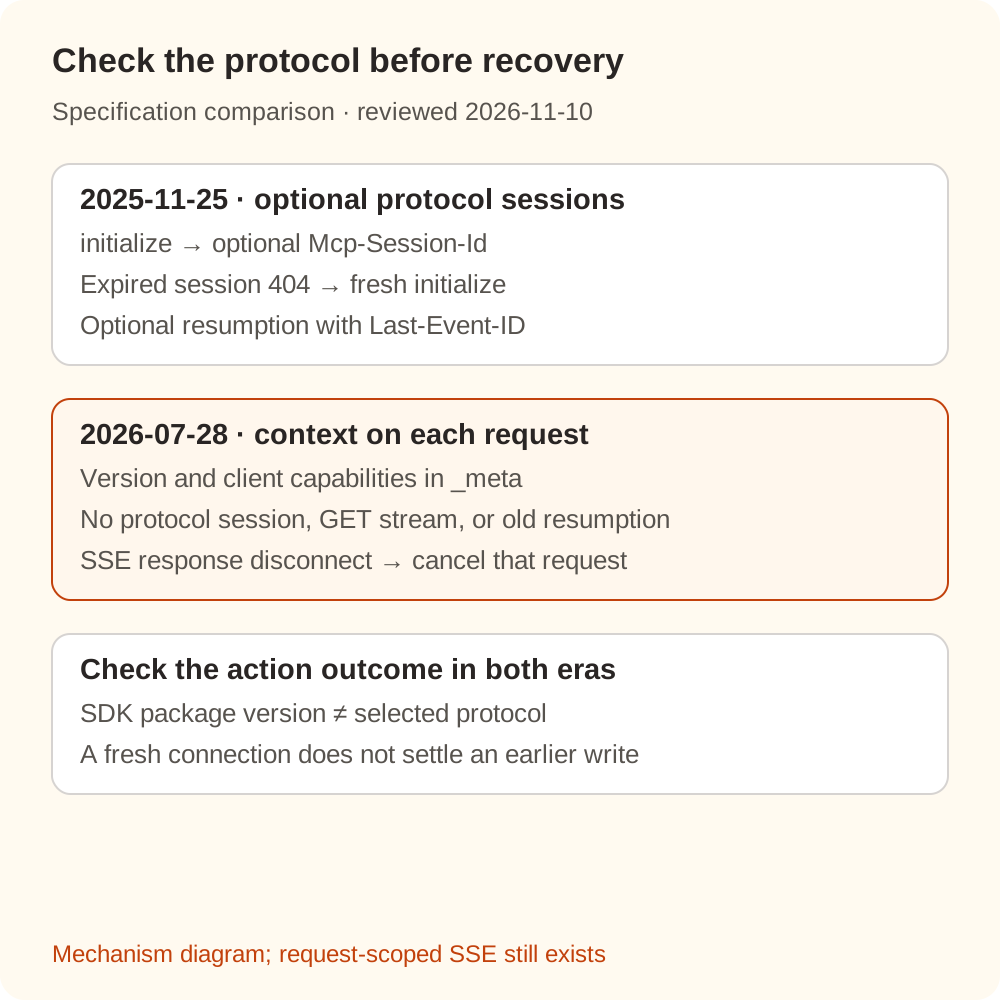
| Check | 2025-11-25 | 2026-07-28 |
|---|---|---|
| Protocol setup | initialize and notifications/initialized | Handshake removed; version and client capabilities travel in each request's _meta |
| Protocol session | Server may issue Mcp-Session-Id | Protocol sessions and that header removed |
| Independent notification stream | Optional SSE stream opened with GET | POST response stream for subscriptions/listen |
| Event recovery | Optional event IDs and Last-Event-ID resumption | That resumption mechanism is unsupported; a lost request must be reissued with a new request ID |
| SSE response disconnect | Should not by itself mean client cancellation | Server must treat it as cancellation of that request and should stop work promptly |
See the current Streamable HTTP specification, its changelog, and the 2025-11-25 transport specification. The newer revision still supports SSE responses scoped to a request. Removing the standalone GET stream and old resumption mechanism does not remove SSE itself.
On the older revision, apply session recovery only after confirming that the 404 answers a request carrying Mcp-Session-Id at the correct endpoint. The client starts a new session with an initialize request without the old ID. A missing route or an HTML 404 from a proxy calls for an endpoint or routing correction first.
The newer revision also defines a different 404: an unsupported RPC method returns a JSON-RPC -32601 error. Inspect the URL, protocol version, and response body together. Missing or mismatched required request headers can produce a 400 in the newer revision; adding an old session header does not repair them.
A healthy server can outlive a failed client transport
Python SDK issue #3522 reports this distinction. The original environment was macOS, Python 3.12.14, and mcp 2.2.0. A fault-demonstration server deliberately interrupted one HTTP response. The next ordinary tool request on the same client failed with Connection closed, followed by an ExceptionGroup during cleanup.
Later participants reported related cases with mcp 2.3.0, other systems, and simulated connection failures. A November 6 reply also described cancellation of unrelated concurrent calls sharing the client. The final reply supplied a patch and focused test results, explicitly separating SDK behavior from a host application's reconnect problem.
At review time, the issue remained open with four replies. Related PR #3584 was closed without merging. These are participant reports and tests, not our reproduction or evidence that every SDK and every kind of stream failure behaves this way. GitHub's latest stable endpoint returned v2.3.0; we found no basis for presenting an upgrade to that release as a verified fix for the report.
Inspect the first underlying exception, beyond the final ExceptionGroup: did the connection fail during establishment, before response headers, partway through JSON, or between SSE messages? Then test a fresh client instance to distinguish an unavailable server from an already-closed transport object. If the host has no explicit reconnect control, preserve the failure details and reconnect that server using the host's documented procedure. Repeated calls on the same closed object are not a recovery strategy.
Verify a fresh connection with a read-only tool
This example uses no model, accesses no business database, and injects no failures. It verifies the selected protocol version, tool discovery, and the same read-only operation across two independent connections. It does not test resumption or establish that #3522 is fixed.
Use Python 3.11+ in a separate demonstration directory. Our run used macOS, Python 3.14.3, and mcp==2.3.0:
python3 -m venv .venv-mcp
.venv-mcp/bin/python -m pip install mcp==2.3.0 uvicorn
Save this as server.py:
from mcp.server import MCPServer

mcp = MCPServer("public-order-demo")


@mcp.tool()
def get_order(order_id: str) -> str:
    """Read the status of a public demonstration order."""
    return {"DEMO-001": "shipped"}.get(order_id, "not_found")


if __name__ == "__main__":
    mcp.run(transport="streamable-http", host="127.0.0.1", port=43123)
Start the server in one terminal:
.venv-mcp/bin/python server.py
Save client.py and run it from a second terminal:
import anyio
from mcp import Client


async def main():
    url = "http://127.0.0.1:43123/mcp"
    for attempt in (1, 2):
        async with Client(url, read_timeout_seconds=10) as client:
            print("connection", attempt, "protocol", client.protocol_version)
            tools = await client.list_tools()
            print("tools", [tool.name for tool in tools.tools])
            result = await client.call_tool("get_order", {"order_id": "DEMO-001"})
            print("isError", result.is_error)
            print("text", [part.text for part in result.content if part.type == "text"])


anyio.run(main)
.venv-mcp/bin/python client.py
Both local connections reported 2026-07-28, discovered ['get_order'], and returned isError False with text ['shipped']. The printed isError is a label; the Python attribute in SDK 2.3.0 is is_error. This uses the newer MCPServer and Client APIs documented in the official client guide.
The unauthenticated demonstration binds only to 127.0.0.1 for a trusted local environment. Do not expose it by changing the bind address to 0.0.0.0. Public deployment needs its own authentication, origin validation, and permissions, which this example does not verify. Stop the server with Ctrl+C when finished.
Restore a small call before recovering the original task
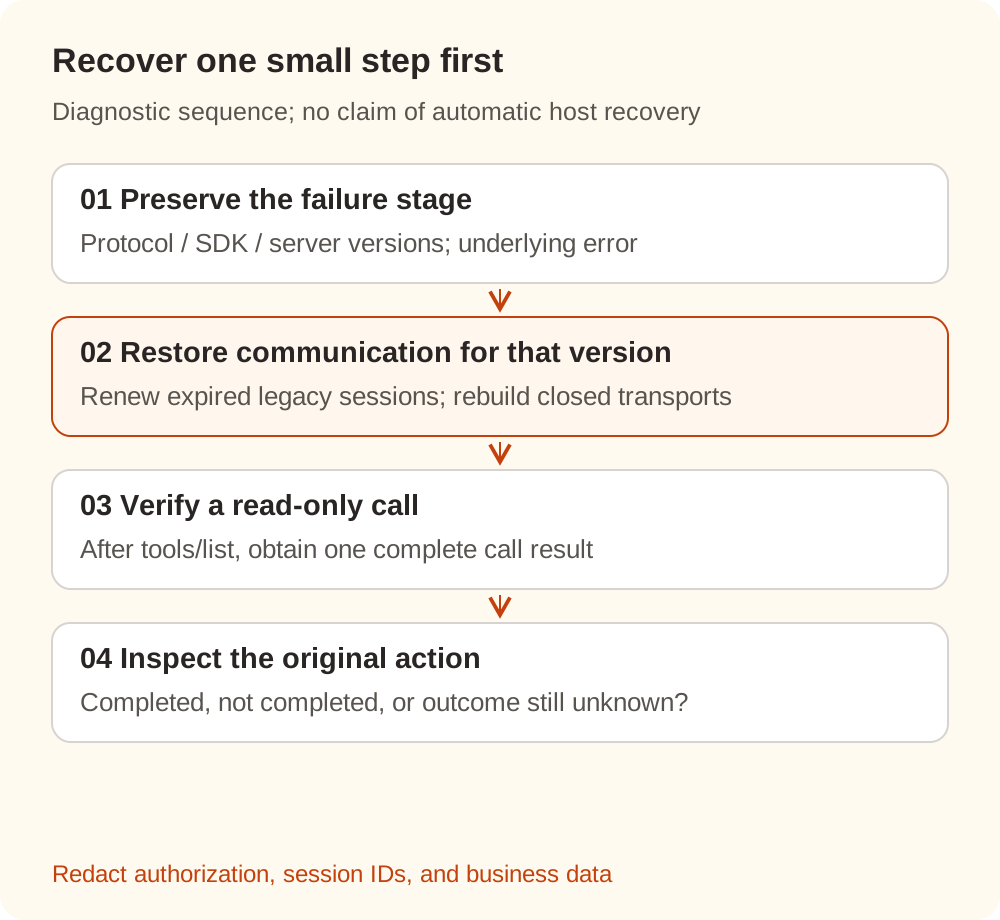
Use this sequence to keep the investigation focused:
- Pause automatic retries and preserve the failure stage. Record versions, transport, time, RPC method, status, innermost exception, and whether a complete result arrived. Public reports should contain redacted fragments, with no authorization headers, session IDs, or business data.
- Restore communication for the actual protocol. Reinitialize an expired legacy session as specified. On the newer revision, check headers and metadata and let a compatible SDK select the version. The host must recreate a closed transport object; looping over calls on that object does not reopen it.
- Discover tools, then invoke one with no side effects. Listing tools checks discovery only. Confirm a complete expected call result as well. If a fresh connection fails, inspect the endpoint, server, and proxy. If the read-only call works, move to the original task.
- Establish the original action's outcome separately. Inspect the destination system's order, file, message, or operation record. If the outcome is unknown, pause write recovery and mark it for confirmation. A client error does not establish that the server did nothing.
A new request ID is not business deduplication
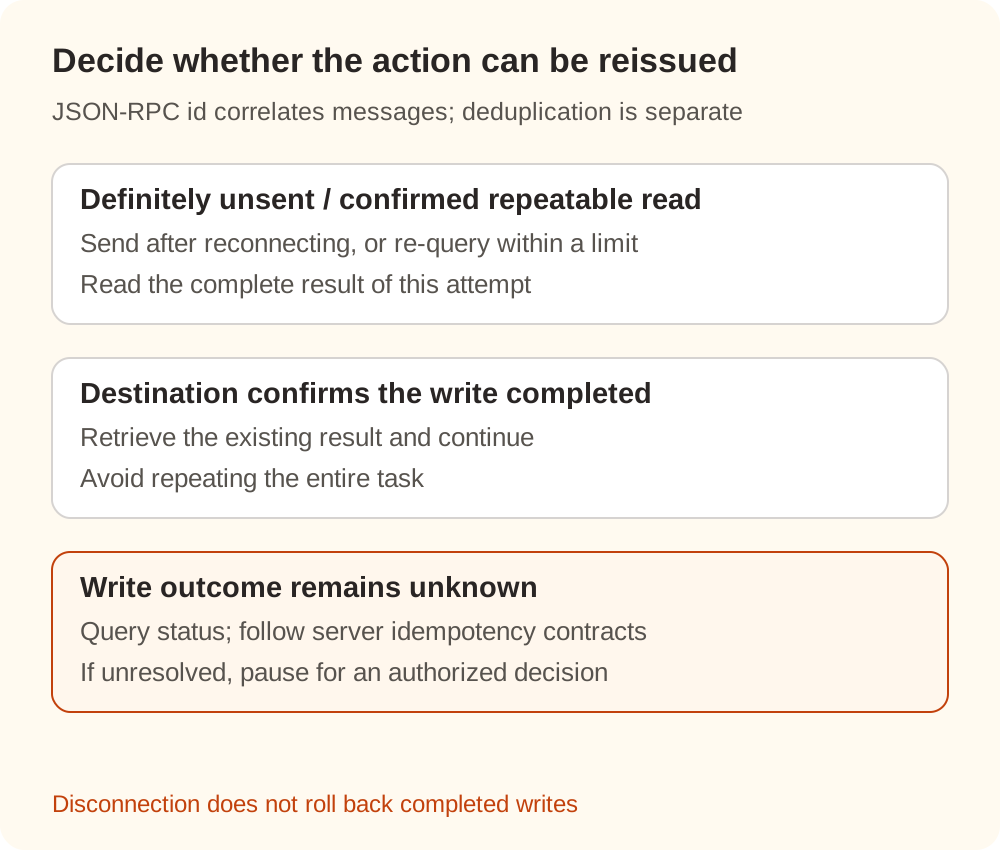
The newer protocol requires a new request ID when reissuing a lost request. That correlates protocol messages; it does not promise that a business action executes at most once. Prompt cancellation also does not undo a write completed before disconnection.
| Evidence available | Next action |
|---|---|
| Request definitely was not sent | Send normally after restoring connectivity |
| Operation is confirmed read-only and repeatable | Reissue within bounded attempts and waiting time; read the new result |
| Destination system confirms the write completed | Retrieve that result and continue without repeating the write |
| Write outcome remains unknown | Query operation status; use a server-supported business idempotency key according to its contract, or ask an authorized person to resolve the uncertainty |
A get prefix or read-only annotation cannot substitute for understanding the implementation and permissions. Business idempotency keys and JSON-RPC id serve different purposes. For retry amplification across layers, see agent retries and backoff.
If model requests and small MCP calls both work but the task remains stuck, inspect business state and the host's task-recovery logic. Preserve the key evidence from one failure, then restore the smallest useful step so the result tells you which part recovered.