T3 Code Parallel Agents: Choose Threads, Forks, and Worktrees
Two T3 Code conversations can still edit the same checkout. Learn how v0.1.7 handles new threads, forks, and side chats, then verify workspace isolation and integrate parallel changes safely.
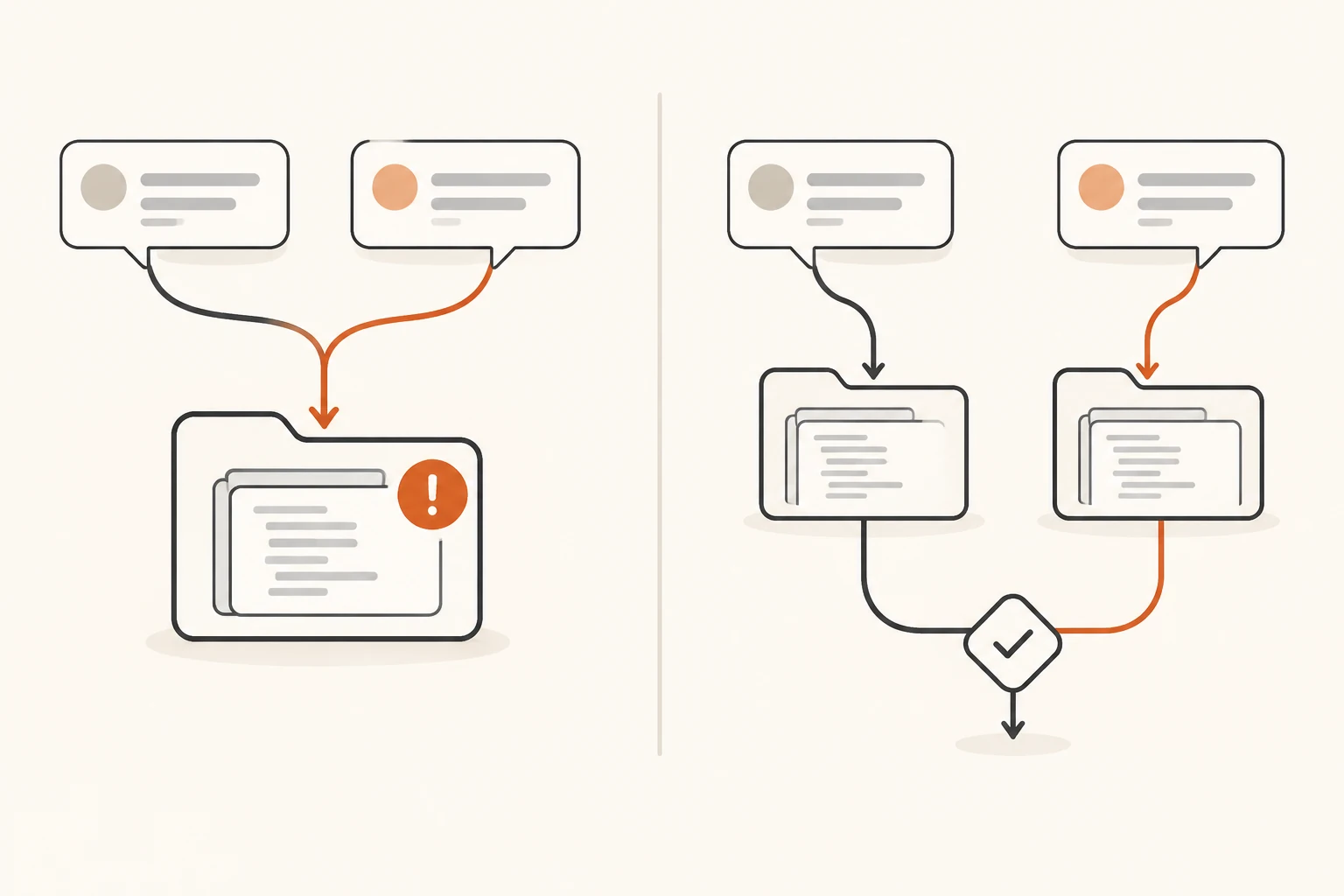
You open two T3 Code conversations: one agent fixes a bug while another explores an alternative. The chats are separate, but their files may still live in the same directory. In that case, both agents share the working files, staging area, and uncommitted changes. Restoring files from one conversation can affect work happening in the other.
For simultaneous code changes, select New worktree for each independent task, then verify its directory, branch, and starting commit. In the stable version checked for this article, forking a conversation keeps the source thread's workspace. A side chat also shares its parent's directory.
This guide uses the T3 Code v0.1.7 release documentation and source, checked on November 8, 2026. Follow the checks to choose workspaces, divide tasks, verify directories, and review the integrated result.
What T3 Code brings together
The official FAQ describes T3 Code as a control surface for existing agent harnesses. It brings tools such as Claude Code, Codex, and OpenCode into desktop, web, and mobile interfaces. The selected provider still executes model requests, using that connection's subscription allowance or API billing.
The useful part is coordinating tasks, inspecting changes, handling approvals, and collecting results in one place. Conversation count, workspace count, and model-call count each need their own check. Another chat does not tell you which checkout it uses.
If you are still choosing your underlying coding tool, start with our comparison of AI coding client workflows. Here, the question is how to organize parallel work after choosing T3 Code.
Where new threads, forks, and side chats edit files
The thread guide treats a new conversation and a new worktree as separate choices. For v0.1.7, use the following distinctions:
| Entry point | Conversation behavior | Code workspace |
|---|---|---|
| New thread | Starts a separate task conversation | Uses the selected workspace and defaults; check before sending |
| New worktree | Runs a task in its own conversation | Prepares a separate Git branch and working directory |
| New thread in this worktree | Opens another conversation about the same code | Keeps the current worktree |
| Fork | Continues from a point in an existing conversation | Inherits the source thread's workspace |
| Side chat | Explores a question alongside the main conversation | Shares the parent's workspace |
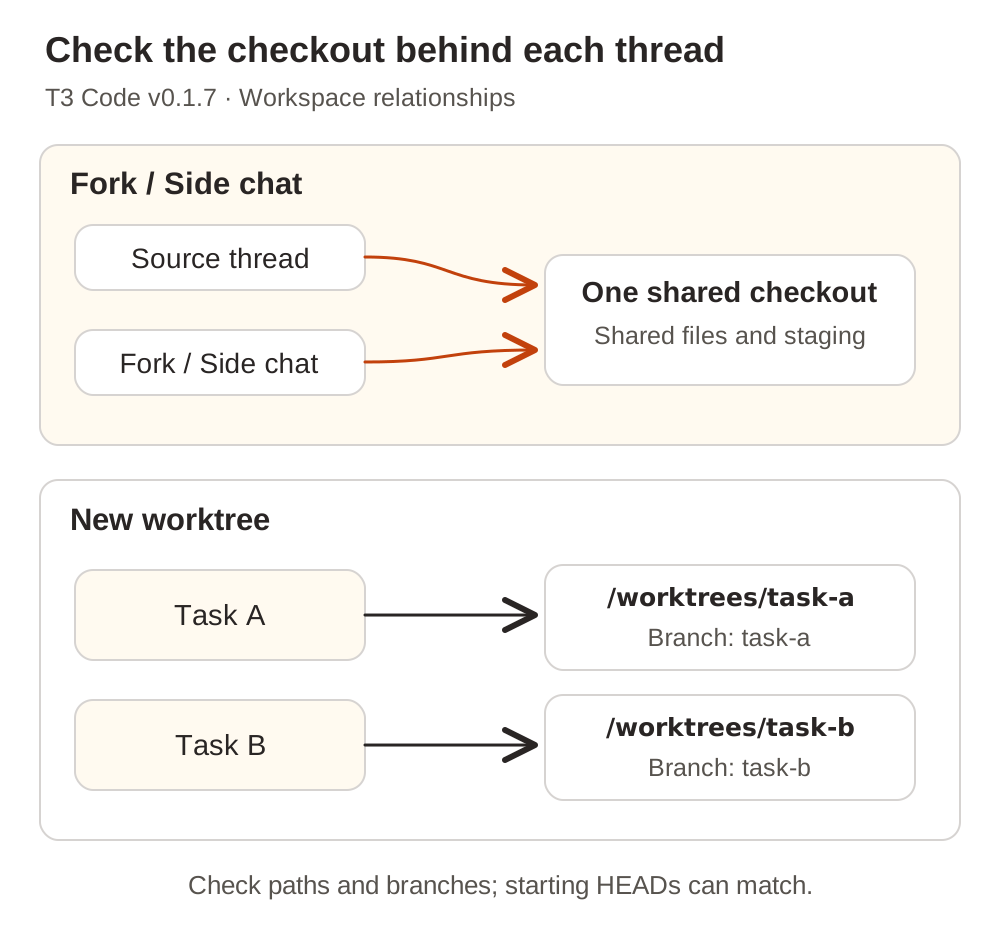
Forking is an easy distinction to miss. In issue #27065, a user running v0.1.3 on Linux with the Claude provider reported that a fork of a worktree thread edited the same checkout. We also checked the v0.1.7 fork implementation: it preserves the source thread's workspace when creating the fork.
As of the research date, PR #31835, which proposes fork workspace settings, remains unmerged. Its screenshots describe proposed behavior. To try a separate implementation today, start a New worktree thread, carry over the goal, decisions, and relevant file locations, and identify any unmerged commits it needs from the original branch.
A side chat works well for questions such as “Why does this code work this way?” If you ask it to edit files, coordinate it as another person at the same desk: pause competing writes first.
Choose tasks that can progress independently
Start with two small tasks that have separate acceptance criteria. Fixing CSV export encoding and improving an SDK example can be reasonable candidates when their changes are independent.
Changing an API response field while another agent implements its consumer introduces a dependency. Agree on the contract first. If the consumer needs unmerged code, start from a branch containing those commits. Otherwise, both agents may invent adaptations that have to be reconciled later.
An October 29 V2EX discussion recommends separate worktrees, commits containing only each agent's own work, and another test pass after integration. That is the author's practical advice. We use its checkable workflow here without treating it as experimental evidence that parallel agents always finish faster.
Give each task a brief that specifies:
- The problem and an observable completion condition.
- The permitted scope and who owns shared interface decisions.
- The starting branch or commit and any dependencies.
- Required checks and the results to return.
For example, adapt this brief to your repository:
Task: Fix the reported CSV export encoding problem.
Workspace: Use the new worktree assigned to this task; report its directory, branch, and HEAD first.
Scope: Export encoding and relevant regression verification; explain shared-field changes before making them.
Acceptance: Check headers, Chinese text, and row count with the agreed sample; run the existing relevant checks.
Handoff: List changed files, verification commands and results, unresolved issues, and the commit ID if committed.
Keep enduring conventions in project instructions, reusable procedures in skills, and the current division of work in the task brief. Our guide to project instructions and agent skills explains that division in more detail.
Verify both workspaces before sending the tasks
Select New worktree in the new thread's workspace controls and check the base branch. Independent tasks can usually begin at the same agreed commit. A dependent task needs a starting point that contains its prerequisites.
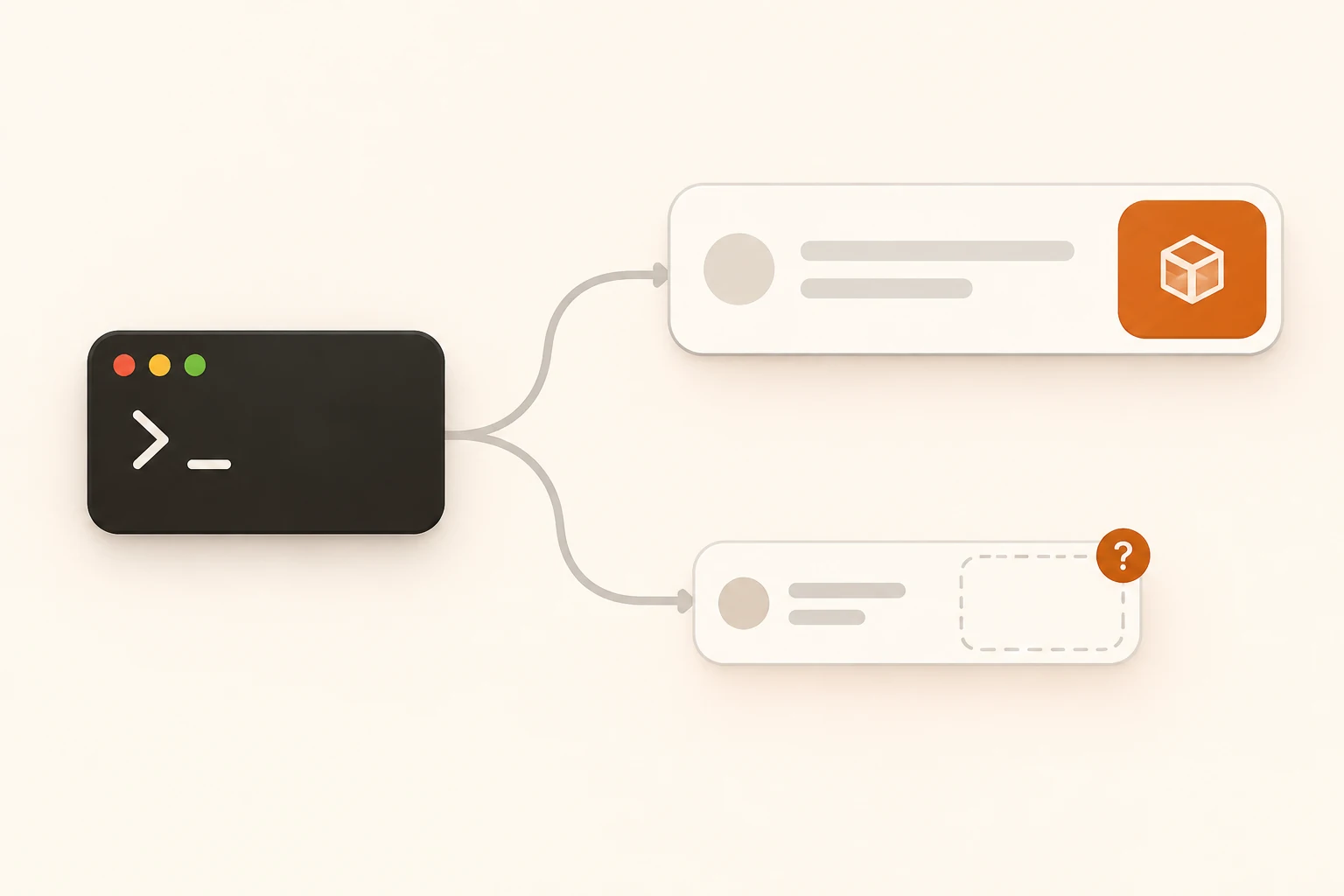
Ask each agent to run these read-only commands in the directory where it will work. They use ordinary Bash or zsh terminal syntax and do not create or remove workspaces:
pwd
git rev-parse --show-toplevel
git branch --show-current
git rev-parse HEAD
git worktree list
git status --short
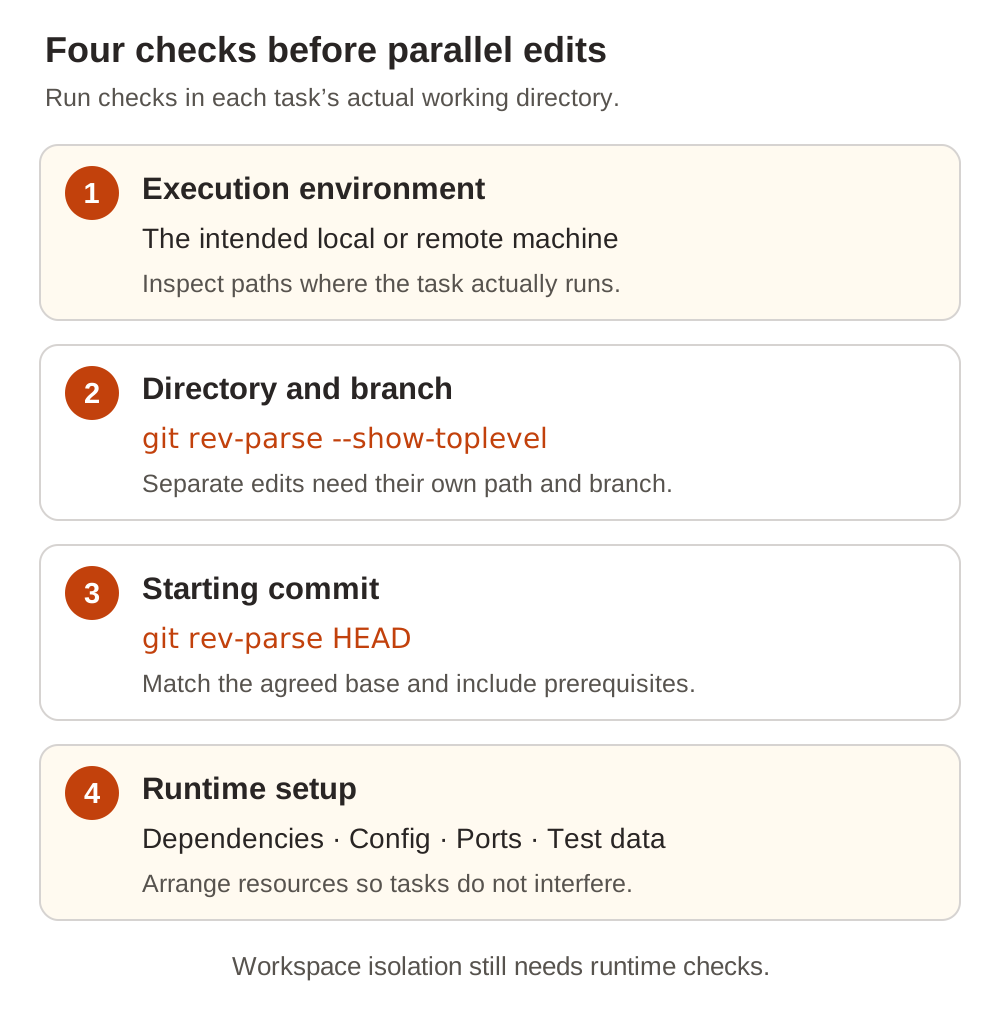
Read the results as follows:
- Environment: confirm the expected machine. Inspect remote directories on the machine actually running the task.
- Repository root: tasks requiring separate edits should have separate working directories. Different chat titles with the same root still mean shared files.
- Branch and HEAD: branches identify the tasks; HEAD identifies the starting commit. Two freshly created worktrees can correctly report the same HEAD.
- Workspace status: do not silently inherit changes with unclear ownership.
git worktree listhelps connect paths, commits, and branches.
The official Git worktree reference explains the mechanism: worktrees share repository objects while keeping their own HEAD, index, and working files. Separate directories provide the useful boundary. Different branch names alone do not make two sets of working files coexist in one directory.
Runtime resources need their own arrangement. Two development servers can still compete for a port or connect to the same database. Prepare dependencies, local configuration, and service addresses for the project; use test resources where appropriate and supply credentials through the project's established configuration mechanism.
If a thread stays at Preparing workspace, inspect the setup terminal first. Issue #32556 contains a single report for v0.1.7 on macOS with fish 4.3.2: incompatible shell syntax left setup waiting, and an imported Action retained an old command after t3.json was edited. This does not establish the cause of every stalled setup. It does give a useful check: inspect the executed command, shell, and saved Action before resubmitting the task.
Collect and integrate changes by branch
Have each task return its scope, checks, and commit ID, then give one place responsibility for integration. Review the changes, merge task branches into the target branch one at a time, and verify the affected end-to-end behavior after integration.
Review committed and uncommitted work together. This example assumes main is the integration branch; substitute your actual target:
git status --short
git diff
git diff --cached
git log --oneline main..HEAD
git diff main...HEAD
The three-dot diff shows committed branch changes from the common ancestor. It leaves out working-directory and staged edits. Check those separately, and inspect untracked files reported by status as well.
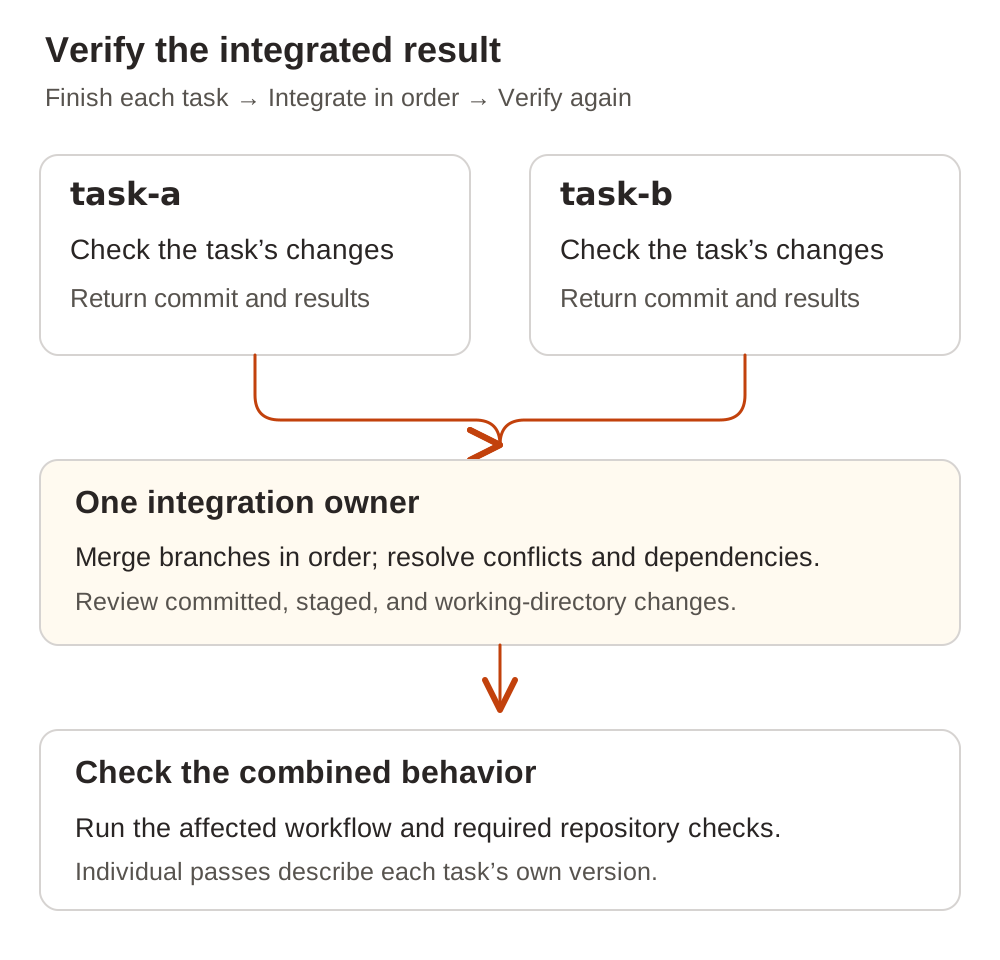
T3 Code's source-control documentation also distinguishes a turn's own changes from the branch comparison. Files brought in by a pull, merge, or rebase may be excluded from that turn's list. Use the branch comparison when reviewing the complete delivery.
If work has already mixed in one directory, pause tasks that write files. Save the current differences and task notes, establish ownership, and then commit or transfer the changes into separate workspaces. Restoring files or clearing a checkout before doing this can discard changes another task still needs.
Check costs against the connection that made the requests
Finishing sooner and making fewer model calls require separate evidence. Parallel agents may each read the project, reason, edit, and retry; integration adds more work. Record the whole task's elapsed time, rework, and related requests. Our agent token cost guide explains why those requests exceed the few prompts visible to a user.
The T3 Code Usage documentation describes API-equivalent cost as an estimate rather than a subscription invoice. Totals also depend on the available history.
For a Nbility connection, use connection basics to verify the agent's endpoint, protocol, token, and model. Then follow account and billing guidance to reconcile usage logs and billing records. A service records the requests actually routed through its connection; seeing several tasks in T3 Code does not establish that they share an API endpoint.
For your first parallel run, pick two small tasks with clear boundaries. Verify separate directories, finish each change, and check the integrated result. That gives you a manageable way to see where concurrency saved time and where coordination added work.