From a Telegram file_id to a file your model can read
Use getFile to resolve a Telegram file_id, download and validate the bytes in your application, then pass supported content to the model without exposing the bot-token download URL.
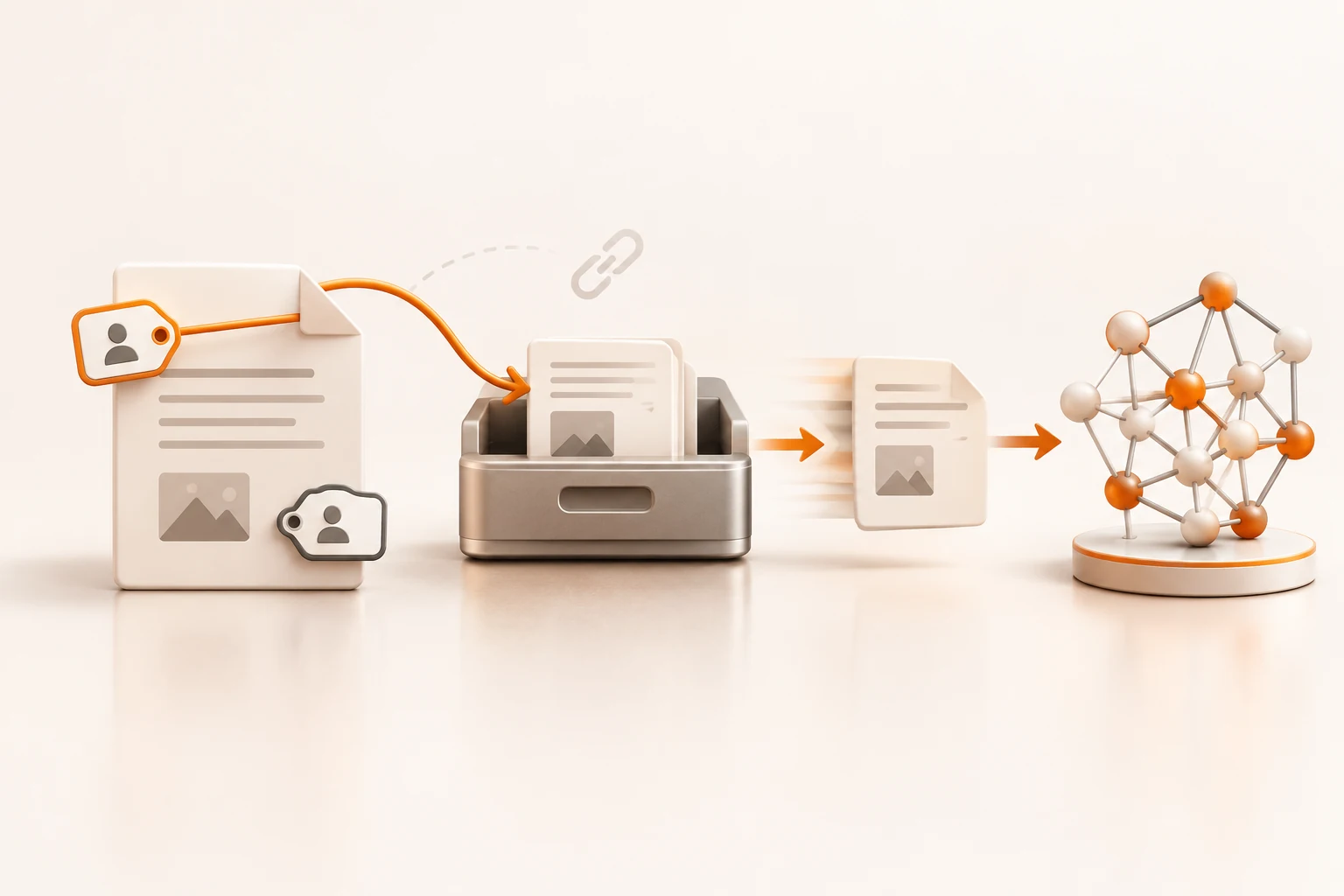
A Telegram file_id is not a download URL, and a model cannot use it to read a photo or PDF. Your application must resolve it with getFile, download and validate the bytes, and pass them through an input method the model supports. file_unique_id identifies a file but cannot download or resend it.
This article checks File, getFile, and the file sending rules on November 28, 2026. The latest changelog entry is Bot API 10.5, November 22. Telegram's file-access path is separate from a model provider's generated-media URL.
Which identifiers should the application keep?
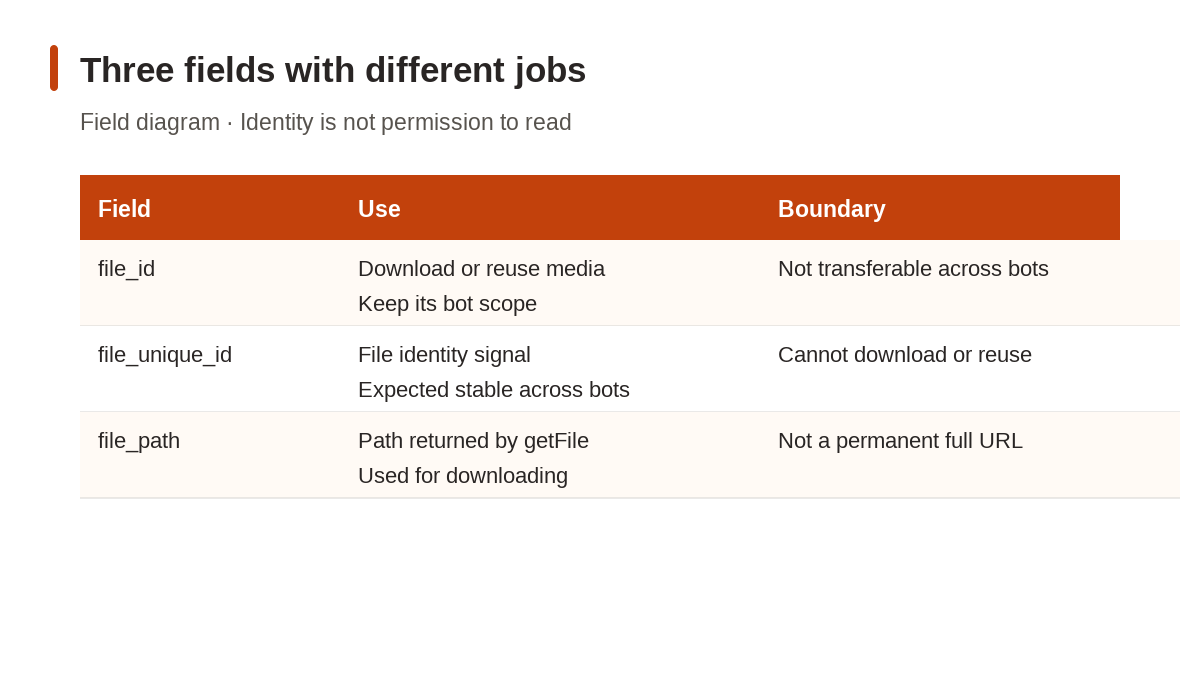
Keep file_id for later downloads or reuse, and optionally keep file_unique_id as an additional identity signal.
| Field | Intended use | What it does not establish |
|---|---|---|
file_id | Call getFile or reuse compatible media through the same bot | It is neither a public URL nor transferable to another bot |
file_unique_id | An identifier expected to remain the same over time and across bots | It cannot download or reuse a file and grants no read permission |
file_path | An optional download path returned by getFile | It is not a complete or permanent URL |
The FAQ says file_id values can be treated as persistent. However, a file can have several valid file_id values even for the same bot. A different identifier does not necessarily mean different content, and a matching file_unique_id does not authorize sharing private content across bots.
If the only goal is to send an existing file back through Telegram, reuse its appropriate file_id rather than downloading and uploading it again. Reuse cannot change media type—for example, a photo ID cannot be sent as a document—and thumbnails cannot be resent this way. Sending content to an external model requires a separate reading path.
Does a successful getFile contain the file bytes?
No. getFile returns file metadata; downloading the bytes is another request.
The hosted Bot API currently supports downloads up to 20 MB. Its returned file_path completes this URL pattern; the values below are placeholders:
https://api.telegram.org/file/bot<BOT_TOKEN>/<file_path>
That address contains the bot token. Do not place it in a model's image_url, a public page, or logs, and do not ask the model to fetch it. The application holding the bot credential should fetch the bytes, then use a controlled upload, inline content, or a model-specific file interface. The model API key and Telegram bot token are separate credentials.
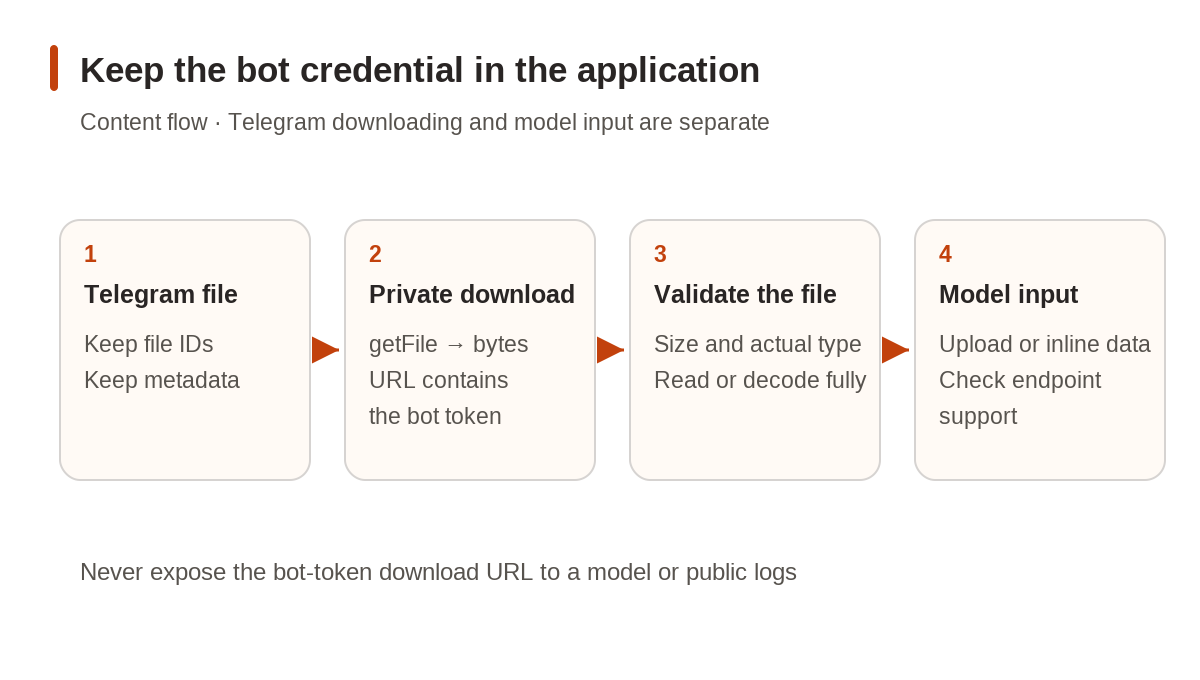
Model and endpoint support still matter. Nbility's Chat Completions documentation describes image content for vision-capable models; it does not promise that every model can read PDFs. For document questions, follow the PDF extraction, retrieval, and citation path. Mentioning a filename in a prompt is not equivalent to uploading its contents.
How do photo sizes and document metadata affect selection?
Select the media field actually present in the message, and keep the source metadata needed later.
message.photo contains multiple PhotoSize objects. Choose a representation for the task rather than sending every size to the model as a separate photograph. message.document has the document identifiers and optional file_name, mime_type, and file_size. Because getFile may not preserve the original name and MIME type, retain them from the incoming message.
The following Python 3 example performs local metadata selection only. It chooses the photo with the largest pixel area; your application may choose differently based on required detail and input limits. Its 8 MiB cap is an application policy, not Telegram's 20 MB download limit.
def plan_download(message):
    document = message.get("document")
    photos = message.get("photo", [])
    if document is not None:
        media, kind = document, "document"
    elif photos:
        media = max(photos, key=lambda p: p["width"] * p["height"])
        kind = "photo"
    else:
        return {"action": "no_supported_media"}

    size = media.get("file_size")
    limit = 8 * 1024 * 1024
    if size is not None and (type(size) is not int or size < 0):
        raise ValueError("invalid file_size")
    if size is not None and size > limit:
        return {"action": "over_app_limit"}
    return {
        "action": "get_file",
        "file_id": media["file_id"],
        "file_unique_id": media["file_unique_id"],
        "kind": kind,
        "original_name": media.get("file_name"),
        "declared_mime": media.get("mime_type"),
        "download_byte_limit": limit,
    }

message = {"photo": [
    {"file_id": "demo-large", "file_unique_id": "u-large",
     "width": 800, "height": 600},
    {"file_id": "demo-small", "file_unique_id": "u-small",
     "width": 160, "height": 120},
]}
assert plan_download(message)["file_id"] == "demo-large"
This assumes an already parsed Telegram message shape; it is not a complete external-input validator. If file_size is absent, count bytes during the download and stop at the application limit. Keep the original name as metadata instead of using it directly as a disk path. The sender's MIME declaration also needs file-type and full-decoding checks before use.
Must the user resend a file when its URL expires?
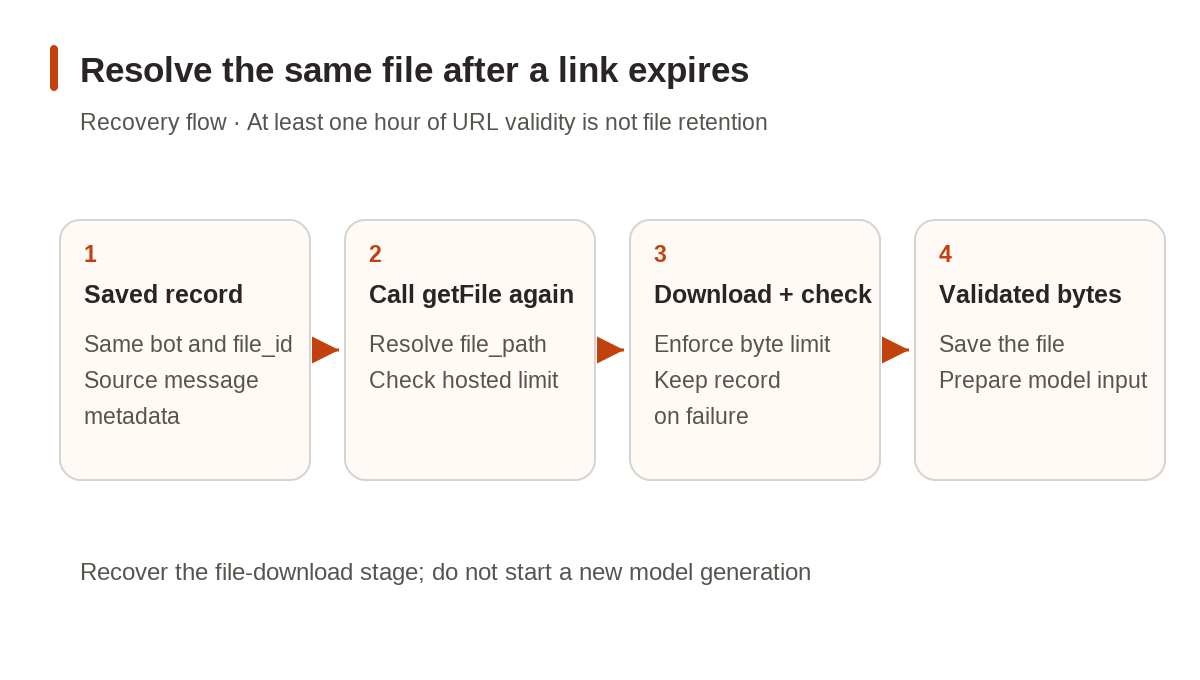
First call getFile again with the saved file_id and download from the path it returns.
Telegram guarantees that a download link remains valid for at least one hour. That is not an exact expiry time or a one-hour retention period for the underlying file. Expired links can be requested again. If a fresh resolution still fails, distinguish a bot mismatch, a size restriction, a missing path, and an unavailable file; not every 403 or 404 proves expiry.
Local checks covered unordered photo sizes, document metadata, absent size, an application-limit violation, no media, and invalid sizes. A real integration still needs a public test file to verify downloading, byte limits, and decoding. No authenticated Telegram request or live URL-lifetime measurement was performed here.
Telegram also documents a local Bot API Server with downloads beyond the hosted limit. That requires a separate deployment; changing a file_id does not bypass the hosted limit. For model-generated images, use the separate existing-result recovery procedure. A Telegram download failure should not trigger fresh model generation. When asking for help, retain a redacted stage and outcome record and remove full download URLs and credentials using the log-redaction guidance.