Make TTS pronounce product names and Chinese characters correctly
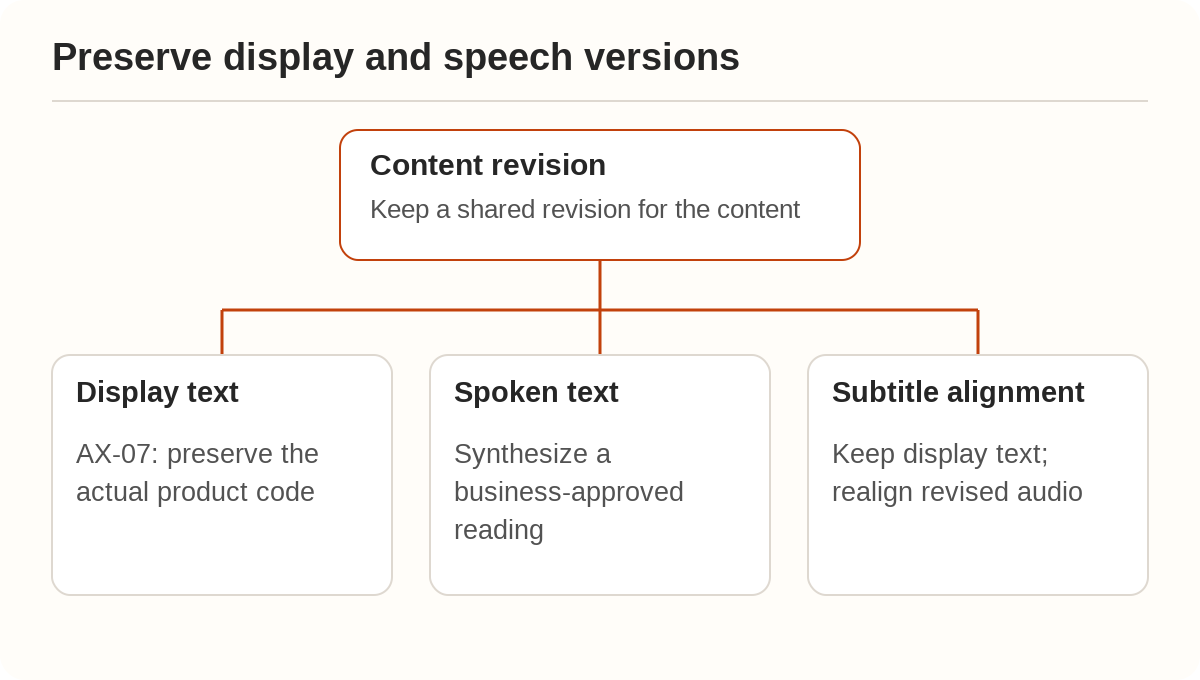
Keep display text separate from spoken text, then choose supported SSML aliases, say-as handling, or phonemes. Pronunciation dictionaries are provider-specific.
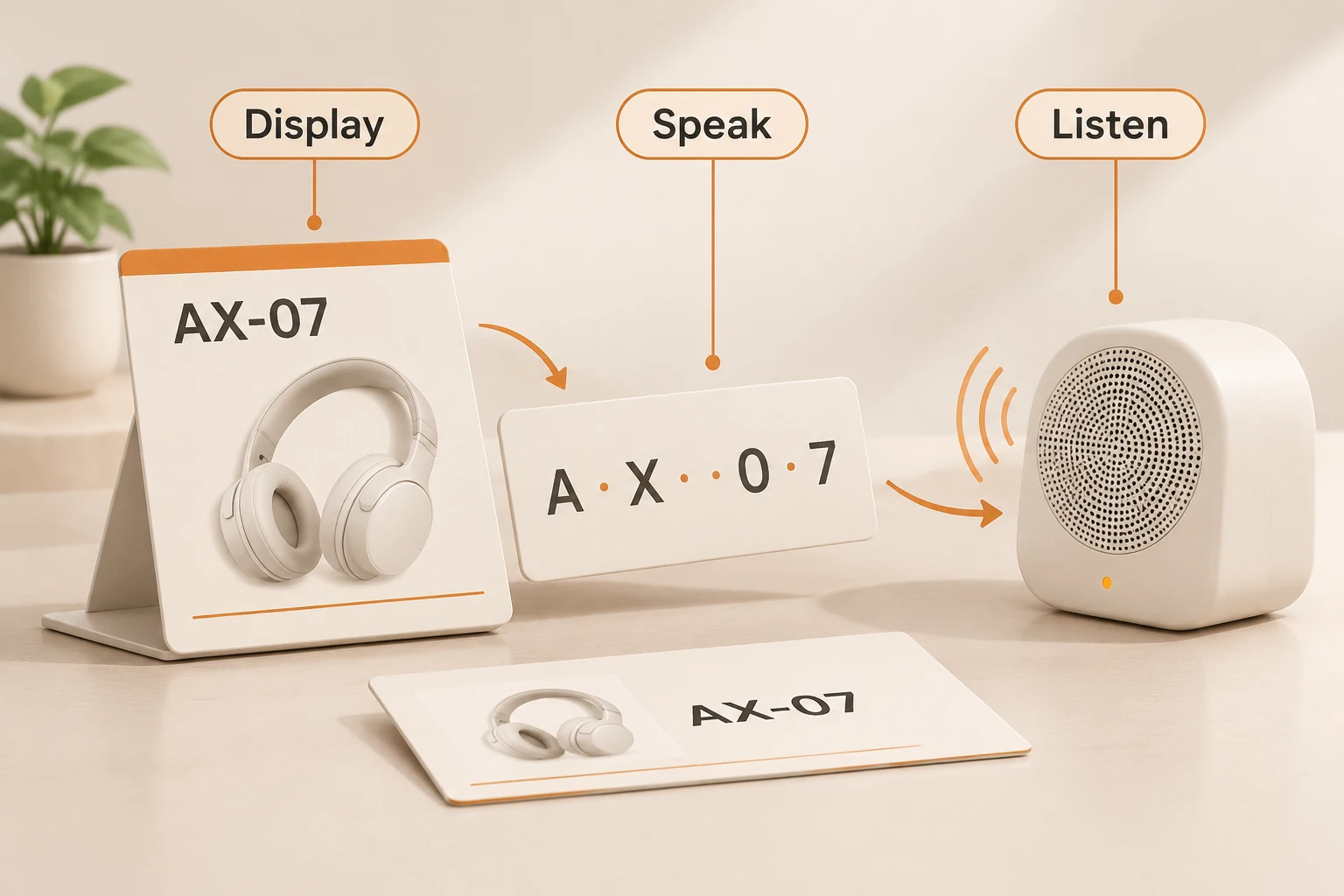
When TTS turns AX-07 into an unexpected word, repeating “pronounce this correctly” is rarely a reliable control. Preserve the display text, define the intended spoken form, and use controls supported by the chosen service. Product codes, numbers, and Chinese characters with multiple readings need different treatment.
Reviewed November 24, 2026 against Microsoft's SSML pronunciation guide, SSML structure, and language and voice support, alongside Nbility's audio API. The XML received offline syntax and content checks only; no synthesis or listening comparison was performed.
Why separate display text from spoken text?
Pronunciation fixes should not corrupt product names or subtitles. A display can retain AX-07 while speech uses a business-approved reading such as “A X, zero seven.” That reading is illustrative, not an official name for a real product.
| Display form | Decision to make | Possible treatment |
|---|---|---|
AX-07 | Separate letters and retain zero? | Explicit alias or spelling |
2026 | Year, quantity, or identifier? | Different spoken forms |
| 重新检查重量 | The two 重 characters have different readings | Context or verified phonemes |
| 仇先生 | The person's actual surname pronunciation | Confirm identity, then control pronunciation |
Global character replacement is dangerous. The same Chinese character can have different readings in the same sentence, and an acronym may mean something different in another product.
When should you use sub, say-as, or phoneme?
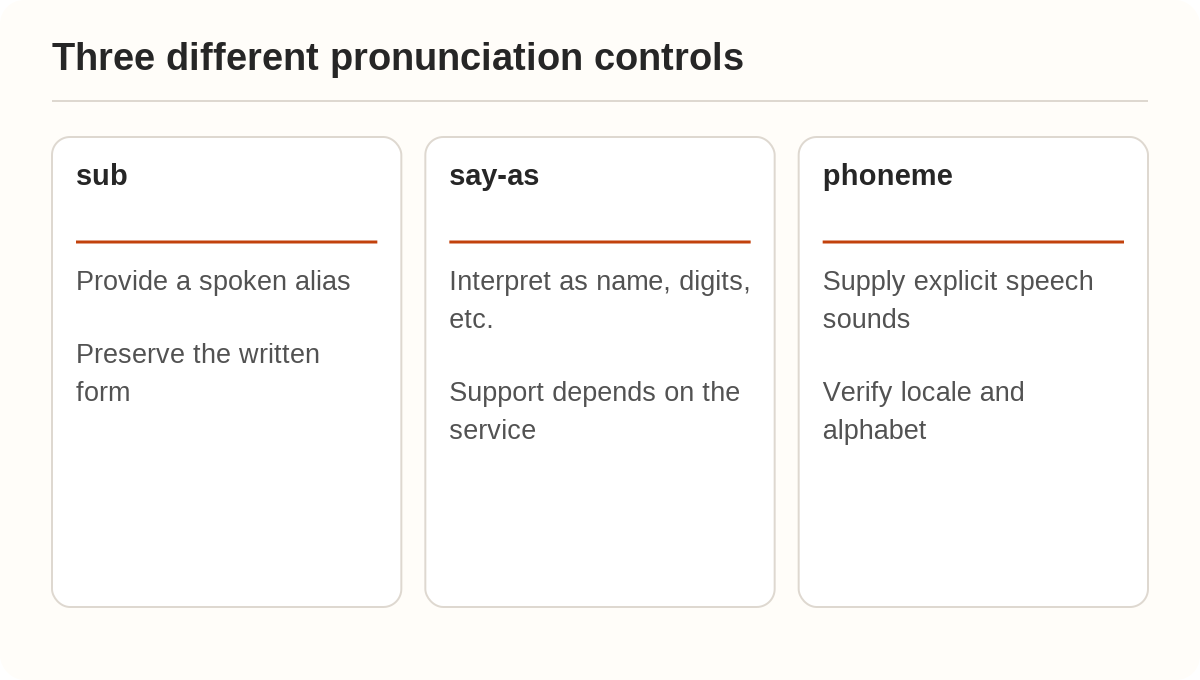
sub supplies a spoken alias, say-as specifies an interpretation such as a number or name, and phoneme provides explicit speech sounds. They solve different problems.
This Azure SSML example uses the listed zh-CN-XiaoxiaoNeural voice. Explicit aliases distinguish the product code, a year, and a quantity. The name example follows Microsoft's documented Chinese surname handling; actual output still needs listening:
<speak version="1.0"
       xmlns="http://www.w3.org/2001/10/synthesis"
       xml:lang="zh-CN">
  <voice name="zh-CN-XiaoxiaoNeural">
    <sub alias="A X,零七">AX-07</sub> 已完成检查。
    <sub alias="二零二六年">2026年</sub> 的第一批共有
    <sub alias="两千零二十六">2026</sub> 件。
    请联系<say-as interpret-as="name">仇先生</say-as>。
  </voice>
</speak>
The year is written as a sequence of year digits, while the quantity is written as “two thousand and twenty-six” in Chinese. Microsoft's say-as interpret-as="name" example treats 仇 as the surname qiú, rather than the common-word reading chóu. It is not a complete or infallible name dictionary; confirm unusual personal readings.
For phonemes, verify both the alphabet and the locale's supported sounds. Unrecognized phones may produce a 400 response. Pinyin is not interchangeable with IPA. Start with one short term before applying a phoneme scheme to a long script.
Can one pronunciation dictionary work across every API?
A terminology list can be shared, but provider formats and request fields need adaptation. Azure uses a separate custom lexicon XML file referenced by SSML's lexicon element. That lexicon is not itself a synthesis-ready SSML document. Check the current size, case, language, and endpoint restrictions for your chosen voice.
Do not automatically publish internal terminology at a public URL. If a service requires a URL, first check for customer names or unreleased products and use its supported access arrangement.
Nbility's general TTS API uses fields such as input and voice, with instructions available for some models. This does not establish Azure SSML or a provider's pronunciation-dictionary support. Pasting the XML into arbitrary input may not make it parse as markup. For plain-text-only models, keep a separate spoken script and preserve the original display text. Style instructions are not equivalent to deterministic phoneme control.
What belongs in a reusable listening checklist?
Record the intended reading so the same terms can be checked after changing models. Keep the display term, context, desired speech, model and voice, control method, and listening result. “Audio returned” does not mean “pronunciation correct.”
| Test fragment | Listen for |
|---|---|
| Code alone and in a sentence | Missing zeros or merged letters |
| The same digits as year and quantity | Appropriate interpretation |
| 重新检查重量 | Context-dependent character readings |
| Names and mixed-language phrases | Stress, pauses, actual name reading |
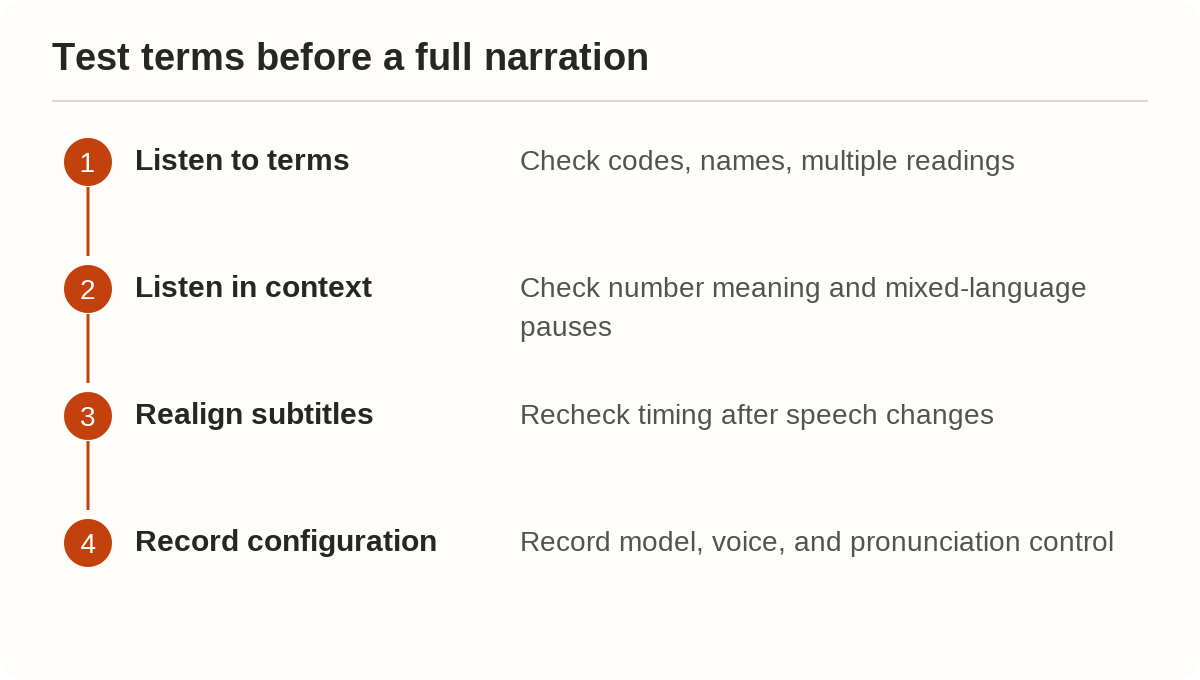
Synthesize these short fragments before a full narration. A revised spoken script may change duration, so old subtitle timings need realignment. For silence or wrong playback speed, investigate streaming TTS formats. For a recurring character, read about voice remixing and resource management. Voice identity, delivery style, and word pronunciation still require separate acceptance checks.