Cline Re-Reads Files After Compaction: Check the Missing Tool Results
When Cline repeats file reads after compaction, check whether tool output reached the summarizer. Trace a CLI 3.0.74 serialization case, then recover with a verified task handoff.
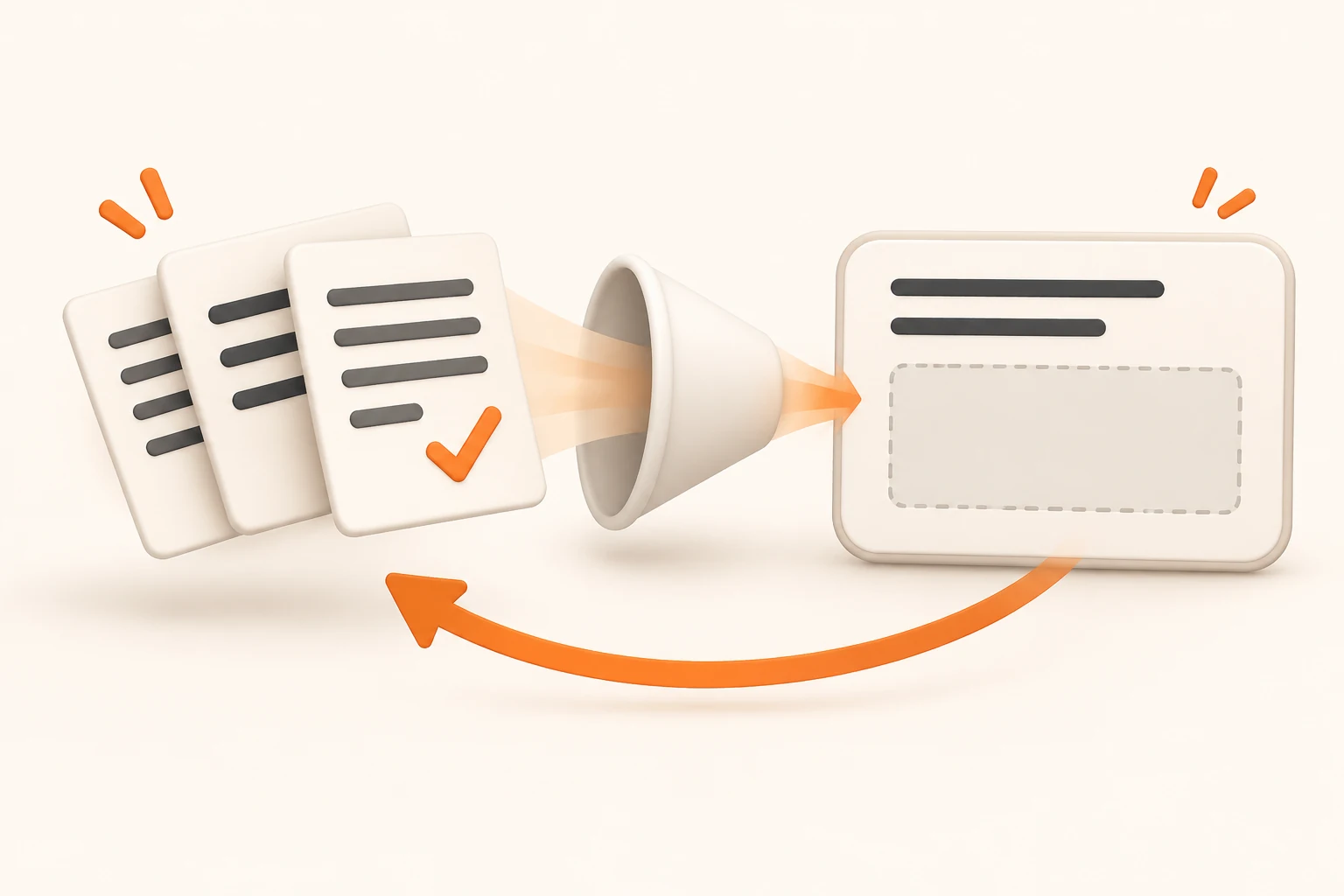
Cline has already read the files and run the tests. After compaction, it starts searching the same directory again. Before switching models, check what survived: a list of files it opened, or the findings and test results needed to continue.
This guide addresses work that loses its thread after compaction. For an initial connection failure, use the Cline custom API setup guide. For an explicit context-limit error, follow the context length troubleshooting guide to reduce the request.
Checked on November 8, 2026, the code discussed here is pinned to cli-v3.0.74, whose Core package declares version 0.2.0. We ran its serialization functions with synthetic public inputs. We did not run a complete CLI session or call a live model. The community report and that narrower verification are described separately below.
Separate a useful re-read from lost task state
Re-reading can be appropriate. A file may have changed, the branch may be different, or the agent may need exact lines before an edit. Investigate when unchanged files lead to the same discovery loop, especially if the agent no longer knows which test failed.
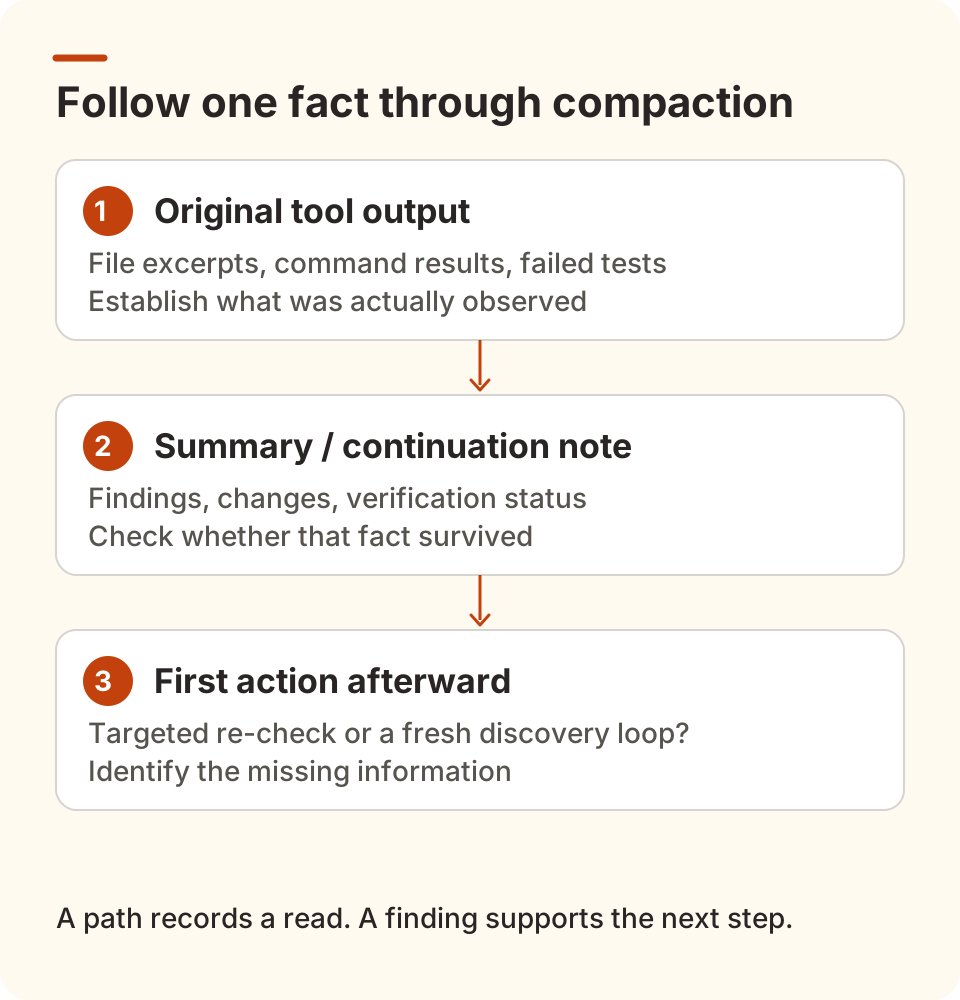
Pick one concrete fact from before compaction and compare three points:
| Checkpoint | What to inspect | What it establishes |
|---|---|---|
| Original tool result | File excerpt, command output, failing test name | What was actually observed or executed |
| Summary or continuation note | Findings, changes, verification status | Whether the next turn has enough information to continue |
| First action afterward | A targeted check or a fresh search from scratch | Which fact may have been lost |
“Read src/parser.ts” preserves a path. “parseHeader returns the wrong value for an empty string; the relevant test still fails” preserves a useful finding. Check that statement against real files and recorded results rather than asking the model to fill gaps from memory.
A recent report traces empty results before summarization
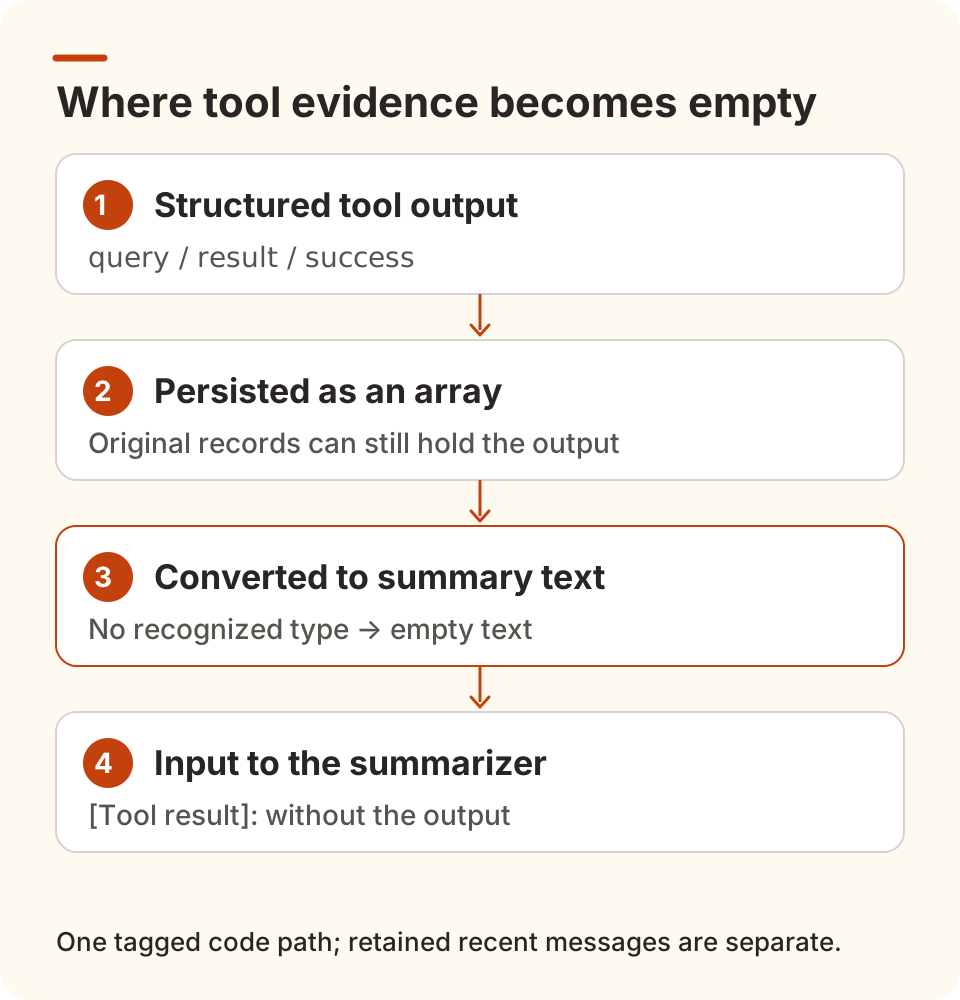
Cline issue #15550, opened November 4, reports that Agentic compaction sends empty results for run_commands and read_files. The summarizer sees the calls but not their output. The author lists CLI 3.0.74, notes a main checkout, and supplies a reproduction using @cline/core@0.2.0 with a local mock model.
One report does not establish that every Cline client is affected. It identifies a specific possibility: output can exist in the original transcript and disappear while that transcript is converted into summary input.
We independently checked two functions in the release tag:
toPersistedToolResultContentpreserves arrays and JSON-encodes ordinary objects.flattenToolResultContentrecognizestext,file, andimageblocks when producing summary text. Unrecognized array entries become empty strings.
The report concerns output shaped like this. These are public demonstration values, not a user's log:
[
  {
    "query": "ls",
    "result": "README.md\nsrc",
    "success": true
  }
]
There is no type field. Passing this input through the tagged persistence conversion and message serializer produces only the label:
[Tool result]:
Neither README.md nor src follows it. In the same offline check, typed text and file blocks, plain strings, and a single object saved as a JSON string retained their text. Different output shapes can therefore produce different preservation results.
The tagged runAgenticCompaction serializes the portion being folded into a summary, then combines the generated summary with retained recent messages. This concerns the folded history; it does not mean every tool result in the session is erased. A summarizer cannot reliably reconstruct evidence missing from its own input.
As of the verification date, fix PR #15551 remains open and unmerged. It proposes JSON serialization of unknown entries with length limits. Its author's test report is not evidence of a released fix. Do not patch an installed binary or rewrite a live transcript based on this example.
Narrow the cause before changing settings
Record the product and version. Use cline --version for the CLI, or the extension details for an IDE installation. CLI and extension version numbers are different, and main is not a stable release identifier. Record the model ID, provider, and compaction strategy; this report concerns the Agentic path.
Choose one missing fact. A specific error code, symbol, or failed test is more useful than “it forgot the project.” Confirm the file was not changed by another task, then look for that fact in the summary. “Tests failed” is usually too vague to resume a fix.
Compare the two representations when diagnostics permit. If your version exposes a summary, task export, or relevant local diagnostics, compare the original tool output with the summary input. Without the latter, repeated reads remain a symptom, not proof that you hit #15550. A successful model request also does not prove its summary contained the right evidence.
For an Nbility connection, Usage logs can help correlate model requests and errors by time and model. Diagnosing where tool content disappeared still requires sanitized client evidence. Keep complete projects, terminal environments, keys, and full transcripts out of public issues.
Change one condition at a time. Keep the project and model fixed while checking continuation with a small public file. Switching models, strategies, and program versions together makes the result difficult to interpret. To establish a released fix, follow the patch through a merge commit and an actual release.
Recover the work already in progress
Pause further edits if the agent is repeating its discovery loop. Preserve the current diff and real verification results. The following request can help assemble a handoff, but check every item. Missing facts must come from existing records or current files; a newly generated note is not evidence by itself.
Pause edits and prepare a continuation note for a new session:

Goal: the intended result and its completion criteria.
Constraints: behavior to preserve, rejected approaches, and reasons.
Current changes: edited files, symbols, and uncommitted differences.
Findings: exact file locations, errors, and confirmed causes.
Verification: commands actually run and their results; list unrun or failing checks separately.
Next step: one small action and what it should establish.

Use only verifiable files and existing records. Mark unknowns as unconfirmed.
Do not scan the entire repository again, install dependencies, commit, or publish.
Separately inspect git status --short, git diff --stat, and the relevant git diff to confirm that the note matches the working tree. These commands cover version-controlled changes; inspect untracked files separately. They do not establish the state of external services.
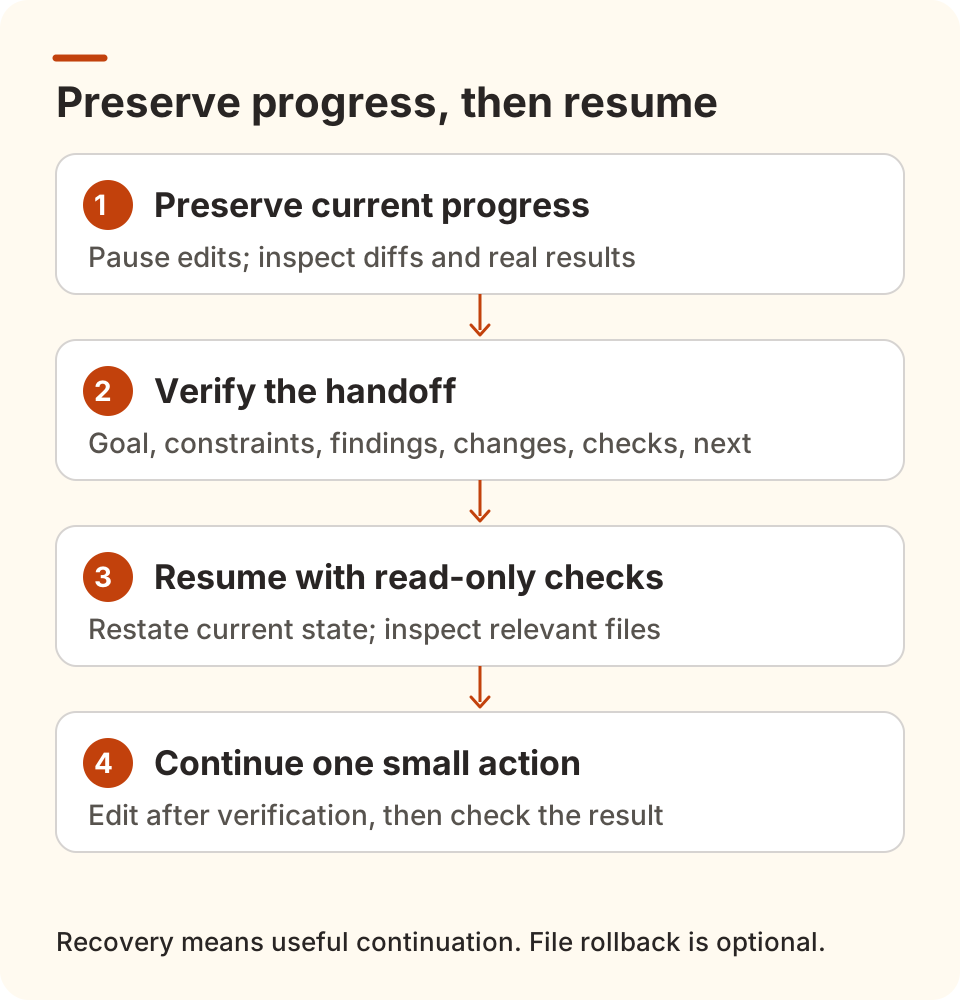
Start the new session with read-only access to the relevant files. Ask it to restate the goal, current changes, and next action before editing. A useful recovery identifies what changed, what remains unverified, and what needs checking next. Reading a specific function again can be sensible; repeating the entire investigation warrants another look.
If the code is sound, losing conversational context alone does not require reverting files. The official Checkpoints guide distinguishes restoring files, restoring the task, and restoring both. Check the scope before choosing. File restoration cannot undo actions already performed in external systems.
Will a larger window or disabled compaction help?
Increasing a declared context window cannot restore tool content lost during conversion. The value must also match the actual model's limits. Disabling compaction changes how future history accumulates; a long task can still reach the limit. First distinguish an early trigger, a failed summary request, and a summary missing key facts.
To verify your Nbility setup, follow the Cline connection guide, keep permissions limited, and use a public file with one explicit continuation step. Success means the task can continue correctly. Connectivity and summary generation each validate only part of that workflow.
Sources and verification limits
- Official Auto Compact overview: explains the intended behavior; broad preservation claims do not replace inspection of a specific version's input.
- CLI 3.0.74 release: corresponds to the pinned source; its notes do not confirm a fix for #15550.
- Issue #15550 and PR #15551: the report, reproduction, and pending patch, not a measure of prevalence.
In a Chinese V2EX discussion of AI coding practices, Tw93 recommends restating the problem, desired outcome, and attempted approaches after repeated failures. That informs the concrete handoff approach here; the discussion does not verify this Cline defect.