What an Orca worktree copies, links or leaves behind
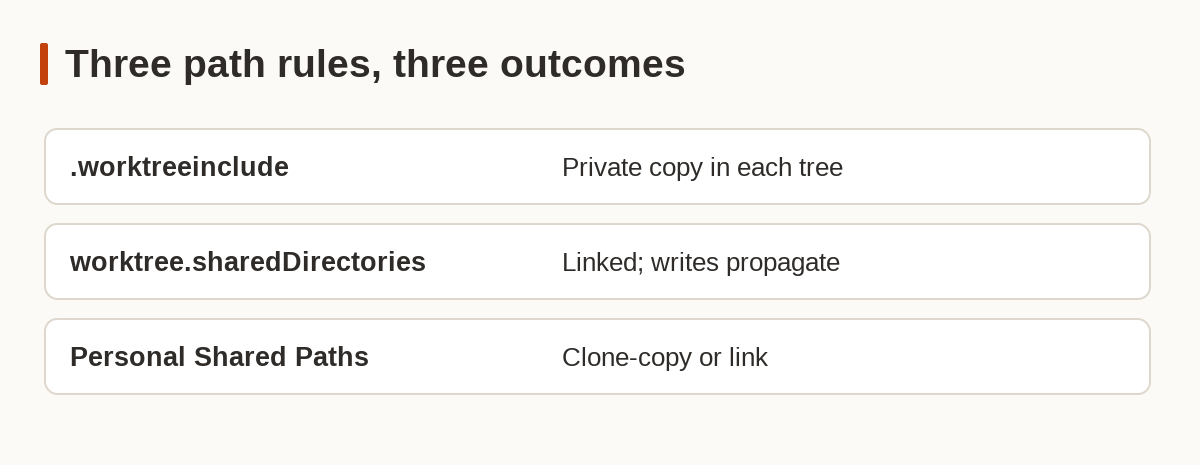
Choose between .worktreeinclude, worktree.sharedDirectories and personal shared paths. A harmless local config makes the difference between a private copy and shared writes easy to check.

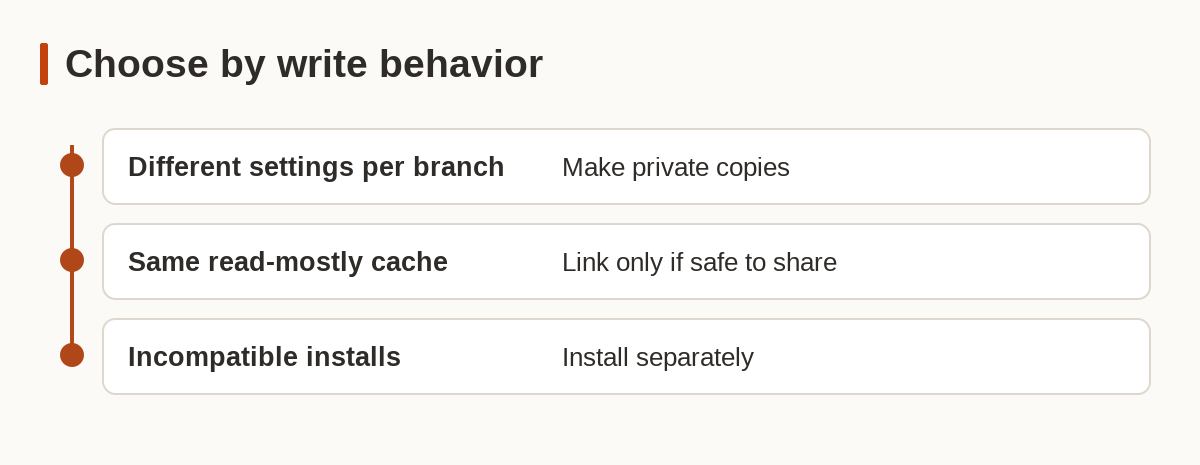
The tracked source is present in your new Orca workspace, but yesterday's local preview settings aren't. That's what a clean Git checkout looks like. Before fixing it, ask what should happen if the second agent edits the settings: should the first agent see the change? The answer determines whether to copy, link or recreate the file.
What is already independent?
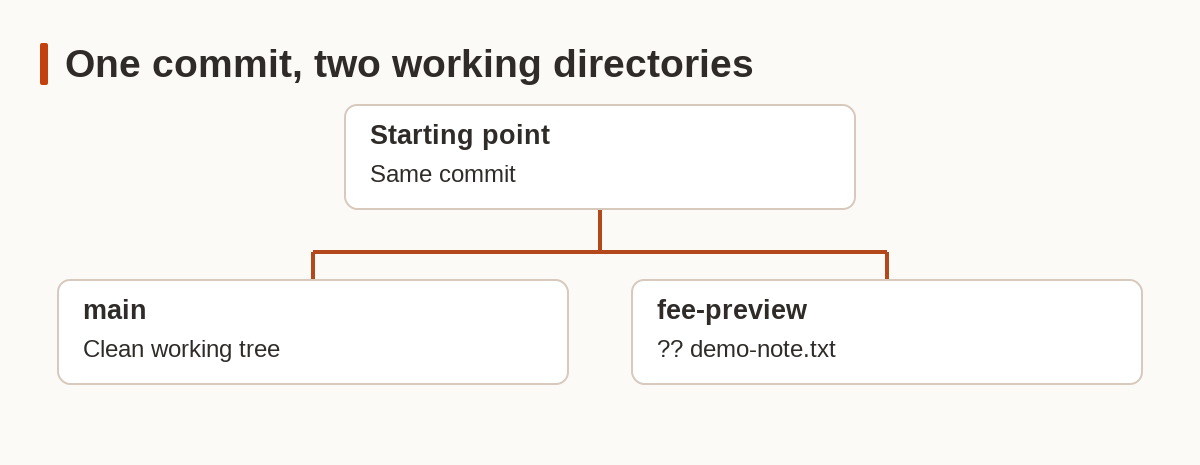
Each worktree has its own working directory. In a disposable Git repository, we put main and fee-preview at the same commit, then created demo-note.txt only in the latter. Running the commands below in each directory gave ?? demo-note.txt in fee-preview and a clean status in main. This tests Git's behavior, not Orca's path setup.
git rev-parse --show-toplevel
git branch --show-current
git status --short
How do I give each task a writable private config?
List the literal ignored path in .worktreeinclude in the primary checkout. For a harmless check, suppose local/preview.conf already exists, is ignored, and contains theme=light. Put local/preview.conf on its own line in the include file. Create a new workspace, change its copy to theme=dark, then read the original: it should still say light.
In the v1.4.279 path reference, entries are literal. local/*.conf isn't a shortcut for copying a family of files. If nothing arrived, verify the source exists, run git check-ignore -v -- local/preview.conf, and check whether a sharing rule already claimed the path. A shared path doesn't get a second, private copy.
What about a large dependency cache?
worktree.sharedDirectories in orca.yaml links existing, ignored directories back to the primary checkout, including on APFS; Windows tries a directory junction first. A link saves duplication but also shares writes. Two branches installing incompatible versions into one linked dependency tree can interfere even though their tracked source files are independent.
The similarly named Settings → Repository → Worktree Shared Paths has different semantics: the personal setting can clone-copy on macOS APFS when available, otherwise it may link. The worktree guide distinguishes all three mechanisms. Check with a disposable marker rather than experimenting on a real credential or shared cache.
If this is your first Orca agent session, begin with a single workspace. For a remote checkout, also check which host supplies the repository. Review what actually changed in the worktree's diff.