Where does an Orca agent run when you close the laptop?
SSH worktrees and Remote Orca Servers both execute work away from the desktop, but own different parts of a session. Choose where files, processes and reconnectable state should live.
Opening your phone doesn't move an agent off a sleeping laptop. If the job must outlive the desktop, put it on a host that stays awake. In Orca, an SSH worktree lets one desktop drive work on a remote machine. A Remote Orca Server owns the runtime that different clients can come back to.
I have a development box already. Do I need a server runtime?
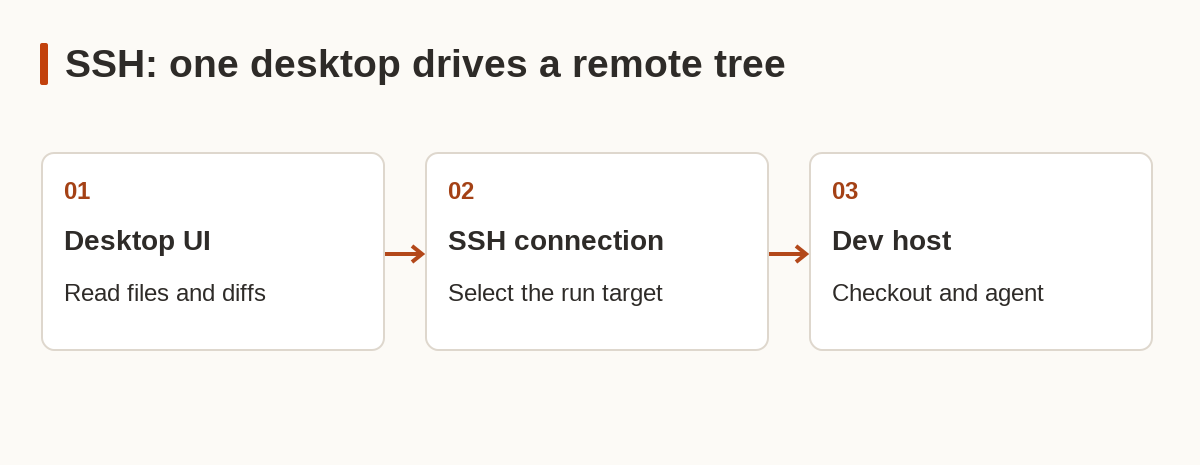
An SSH worktree is a good match when you want the laptop interface but the repository, tools and compute on that box. Add the host under Settings → SSH and check Run on when creating the workspace. Connecting to the host and configuring the project's location there are separate steps.
In the v1.4.279 deployment comparison, the agent and git worktree run on the SSH host, while the editor and diff UI stay on the laptop. The client can reattach after a disconnect if the remote process and host remain alive. Reconnection doesn't tell you whether a particular turn succeeded. Check hostname and git rev-parse --show-toplevel inside the workspace terminal against your own inventory.
What if two devices need the same sessions?
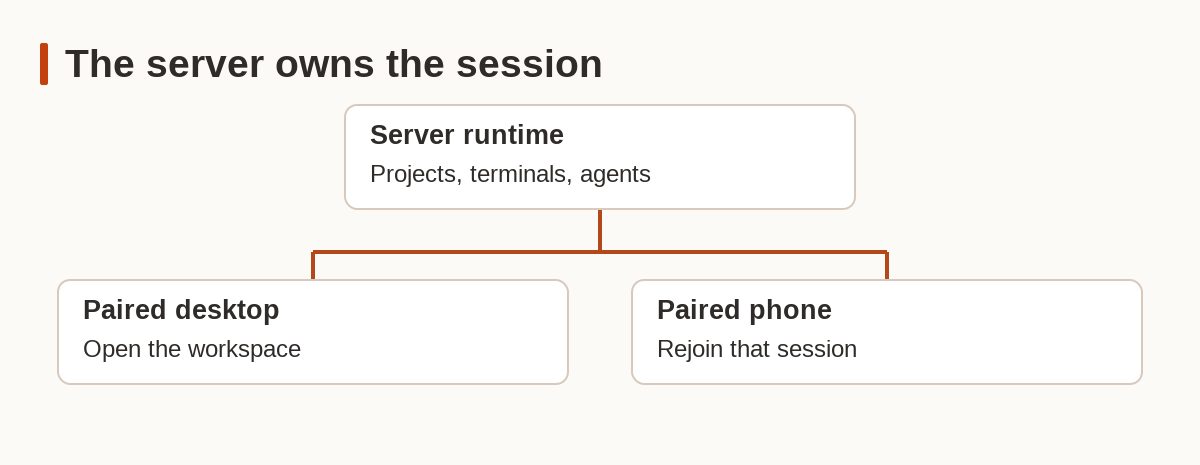
Pair them with a Remote Orca Server on an always-on machine. The server owns the projects, worktrees, terminals and agents; the paired devices are clients. When you switch devices, look for the original server session rather than a similarly named local checkout. The server guide covers both sharing a desktop runtime and running headless.
How can I tell that reconnect worked?
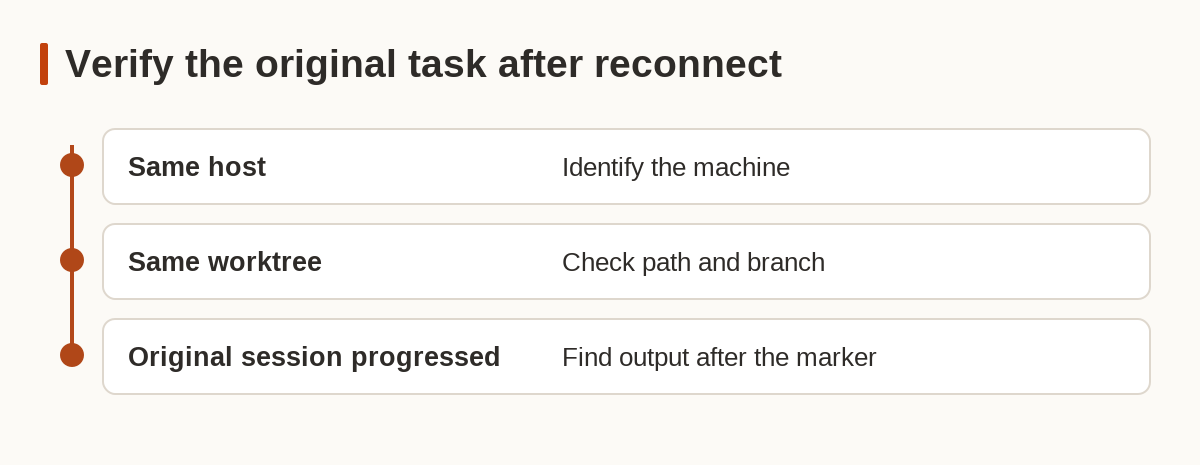
Use a disposable task. Note the host, branch and a harmless marker in the session, disconnect only the client, and reconnect. Confirm the working directory and look for further output from that original task. Being able to browse files alone doesn't prove the terminal or agent is healthy.
If the requirement is a disposable machine per task, that's a fourth option alongside local, SSH and server: Orca labels it Cloud VM. The provider account or infrastructure is yours. The release documentation describes the ownership model; we didn't pair a live server or measure survival time after sleep.
Start with one locally verified agent if you haven't isolated the account yet. A remote checkout missing local files is a worktree setup question. A preview URL that doesn't open is a different problem; the remote preview and port example illustrates that distinction in another IDE, not a set of Orca settings to copy.