Where Remote localhost Pages Run in T3 Code
Use T3 Code v0.1.11 remote browser previews and port forwarding with a clear view of host rendering, desktop loading, local port conflicts, and verification.
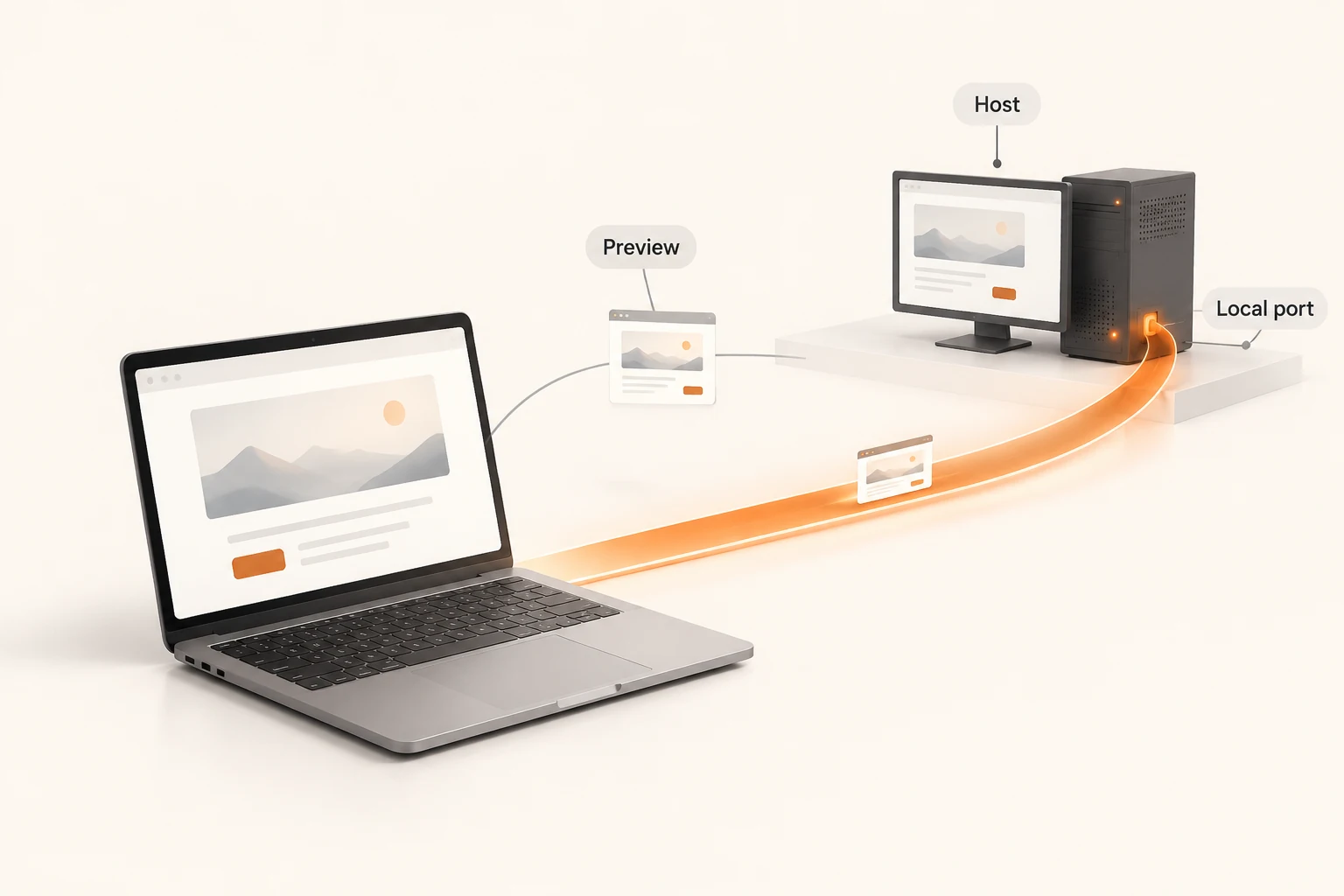
An agent starts a development server on a remote machine. Opening the same localhost:3000 in your laptop's ordinary browser usually reaches the laptop. T3 Code v0.1.11 offers several ways to reach the remote service: a streamed host browser, a remote-environment tab loaded on your desktop, and a port forwarded to your computer. Identify the route before deciding which build you are looking at.
This guide was checked on November 21, 2026 against the v0.1.11 stable release and its remote browser documentation. It provides a documented procedure and proposed acceptance checks. We did not test a two-machine connection or measure latency.
Which machine does localhost mean?
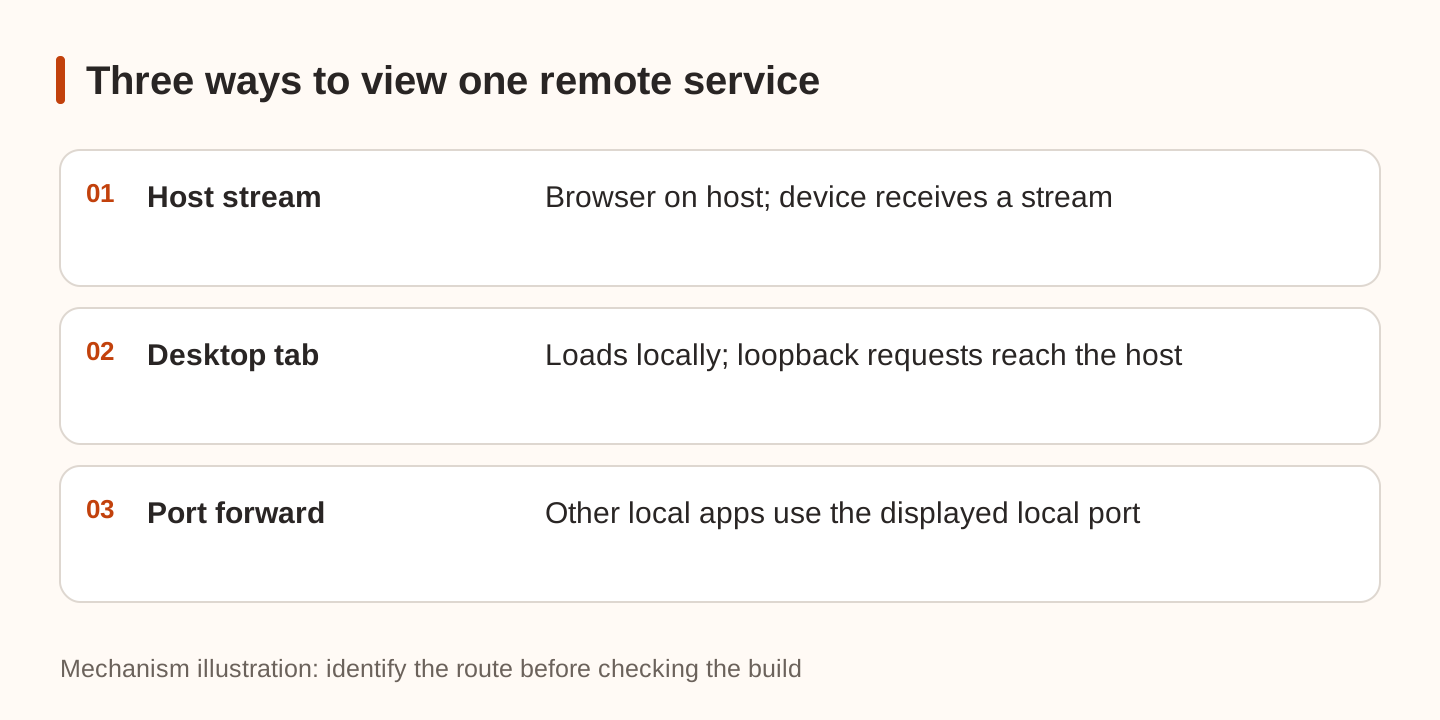
T3 browser tabs belong to an environment. When an agent uses the browser on that host, localhost reaches a service on the host. The web client and other devices normally receive a stream of that browser. Disconnecting the viewing device does not itself close the agent's browser on the host.
There is a separate desktop behavior: a tab you open yourself for another environment loads on your computer, while requests to localhost, 127.0.0.1, and [::1] travel to the host over the existing connection. If the host is unreachable, the tab displays a connection error; those addresses do not silently fall back to a service on your laptop. The web app continues to stream the host browser.
| Route | Where the page or view runs | Useful for |
|---|---|---|
| Stream a host tab | Browser on host; view on your device | Seeing the same page as the agent |
| Open a remote tab yourself in desktop | Page on desktop; loopback requests routed to host | Local element picking, screenshots, annotations |
| Forward a host port in desktop | Other local applications use the forwarded port | Your own browser or curl |
An environment is also separate from a code checkout. A working tunnel can still show an old build if the server started in another directory. Use the thread and worktree checks to identify the checkout before diagnosing networking.
Open the service in your own browser
In the desktop app, use the forward button for the service in the thread's Servers list. Alternatively, open Forwarded ports in the command palette to enter a port or stop a forward. ⌘-click a remote server link, or Ctrl-click on Windows and Linux, to forward it and open it in your browser.
T3 keeps the host's port number when available. If another local application already occupies it, T3 selects a free port and displays that number. A host service on 3000 therefore need not appear on local port 3000.
For example, if the interface shows local port 43127, run this on the laptop, replacing the example port with the displayed one:
curl --fail-with-body --max-time 10 http://127.0.0.1:43127/
Receiving HTML verifies the HTTP route. It does not establish that JavaScript assets, hot reload, or application APIs work. Inspect those in a browser. An API hosted on another port or domain has its own connection path.
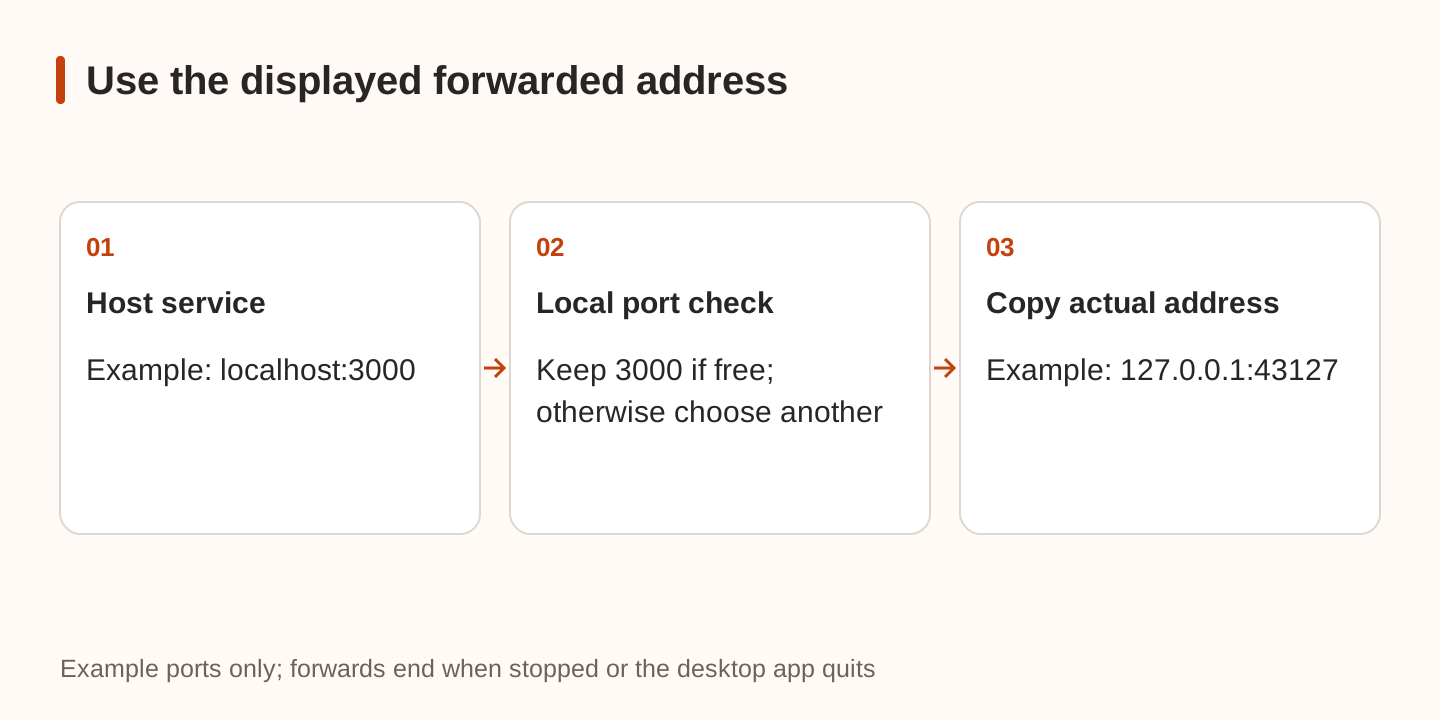
Forwarding does not publish the service to the internet. The listener is loopback-only and ends when you stop it or quit the desktop app. It is still reachable by other applications on your computer, potentially including pages open in your browser. Other signed-in users on macOS and Windows can reach it too. Treat an unauthenticated admin service accordingly.
Locate a failed connection
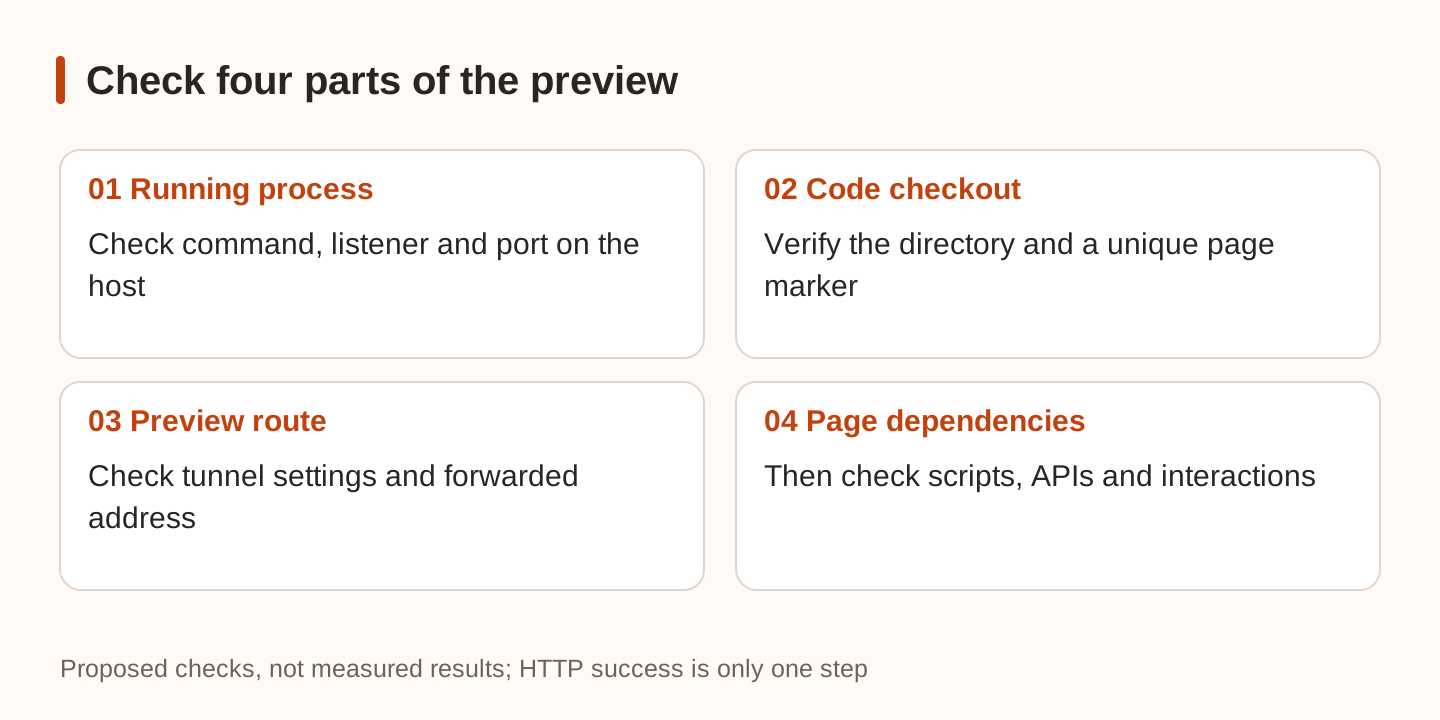
First confirm on the host that the process is running and listening on the expected address and port. Ask the agent for its working directory, startup command, actual listener, and first error. If the task never finished initialization, use the workspace preparation guide.
The documentation identifies several limits worth distinguishing:
- These desktop remote tabs ignore system proxy settings. Hosts reachable only through a proxy, and HTTPS sites using privately issued certificates, may fail to load.
- Special handling covers the documented loopback addresses. Other names mapped to your computer through
/etc/hostscan still reach your computer. - Disabling Settings → Sharing & access → Preview tunnel on the host closes preview tunnels and removes port forwarding and mobile Open on this device. Streamed host tabs can still work.
- Mobile Open on this device uses a native browser view to reach the host service. On iOS and iPadOS, a stand-in address limits features requiring a secure page, including clipboard access and service workers.
Recent issue #39546 concerns an IPv6 listener, while issue #39750 concerns error propagation over T3 Connect. The first was closed after a direct-link test did not reproduce the failure; that test did not cover the reporter's T3 Connect route. The second, filed through an AI agent, adds server-side records for that route but lacks a client response capture. Both were closed when checked. We did not reproduce them or establish a stable release containing a fix. Record both operating systems, the T3 version, listener address, and exact error. Follow the log redaction checklist before sharing connection details.
Verify the build you intended to inspect
In a disposable demo project, add a distinctive page marker such as preview-check-20261121. Start the server on the host and look for the marker through both the T3 tab and the forwarded address in your own browser. Exercise one existing interaction. Stop forwarding and check that the external browser can no longer establish a new connection. Remove the marker afterward. This is a suggested test, not a test performed for this article.
If the application calls Nbility, page delivery and model requests remain separate paths. Use connection basics to check the API endpoint and model, and keep the API key on the server. A rendered frontend does not prove the model integration works.