Reconcile Gemini batch results before retrying work
A completed Gemini batch can contain failed requests. Retain stable keys, reconcile every result, and distinguish errors from missing output before creating any retry batch.
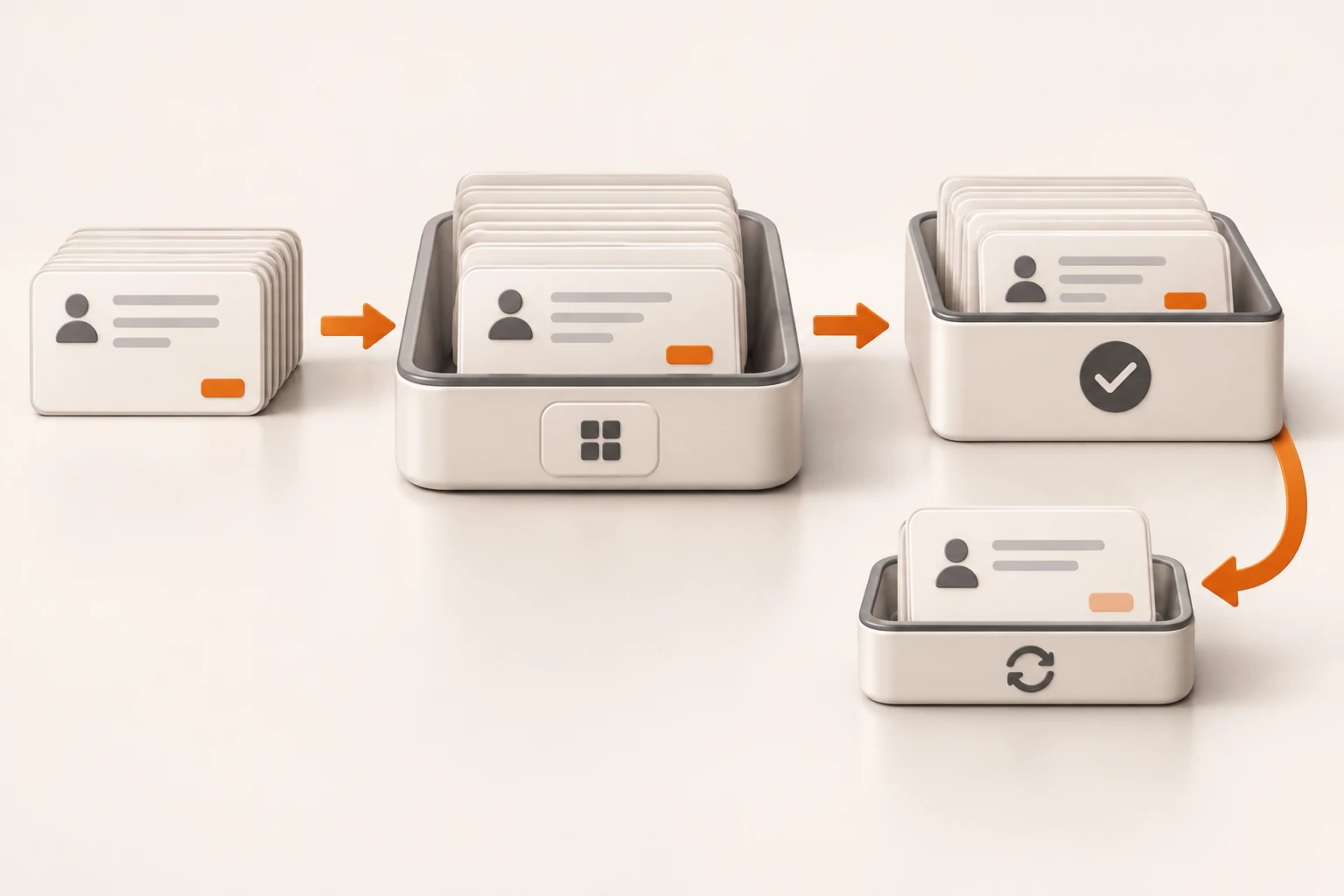
Gemini Batch API suits summaries, classification, and offline evaluation that can wait. Google documents pricing at 50% of the equivalent model's standard interactive cost and a 24-hour target turnaround. Neither a completed job nor a discount guarantees that every business record has a usable answer.
Keep an input manifest and job name, then reconcile results by key. Preserve successful output, inspect explicit failures, and investigate missing results before creating another batch.
This article checks the Batch API guide, including file input, states, results, and best practices, on November 19, 2026. No real batch was submitted. All JSONL and reconciliation examples are synthetic; no runtime or monetary savings were measured.
Why can a completed batch contain failures?
A batch schedules separate requests asynchronously. It is not an all-or-nothing transaction. Google recommends checking batchStats.failedRequestCount and examining each output-file line for either a model response or an individual error.
The current guide says this feature uses generateContent, so do not place an Interactions request body into the file. Check each model's batch and modality support separately.
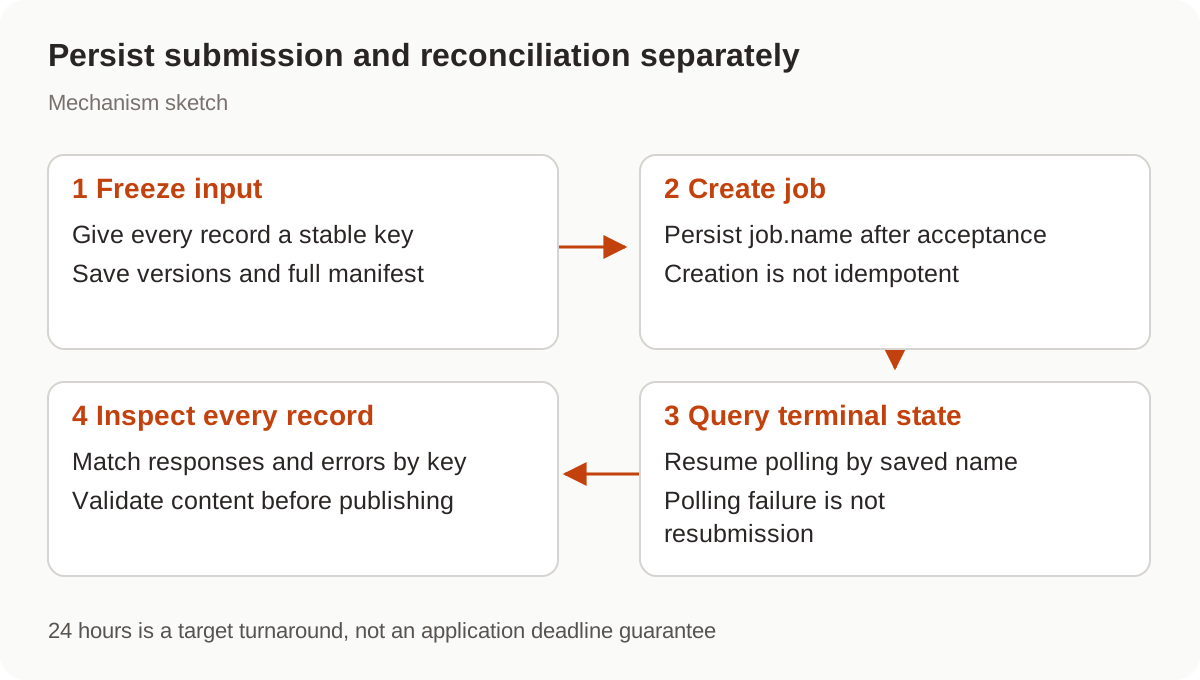
Inline requests fit small batches under 20MB total. Larger jobs can use JSONL input files with a 2GB per-file limit. The 24-hour turnaround is a target, not an application deadline guarantee. Interactive user requests may still need a synchronous path.
What identifies an input record?
Each JSONL line contains a custom key and a complete request. Choose a stable identifier that maps to the business record. Keep document version, prompt version, and model in a local manifest; avoid putting personal information directly in keys.
Save this public teaching fixture as requests.jsonl:
{"key":"demo-a-v1","request":{"contents":[{"role":"user","parts":[{"text":"Summarize in one sentence: This public demo describes park opening hours."}]}]}}
{"key":"demo-b-v1","request":{"contents":[{"role":"user","parts":[{"text":"Summarize in one sentence: This public demo describes library borrowing rules."}]}]}}
Google returns the key with the corresponding result. Match by that identifier rather than treating output line numbers as input record IDs. This also supports missing-result checks and later retries.
This unexecuted example follows the official SDK's file submission shape and uses a locally configured GEMINI_API_KEY. Save the manifest first, ensure a single submitter, and persist job.name immediately after creation.
from pathlib import Path
from google import genai
from google.genai import types

client = genai.Client()
uploaded = client.files.upload(
    file="requests.jsonl",
    config=types.UploadFileConfig(
        display_name="public-summary-input-v1",
        mime_type="application/jsonl",
    ),
)
job = client.batches.create(
    model="gemini-4-hydrogen",
    src=uploaded.name,
    config={"display_name": "public-summary-v1"},
)
Path("batch-name.txt").write_text(job.name)
print(job.name)
This demonstrates submission, not a safe recovery script to rerun. Batch creation is not idempotent: sending the same creation request twice creates two jobs. If acceptance is uncertain, or local persistence fails after acceptance, inspect server records before calling batches.create again. display_name is a label, not a deduplication guarantee.
How do you identify what actually needs attention?
Retain the raw output file. Separate model responses, explicit errors, missing keys, and responses that fail business validation.
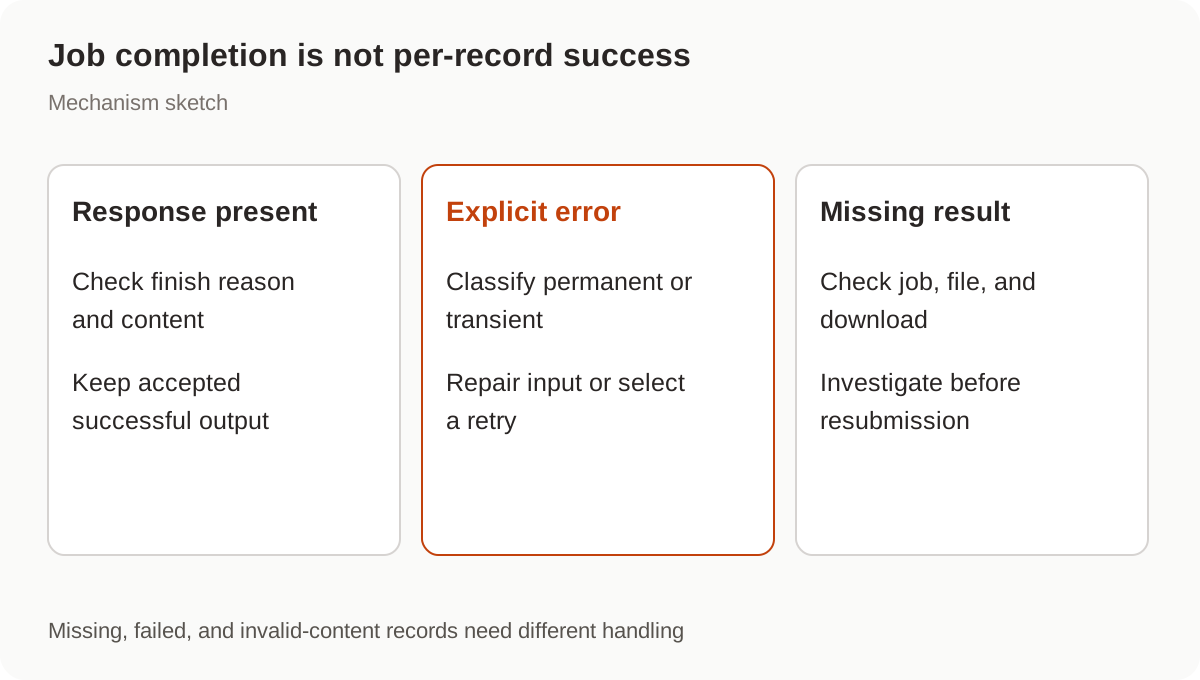
This offline script performs structural reconciliation against requests.jsonl and downloaded results.jsonl. It rejects duplicate and unknown keys. A response still needs safety, finish-reason, empty-answer, and business-field checks before delivery.
import json
from pathlib import Path

inputs = [json.loads(line) for line in Path("requests.jsonl").read_text().splitlines() if line.strip()]
expected = {row["key"] for row in inputs}
if len(expected) != len(inputs):
    raise ValueError("Duplicate input key")
seen, response_keys, error_keys = set(), set(), set()
for line in Path("results.jsonl").read_text().splitlines():
    if not line.strip():
        continue
    row = json.loads(line)
    key = row["key"]
    if key not in expected or key in seen:
        raise ValueError(f"Unexpected or duplicate result: {key}")
    seen.add(key)
    if row.get("response") is not None and row.get("error") is None:
        response_keys.add(key)
    elif row.get("error") is not None and row.get("response") is None:
        error_keys.add(key)
    else:
        raise ValueError(f"Unrecognized result structure: {key}")
print("Needs content validation:", sorted(response_keys))
print("Inspect errors:", sorted(error_keys))
print("Missing, investigate first:", sorted(expected - seen))
Missing does not automatically mean failed. Confirm the job is terminal, the download is complete, and the file belongs to the expected job. Redownloading an existing result is preferable to recreating the batch when a local file is damaged. Preserve invalid answers and their rejection reasons before deciding whether to change the prompt or use manual review.
When should work be retried?
Terminal states include JOB_STATE_SUCCEEDED, JOB_STATE_FAILED, JOB_STATE_CANCELLED, and JOB_STATE_EXPIRED. A failed polling request does not establish a failed job: query the saved job name again. Once terminal, reconcile the available results.
For an explicit per-request failure, determine whether a retry can help. Invalid models or parameters need correction; transient service errors may justify a controlled retry after backoff. A new batch should contain only selected retry records, with its own saved job name and attempt history. Keep the original business key if useful, but retain attempts separately so successful earlier output is not overwritten.
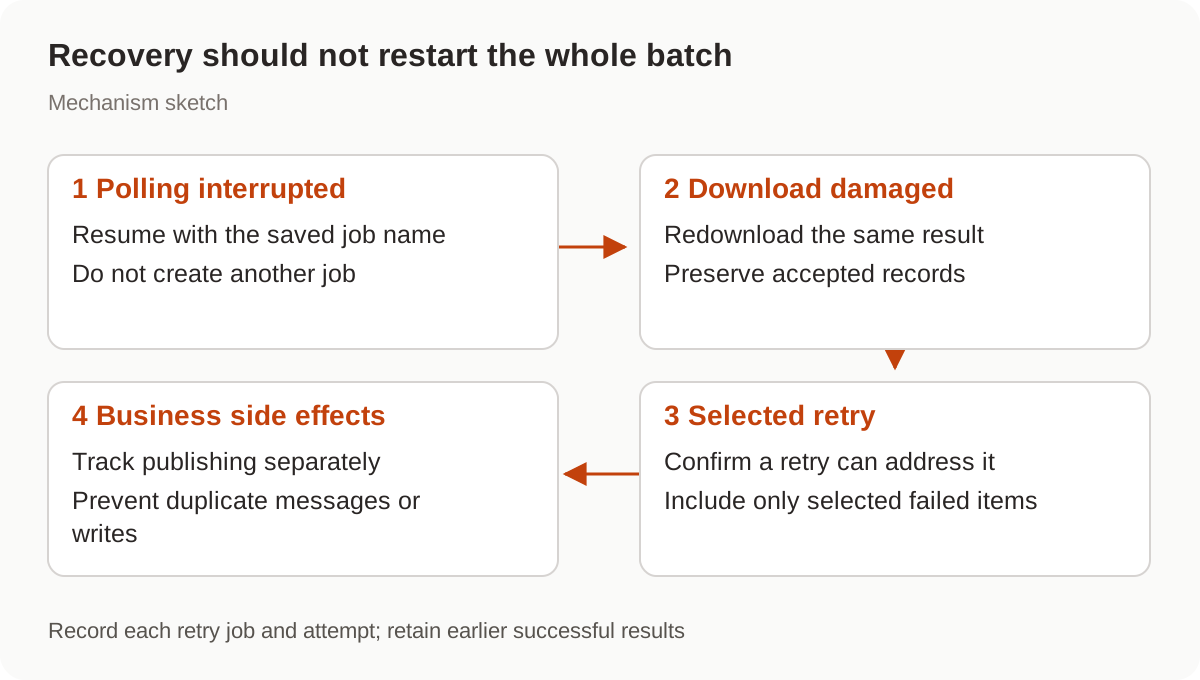
A cancellation request also needs confirmed state. It does not prove every record remained unprocessed. If generated output triggers messages, orders, or writes, prevent those business actions from repeating independently; see n8n side-effect recovery.
What should move to Batch first?
Start with fixed-input, independently reviewable work that tolerates delay, such as daily public-material summaries. Do not insert a 24-hour target into a seconds-long customer-service requirement, or assume Batch removes layered retry risks.
An automation workflow can persist preparation, submission, polling, reconciliation, and publication separately. Resume a download against its existing job, or resume publication from saved model output, instead of returning to initial submission.
For Nbility, read the Gemini compatibility documentation and separately confirm Batch, Files, and download support. This article describes Google's official workflow; those asynchronous resources have not been verified through Nbility.