Load Gemini tools when the task needs them
Gemini tool retrieval loads function schemas on demand. Choose server or client retrieval, resend tools on follow-ups, and preserve signed steps when replaying history.

An agent with a large tool library can let Gemini find relevant functions before loading their full parameter schemas. Tool retrieval, announced on November 19, 2026, adds that option through the Interactions API on v1beta in preview. Adding defer_loading to an existing generateContent request is not a supported migration.
This article checked the release notes and tool retrieval guide on November 22. The examples describe requests and acceptance checks; no live model, MCP server, or token-savings experiment was run.
What does deferred loading leave out?
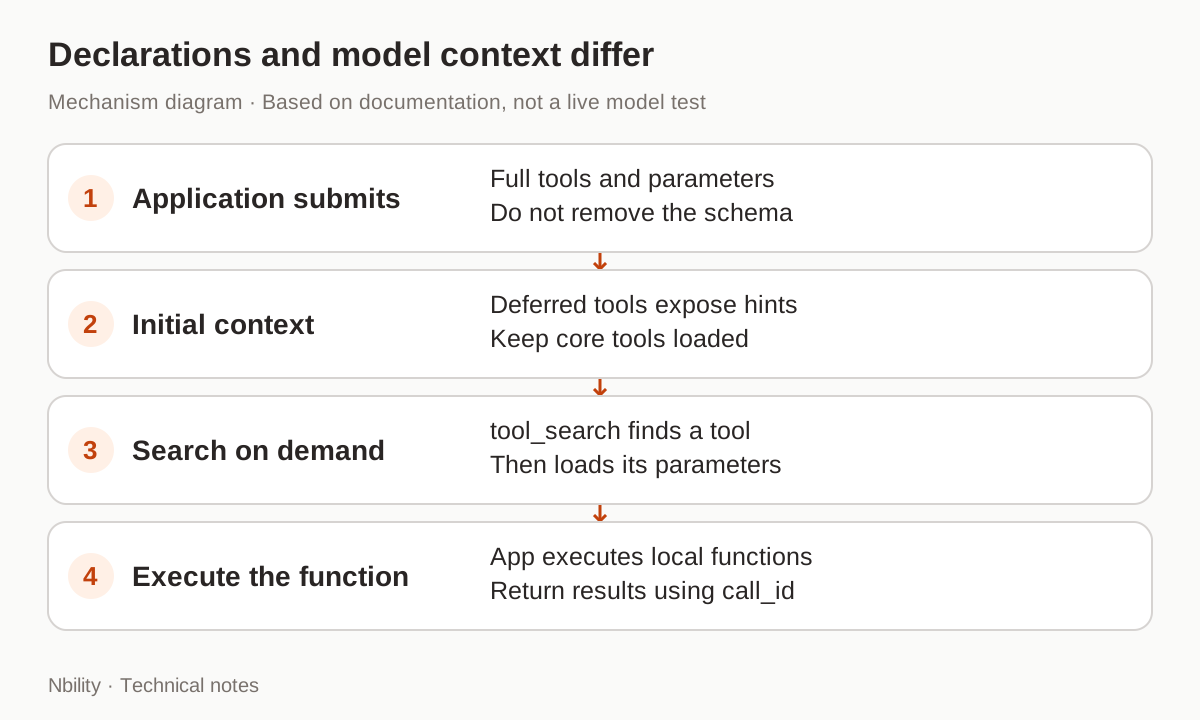
Deferred loading keeps a function's full parameter schema out of the initial model context. Server-side retrieval still requires the application to submit the complete declaration.
The JSON sent to the API and the context shown to the model are different layers. Keep parameters in the request: the model needs the schema once it retrieves the tool. Names, descriptions, and optional short_description help it discover the right function.
Leave frequently used tools loaded and defer the long tail. The guide also recommends keeping tools loaded when system instructions or tool outputs name them explicitly, because the model might attempt a direct call without searching.
How do you enable server-side retrieval?
Add {"type":"tool_search"} to tools and set defer_loading: true on deferred functions.
This request uses the official endpoint and the guide's gemini-4-hydrogen model. It describes a read-only public catalog lookup. It needs a local official GEMINI_API_KEY; only Shell and JSON syntax were checked here.
curl --silent --show-error \
  'https://generativelanguage.googleapis.com/v1beta/interactions' \
  -H "x-goog-api-key: $GEMINI_API_KEY" \
  -H 'Content-Type: application/json' \
  -d '{
    "model": "gemini-4-hydrogen",
    "input": "Find the public manual for DEMO-42.",
    "tools": [
      {"type": "tool_search"},
      {
        "type": "function",
        "name": "catalog_find_manual",
        "description": "Find the public product manual by exact product code.",
        "short_description": "Catalog: find a public manual.",
        "defer_loading": true,
        "parameters": {
          "type": "object",
          "properties": {"product_code": {"type": "string"}},
          "required": ["product_code"]
        }
      }
    ]
  }' -o interaction.json
A response may contain tool_search_call, tool_search_result, and then function_call. The API handles the first two. Your application executes the function and returns its result using call_id. Inspect steps for function calls on every response rather than relying solely on status == "requires_action".
A single function makes the protocol easier to read; it does not establish a reason to use retrieval. Evaluate the full tool library, number of calls, failures, and completed tasks before making a cost claim.
Can your application search its own registry?
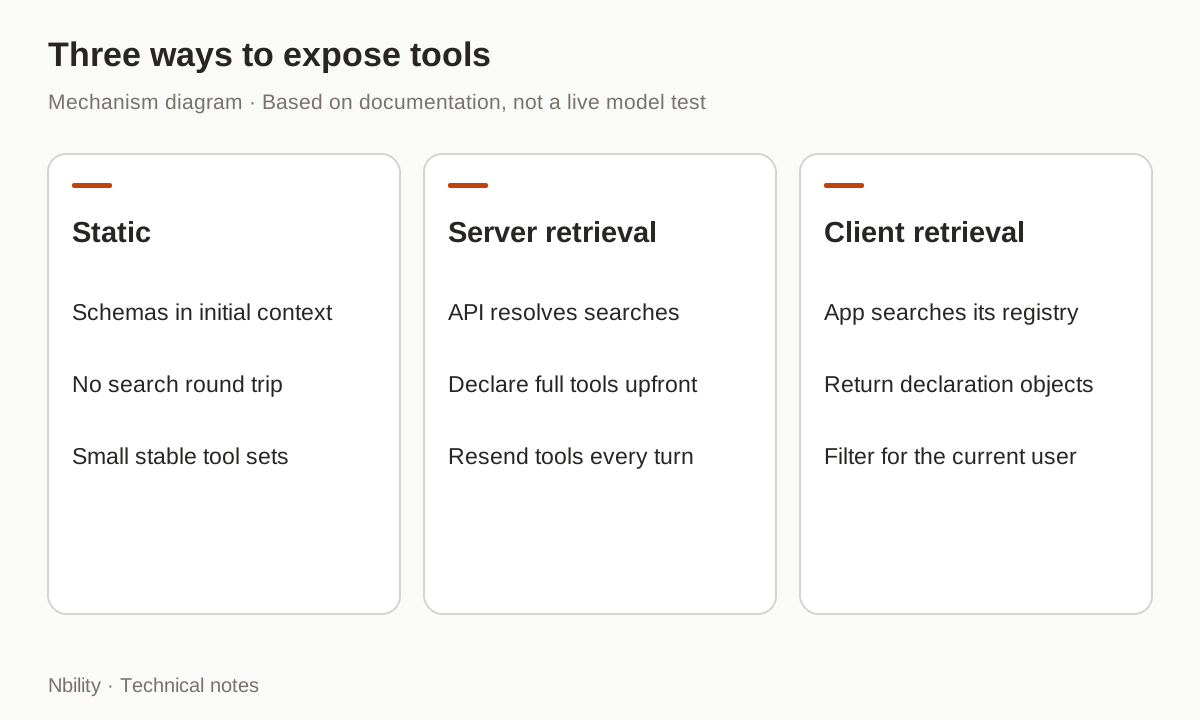
Client-side retrieval lets the application receive a search call and return matching function declarations, which suits dynamic registries and user-specific tool sets.
| Mode | Where tools are declared | Who searches | Main consideration |
|---|---|---|---|
| Static loading | Initial tools | No search step | Small, stable tool sets |
| Server retrieval | Initial tools, with full schemas | The API | Resend declarations on every turn |
| Client retrieval | Function declarations in search results | Your application | An extra round trip and permission filtering |
Client retrieval uses execution: "client" on the search tool. It cannot be combined with server retrieval in the same request, and defer_loading applies only to the server mode. Return declarations as objects, not JSON strings.
Retrieval does not authorize data access. A discoverable tool must still enforce the current user's resource permissions when executed. Tool-output permission boundaries explains why reading an instruction is different from authorizing an action.
Why must follow-ups send tools again?
previous_interaction_id retains earlier steps, but does not persist tool declarations. Every request, including one returning function_result, must include the full tools array.
For stateless history, preserve every model-generated step in order, including tool_search_call, tool_search_result, and their signature fields. A missing search call or stripped signature can cause a 400. A missing search result may instead silently remove loaded schemas from context. Flattening history into plain text loses essential structure.
This is one reason chat compatibility must be tested separately from a complete agent loop. SDKs and gateways need to understand the new steps rather than retain only final text and ordinary function names.
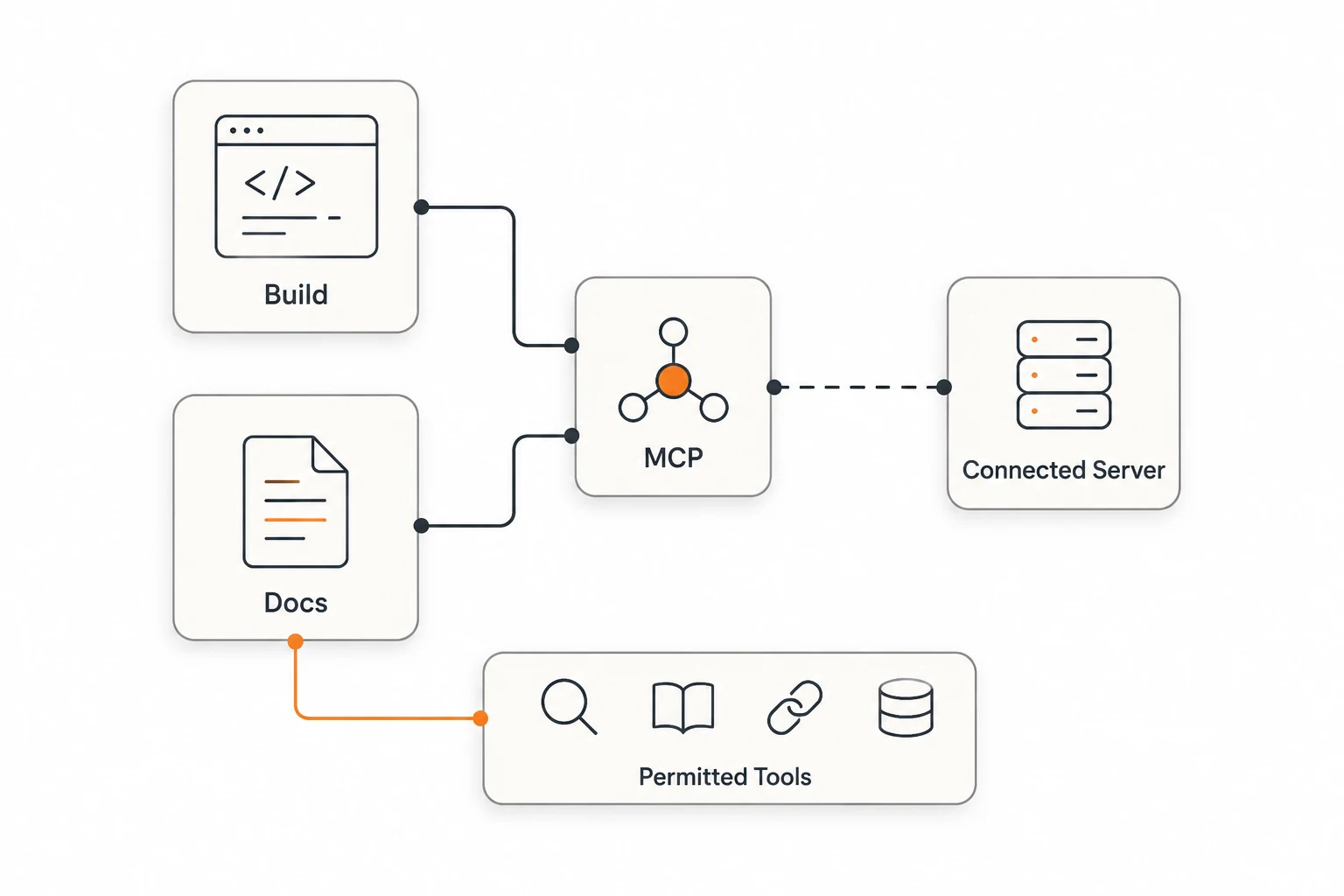
Remote MCP servers can also be deferred. After discovery, the API executes the remote tool and returns mcp_server_tool_call and its result, unlike a local function executed by your application. Review the MCP roles before deciding where that connection belongs.
What should be tested before deployment?
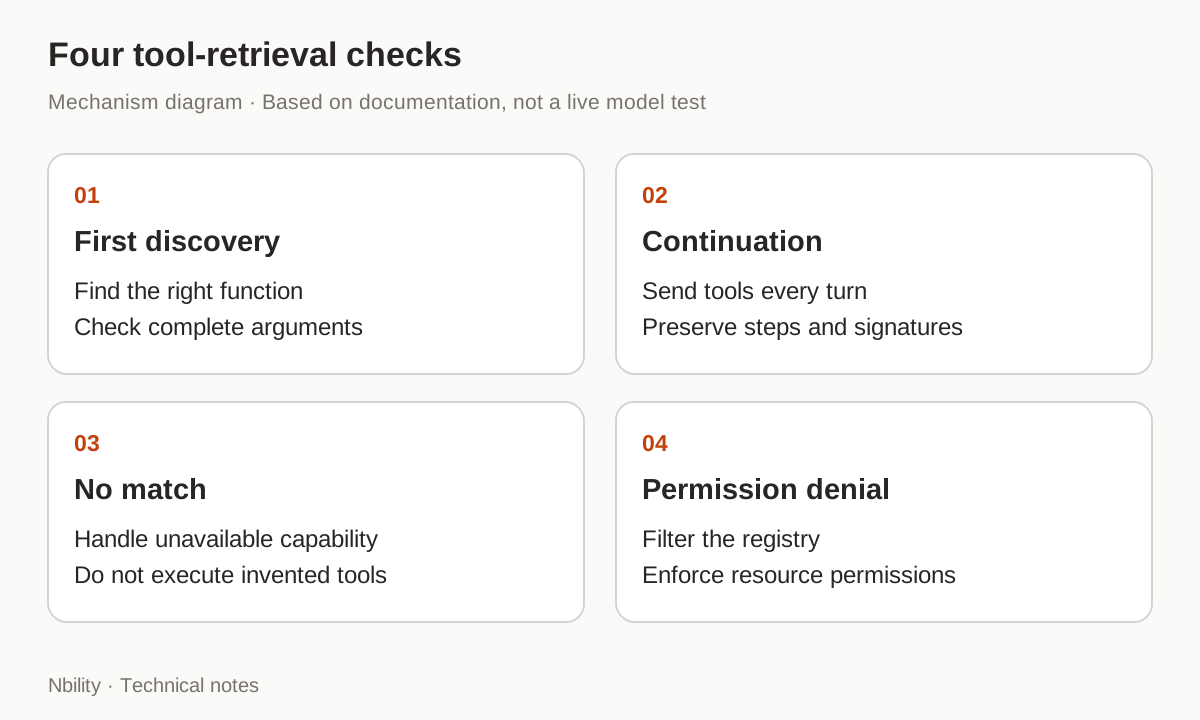
Begin with public read-only tools and verify discovery, follow-up, no match, and permission denial before introducing real operations.
- Ask a question needing one tool and check its name and complete arguments.
- Return its result, resend
tools, and verify the answer uses the result. - Ask for an unavailable capability and ensure no nonexistent tool executes.
- Preserve signed steps in stateless history; exercise missing-field handling only in a disposable test.
- Test registry filtering and function-level resource permissions with two test users.
Loaded tools remain in the conversation and currently cannot be unloaded. Long sessions still need context management. Nbility's Gemini compatibility documentation covers generation routes; it does not verify Interactions tool retrieval. Confirm the endpoint and event support before migrating a real workflow through a gateway.