T3 Code Provider Switches: What Context Carries Over?
Keep a T3 Code task moving after a provider switch. Understand v0.1.7's selected history, context allowance, attachment limits, and runtime boundaries, then verify the receiving agent can continue.
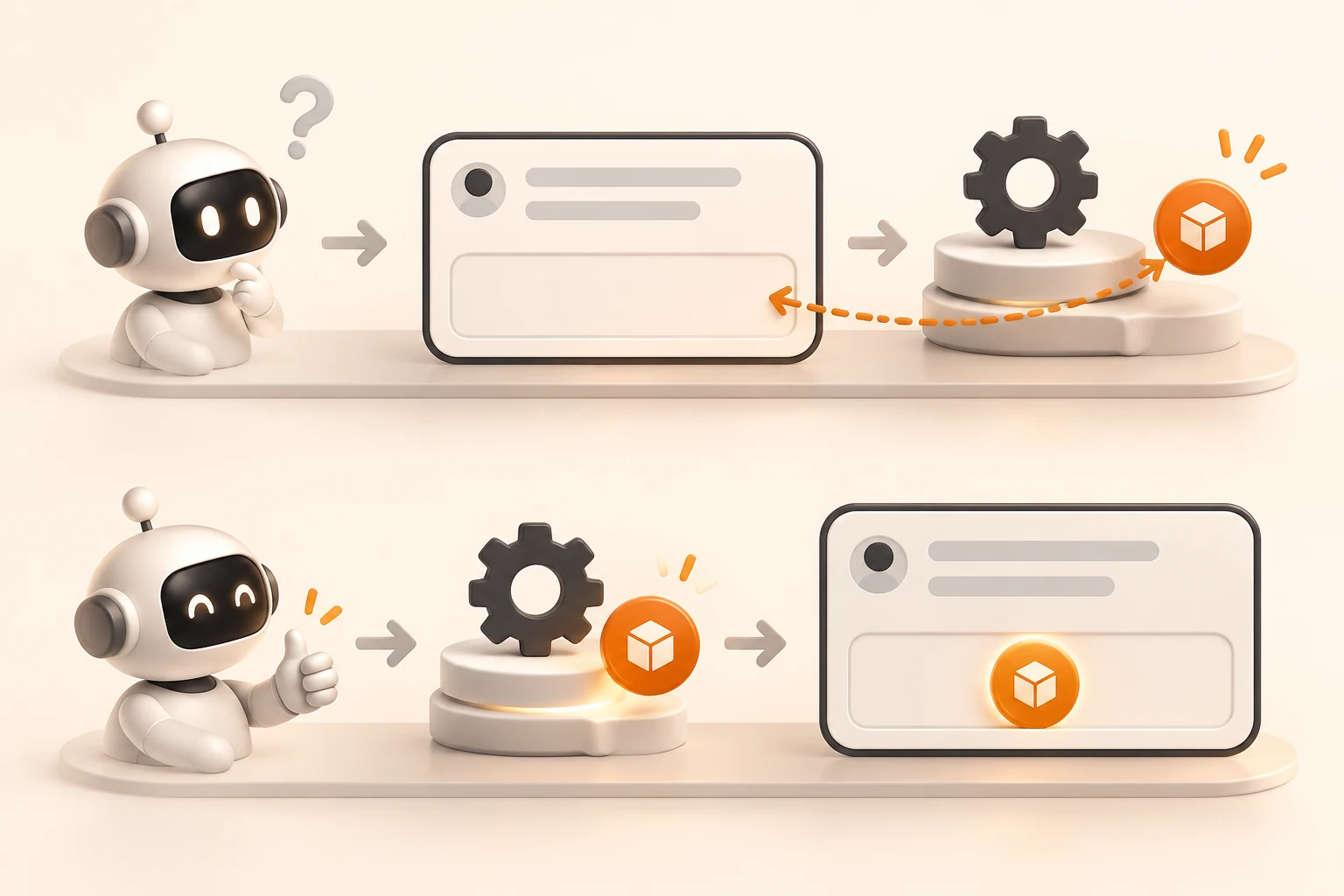
You switch models halfway through a task. The old conversation remains visible in T3 Code, but the receiving agent searches for files again, repeats a question, or loses track of the test that just failed.
Check which history reached the new request and whether the required files and attachments are accessible. A saved transcript does not establish that the new provider received every message, tool result, or piece of runtime state. T3 Code selects history to fit the available space. Restating a critical requirement in the first request after switching helps make the continuation explicit.
This guide focuses on switching providers, with related behavior for portable restarts and some forks. It does not treat every model or option change within one provider as a fresh conversation. Sources were checked on November 9, 2026, against T3 Code v0.1.7, still returned as the latest stable release that day.
Separate the transcript, selected history, and runtime state
The portable-handoff documentation describes context transfer when switching providers, continuing through a portable restart, or using a fork the provider cannot resume natively.
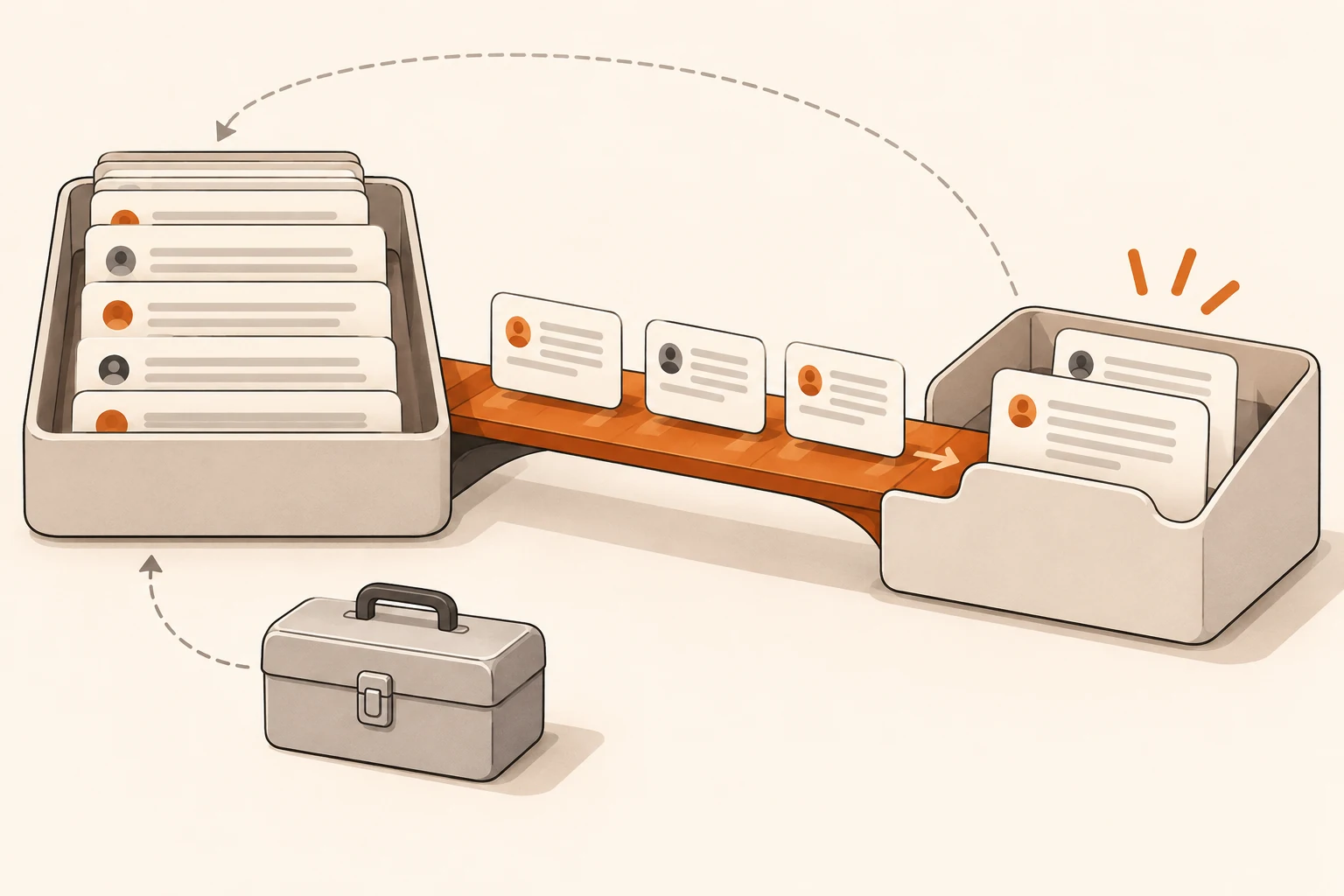
Short conversations can transfer intact when the allowance permits. For longer conversations, T3 favors recent requests and answers, the original request, and relevant activity text. Selected messages retain their full text, order, and user or assistant role. Partial work from failed or interrupted turns can also be included.
| Material | What happens during handoff | What to check afterward |
|---|---|---|
| Saved conversation and activity | Remains available as history; not necessarily all sent initially | Retrieve the relevant saved item when a fact is missing |
| Selected historical messages | Carries intact text in order, with source attribution | Confirm constraints, completed changes, and outcomes |
| Your current request | Stays separate and is not shortened to make history fit | State essential requirements clearly and keep the request focused |
| Some activity text, such as command outcomes | Can be selected; a long item may be omitted | Read the specific result when error details are missing |
| Outgoing provider reasoning and tool-call state | Is not copied by the textual handoff | Check commands or background work that may still be running |
| Attachments from older messages | Attachment payloads are not copied with historical text | Attach them again when needed or establish access to the actual file |
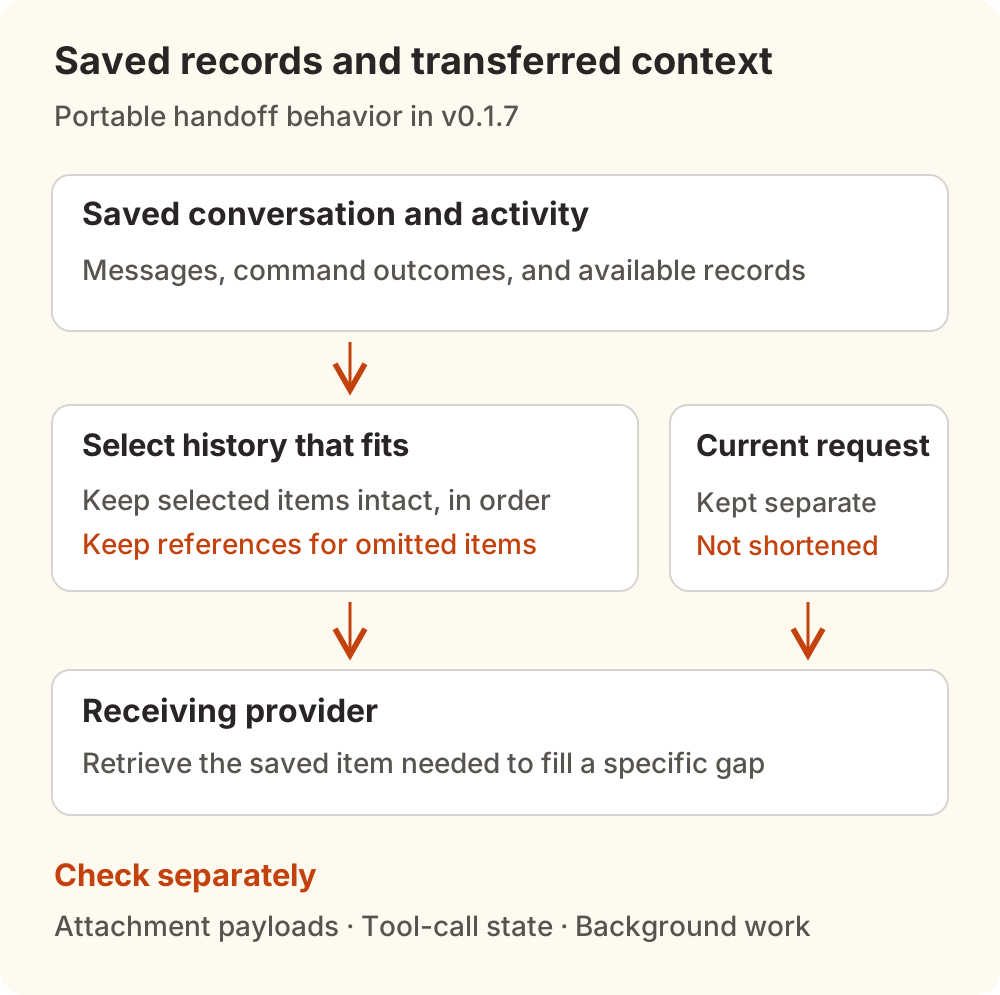
This mechanism selects existing records rather than asking a model to rewrite the conversation into a summary. A file-change record is also not the file's contents. Knowing that src/export.ts changed still leaves the agent needing to inspect its current code.
Verify the working directory separately, especially when moving between forks, new threads, or machines. Our guide to threads and worktrees explains those relationships. Correct task context can still be applied to the wrong checkout.
Why some history is left out
The target context must accommodate the current request, attachments, instructions, tools, and subsequent work. The v0.1.7 history selector and budget code therefore constrain history by both its configured allowance and the target conversation's remaining capacity.
The initial history allowance defaults to 16,000, adjustable by server operators through T3CODE_CONTEXT_HANDOFF_TOKEN_CAP. This controls the upper bound for transferred history; it cannot enlarge the model's context window. Text is conservatively accounted for using UTF-8 bytes, including attribution and JSON escaping. Actual model tokenization and billing require separate checks.
When model capacity is unavailable, the code falls back to a 128,000 window. That is an estimation assumption, not evidence that a custom model or service exposes that capacity. Existing context, images, and other attachments also reduce the room available for history.
Before raising a history cap, inspect the actual error, target capacity, and current attachments. Our context-length guide explains how these inputs compete for space.
A local example: an oversized log is omitted intact
We extracted the original selector from the release source and ran it with five synthetic records. No model request was sent:
| Synthetic history item | Result in this fixture |
|---|---|
| Original CSV export goal | Full text retained |
| Earlier answer locating the relevant file | Full text retained |
| One command log larger than the history allowance | Omitted, with its item identifier recorded |
| Latest request to continue | Full text retained |
| Latest answer identifying the failing case | Full text retained |
At the default allowance, the four short messages survived in their original order. The long log was omitted as a whole, without being rewritten into a summary. Removing that log and rerunning selected all four remaining messages. This verifies the selector, not end-to-end provider delivery, attachment transfer, or history retrieval.
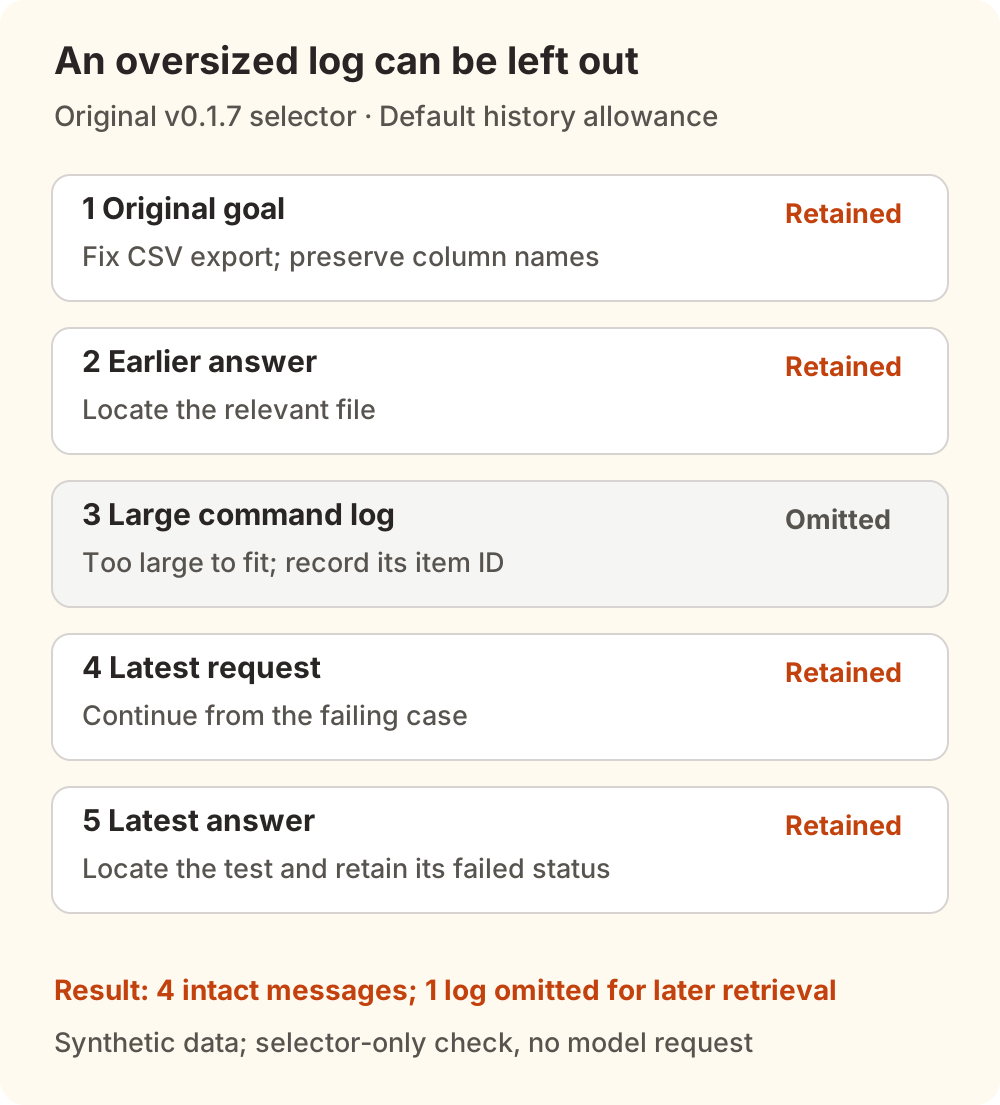
The official guide says a handoff includes references for omitted history. The agent can use T3's thread-reading tool to retrieve saved messages and activity, including the rest of a long item. Ask it to locate the particular error you need rather than pasting the entire build log into the current request again.
Make the first continuation request explicit
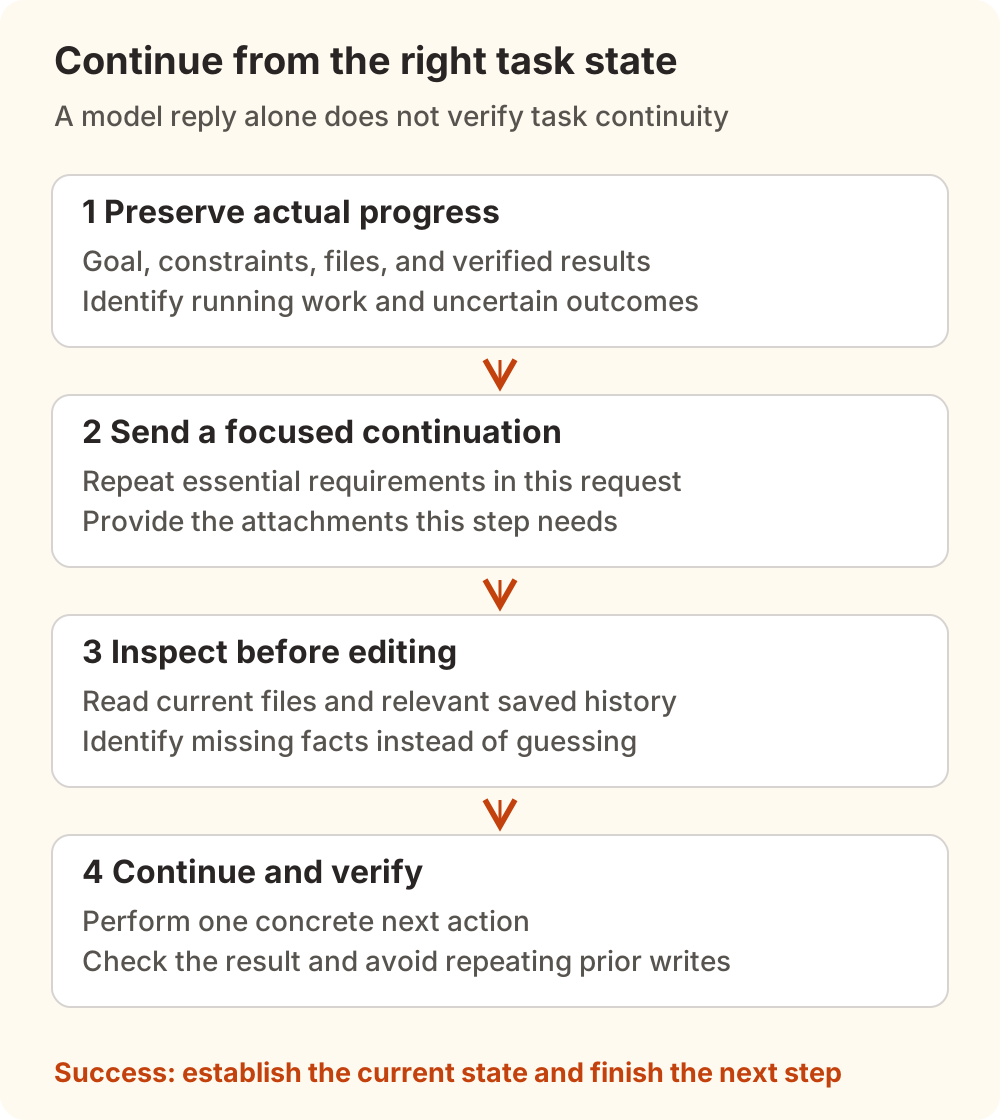
Before switching, preserve the actual task state: goal, constraints, current files, completed checks, and the next action. Compare any handoff note against files and execution records. “Everything is done” is not enough evidence to proceed.
Select the target connection in T3's model/provider controls, then send a focused continuation. Replace these placeholders with facts from your task:
Continue the current task. Begin with read-only checks; do not edit files or repeat writes yet.

Goal and acceptance: <the problem and observable completion criteria>
Preserve: <interfaces, behavior, rejected approaches and their reasons>
Current workspace: <machine, directory, branch, and commit>
Existing changes: <files and concrete edits; list untracked files separately>
Verification: <commands actually run, their results, and what remains unverified>
Attachments and background work: <files needed; jobs still running or with uncertain status>

Inspect the relevant files and required history, then state:
1. What is already established.
2. Which information is missing and where to retrieve it.
3. The smallest next action and how to verify it.

Mark unknown facts explicitly. Do not invent execution results from an old summary.
This is a task brief for the receiving agent, not a T3 configuration file. The important outcome is locating current code, real verification results, and a concrete next action.
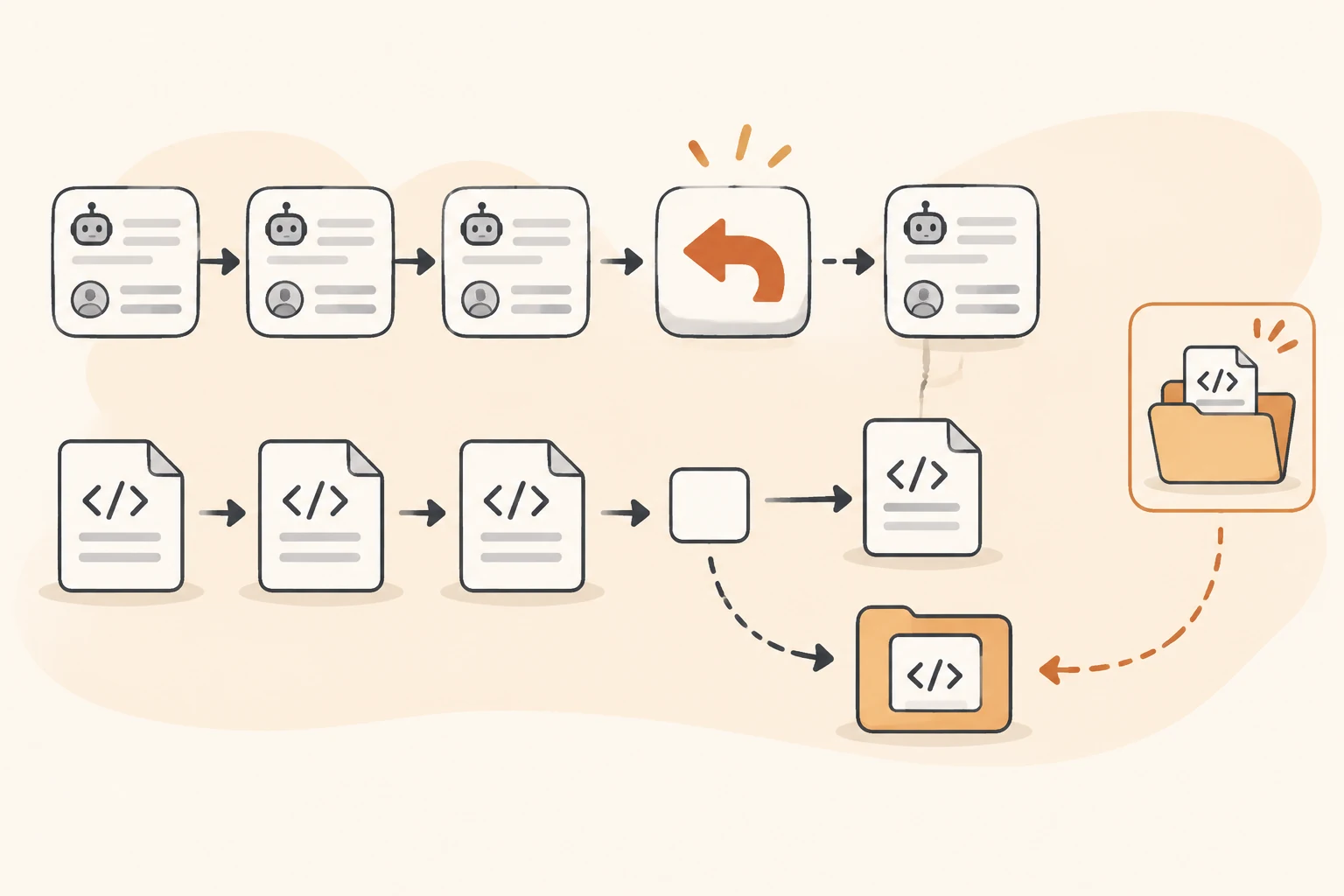
If the problem is missing conversational context and the files are still correct, restoring a checkpoint need not be the first step. When code actually needs undoing, follow the conversation-rewind and file-restore guide to preserve the changes you still want.
Diagnose the symptom you actually have
The agent replies but cannot explain an earlier conclusion. Choose one missing fact, such as a failing test name or a field that must remain unchanged. Ask it to retrieve the relevant record and check the files. Reading a function again can be appropriate; repeatedly restarting the same repository-wide search calls for closer inspection of the handoff.
It knows a screenshot's name but not its contents. Confirm that the payload is attached to the new request or that the receiving agent can read the specified file. A thumbnail in the transcript does not establish that the new model received the image. Keep private material in an appropriate private channel.
It reports Insufficient context allowance or an oversized input. The v0.1.7 user guide describes starting a fresh provider conversation with bounded history and automatically continuing the request when the target conversation lacks room. If the current request and attachments still leave too little room in a fresh conversation, shorten the input or choose a model with confirmed larger capacity. T3 does not silently shorten your request to fit the history. The provider can still reject an input, and this recovery does not apply to every error.
Issue #23142 is an older nightly report involving Factory Droid and Cursor. Another user reported a similar experience, while a maintainer explicitly said the necessary environment was unavailable for verification. It remained open on the research date. This article explains the current release's documented budget behavior without adopting the report's multiplier estimates or older behavior as universal facts.
Background work is still running while the handoff waits. The official guide says recovery leaves that work intact. Let it finish, or stop it with an understanding of the consequences, before retrying. A missed conversational handoff is not a reason to repeat a migration, deployment, or other operation with side effects.
Switching is slow. Record the version, history size, and actual waiting stage. Issue #23820 concerns selector work spent serializing logs that cannot fit. PR #23821 merged on November 8, but the v0.1.7 source checked here still lacks that early-skip change. Its author's local timing results do not measure the complete provider switch. We did not run a switching-performance test.
Verify that the task has actually continued
A successful handoff lets the receiving agent identify the current changes, outstanding verification, and constraints, then complete the agreed next action. Repeating old messages or producing a single model response does not establish that outcome.
For a Nbility connection, use connection basics to verify the new endpoint, protocol, and model, then inspect actual request records. Those establish that a call occurred. Whether the task context was adequate still depends on the T3 handoff and the agent's subsequent work. For usage after switching, see T3 Usage and billing scope; transcript item counts do not directly translate into tokens or charges.
Put the essential requirements in the current request, keep checkable facts in files and records, and continue from one concrete action. Even when only part of the history is selected, you can identify what is missing and where to recover it.